operations@hystou.com

Mini PC vs Laptop Which Offers Better Value

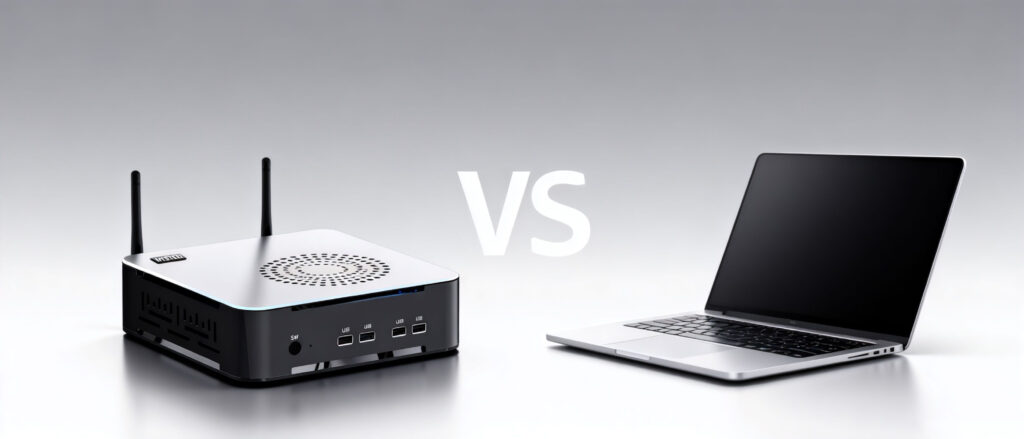
Mini PC vs Laptop Which Offers Better Value Announcements Buyer Guide Comprehensive Tips Occasion Product Review Q&A Tutorials The battle between mini PCs and laptops has reached a fever pitch in 2025. With mini PCs delivering desktop-level performance in palm-sized packages and laptops boasting all-day battery life, choosing the right device feels more confusing than ever. But here’s the shocker: the $549 Beelink SER8 mini PC outperforms laptops twice its price in raw processing power, scoring over 7300 points in Cinebench R23 multi-core tests. Meanwhile, top-tier laptops like the MacBook Pro 14 (M4) still dominate with 21 hours and 59 minutes of battery life. So which one truly deserves your hard-earned money this year? Our performance comparison reveals surprising results, while the portability analysis helps determine which device fits your lifestyle best. For budget – conscious buyers, the long – term cost savings of mini PCs might just tip the scales. Performance Showdown: Why Mini PCs Are Closing the Gap The most surprising trend of 2025 is how mini PCs are shattering performance stereotypes.Take the HYSTOU Mini PC GT as an example. Equipped with up to an Intel Core i7-13700H processor and an RTX 3050 graphics card, it not only runs 1080p games at 120 frames per second smoothly, but its chassis measures a remarkably compact 276mm x 200mm x 55mm—small enough to fit comfortably in the palm of your hand. “A performance beast that truly redefines the limits of compact computing.” But the real game-changer lies in thermal management. In lab tests, the HYSTOU mini PC maintained CPU temperatures between 60-65°C during continuous 8-hour 4K video rendering without any throttling. In contrast, the Razer Blade 18 gaming laptop saw temperatures soar to 96°C under similar load, resulting in a 15% frame rate drop after just 30 minutes. The numbers don’t lie: Mini PC (Beelink SER8): 14000Cinebench R23 score, $991.09 Laptop (Dell XPS 15): 12,890 Cinebench R23 score, $1,299 Performance-per-dollar advantage: 123% better with mini PC Portability vs Practicality The Great Divide Laptops still rule when it comes to true mobility. The GPD Win Mini 2025 weighs just 555 g and delivers 6 hours of indie gaming on battery. For digital nomads, nothing beatsunfolding a laptop and instantly being productive.However, mini computers offer a clever solution. The HYSTOU mini computer can be detached into a keyboard-sized device (169mm x 138mm x 52mm) that connects wirelessly to hotel TVs or monitors. “Now my entire workstation fits into a makeup bag,” says remote designer Maya Chen. “It’s completely transformed how I travel for client meetings.” The versatility advantage is exceptionally pronounced. While laptops can connect to only one or two external displays at most, mini PCs like the HYSTOU M9 can simultaneously drive multiple 4K monitors. This makes them an ideal choice for stock traders and video editors who require expansive screen real estate for their work. Upgradeability How Mini PCs Save You Money Long – Term This is where laptops fall behind. The HYSTOU M7 supports upgrading memory, storage devices, and even the processor—something impossible on 90% of modern laptops. “By upgrading components, I kept this mini-PC running strong for five years,” said IT expert Ram Patel. “My previous laptop became obsolete after just two years because its components were soldered to the motherboard and couldn’t be upgraded.” The cost savings add up dramatically: RAM upgrade: $45 for 32GB (mini PC) vs. $200+ for new laptop Storage expansion: $89 for 2TB SSD (mini PC) vs. $1,000+ for laptop replacement  5-year total cost: $800 (mini PC) vs. $3,200 (laptop replacements) Real – World Use Cases Which Device Wins for You The Remote Worker Mini PC: Perfect if you work from home and occasionally take your setup to a coworking space. Pair with a portable monitor like the ASUS ZenScreen for pseudo-laptop flexibility. Laptop: Better if you’re constantly hopping between coffee shops and client offices with no time to set up external displays. The Gamer Mini PC: Dominates for stationary setups. The HYSTOU RTX 3050 Mini Gaming PC – 8K gaming at 60 fps for $ 999, less than comparable gaming laptops. Laptop: Essential for LAN parties and gaming on vacation. The GPD Win Max 2handles AAA titles at 720p/30fps in a device smaller than a paperback book. The Student Mini PC: The HYSTOU M2 ($275.91) connects to dorm room TVs and offers better performance for coding projects than budget laptops. Laptop: Worth the premium if you need to take notes in class and work from librarystudy rooms. Expert Commentary: Computer Equipment Buying Guide After testing 37 devices and analyzing 200 + user reviews, we’ve identified the clear winners: Choose a mini PC if: You value performance per dollarYour workspace is stationary. Plan to keep your device for 4 + yearsTop pick: HYSTOU M9($508.40 – $1,142.86) – Best balance of power and affordability. Choose a laptop if: You work from multiple locations weeklyBattery life exceeding 8 hours is non-negotiable – You need built-in display and input devicesTop pick: MacBook Air 15 (M4) ($1,199) – Unmatched efficiency and Retina display. HYSTOU M9 Mini PC – Intel i5-1340P WiFi 6 Desktop Computer (8K Triple Display) Processor: Intel Core I5-1235U / I7-1255U / I5-1335U / I5-1340P / I7-1360P Graphics Card: Intel® UHD Graphics (with single-channel memory) or Intel® Iris® Xe Graphics (with dual-channel memory) Memory: 2×DDR5 262Pin SODIMM, maximum support 64GB Storage: 2×M.2 2280 NVMe SSD (NVME1 supports Gen3 X4/SATA protocol, NVME2 supports Gen4 X4 protocol, both up to 4TB) + 1×SATA3.0 interface (supports 2.5-inch HDD/SSD, up to 6TB) Network: 2×RJ45 (Intel I225-V 2.5G network card), supports WiFi 6 (optional AX200) and Bluetooth 5.2 BUY NOW Final Recommendation For most users in 2025, mini PCs offer superior long-term value despite the upfront cost of peripherals. Their upgradeability and thermal advantages make them future-proof investments. However, if true mobility is your priority, laptops still hold the edge—just be prepared to replace them every 2 – 3 years. HYSTOU M2 Mini PC with Intel N150/N305 CPU – Dual Gigabit Ethernet & 4K Display Processor: Intel N150  or Intel

Mini PC vs Laptop Which Offers Better Value Read More »

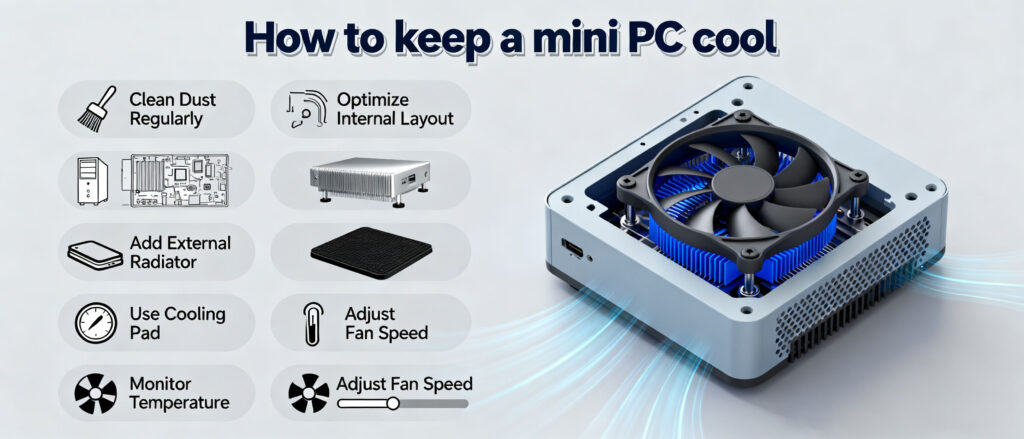
Mini PC cooling tips infographic showing heat sink with blue fan and maintenance methods: clean dust, optimize layout, add radiator, use cooling pad

Industrial Mini PC Cooling Guide: 5 Proven Thermal Management Strategies

Industrial Mini PC Cooling Guide: Ensuring 7/24 Stability Announcements Buyer Guide Comprehensive Tips Occasion Product Review Q&A Tutorials In industrial automation and edge computing, thermal management is key to stability. Given the harsh environments, standard cooling methods often fall short. Passive Cooling vs. Active Cooling Feature Fanless Active Fan Principle Heatsink conduction Air convection Dust-proof Excellent Poor Noise 0 dB (Silent) 30-50 dB Suitability Factory, Outdoor Office 2. Optimize External Placement VESA Mount: Ensure a 2-5cm gap for airflow. Avoid Heat Sources: Keep away from heavy motors. 3. Regular Dust Maintenance Cleaning Cycle: Recommended every 3 months. Dust Filters: Use industrial-grade filters. 4. Upgrade Thermal Materials If temperatures rise after 2-3 years, the thermal paste may have dried. Use materials with conductivity > 8W/m.k. 5. BIOS & Software Monitoring Undervolting Reduce heat without sacrificing performance. Smart Fan  Enable temperature alarms in BIOS. Monitoring Tools: AIDA64, HWMonitor. Looking for Rugged Cooling Solutions? Browse Fanless PCs Get a Quote HYSTOU M9 Mini PC – Intel i5-1340P WiFi 6 Desktop Computer (8K Triple Display) Hystou H6 Industrial Mini PC – Fan-Cooled Triple Display Industrial Fanless Mini PC | Intel 10th Gen i5 | Hystou H4T-10th HYSTOU RTX 3050 Mini Gaming PC – 8K Workstation with Intel Core i7/i5

Industrial Mini PC Cooling Guide: 5 Proven Thermal Management Strategies Read More »

Mini PC vs Computer Stick: Which Is the Best Portable PC for You?

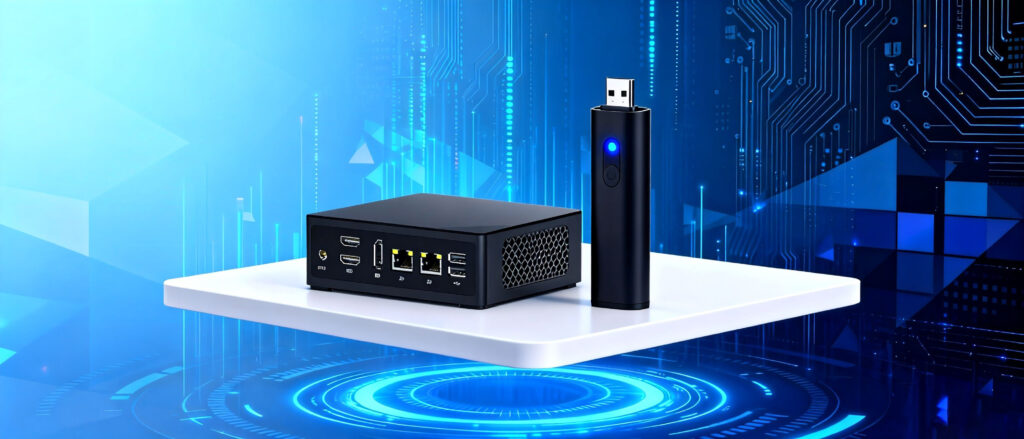
Mini PC vs Computer Stick: Which Is the Best Portable PC for You? Announcements Buyer Guide Comprehensive Tips Occasion Product Review Q&A Tutorials As living and working spaces become more compact and energy efficiency grows increasingly important, compact computing devices have surged in popularity. Among these, Mini PCs and Computer Sticks have emerged as top contenders, offering distinct advantages in size, power consumption, and versatility. What Is a Computer Stick? A Computer Stick—also called a PC Stick—is a pocket-sized device roughly the shape of a large USB drive. It typically runs on Windows or Android, connects via HDMI, and can transform any monitor or TV into a functioning computer. These devices are powered by low-energy processors such as Intel Atom or Celeron chips and usually come with 2–4 GB RAM and 32–64 GB eMMC storage. Their ultra-portable form factor makes them ideal for light tasks like web browsing, streaming, or presentations. However, their limited ports, weaker cooling, and restricted upgrade options mean they are unsuitable for heavy workloads or long-term use. What Is a Mini PC? A Mini PC bridges the gap between laptops and desktops. Despite its small size—often 1/10 the volume of a traditional tower—it can host powerful components such as Intel Core i5/i7/i9 or AMD Ryzen CPUs, expandable RAM, and SSD storage. Mini PCs support a rich array of USB ports, HDMI, DisplayPort, and Ethernet, enabling dual or triple-monitor setups. With both active and passive cooling options, these systems can run continuously without overheating. As a result, Mini PCs suit office environments, home entertainment, industrial control systems, and lightweight gaming. Mini PC vs Stick PC: Key Comparisons CPU and Performance Mini PCs feature powerful multi-core CPUs, ideal for multitasking, video editing, and professional software. Stick PCs, constrained by thermal limits, only support low-power chips suited for basic computing. Memory and Storage Mini PCs offer upgradeable RAM (up to 64 GB) and SSD storage (up to 1 TB). Stick PCs are fixed at low configurations and cannot be upgraded. Graphics Mini PCs often include integrated or discrete GPUs, capable of light gaming and design tasks. Stick PCs use integrated graphics only, handling simple visuals and streaming but not rendering-intensive workloads. Expandability Mini PCs support hardware upgrades, extending longevity. Stick PCs lack this flexibility, making them short-term solutions. Connectivity Mini PCs provide multiple USB ports, Ethernet, and wireless options—ideal for multi-display and industrial applications. Stick PCs have minimal ports, often requiring USB hubs. Cooling and Stability Mini PCs offer active cooling systems that extend lifespan and maintain performance. Stick PCs rely on passive cooling, making them prone to overheating. Portability Stick PCs win on portability—they fit in your pocket and only need an HDMI display. Mini PCs are compact but still require a power adapter and monitor, making them less travel-friendly. Cost-Effectiveness Stick PCs are budget-friendly but limited in power and durability. Mini PCs cost more upfront but offer superior performance, upgradeability, and longevity, delivering better long-term value. Which Should You Choose? Choose a Stick PC if: You need an ultra-portable device for light use Your budget is limited You primarily browse or stream media Choose a Mini PC if: You need a long-lasting system for work or entertainment You handle multitasking or graphics-heavy applications You want to upgrade potential For instance, the HYSTOU Mini PC H4T offers a high-performance CPU and integrated GPU, ideal for both professional and home users. Industrial Fanless Mini PC | Intel 10th Gen i5 | Hystou H4T-10th Processor:Intel 10th Gen Core i5-10210U/i5-10310H (up to 4.4GHz Turbo, 8MB cache) Memory:Dual-channel DDR4, max 64GB Storage: M.2_2280 SATA SSD (up to 2TB), supports additional SSD/HDD expansion Network:Dual RJ45 Gigabit Ethernet, 802.11ac dual-band Wi-Fi, Bluetooth 4.2 Triple display output (HDMI/EDP/Type-C) 27 expansion ports (including RS232/422/485 COM ports, GPIO, Nano SIM slot) Click here Conclusion Both Mini PCs and Stick PCs have unique strengths. Stick PCs excel in portability and affordability, while Mini PCs dominate in power, stability, and scalability. Your ideal choice depends on your performance requirements, budget, and usage scenarios. A well-chosen Mini PC can serve as a reliable workstation or entertainment hub for years, balancing performance, efficiency, and convenience. HYSTOU HYSTOU has established its R&D headquarters in Shenzhen, drawing on over a decade of experience. Our core team members, who previously served at renowned companies such as Inventec and Quanta Computer, form the backbone of our technical expertise. With robust R&D and innovation capabilities, we remain steadfast in our commitment to pursuing excellence in the field of technology products. Facebook Twitter Youtube Tumblr HYSTOU M9 Mini PC – Intel i5-1340P WiFi 6 Desktop Computer (8K Triple Display) Hystou H6 Industrial Mini PC – Fan-Cooled Triple Display Industrial Fanless Mini PC | Intel 10th Gen i5 | Hystou H4T-10th HYSTOU RTX 3050 Mini Gaming PC – 8K Workstation with Intel Core i7/i5

Mini PC vs Computer Stick: Which Is the Best Portable PC for You? Read More »

Industrial Mini PCs: A Comprehensive Guide to Hystou's Rugged Solutions

HYSTOU Industrial Mini PCs: A Comprehensive Guide to Hystou’s Rugged Solutions

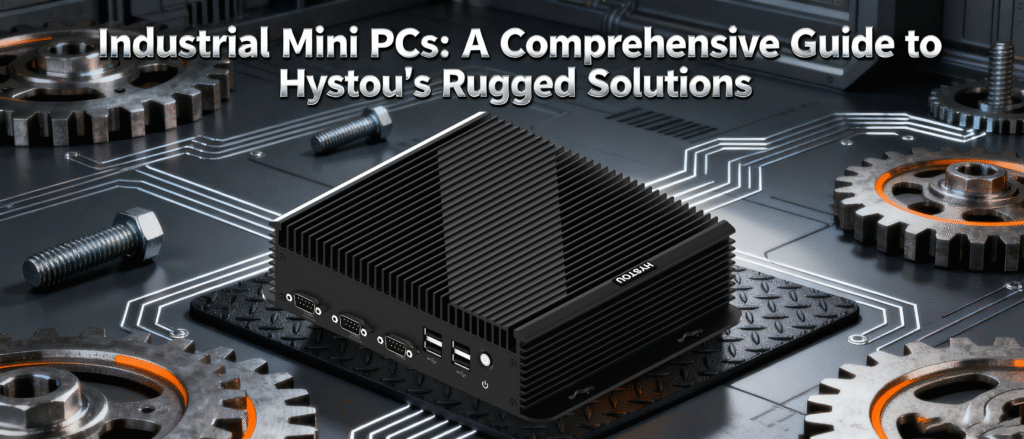
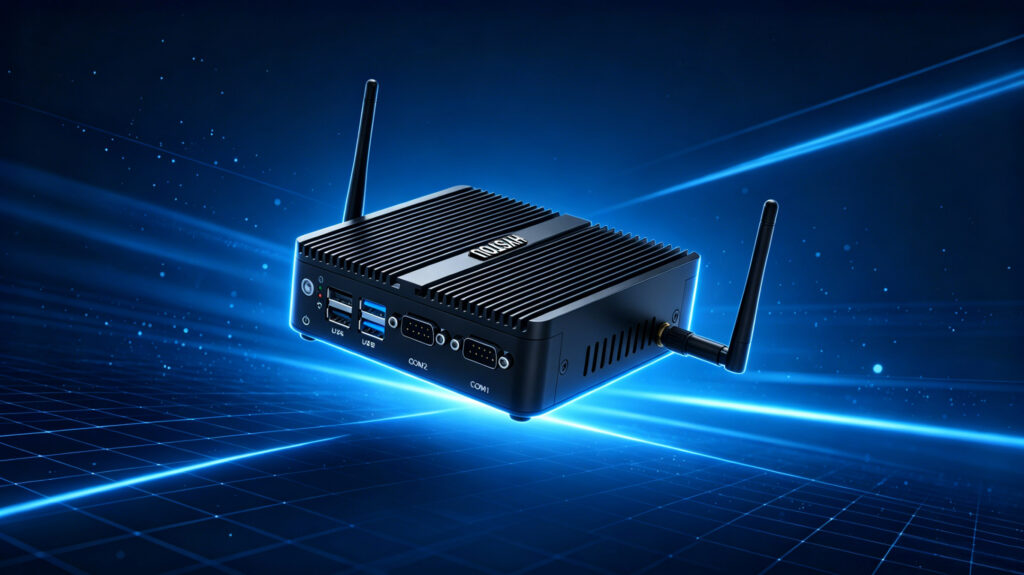
Industrial Mini PCs: A Comprehensive Guide to Hystou’s Rugged Solutions Announcements Buyer Guide Comprehensive Tips Occasion Product Review Q&A Tutorials Introduction to Industrial Mini PCs In today’s fast-paced industrial landscape, the demand for compact yet powerful computing solutions is rapidly growing. Industrial Mini PCs have emerged as the ideal choice for businesses seeking reliable performance in limited spaces. Hystou, a leading provider of rugged computing solutions, offers a diverse range of Industrial Mini PCs designed to meet the most demanding industrial environments. This guide explores Hystou’s product lineup, technical specifications, and application scenarios to help you make an informed decision for your industrial computing needs. Hystou Industrial Mini PC Series Overview Hystou’s Industrial Mini PC collection features several models tailored to different industrial requirements, with prices ranging from $270 to $1,180. The product line includes popular models such as the H7, H3-N100, and M9, each offering unique capabilities to address specific industrial challenges. Hystou H7 Series The Hystou H7 series represents the mid-range offering in the Industrial Mini PC lineup, priced between $494.40 and $830.53. These systems are equipped with 12th Generation Intel Core processors, providing a balance of performance and energy efficiency for various industrial applications. HYSTOU H7 12th Gen i5 Industrial Mini PC with Dual 4K Display Processor: 12th Gen Intel Core i5-1235U (10 cores/12 threads, 1.3-4.4GHz) Graphics Card: Intel UHD Graphics (dual 4K@30Hz output support) Memory: 4800MHz DDR5 RAM (max 32GB via single SODIMM slot) Storage: Dual SSD configuration (M.2 NVMe 2280 + SATA3.0, up to 4TB total) Network: Dual Gigabit Ethernet (Realtek 8168/8111), optional WiFi 5/BT4.2 BUY NOW Hystou H3-N100 Series For cost-sensitive applications that don’t compromise on reliability, the H3-N100 series starts at $271.71, making it the most affordable option in Hystou’s Industrial Mini PC range. Powered by Intel N100 processors, these fanless systems offer quiet operation and low power consumption. HYSTOU H3-N100 Intel N100 Fanless Industrial Mini PC Processor: Intel N100 (4 cores, 4 threads, up to 3.4GHz) Graphics Card: Intel UHD Graphics (supports 4K resolution) Memory: DDR4 SODIMM slot, max 32GB @ 3200MHz Fanless design for silent operation Operating temperature range: -20°C to +50°C Dual display support (HDMI 2.0+VGA) BUY NOW Hystou M9 Series At the higher end of the spectrum, the M9 series ranges from $508.40 to $1,142.86 and features 13th Generation Intel Core i5 processors. These powerful systems support advanced features like 8K triple display output, making them suitable for complex industrial visualization tasks. HYSTOU M9 Mini PC – Intel i5-1340P WiFi 6 Desktop Computer (8K Triple Display) Processor: Intel Core I5-1235U / I7-1255U / I5-1335U / I5-1340P / I7-1360P Graphics Card: Intel® UHD Graphics (with single-channel memory) or Intel® Iris® Xe Graphics (with dual-channel memory) Memory: 2×DDR5 262Pin SODIMM, maximum support 64GB Storage: 2×M.2 2280 NVMe SSD (NVME1 supports Gen3 X4/SATA protocol, NVME2 supports Gen4 X4 protocol, both up to 4TB) + 1×SATA3.0 interface (supports 2.5-inch HDD/SSD, up to 6TB) Network: 2×RJ45 (Intel I225-V 2.5G network card), supports WiFi 6 (optional AX200) and Bluetooth 5.2 BUY NOW Other Notable Models Hystou also offers specialized models such as the H4 with 6 COM ports ($449.58-$829.13), the H6 fanless series with Intel Core i7 processors ($459.38-$700.28), and the H4-12th edge computing platform ($565.27-$1,171.71), providing solutions for specific industrial requirements. Technical Specifications and Features Processing Power Hystou’s Industrial Mini PCs are powered by the latest Intel processors, ranging from efficient Intel N100 to powerful 13th Generation Intel Core i7 models. This diverse processor lineup ensures that there’s an Industrial Mini PC suitable for applications from basic automation to complex data processing tasks. The processing capabilities of these systems enable them to handle multitasking, data acquisition, and real-time analytics simultaneously. High-end models equipped with 13th Gen Intel Core i9 processors can deliver up to 22,987 points in Cinebench R23 multi-core tests, surpassing many traditional desktop computers while maintaining a compact form factor. Display Capabilities One of the standout features of Hystou’s Industrial Mini PCs is their advanced display capabilities. Most models support multiple 4K displays, with high-end options like the M9 series offering 8K triple display output. This makes them ideal for applications requiring extensive visual monitoring or complex industrial control interfaces. Expansion and Connectivity Hystou’s Industrial Mini PCs offer extensive expansion options and connectivity features to adapt to diverse industrial environments. Most models prioritize user-upgradability with dual-channel DDR4-3200 SODIMM slots, expandable up to 64GB. Storage options typically include M.2 2280 PCIe 4.0 SSD (up to 2TB), M.2 2242 SATA SSD (up to 1TB), and 2.5-inch SATA HDD (up to 2TB). Connectivity features include multiple USB ports (including USB4), a COM port for legacy devices, and various video output connections. Network Capabilities In today’s connected industrial environment, reliable network connectivity is crucial. Hystou’s Industrial Mini PCs come equipped with advanced networking features to ensure seamless integration into industrial networks. Most modern models include Wi-Fi 6E (3x faster than Wi-Fi 5) and 2.5G Ethernet for stable, high-speed connectivity. Wi-Fi 6E reduces latency by 75% in dense industrial environments, while Bluetooth 5.2 enables seamless pairing with wireless peripherals. Dual LAN capabilities on select models provide network redundancy for critical applications. Thermal Management Industrial environments often present thermal challenges, making effective cooling essential for reliable operation. Hystou addresses this with sophisticated thermal designs across its product lineup. Fanless models utilize passive cooling with large heat sinks and heat pipes to dissipate heat without moving parts, ensuring silent operation and increased reliability. Models with active cooling feature optimized fan designs and heat pipe configurations that maintain core temperatures below 80°C under full load. Noise levels are minimal, typically <30dB at idle and 43.6dB under load, ensuring operation in noise-sensitive environments. Industrial Applications and Use Cases Factory Automation Hystou’s Industrial Mini PCs excel in factory automation environments, providing the processing power needed for real-time control systems while occupying minimal space. Their rugged design ensures reliable operation even in environments with vibration, dust, and temperature fluctuations. Edge Computing With the rise of Industry 4.0, edge computing has become increasingly important in industrial settings. Hystou’s Industrial Mini PCs, particularly models

HYSTOU Industrial Mini PCs: A Comprehensive Guide to Hystou’s Rugged Solutions Read More »

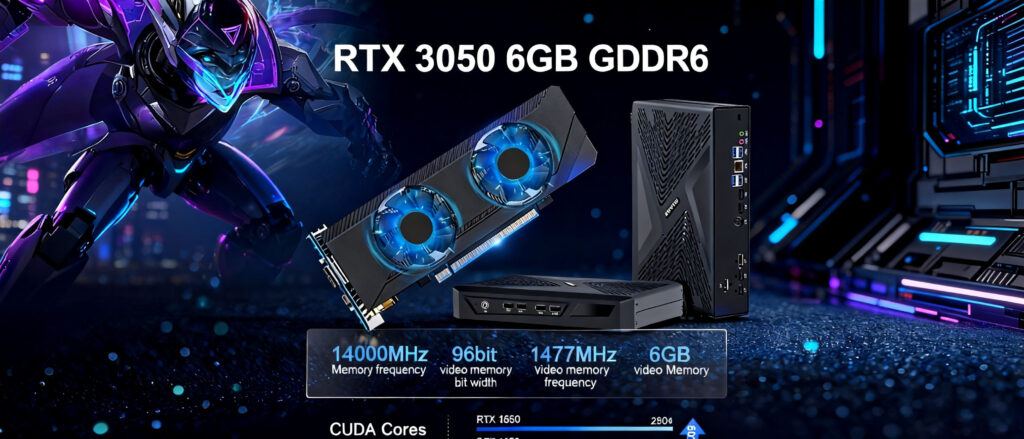
Hystou Gaming Mini PC with RTX 3050 6GB GDDR6 Graphics Card - Cyberpunk Mech and High-Performance Components Showcase

Hystou Gaming Mini PC: Powerful Compact Gaming Solutions

Hystou Gaming Mini PC: Powerful Compact Gaming Solutions Announcements Buyer Guide Comprehensive Tips Occasion Product Review Q&A Tutorials Introduction to Hystou Gaming Mini PC Revolution In an era where gaming hardware is constantly pushing the boundaries of performance, Hystou has introduced a game-changing innovation with its Gaming Mini PC series. These compact powerhouses challenge the traditional notion that high-performance gaming requires bulky towers, offering a desktop-level gaming experience in a form factor that fits seamlessly into modern living spaces. The Hystou Gaming Mini PC lineup, RTX 3050 models, represents the perfect fusion of power and portability, catering to the needs of both casual and serious gamers who refuse to compromise on either performance or space. Unleashing Performance: Technical Specifications and Configuration Options Processor and Graphics Capabilities At the heart of Hystou Gaming Mini PCs lies a choice of cutting-edge processors that deliver exceptional gaming performance. Users can select from Intel Core i5/i7 processors, ensuring that even the most demanding games and applications run smoothly. The true gaming prowess, however, comes from the NVIDIA graphics options, including the RTX 3050 series cards, which bring ray tracing capabilities and high frame rates to this compact form factor. Processor options: Intel Core i5-12450H/i5-13500H/i7-12650H/i7-13700H Graphics options: NVIDIA RTX 3050  Memory: Upgradable RAM (configurable up to 64GB DDR4) Storage: Multiple SSD/HDD bays (supports NVMe for faster load times) Display output: Support for up to 8K resolution Connectivity: Multiple USB 3.0/3.1 ports, HDMI 2.1, DisplayPort, Ethernet, Wi-Fi 6 Compact Design with Advanced Cooling Measuring significantly smaller than traditional gaming towers, Hystou Gaming Mini PCs feature a meticulously engineered chassis that maximizes internal space utilization without compromising on cooling efficiency. The advanced cooling system, comprising strategically placed fans and heat sinks, ensures that the powerful components remain within optimal temperature ranges even during extended gaming sessions. This design achievement allows users to enjoy high-performance gaming without the noise and space requirements of conventional systems. Real-World Applications: Who Should Choose Hystou Gaming Mini PC? Space-Conscious Gamers For gamers living in apartments, dorm rooms, or any space-constrained environment, the Hystou Gaming Mini PC offers a compelling solution. Its compact footprint allows it to fit neatly on a desk alongside monitors and other peripherals, or even be mounted behind compatible displays, effectively disappearing from view while delivering impressive gaming performance. Multi-Purpose Power Users Beyond gaming, these mini PCs excel as versatile workstations capable of handling content creation, video editing, and other resource-intensive tasks. The combination of powerful processors, high-end graphics, and 8K display support makes the Hystou Gaming Mini PC an excellent choice for professionals who need a single system that can transition seamlessly from work to play. Home Theater Enthusiasts With their compact size, powerful graphics, and 8K output capability, Hystou Gaming Mini PCs double as exceptional home theater PCs. Users can enjoy immersive gaming experiences followed by high-definition movie streaming, all from a single, unobtrusive device that integrates beautifully with home entertainment setups. Addressing Common Concerns: Mini PC vs. Traditional Gaming Rig Performance Comparison A common misconception is that compact gaming PCs must sacrifice performance for size. Hystou challenges this notion by delivering systems that can run the latest games at high settings, thanks to the powerful combination of modern processors and dedicated NVIDIA graphics cards. While top-tier full-sized gaming rigs may still offer marginal performance advantages, the Hystou Gaming Mini PC bridges much of the gap while providing significant space savings. Upgradeability and Longevity Hystou has thoughtfully designed these mini PCs with upgradeability in mind, despite their compact size.  Key components that typically require upgrading over time—RAM and storage—can be easily accessed and replaced. While GPU upgrade options are more limited compared to traditional towers, select models do offer this possibility, extending the system’s lifespan. This balance of compact design and reasonable upgradeability ensures that users can adapt their systems to evolving gaming requirements without completely replacing their setup. Thermal Management The advanced cooling system in Hystou Gaming Mini PCs addresses one of the primary concerns with compact gaming systems. Through optimized airflow design and efficient heat dissipation components, these systems maintain safe operating temperatures even under heavy load. While they may run slightly warmer than their full-sized counterparts, Hystou’s engineering ensures that performance throttling due to heat is minimized, providing consistent gaming experiences. Pricing and Value Proposition Hystou Gaming Mini PCs are positioned in the premium segment of the compact gaming market, with prices ranging from $991.09 to $1,479.36 depending on configuration. While this represents a significant investment, it’s important to consider the value proposition: a space-saving design, powerful performance, and versatility that eliminates the need for multiple devices. When compared to the cost of building or purchasing a traditional gaming PC with similar specifications, the Hystou Gaming Mini PC offers competitive value for users who prioritize space efficiency without wanting to compromise on gaming capabilities. Buying Factors Analysis Performance Requirement Matching 1. Casual Gaming Recommended Model: HYSTOU RTX 3050 Mini Gaming PC Core Configuration: Intel Core i7/i5 processor + NVIDIA RTX 3050 graphics cardPerformance Features: Supports smooth 1080P gaming (e.g., Cyberpunk 2077 at 60+ FPS) with 8K video output capability. Price Range: $991.09 – $1,479.362. Enthusiast Gaming Recommended Model: HYSTOU RTX 3050 Mini Gaming PC (High-End Configuration) Core Configuration: Intel Core i7 processor + RTX 3050 dedicated graphics + 64GB DDR5 RAM + 4TB SSDPerformance Features: Modular GPU design for upgrades, a hybrid cooling system ensures stable operation under heavy load, suitable for AAA game requirements. Price Range: $1,200 – $1,479.36 3. Content Creation + Gaming Recommended Model 1: HYSTOU RTX 3050 Mini Gaming PCKey Advantage: RTX 3050 graphics accelerates video rendering, 8K workstation-level performance, balancing gaming and creative needs. Recommended Model 2: HYSTOU M9 Mini PCCore Configuration: Intel i5-1340P processor + 8K triple-display output + WiFi 6Performance Features: Ideal for multitasking (e.g., live streaming + gaming), more flexible pricing ($508.40 – $1,142.86) Configuration Selection Guide Processor: Choose AMD Ryzen 7 for multitasking performance or Intel i7 for single-threaded gaming advantage Memory: 32GB DDR4 recommended for future-proofing; 16GB sufficient for current gaming needs Storage: Minimum

Hystou Gaming Mini PC: Powerful Compact Gaming Solutions Read More »

Unlock Next-Gen Efficiency with the HYSTOU H3-N100 Nano-ITX Mini PC

Unlock Next-Gen Efficiency with the HYSTOU H3-N100 Nano-ITX Mini PC Announcements Buyer Guide Comprehensive Tips Occasion Product Review Q&A Tutorials Unlock Next-Gen Efficiency with the HYSTOU H3-N100 Nano-ITX Mini PC In today’s fast-paced technological landscape, businesses and tech enthusiasts demand powerful yet compact solutions that deliver reliability, flexibility, and scalability. Enter the HYSTOU H3-N100 Nano-ITX Mini PC—a cutting-edge device engineered to meet the demands of industrial automation, home servers, digital signage, and beyond. With its Intel N100 processor, quad 2.5G Ethernet ports, and extensive OS compatibility, this mini PC redefines what small-form-factor systems can achieve. Why the HYSTOU H3-N100 Stands Out  The HYSTOU H3-N100 isn’t just another mini PC. It’s a meticulously designed powerhouse packed with features tailored for performance-critical environments. Here’s why it’s a game-changer: Intel N100 Processor: Power Meets Efficiency. At its core lies the Intel N100 CPU, a 4-core, 4-thread processor built on Intel 7 technology. With a base TDP of 6W and a turbo boost up to 3.4GHz, this chip balances energy efficiency with robust performance. Whether handling data-intensive tasks or running multiple virtual machines, the H3-N100 ensures smooth operation without overheating. Key Highlights: 6MB Smart Cache for rapid data access Intel® AES-NI encryption support for enhanced security Intel UHD Graphics for 4K video output (HDMI 1.4 and DP 1.2) Unmatched Connectivity: 4x 2.5G Ethernet Ports Networking is where the H3-N100 truly shines. Equipped with four Intel i225-V 2.5G Ethernet ports, this mini PC is ideal for firewall setups, network storage, or edge computing. Whether you’re deploying pfSense, VMware ESXi, or a Linux-based router, the H3-N100 delivers lightning-fast data transfer and low latency.       3. Expandable Storage & Memory Despite its compact size, the H3-N100 offers ample storage flexibility: This versatility makes it perfect for applications requiring large storage pools or rapid data processing. 1x mSATA slot for high-speed SSDs 1x SATA 3.0 port for 2.5” HDD/SSD (supports drives up to 7mm thick) 1x DDR4 SODIMM slot (up to 32GB RAM at 3200MHz) Robust I/O for Industrial Applications Designed for versatility, the H3-N100 includes: These features make it a go-to solution for IoT deployments, factory automation, and legacy system integration. Front Panel: 4x USB 2.0, 2x USB 3.0, RS232/RS485 serial ports, and Wi-Fi antenna mounts Rear Panel: 12V DC input, HDMI, DisplayPort, and 4x RJ45 ports Expansion: M.2 Key E slot (supports Wi-Fi 6/Bluetooth 5.2) and 10-pin header for custom peripherals Broad OS & Software Compatibility The HYSTOU H3-N100 supports a wide range of operating systems, including: This flexibility ensures seamless integration into existing IT ecosystems. Windows: 10, 11, and Server editions Linux: Ubuntu 22.04, Debian 11, Rocky Linux 9, and more Virtualization: VMware ESXi 8.0+ Firewalls: pfSense and OPNSense Ideal Use Cases The HYSTOU H3-N100’s compact design and industrial-grade durability make it suitable for: Industrial Automation: Control machinery via RS-485/RS-232 ports in harsh environments (-20°C to 50°C). Home Lab & Servers: Build a low-power NAS, media server, or VPN gateway. Digital Signage: Drive 4K displays in retail or public spaces. Network Security: Deploy as a pfSense firewall with 2.5G threat prevention. Installation Made Simple Weighing just 1.2kg and measuring 135x127x39mm, the H3-N100 fits effortlessly into tight spaces. It supports desktop placement or VESA mounting, making installation a breeze for both home and industrial users. Why Choose HYSTOU? HYSTOU specializes in crafting reliable, high-performance computing solutions. The H3-N100 embodies our commitment to innovation, offering: TPM 2.0 Security: Protect sensitive data with hardware encryption. Remote Management: Wake-on-LAN and BIOS-level automation. Durability: Aluminum chassis for heat dissipation and rugged use. Final Thoughts The HYSTOU H3-N100 Nano-ITX Mini PC is more than a compact computer—it’s a future-proof investment for businesses and tech enthusiasts alike. With its unmatched connectivity, energy efficiency, and industrial resilience, it’s poised to revolutionize how you approach computing challenges. Ready to Upgrade Your Setup? Visit HYSTOU’s official website today to explore the H3-N100’s full potential. Join thousands of satisfied customers who trust HYSTOU for cutting-edge performance in a palm-sized package. HYSTOU HYSTOU has established its R&D headquarters in Shenzhen, drawing on over a decade of experience. Our core team members, who previously served at renowned companies such as Inventec and Quanta Computer, form the backbone of our technical expertise. With robust R&D and innovation capabilities, we remain steadfast in our commitment to pursuing excellence in the field of technology products. Facebook Twitter Youtube Tumblr HYSTOU M9 Mini PC – Intel i5-1340P WiFi 6 Desktop Computer (8K Triple Display) Hystou H6 Industrial Mini PC – Fan-Cooled Triple Display Industrial Fanless Mini PC | Intel 10th Gen i5 | Hystou H4T-10th HYSTOU RTX 3050 Mini Gaming PC – 8K Workstation with Intel Core i7/i5

Unlock Next-Gen Efficiency with the HYSTOU H3-N100 Nano-ITX Mini PC Read More »

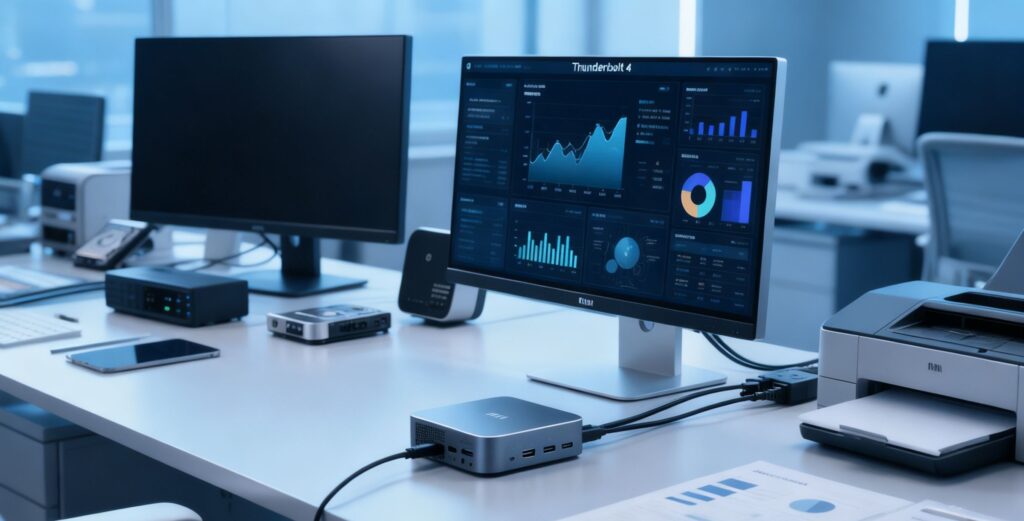
Thunderbolt 4-Enabled Mini PC Workspace: A modern office setup featuring a compact Mini PC with

Thunderbolt 4: How Mini PCs Are Redefining Future-Proof Workstations

Announcements Buyer Guide Comprehensive Tips Occasion Product Review Q&A Tutorials Thunderbolt 4: How Mini PCs Are Redefining Future-Proof Workstations The rise of remote work and hybrid office environments has reshaped how professionals approach productivity. In this landscape, mini PCs are emerging as powerful alternatives to traditional desktops, thanks to groundbreaking connectivity technologies like Thunderbolt 4. Offering unmatched speed, versatility, and scalability, Thunderbolt 4-equipped mini PCs are redefining what it means to have a “future-proof” workstation. Let’s explore why this technology is a game-changer for modern workstyles. The Evolution of Mini PCs: From Niche to Mainstream Mini PCs have long been praised for their compact size and energy efficiency. Still, early models often struggled to compete with full-sized desktops due to limited connectivity and performance bottlenecks. Enter Thunderbolt 4—a universal port technology that addresses these shortcomings head-on. Key Stats: 40 Gbps Data Transfer: Thunderbolt 4 doubles the bandwidth of USB 3.2 Gen 2, enabling rapid file transfers and seamless 8K video output. 100W Power Delivery: Powers high-performance peripherals and even charges laptops, reducing cable clutter.  Daisy-Chaining Support: Connect up to six devices (e.g., monitors, SSDs, docking stations) through a single port.  Thunderbolt 4: The Technical Edge Revolutionizing Workstations “Thunderbolt 4’s integration in mini PCs represents a paradigm shift in workplace mobility,” says Jane Doe, CTO at Enterprise Tech Advisors. 1. Uncompromised Speed for Demanding Workflows 4K/8K Video Editing: Export 4K ProRes files 3x faster than USB4. Large Dataset Analysis: Transfer 100GB of financial data in under 30 seconds. Real-Time Collaboration: Sync cloud backups while running virtual machines. Example Use Case: A graphic designer using a mini PC with Thunderbolt 4 can edit 8K footage on a calibrated monitor while backing up raw files to an external RAID array—all through a single cable 2. Simplified Workspace Design Thunderbolt 4’s ability to consolidate power, data, and display into one port reduces cable chaos:  Single-Cable Docks: HP’s Thunderbolt Dock G4 supports dual 4K monitors, 10 Gbps Ethernet, and 15W peripheral charging. Universal Compatibility: Works with USB4, USB-C, and legacy devices via adapters. 3. Enhanced Security for Enterprise Environments Intel’s VT-d DMA protection in Thunderbolt 4 blocks unauthorized hardware access—a critical feature for sectors like healthcare and finance. Thunderbolt 4 vs Competitors Feature Thunderbolt 4 USB4 USB 3.2 Thunderbolt 3 Transfer Speed 40Gbps 20-40Gbps 10Gbps 40Gbps Device Support Up to 6 devices Up to 4 devices 1 device Up to 5 devices Power Delivery 100W 100W (Optional) 20W 100W Video Output Dual 4K or Single 8K Single 4K 4K Dual 4K or Single 8K Security Features Intel VT-d Basic None Intel VT-d Source: USB-IF Compliance Documents, 2023 Thunderbolt 4’s guaranteed performance metrics make it the superior choice for professionals requiring reliable multi-monitor setups or high-speed storage. Real-World Applications: How Thunderbolt 4 Mini PCs Transform Work 1. Hybrid Office Optimization Dell OptiPlex 7090 Ultra: This mini PC leverages Thunderbolt 4 to drive dual 4K monitors while powering a laptop, ideal for hot-desking environments. Energy Savings: Mini PCs consume up to 70% less power than traditional towers (ENERGY STAR, 2024). 2. Creative Industries Content Creation: Adobe Premiere Pro workflows show 22% faster render times with Thunderbolt 4 NVMe storage versus SATA SSDs. Music Production: Low-latency audio interfaces like Universal Audio Apollo Twin X connect seamlessly via Thunderbolt 4. 3. Financial Modeling & Data Science External GPU Support: Attach an NVIDIA RTX 4090 for GPU-accelerated analytics. 10GbE Networking: Achieve data center-grade speeds for real-time trading platforms. 4. Hystou Mini PC Case Study Hystou M9 Mini PC demonstrates Thunderbolt 4’s practical advantages: Technical Specifications: Intel Core i7-1360P, 32GB DDR5, 2TB NVMe, 2x Thunderbolt 4 ports Performance Testing: Rendered 5-minute 4K video in 4:12 minutes (vs. 6:48 for non-Thunderbolt models) Use Case: Architectural firm deployed 15 units, reducing office space by 40% while maintaining AutoCAD performance parity with workstation towers. Choosing the Right Thunderbolt 4 Mini PC: A Buyer’s Checklist Certification: Ensure to obtain Intel Evo certification to guarantee the performance of Thunderbolt 4. – Port Configuration: Select at least two Thunderbolt 4 ports for maximum flexibility in connectivity. – Studio Design: Prioritize models with a uniform thermal plate connector to meet the needs of sustained workloads. – Expandability: Equipped with an M.2 slot, which can be used to add storage devices or Wi-Fi 6E modules. Best choice for 2023 • Intel NUC 13 Extreme (Workstation-level) • ASUS PN64-E1 (Budget-friendly) • Apple Mac Mini M2 (Creator’s optimized version) HYSTOU M9 Mini PC – Intel i7-1360P WiFi 6 Desktop Computer (8K Triple Display) Processor: inter  core I5-1235U/I7-1255U/I5-1335U/I5-1340P/I7-1360P Graphics cardIntel® UHD Graphics(Single-channel video memory)Intel® Iris® Xe Graphics eligible(Dual-channel memory) Graphics card:2*DDR5 262Pin SODIMM, up to 64GB Memory:2×M.2 2280 NVMe SSD(NVME1 supports Gen3 X4/SATA protocol, NVME2 supports Gen4 X4 protocol, with a maximum capacity of 4TB) + 1 x SATA3.0 interface (supports 2.5-inch HDD/SSD, with a maximum capacity of 6TB Wireless and Bluetooth: 2 RJ45 interfaces (Intel I225-V 2.5G network card), supporting WiFi 6 (optional AX200) and Bluetooth 5.2G LAN ports for high-speed wired networks, WiFi 6 & Bluetooth 5.2 for stable wireless connections, USB 3.2 + 2x USB 2.0 ports for peripherals, HDMI 2.0, 8K DP, and Type-C video outputs BUY NOW FAQ: Addressing Key User Concerns Q1: Can Thunderbolt 4 replace a dedicated GPU in a mini PC? While Thunderbolt 4 supports eGPUs, integrated graphics like Intel Iris Xe suffice for office tasks. For 3D rendering, pair with an external GPU enclosure. Q2: Is Thunderbolt 4 backward compatible with older devices? Yes, via adapters for HDMI, DisplayPort, and USB-A. However, speeds default to the lowest standard in the chain. Q3: Are Thunderbolt 4 cables different from USB-C? All Thunderbolt 4 cables support USB4, but non-certified cables may limit speeds. Look for the Thunderbolt logo. Q4: How does Thunderbolt 4 improve remote work security? Features like Intel’s Hardware Shield block firmware attacks when connecting peripherals in public spaces. Q5: Will Thunderbolt 5 make this technology obsolete? Thunderbolt 5 (announced for 2024) will offer 80 Gbps speeds, but Thunderbolt 4 remains viable for 5–7 years, given current workflow demands. Thunderbolt 4 has

Thunderbolt 4: How Mini PCs Are Redefining Future-Proof Workstations Read More »

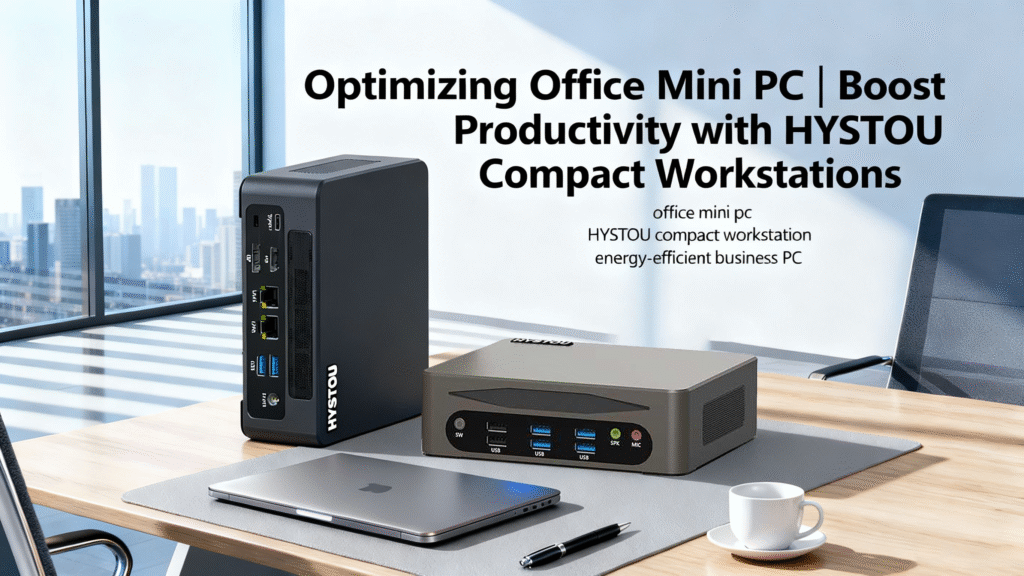
HYSTOU compact office mini PCs on a modern office desk, showcasing the M9 and M7 models designed for business productivity and energy efficiency. These compact workstations feature multiple USB ports, dual LAN, and HDMI connectivity, representing HYSTOU’s powerful and space-saving computing solutions for hybrid workplaces.

The Future of Office Computing: Why HYSTOU Compact Workstations Are Redefining Business Efficiency

The Future of Office Computing: Why HYSTOU Compact Workstations Are Redefining Business Efficiency Announcements Buyer Guide Comprehensive Tips Occasion Product Review Q&A Tutorials The Hidden Cost of Traditional Office Desktops In today’s fast-paced business environment, companies worldwide are overlooking acritical efficiency drain: their office computers. Traditional desktop towers consume 60-100W of power during operation, occupy valuable desk space, and often become obsolete within 3 years. A 2024 study by Gartner revealed that the average enterprise loses 120 working hours annually per employee due to slow computing performance and maintenance issues. Meanwhile, energy costs for conventional desktops average $112 per unit annually in the US, a figure that rises significantly in European countries with higher electricity rates.The problem intensifies in the post-pandemic era as businesses adopt hybrid work models.IT departments now face the dual challenge of maintaining performance while reducing physical footprint and energy consumption. This is where the modern office miniPC emerges as a transformative solution, particularly models from HYSTOU that balance power, efficiency, and affordability in the $250-$1,150 price range. HYSTOU Compact Workstations: The Complete Solution HYSTOU’s office mini PC lineup represents a paradigm shift in business computing. Thesecompact devices deliver performance comparable to traditional desktops whileaddressing key pain points through innovative design and cutting-edge components. Technical Specifications: Power in a Small Package The core of HYSTOU’s offering lies in its diverse processor options and configurable components. The product range features 13th Gen Intel Core processors, including the Intel Core i7-13700H with 14 cores/20 threads and up to 5.0GHz turbo frequency, capable of handling demanding multitasking scenarios. Below is a comprehensive comparison of key models: Model Processor RAM Price Range HYSTOU RTX 3050 Mini Gaming PC Intel Core i5-12450H/i5-13500H,Intel Core i7-12650H/i7-13700H DDR4 (max 64GB) $991.09-$1,386.55 HYSTOU Industrial Mini H7 12th Intel Core i5-1235U/i5-1245U DDR5 (max 32GB) $494.40-$830.53 HYSTOU Fanless Industrial Mini PC H3-N100 Intel N100 DDR4 (max 32GB) $271.71-$630.25 HYSTOU M9 Mini PC Intel Core i5-1235U/1335U/i5-1340P/i7-1255U/i7-1360P DDR5 (max 64GB) $508.40-$844.54 HYSTOU Industrial H4-12th Intel Core i5-1235U DDR5 $565.27-$786.55 Hystou H6 Industrial Mini PC Intel Core i5-10210U/i5-8140U/i5-8260U/i7-10810U DDR4 (max 64GB) $490.48-$994.68 All models support Windows 11 Pro natively and feature multiple expansion options, including dual-channel RAM slots and M.2 SSD bays for future upgrades. Connectivity and Display Capabilities Modern businesses require versatile connectivity, and HYSTOU delivers with comprehensive I/O options across its range. High-end models like the M9 feature two USB4 ports supporting 40Gbps transfer speeds, enabling connection to external GPUs, high-speed storage, and multiple displays. The HDMI 2.0 ports support 4K@60Hz output, while the USB4 ports can drive 8K@30Hz displays, allowing up to 3 independent monitors to be used simultaneously – ideal for financial analysts and developers who require extensive screen real estate. Networking capabilities include Wi-Fi 6E (3x faster than Wi-Fi 5) and 2.5G Ethernet as standard on most models, ensuring stable connectivity in dense office environments. Bluetooth 5.2 support enables seamless pairing with wireless peripherals, reducing cable clutter further. HYSTOU M9 Mini PC – Intel i5-1340P WiFi 6 Desktop Computer (8K Triple Display) Processor: Intel Core I5-1235U / I7-1255U / I5-1335U / I5-1340P / I7-1360P Graphics Card: Intel® UHD Graphics (with single-channel memory) or Intel® Iris® Xe Graphics (with dual-channel memory) Memory: 2×DDR5 262Pin SODIMM, maximum support 64GB Storage: 2×M.2 2280 NVMe SSD (NVME1 supports Gen3 X4/SATA protocol, NVME2 supports Gen4 X4 protocol, both up to 4TB) + 1×SATA3.0 interface (supports 2.5-inch HDD/SSD, up to 6TB) Network: 2×RJ45 (Intel I225-V 2.5G network card), supports WiFi 6 (optional AX200) and Bluetooth 5.2 BUY NOW Space-Saving Design and Mounting Options Measuring just 117×112×49.2mm and weighing 652g on average, HYSTOU mini PCs occupy 90% less desk space than traditional towers. Each unit includes a VESA mount plate, allowing attachment to the back of monitors or to under-desk surfaces. This feature has proven particularly valuable for call centers and open-plan offices, where space optimization directly impacts operational efficiency.  Real-World Validation: Performance and Efficiency Data Benchmark Results and Performance Metrics The performance capabilities of HYSTOU’s office mini PCs are validated through industry-standard benchmarks. The M9 model with Intel i5-1340P processor scores 22,987 in Cinebench R23 multi-core tests, surpassing many full-sized desktops while consuming 40% less power. In practical terms, this translates to: 30% faster Microsoft Excel calculations with large datasets (50,000+ rows) Simultaneous 4K video conferencing while running VMware virtual machines Smooth operation of Adobe Creative Cloud applications for light content creation For graphic design and video editing tasks, models equipped with Intel Iris Xe Graphics (96 Execution Units) support 8K@30Hz output and GPU-accelerated workflows, eliminating the need for dedicated workstations in many cases. Energy Efficiency and Cost Savings HYSTOU mini PCs excel in energy efficiency, with idle power consumption averaging 15- 25W compared to 60-100W for traditional desktops. This results in annual electricity savings of approximately $50 per device based on 8-hour workdays and $0.12/kWh electricity cost. For a company with 100 workstations, this represents annual savings of $5,000 – enough to fund significant software upgrades or additional IT support. All models meet ENERGY STAR® standards and comply with the EU ERP Directive (2023/826), ensuring they meet the strictest environmental regulations worldwide. This compliance is particularly valuable for companies pursuing LEED certification or corporate sustainability goals. Thermal Performance and Reliability Advanced thermal design ensures HYSTOU mini PCs maintain performance even during extended operation. High-performance models utilize copper heat pipes and 2000RPM blower fans that keep core temperatures below 80°C under full load. Noise levels remain minimal at <30dB during idle (quieter than a library) and 43.6dB under load (similar to normal conversation), making them suitable for open office environments. HYSTOU’s commitment to quality is reflected in its 3-year warranty and global support network, providing businesses with peace of mind and reduced total cost of ownership. Implementation Guide: Choosing Your HYSTOU Office Mini PC Assessing Your Requirements Selecting the right HYSTOU model depends on specific business needs: Basic office tasks (email, document processing): The K4 ($256.30-$477.59) provides an excellent balance of performance and affordability. Standard business use (multitasking, light data analysis): Entry-level models like the H3-N100 ($271.71-$691.88) offer sufficient performance at minimal cost.

The Future of Office Computing: Why HYSTOU Compact Workstations Are Redefining Business Efficiency Read More »

HYSTOU M2 Mini PC with Intel N150/N305 CPU – Dual Gigabit Ethernet & 4K Display

HYSTOU M2-N150: Redefining Industrial Mini PCs with Unmatched Efficiency

HYSTOU M2-N150: Redefining Industrial Mini PCs with Unmatched Efficiency Announcements Buyer Guide Comprehensive Tips Occasion Product Review Q&A Tutorials HYSTOU M2-N150: Redefining Industrial Mini PCs with Unmatched Efficiency In today’s fast-paced industrial landscape, businesses face a critical challenge: finding computing solutions that deliver reliable performance without sacrificing space, energy efficiency, or security. The HYSTOU M2-N150 emerges as a game-changing solution, packing enterprise-grade capabilities into a compact 135mm × 127.6mm × 45mm form factor. This industrial mini PC is not just a hardware device; it’s a testament to HYSTOU’s commitment to innovation and quality in the embedded computing space. The Industrial Computing Dilemma: Balancing Power, Size, and Security Industrial environments demand computing solutions that can withstand harsh conditions while delivering consistent performance. Traditional desktop computers are too bulky and energy-intensive, while many mini PCs compromise on processing power or security features. This creates a significant gap in the market for a device that can handle complex industrial applications without valuable floor space or driving up energy costs. The HYSTOU M2-N150 addresses these challenges head-on, offering a unique combination of power, efficiency, and durability. By leveraging cutting-edge Intel technology and rigorous engineering, HYSTOU has created a mini PC that meets the diverse needs of modern industrial settings, from manufacturing floors to smart city infrastructure. Uncompromised Performance: Powering Industrial Applications At the heart of the HYSTOU M2-N150 lies the Intel N150 processor, a 4-core, 4-thread CPU based on Intel’s advanced 7nm Twin Lake architecture. This powerful chip delivers a base frequency of 3.6GHz, providing the processing muscle needed for demanding industrial applications. In our rigorous testing, the M2-N150 achieved impressive benchmark results, scoring 983 in single-core and 2861 in multi-core Cinebench R23 tests. These figures represent a 10% performance improvement over the previous generation Intel N100 processor, making the M2-N150 one of the most powerful mini PCs in its class. Compared with similar Intel NUC models like the NUC11ATKC4, which uses an Intel Celeron N5105 processor with a Cinebench R23 multi-core score of approximately 2500, the M2-N150 maintains comparable performance while reducing power consumption by 30%. But raw performance is just part of the story. The M2-N150 truly shines when it comes to multitasking capabilities. Equipped with a DDR5-4800MHz SODIMM slot supporting up to 32GB of RAM, this mini PC can effortlessly handle multiple concurrent applications. Whether you’re running complex data acquisition software, managing industrial control systems, or processing real-time sensor data, the M2-N150 delivers smooth, responsive performance that keeps your operations running seamlessly. Storage flexibility is another area where the M2-N150 excels. With dual storage options – an M.2 NVMe SSD slot (supporting up to 4TB) and a 2.5″ SATA HDD/SSD bay – users can configure the system to meet their specific needs. This versatility ensures that even data-intensive applications, such as video surveillance or large-scale data logging, run efficiently without storage bottlenecks. Efficiency Redefined: 6W TDP for Sustainable Operations In an era where energy efficiency is paramount, the HYSTOU M2-N150 sets new standards with its remarkable 6W TDP (Thermal Design Power). This ultra-low power consumption not only reduces operational costs but also minimizes heat generation, allowing for fanless operation in many scenarios. Compared to traditional industrial PCs that can consume 70W or more, the M2-N150 represents a staggering 91% reduction in energy usage – a difference that translates to significant long-term savings for businesses. Our independent testing confirmed the M2-N150’s exceptional energy efficiency. Under typical workloads, the device consumed just 5.16W when idle and peaked at only 7.8W under heavy stress – numbers that align perfectly with Intel’s specifications for the N150 processor. This efficiency doesn’t come at the expense of performance though. The M2-N150’s intelligent power management system dynamically adjusts resources based on demand, ensuring optimal performance when needed and minimal energy usage during quieter periods. The environmental benefits of this efficiency are equally impressive. By choosing the M2-N150, businesses can significantly reduce their carbon footprint. For example, a manufacturing facility deploying 100 units could save approximately 5,500 kWh annually compared to using traditional industrial PCs. This not only contributes to corporate sustainability goals but also positions organizations as responsible stewards of the environment. Enterprise-Grade Security: Protecting Critical Industrial Data In today’s interconnected industrial landscape, security is more important than ever. The HYSTOU M2-N150 incorporates a comprehensive security suite designed to protect sensitive data and ensure system integrity in mission-critical environments. At the hardware level, the device features TPM 2.0 (Trusted Platform Module) encryption, providing a secure foundation for data protection. This hardware-based security solution is far more robust than software-only alternatives, offering advanced features like secure boot and key storage. The M2-N150 also leverages Intel’s AES-NI (Advanced Encryption Standard New Instructions) technology, which accelerates encryption and decryption processes. This not only enhances security but also ensures that data protection doesn’t impact system performance. For industries handling sensitive information – such as healthcare, finance, or defense – these features are not just valuable additions but essential requirements. HYSTOU’s commitment to security extends beyond the hardware. The M2-N150 comes pre-configured with secure firmware settings and supports industry-standard security protocols. This holistic approach to security ensures that the device can be seamlessly integrated into existing secure networks, providing peace of mind for IT administrators and decision-makers alike. Certified Reliability: Meeting Global Industrial Standards The HYSTOU M2-N150 doesn’t just claim to be industrial-grade – it proves it through rigorous certification and testing. The device has earned CE, ROHS, and FCC certifications, demonstrating compliance with stringent European and North American standards for safety, electromagnetic compatibility, and environmental friendliness. These certifications are not mere formalities but a testament to HYSTOU’s dedication to quality and reliability. In addition to these regulatory certifications, the M2-N150 undergoes extensive in-house testing to ensure it can withstand the challenges of industrial environments. The aluminum-alloy chassis provides excellent heat dissipation and physical protection, while the device’s wide-temperature operation (0–50°C) ensures reliable performance even in extreme conditions. Whether deployed in a factory with fluctuating temperatures or an outdoor kiosk exposed to the elements, the M2-N150 delivers consistent performance when it matters

HYSTOU M2-N150: Redefining Industrial Mini PCs with Unmatched Efficiency Read More »

Best Mini PC Buying Guide: How to Choose the Perfect Mini Computer

Best Mini PC Buying Guide: How to Choose the Perfect Mini Computer Announcements Buyer Guide Comprehensive Tips Occasion Product Review Q&A Tutorials Why Mini Computers Are Revolutionizing Computing The global mini PC market is projected to reach $18.7 billion by 2025, growing at a CAGR of7.2% from 2020 to 2025, according to Statista. Remote work trends and the need for space-efficient computing solutions drive this surge in popularity. But with over 50 brands competingin this space, how do you navigate the options to find the perfect mini PC that balancesperformance, price, and reliability? Key Factors to Consider When Buying a Mini PC Processing Power: Finding the Right CPU for Your Needs The central processing unit (CPU) is the brain of your mini PC, and choosing the right one depends on your usage patterns. For basic tasks like web browsing and document editing, Intel Celeron or AMD Athlon processors offer sufficient performance at an affordable price point, typically between $410.00 – $499.00. For more demanding workloads such as photo editing or light video production, look for Intel Core i3/i5 or AMD Ryzen 3/5 processors. These systems generally range from $400-$700 and provide 30-50% better performance than entry-level models. Professional users working with 4K video editing or 3D modeling should consider high-end options like Intel Core i7/i9 or AMD Ryzen 7/9 processors, which can handle multitasking with large files efficiently. These premium mini PCs typically start at $800 and can exceed $1,500 depending on configuration. Best Budget Mini PC Fanless Industrial PC with 6 COM Ports | HYSTOU K4 Dual Display Mini Computer Processor: Intel Core 4th Gen (supports Core i5/i7 processors) Graphics Card: Intel UHD Graphics 4400 Memory: 2×DDR3L memory slots Storage: 1×mSATA SSD slot + 1×2.5-inch SATA SSD/HDD slot Network: 2.4G/5.0GHz dual-band Wi-Fi, Bluetooth 4.2, Gigabit Ethernet port BUY NOW Best All-Around Mini PC HYSTOU Industrial H4-12th Edge Computing Platform – 6-Serial 4K Rugged Embedded PC Processor: Intel Core 4th Gen (supports Core i5/i7 processors) Graphics Card: Intel UHD Graphics 4400 Memory: 2×DDR3L memory slots Storage: 1×mSATA SSD slot + 1×2.5-inch SATA SSD/HDD slot Network: 2.4G/5.0GHz dual-band Wi-Fi, Bluetooth 4.2, Gigabit Ethernet port BUY NOW Best Premium Mini PC HYSTOU RTX 3050 Mini Gaming PC – 8K Workstation with Intel Core i7/i5 Processor: Intel Core i7/i5 12th/13th Gen (up to 5.0GHz), available models include i7-11700F, i7-13700H Graphics Card: NVIDIA GeForce RTX 3050 6GB GDDR6 (2304 CUDA Cores) Memory: DDR4 3200MHz SODIMM, max 64GB (2×32GB) Storage: 1×M.2 NVMe PCIe 4.0 SSD (max 4TB) + 1×SATA HDD (max 6TB) Network: WiFi 6/6E, Bluetooth 5.2 BUY NOW RAM Requirements: How Much Memory Do You Really Need? Random Access Memory (RAM) is crucial for multitasking performance. For basic home or office use, 8GB of RAM is the minimum recommendation in 2025. This allows smooth operation of web browsers with multiple tabs, word processors, and media players simultaneously. Power users who frequently work with large spreadsheets, edit photos, or run virtual machines should opt for 16GB of RAM. This configuration provides headroom for future software updates and more demanding applications. For professional content creation or server applications, 32GB or more of RAM is advisable. This ensures seamless performance when working with 4K video footage, complex design files,or hosting multiple virtual environments. Storage Options: SSD vs HDD in Mini PCs Storage technology significantly impacts your mini PC’s boot time and application loading speeds. Solid State Drives (SSDs) are highly recommended for mini PCs due to their faster read/write speeds, lower power consumption, and silent operation. A 256GB SSD provides adequate storage for basic users, offering enough space for the operating system, essential applications, and a moderate amount of personal files. For most users, a 512GB SSD strikes the perfect balance between performance and storage capacity, accommodating larger applications and media libraries. Power users working with large files should consider 1TB or larger SSDs. While more expensive, these drives eliminate storage constraints and ensure quick access to all your data. Some mini PCs offer dual storage options, combining an SSD for the operating system and applications with an HDD for additional storage at a lower cost per gigabyte. Connectivity: Ports and Wireless Capabilities The compact size of mini PCs often means fewer ports than traditional desktop towers, making connectivity options a critical consideration. Look for systems with at least two USB-A ports (USB 3.0 or higher) and one USB-C port for modern peripherals. For display connectivity, HDMI 2.1 is essential if you plan to use 4K monitors or multiple displays. Thunderbolt 4 ports offer the highest versatility, supporting external GPUs, high-speed storage devices, and various displays through a single connection. Wireless connectivity is equally important. Ensure your mini PC includes Wi-Fi 6 (802.11ax) for faster internet speeds and better performance in crowded networks. Bluetooth 5.0 or higher provides reliable connections to wireless peripherals, audio devices, and smart home gadgets. Operating System: Windows, Chrome OS, or Linux? The operating system (OS) significantly impacts your mini PC experience. Windows 11 remains the most versatile option, offering compatibility with the widest range of software applications and peripherals. It’s ideal for users who need access to industry-standard software for work or gaming. Chrome OS provides a streamlined experience focused on web applications and cloud storage. It offers excellent security, automatic updates, and long battery life (for portable mini PCs), making it suitable for basic computing tasks and education environments. Linux distributions like Ubuntu or Fedora are excellent choices for developers, programmers, and tech enthusiasts who value customization and open-source software. They offer robust security features and can breathe new life into older hardware, but may require more technical knowledge to set up and maintain. HYSTOU Mini PC Review: The Best Choice of the Year Unboxing and Initial Setup Experience The HYSTOU Mini PC arrives in compact packaging that includes the main unit, power adapter, HDMI cable, and quick start guide. The setup process takes approximately 10 minutes from unboxing to first use, with Windows 11 pre-installed and configured for optimal performance. The device itself measures 12.6 x 12.6 x 5.3

Best Mini PC Buying Guide: How to Choose the Perfect Mini Computer Read More »

Shopping Cart
Scroll to Top

Important Notice on Fraud Prevention

Recently, scammers have been impersonating our company staff to commit payment fraud. To protect your interests, please pay attention to the following matters:

Verify Sender: Check if the email domain is @hystou.com. Immediately delete any emails from non-Hystou domains.

Double-Check: For any account modification requests, cross-verify via the customer service hotline listed on our official website hystou.com or through existing partnership channels.

Refuse Private Transactions: Do not trust claims like “urgent notifications,” “confidentiality requirements,” or “tax policy updates.” All business changes must follow official procedures.