

Thunderbolt 4: How Mini PCs Are Redefining Future-Proof Workstations

The modern professional workspace is undergoing a silent revolution. As hybrid offices, generative AI workflows, and smart industrial automation demand more computing power, the traditional, bulky desktop tower is becoming obsolete.
Today, compact computing has matured. By integrating Thunderbolt 4 technology, modern mini PCs are no longer just space-savers—they are high-performance computing hubs capable of driving elite professional workflows. Here is a deep dive into how Thunderbolt 4 mini PCs are redefining the future of workstations.
The Connectivity Bottleneck: Why Standard USB-C Falls Short
For years, professionals hesitated to adopt small form-factor (SFF) PCs due to I/O limitations. While standard USB-C ports offer basic connectivity, they lack the unified bandwidth required for heavy-duty professional operations.
Thunderbolt 4 solves this infrastructure challenge by establishing a strict, high-performance standard across three critical pillars:
Guaranteed 40 Gbps Bandwidth: Unlike standard USB4 or USB 3.2, which often feature fluctuating or lower baseline speeds, Thunderbolt 4 guarantees a constant 40 Gbps bidirectional throughput.
Massive PCIe Data Rates: It doubles the minimum PCIe data bandwidth from 16 Gbps to 32 Gbps, which is crucial for running high-speed external storage and gaming or rendering peripherals.
Ultimate Display Versatility: A single port natively supports dual 4K displays at 60Hz or a single 8K display, providing pristine visual real estate for complex tasks.
3 Pillars of a Future-Proof Thunderbolt 4 Workstation
1. Seamless Multi-Monitor & Desktop Consolidation
Modern data analysis, financial trading, and creative editing require expansive screen environments. With Thunderbolt 4’s daisy-chaining capability, users can connect up to six devices through a single interface.
By utilizing a premium single-cable docking station, a mini PC can power a high-resolution monitor, access local high-speed networks, and charge secondary devices—all while keeping the desk minimalist and cable-free.
2. External Hardware Expansion (eGPU Ready)
One of the most significant advantages of the 32 Gbps PCIe data pipeline is its compatibility with External Graphics Cards (eGPUs).
When stationary at a designated studio or lab setup, an ultra-compact mini PC can connect to an external GPU enclosure housing a desktop-class graphics card. This transforms a pocket-sized device into a powerhouse for local AI model training, 3D architectural rendering in AutoCAD, and intensive video grading.
3. Enterprise-Grade Hardware Security
In corporate, healthcare, and financial environments, data security is non-negotiable. Thunderbolt 4 mitigates physical security risks by making Intel VT-d DMA (Direct Memory Access) protection a mandatory hardware requirement. This feature blocks unauthorized physical peripherals from malicious memory sniffing while connected to the system.
Comparative Analysis: The Interface Breakdown
| Feature / Interface | Thunderbolt 4 | USB4 (Standard) | USB 3.2 Gen 2×2 |
| Guaranteed Speed | 40 Gbps | 20 – 40 Gbps | 20 Gbps |
| PCIe Data Bandwidth | 32 Gbps (Min) | 16 Gbps (Min) | Not Supported |
| Display Outputs | Dual 4K / Single 8K | Single 4K | Single 4K (Limited) |
| DMA Security | Mandatory | Optional | None |
| Daisy-Chaining | Up to 6 Devices | Limited | No |
Real-World Vertical Deployments
1. Creative Studios & Audio Production
In post-production environments, moving massive 4K or 8K ProRes video files from external cameras to local drives can cause severe project delays. Thunderbolt 4 NVMe external storage arrays complete these transfers up to 4x faster than standard external SSDs. Furthermore, low-latency audio interfaces run smoothly without a single drop in audio package delivery.
2. Smart Manufacturing & Edge AI Gateway
On the factory floor, modern computing nodes must process real-time telemetry from automated robotic arms and PLC modules. At HYSTOU, our engineering team designs mini PCs to leverage high-speed I/O not just for premium displays, but as high-speed ingestion ports for high-resolution industrial cameras and advanced automation protocols, allowing for instantaneous edge-computing data analysis.
3. Case Study: The HYSTOU M9 Enterprise Deployment
As the exclusive flagship model in the HYSTOU lineup equipped with a dedicated Thunderbolt 4 interface, the HYSTOU M9 was recently selected by a prominent European engineering firm to replace 50 legacy workstation towers.
- The Result: The firm reported a 40% reduction in workplace desk footprint and a 65% drop in enterprise energy consumption.
- Performance: AutoCAD and SolidWorks workflows remained at absolute performance parity with their previous desktop towers, thanks to the M9’s combination of a 40Gbps Thunderbolt 4 port, dual-channel DDR5 architecture, and rapid NVMe storage file access.
HYSTOU M9 Mini PC – Desktop Computer (8K Triple Display)
- Processor:intel core I5-1235U/I7-1255U/I5-1335U/I5-1340P/I7-1360P
- Graphics Processor: Intel® Iris® Xe Graphics (Dual-Channel Active)
- Memory Slots:2xDDR5 262-Pin SODIMM, Expandable up to 64GB
- Storage:2 x M.2 2280 NVMe SSD Slots (PCIe Gen4x4 Support)| 1 x SATA 3.0 Slot for 2.5-inch Expansion
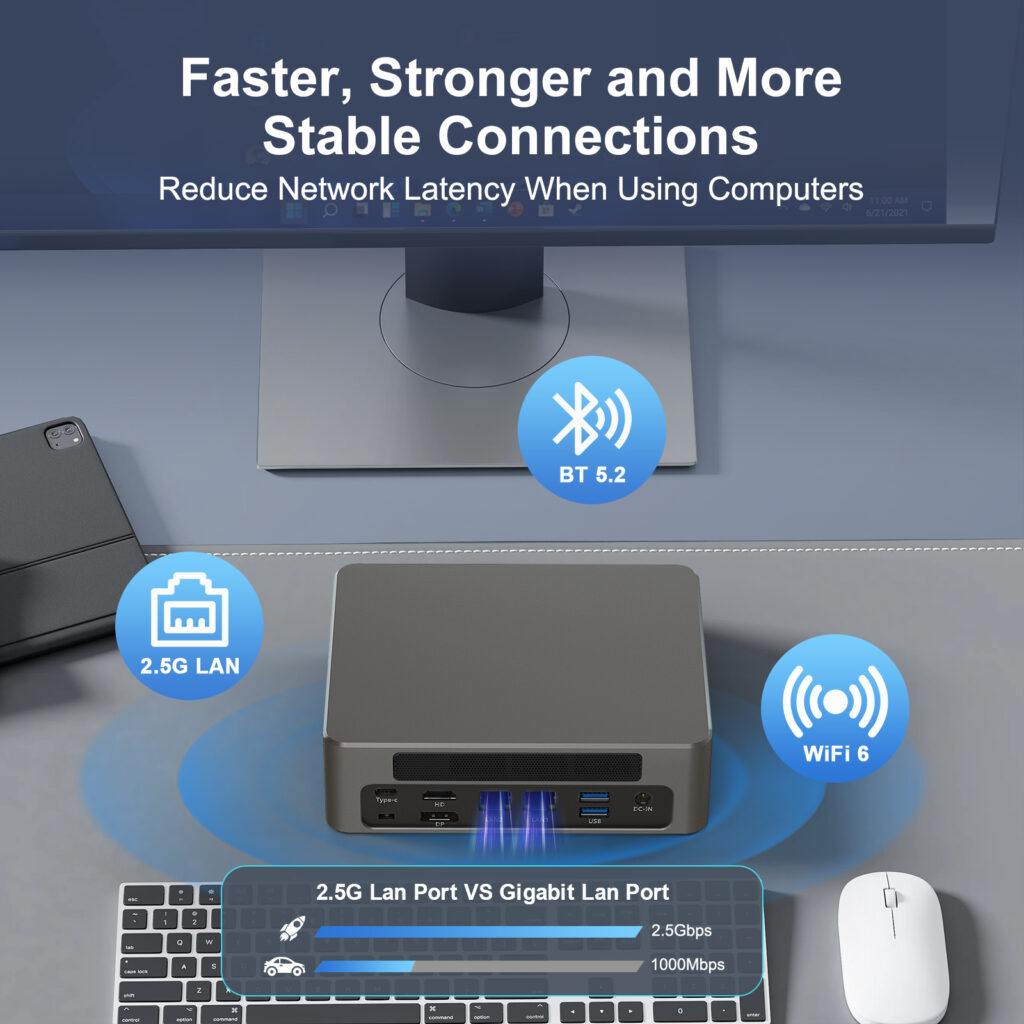
- Wireless Matrix: Wi-Fi 6 (AX200) + Bluetooth 5.2
- High-Speed Network: 2 x Intel I225-V 2.5G RJ45 LAN Ports
FAQ: Addressing Key User Concerns
Q1: How does a Thunderbolt 4 mini PC handle thermal management under heavy load?
High-end SFF computers like the HYSTOU M9 utilize optimized aluminum alloy thermal chassis plates paired with active smart-cooling fans. This ensures that even during extended CPU-heavy tasks or continuous data streaming over the 40Gbps Thunderbolt lane, the system prevents thermal throttling and maintains peak operational clock speeds.
Q2: Can the HYSTOU M9 handle multiple independent displays simultaneously with one Thunderbolt 4 port?
Yes, absolutely. By combining its flagship 1x Thunderbolt 4 port with its onboard dedicated 8K DisplayPort and HDMI port, the Hystou M9 natively supports up to three independent high-resolution displays concurrently. For advanced setups, users can also use a Thunderbolt docking station or daisy-chaining to drive multi-monitor arrays directly from the Thunderbolt interface.
Q3: Are Thunderbolt 4 cables different from USB-C?
All Thunderbolt 4 cables support USB4, but non-certified cables may limit speeds. Look for the Thunderbolt logo.
Q4: Is Thunderbolt 4 backward compatible with older devices?
Yes, via adapters for HDMI, DisplayPort, and USB-A. However, speeds default to the lowest standard in the chain.

HYSTOU
HYSTOU has established its R&D headquarters in Shenzhen, drawing on over a decade of experience. Our core team members, who previously served at renowned companies such as Inventec and Quanta Computer, form the backbone of our technical expertise. With robust R&D and innovation capabilities, we remain steadfast in our commitment to pursuing excellence in the field of technology products.



