Best Mini PC Buying Guide: How to Choose the Perfect Mini Computer
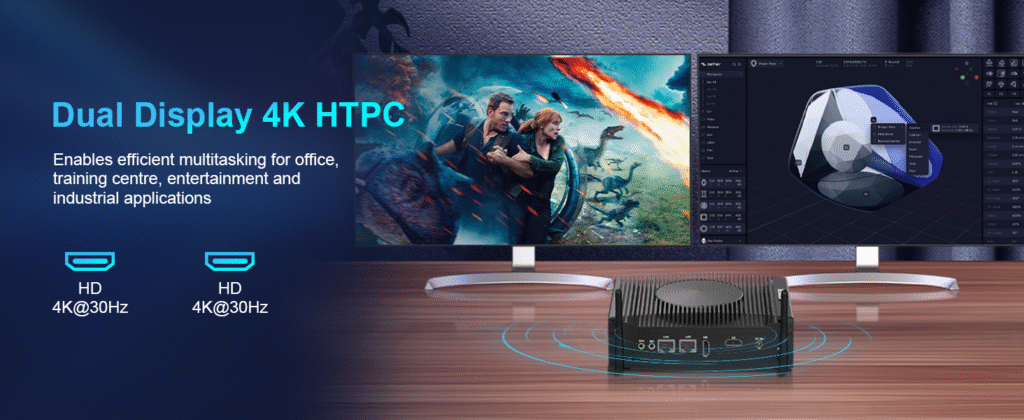
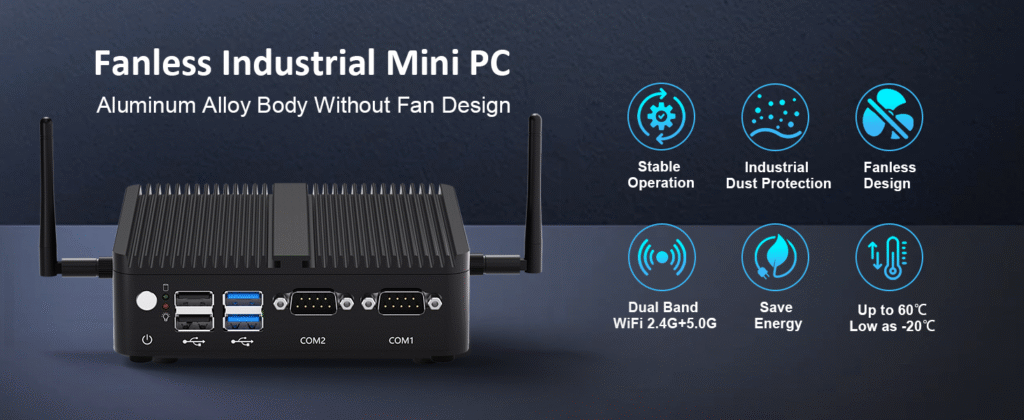
Best Mini PC Buying Guide: How to Choose the Perfect Mini Computer Announcements Buyer Guide Comprehensive Tips Occasion Product Review Q&A Tutorials Why Mini Computers Are Revolutionizing Computing The global mini PC market is projected to reach $18.7 billion by 2025, growing at a CAGR of7.2% from 2020 to 2025, according to Statista. Remote work trends and the need for space-efficient computing solutions drive this surge in popularity. But with over 50 brands competingin this space, how do you navigate the options to find the perfect mini PC that balancesperformance, price, and reliability? Key Factors to Consider When Buying a Mini PC Processing Power: Finding the Right CPU for Your Needs The central processing unit (CPU) is the brain of your mini PC, and choosing the right one depends on your usage patterns. For basic tasks like web browsing and document editing, Intel Celeron or AMD Athlon processors offer sufficient performance at an affordable price point, typically between $410.00 – $499.00. For more demanding workloads such as photo editing or light video production, look for Intel Core i3/i5 or AMD Ryzen 3/5 processors. These systems generally range from $400-$700 and provide 30-50% better performance than entry-level models. Professional users working with 4K video editing or 3D modeling should consider high-end options like Intel Core i7/i9 or AMD Ryzen 7/9 processors, which can handle multitasking with large files efficiently. These premium mini PCs typically start at $800 and can exceed $1,500 depending on configuration. Best Budget Mini PC Fanless Industrial PC with 6 COM Ports | HYSTOU K4 Dual Display Mini Computer Processor: Intel Core 4th Gen (supports Core i5/i7 processors) Graphics Card: Intel UHD Graphics 4400 Memory: 2×DDR3L memory slots Storage: 1×mSATA SSD slot + 1×2.5-inch SATA SSD/HDD slot Network: 2.4G/5.0GHz dual-band Wi-Fi, Bluetooth 4.2, Gigabit Ethernet port BUY NOW Best All-Around Mini PC HYSTOU Industrial H4-12th Edge Computing Platform – 6-Serial 4K Rugged Embedded PC Processor: Intel Core 4th Gen (supports Core i5/i7 processors) Graphics Card: Intel UHD Graphics 4400 Memory: 2×DDR3L memory slots Storage: 1×mSATA SSD slot + 1×2.5-inch SATA SSD/HDD slot Network: 2.4G/5.0GHz dual-band Wi-Fi, Bluetooth 4.2, Gigabit Ethernet port BUY NOW Best Premium Mini PC HYSTOU RTX 3050 Mini Gaming PC – 8K Workstation with Intel Core i7/i5 Processor: Intel Core i7/i5 12th/13th Gen (up to 5.0GHz), available models include i7-11700F, i7-13700H Graphics Card: NVIDIA GeForce RTX 3050 6GB GDDR6 (2304 CUDA Cores) Memory: DDR4 3200MHz SODIMM, max 64GB (2×32GB) Storage: 1×M.2 NVMe PCIe 4.0 SSD (max 4TB) + 1×SATA HDD (max 6TB) Network: WiFi 6/6E, Bluetooth 5.2 BUY NOW RAM Requirements: How Much Memory Do You Really Need? Random Access Memory (RAM) is crucial for multitasking performance. For basic home or office use, 8GB of RAM is the minimum recommendation in 2025. This allows smooth operation of web browsers with multiple tabs, word processors, and media players simultaneously. Power users who frequently work with large spreadsheets, edit photos, or run virtual machines should opt for 16GB of RAM. This configuration provides headroom for future software updates and more demanding applications. For professional content creation or server applications, 32GB or more of RAM is advisable. This ensures seamless performance when working with 4K video footage, complex design files,or hosting multiple virtual environments. Storage Options: SSD vs HDD in Mini PCs Storage technology significantly impacts your mini PC’s boot time and application loading speeds. Solid State Drives (SSDs) are highly recommended for mini PCs due to their faster read/write speeds, lower power consumption, and silent operation. A 256GB SSD provides adequate storage for basic users, offering enough space for the operating system, essential applications, and a moderate amount of personal files. For most users, a 512GB SSD strikes the perfect balance between performance and storage capacity, accommodating larger applications and media libraries. Power users working with large files should consider 1TB or larger SSDs. While more expensive, these drives eliminate storage constraints and ensure quick access to all your data. Some mini PCs offer dual storage options, combining an SSD for the operating system and applications with an HDD for additional storage at a lower cost per gigabyte. Connectivity: Ports and Wireless Capabilities The compact size of mini PCs often means fewer ports than traditional desktop towers, making connectivity options a critical consideration. Look for systems with at least two USB-A ports (USB 3.0 or higher) and one USB-C port for modern peripherals. For display connectivity, HDMI 2.1 is essential if you plan to use 4K monitors or multiple displays. Thunderbolt 4 ports offer the highest versatility, supporting external GPUs, high-speed storage devices, and various displays through a single connection. Wireless connectivity is equally important. Ensure your mini PC includes Wi-Fi 6 (802.11ax) for faster internet speeds and better performance in crowded networks. Bluetooth 5.0 or higher provides reliable connections to wireless peripherals, audio devices, and smart home gadgets. Operating System: Windows, Chrome OS, or Linux? The operating system (OS) significantly impacts your mini PC experience. Windows 11 remains the most versatile option, offering compatibility with the widest range of software applications and peripherals. It’s ideal for users who need access to industry-standard software for work or gaming. Chrome OS provides a streamlined experience focused on web applications and cloud storage. It offers excellent security, automatic updates, and long battery life (for portable mini PCs), making it suitable for basic computing tasks and education environments. Linux distributions like Ubuntu or Fedora are excellent choices for developers, programmers, and tech enthusiasts who value customization and open-source software. They offer robust security features and can breathe new life into older hardware, but may require more technical knowledge to set up and maintain. HYSTOU Mini PC Review: The Best Choice of the Year Unboxing and Initial Setup Experience The HYSTOU Mini PC arrives in compact packaging that includes the main unit, power adapter, HDMI cable, and quick start guide. The setup process takes approximately 10 minutes from unboxing to first use, with Windows 11 pre-installed and configured for optimal performance. The device itself measures 12.6 x 12.6 x 5.3
Best Mini PC Buying Guide: How to Choose the Perfect Mini Computer Read More »