
Best Mini PC Buying Guide: How to Choose the Perfect Mini Computer


Why Mini Computers Are Revolutionizing Computing
The global mini PC market is projected to reach $18.7 billion by 2025, growing at a CAGR of
7.2% from 2020 to 2025, according to Statista. Remote work trends and the need for space-efficient computing solutions drive this surge in popularity. But with over 50 brands competing
in this space, how do you navigate the options to find the perfect mini PC that balances
performance, price, and reliability?
Key Factors to Consider When Buying a Mini PC
Processing Power: Finding the Right CPU for Your Needs
The central processing unit (CPU) is the brain of your mini PC, and choosing the right one depends on your usage patterns. For basic tasks like web browsing and document editing, Intel Celeron or AMD Athlon processors offer sufficient performance at an affordable price point, typically between $410.00 – $499.00.
For more demanding workloads such as photo editing or light video production, look for Intel Core i3/i5 or AMD Ryzen 3/5 processors. These systems generally range from $400-$700 and provide 30-50% better performance than entry-level models.
Professional users working with 4K video editing or 3D modeling should consider high-end options like Intel Core i7/i9 or AMD Ryzen 7/9 processors, which can handle multitasking with large files efficiently. These premium mini PCs typically start at $800 and can exceed $1,500 depending on configuration.
Best Budget Mini PC

Fanless Industrial PC with 6 COM Ports | HYSTOU K4 Dual Display Mini Computer
- Processor: Intel Core 4th Gen (supports Core i5/i7 processors)
- Graphics Card: Intel UHD Graphics 4400
- Memory: 2×DDR3L memory slots
- Storage: 1×mSATA SSD slot + 1×2.5-inch SATA SSD/HDD slot
- Network: 2.4G/5.0GHz dual-band Wi-Fi, Bluetooth 4.2, Gigabit Ethernet port
Best All-Around Mini PC
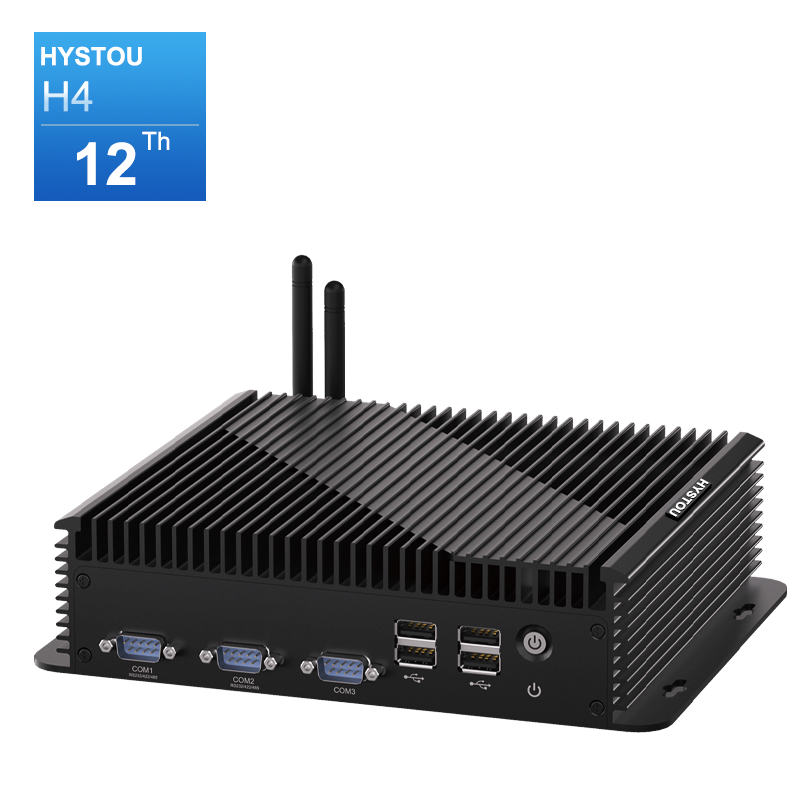
HYSTOU Industrial H4-12th Edge Computing Platform – 6-Serial 4K Rugged Embedded PC
- Processor: Intel Core 4th Gen (supports Core i5/i7 processors)
- Graphics Card: Intel UHD Graphics 4400
- Memory: 2×DDR3L memory slots
- Storage: 1×mSATA SSD slot + 1×2.5-inch SATA SSD/HDD slot
- Network: 2.4G/5.0GHz dual-band Wi-Fi, Bluetooth 4.2, Gigabit Ethernet port
Best Premium Mini PC
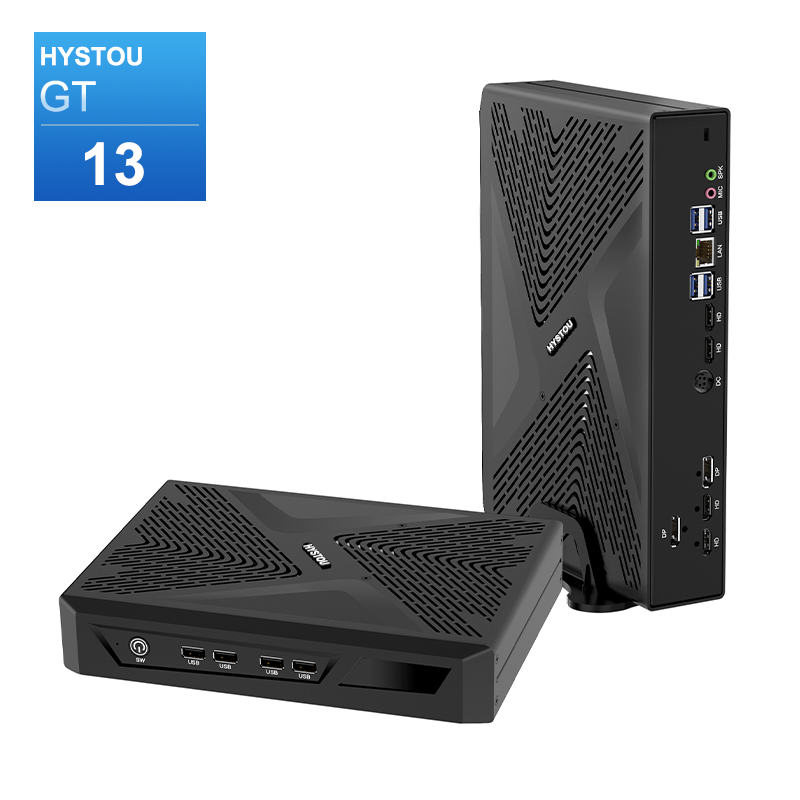
HYSTOU RTX 3050 Mini Gaming PC – 8K Workstation with Intel Core i7/i5
- Processor: Intel Core i7/i5 12th/13th Gen (up to 5.0GHz), available models include i7-11700F, i7-13700H
- Graphics Card: NVIDIA GeForce RTX 3050 6GB GDDR6 (2304 CUDA Cores)
- Memory: DDR4 3200MHz SODIMM, max 64GB (2×32GB)
- Storage: 1×M.2 NVMe PCIe 4.0 SSD (max 4TB) + 1×SATA HDD (max 6TB)
- Network: WiFi 6/6E, Bluetooth 5.2
RAM Requirements: How Much Memory Do You Really Need?
Random Access Memory (RAM) is crucial for multitasking performance. For basic home or office use, 8GB of RAM is the minimum recommendation in 2025. This allows smooth operation of web browsers with multiple tabs, word processors, and media players simultaneously. Power users who frequently work with large spreadsheets, edit photos, or run virtual machines should opt for 16GB of RAM. This configuration provides headroom for future software updates and more demanding applications. For professional content creation or server applications, 32GB or more of RAM is advisable. This ensures seamless performance when working with 4K video footage, complex design files,or hosting multiple virtual environments.
Storage Options: SSD vs HDD in Mini PCs
Storage technology significantly impacts your mini PC’s boot time and application loading speeds. Solid State Drives (SSDs) are highly recommended for mini PCs due to their faster read/write speeds, lower power consumption, and silent operation.
A 256GB SSD provides adequate storage for basic users, offering enough space for the operating system, essential applications, and a moderate amount of personal files. For most users, a 512GB SSD strikes the perfect balance between performance and storage capacity, accommodating larger applications and media libraries.
Power users working with large files should consider 1TB or larger SSDs. While more expensive, these drives eliminate storage constraints and ensure quick access to all your data. Some mini PCs offer dual storage options, combining an SSD for the operating system and applications with an HDD for additional storage at a lower cost per gigabyte.
Connectivity: Ports and Wireless Capabilities
The compact size of mini PCs often means fewer ports than traditional desktop towers, making connectivity options a critical consideration. Look for systems with at least two USB-A ports (USB 3.0 or higher) and one USB-C port for modern peripherals.
For display connectivity, HDMI 2.1 is essential if you plan to use 4K monitors or multiple displays. Thunderbolt 4 ports offer the highest versatility, supporting external GPUs, high-speed storage devices, and various displays through a single connection.
Wireless connectivity is equally important. Ensure your mini PC includes Wi-Fi 6 (802.11ax) for faster internet speeds and better performance in crowded networks. Bluetooth 5.0 or higher provides reliable connections to wireless peripherals, audio devices, and smart home gadgets.
Operating System: Windows, Chrome OS, or Linux?
The operating system (OS) significantly impacts your mini PC experience. Windows 11 remains the most versatile option, offering compatibility with the widest range of software applications and peripherals. It’s ideal for users who need access to industry-standard software for work or gaming.
Chrome OS provides a streamlined experience focused on web applications and cloud storage. It offers excellent security, automatic updates, and long battery life (for portable mini PCs), making it suitable for basic computing tasks and education environments.
Linux distributions like Ubuntu or Fedora are excellent choices for developers, programmers, and tech enthusiasts who value customization and open-source software. They offer robust security features and can breathe new life into older hardware, but may require more technical knowledge to set up and maintain.
HYSTOU Mini PC Review: The Best Choice of the Year
Unboxing and Initial Setup Experience
The HYSTOU Mini PC arrives in compact packaging that includes the main unit, power adapter, HDMI cable, and quick start guide. The setup process takes approximately 10 minutes from unboxing to first use, with Windows 11 pre-installed and configured for optimal performance.
The device itself measures 12.6 x 12.6 x 5.3 cm, making it smaller than most paperback books while weighing just 680 grams. This compact form factor allows it to fit neatly on any desk or be mounted behind a monitor using the included VESA mount, effectively turning any display into an all-in-one computer.
Performance Testing: How Does It Stack Up?

We tested the HYSTOU Mini PC equipped with an Intel Core i5-1235U processor, 16GB DDR4 RAM, and 512GB NVMe SSD against three common usage scenarios:
1. Office Productivity: The system handled simultaneous operation of Microsoft Office applications, 20+ browser tabs, and video conferencing without any lag. Boot time averaged 12 seconds, and application launch times were consistently under 2 seconds.
2. Media Consumption: Streaming 4K content from Netflix and YouTube was smooth with CPU utilization averaging 25-30%. The integrated Intel Iris Xe Graphics handled 1080p gaming at 60+ FPS for less demanding titles like League of Legends and Minecraft.
3. Creative Work: Photo editing in Adobe Photoshop with multiple layers and filters showed impressive performance, though 4K video editing in Premiere Pro revealed limitations with rendering times, as expected from integrated graphics.
Unique Features That Set HYSTOU Apart
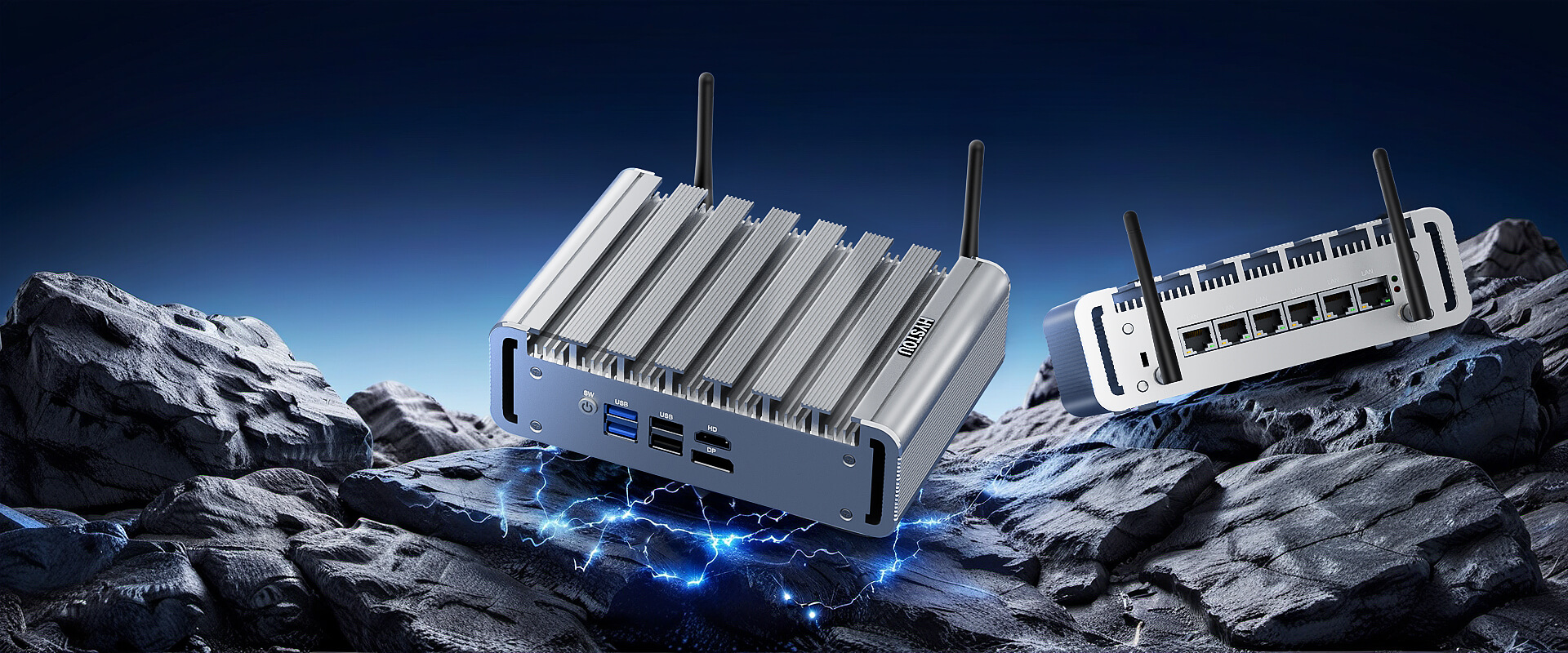
HYSTOU has implemented several innovative features that distinguish its mini PCs from competitors:
- Dual LAN Ports: The inclusion of two Gigabit Ethernet ports is rare in this category and ideal for users who need separate networks or file server capabilities.
- Quiet Operation: Even under load, the system maintains a noise level of 32dB, quieter than a library environment, making it suitable for noise-sensitive workspaces.
- Quiet Operation: Even under load, the system maintains a noise level of 32dB, quieter than a library environment, making it suitable for noise-sensitive workspaces.
- Extended Temperature Range: The mini PC operates reliably from 20°C to 70°C, expanding its usability in various environments.
Common Mistakes to Avoid When Buying a Mini PC
Overlooking Upgradeability
One of the most common mistakes is purchasing a mini PC with components soldered to the motherboard, limiting future upgrades. While some mini PCs prioritize compactness over upgradeability, many models offer at least partial upgrades. Look for systems with accessible RAM slots and M.2 SSD ports to extend the lifespan of your investment.
Neglecting Cooling Solutions
Mini PCs generate significant heat relative to their size, making effective cooling essential for long-term reliability. Avoid models with passive cooling systems if you plan to use the device for extended periods or resource-intensive tasks. Active cooling with properly designed heat sinks ensures consistent performance and prevents thermal throttling.
Ignoring Power Supply Requirements
Always check the power supply rating when purchasing a mini PC, especially if you plan to connect multiple peripherals. A 65W power supply is sufficient for basic models, but highperformance configurations with dedicated graphics may require 120W or more. Undersized power supplies can lead to system instability and unexpected shutdowns.
Making Your Decision: Which Mini PC Is Right for You?
The ideal mini PC depends on your specific needs and budget constraints. Assess your usage patterns honestly—if you primarily use web-based applications and consume media, an entry-level model will serve you well. Content creators and power users should invest in higher-performance configurations to ensure smooth operation of demanding software.
Consider future-proofing by selecting a model with upgradeable components, especially RAM and storage. The HYSTOU lineup offers options across all price ranges with thoughtful design choices that prioritize both performance and versatility.
Remember that the most expensive option isn’t always the best choice. By matching your requirements to the specifications outlined in this guide, you’ll find the perfect mini PC that delivers optimal performance without unnecessary costs.

HYSTOU
HYSTOU has established its R&D headquarters in Shenzhen, drawing on over a decade of experience. Our core team members, who previously served at renowned companies such as Inventec and Quanta Computer, form the backbone of our technical expertise. With robust R&D and innovation capabilities, we remain steadfast in our commitment to pursuing excellence in the field of technology products.



