ziyao, song

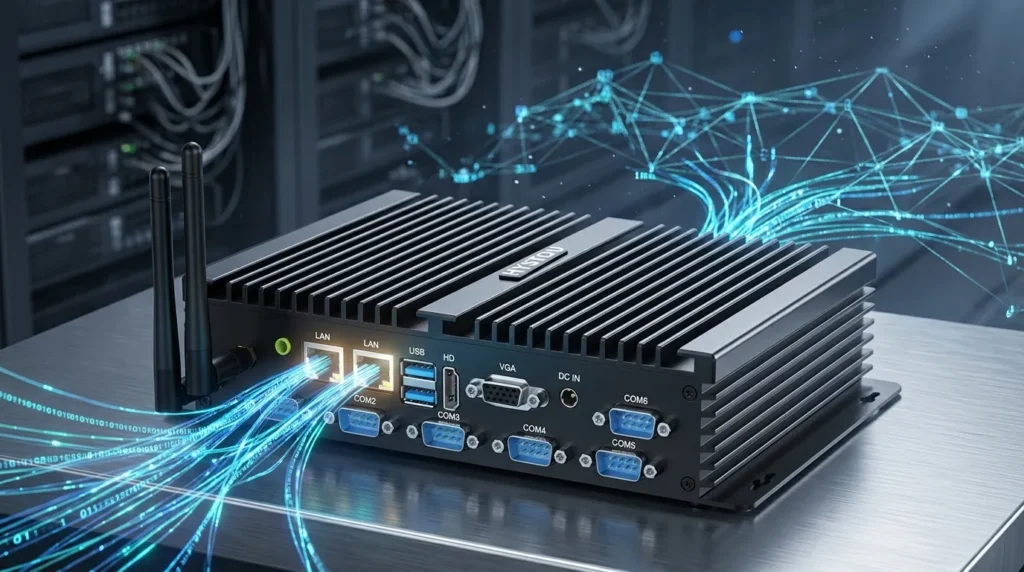
HYSTOU H3-N100 Industrial Computer Lab

How to Enhance Classroom Learning with a Mini pc

How to Enhance Classroom Learning with a Mini pc Announcements Buyer Guide Comprehensive Tips Occasion Product Review Q&A Tutorials With digital integration becoming the baseline of modern education, digitalized teaching environments significantly improve classroom interactivity and student engagement. It also empowers educators to manage and deliver course content with unprecedented efficiency. However, traditional desktop computers are no longer a viable fit for today’s dynamic classrooms due to their bulky form factors and high energy consumption.The emergence of the Mini PC completely solves the mobility dilemma. With its compact size, robust performance, affordable pricing, and eco-friendly power consumption, the Mini PC has become the new star of educational technology. This article explores how schools can leverage Mini PCs to enhance classroom interactivity, support flexible learning, and optimize school IT budgets. The Role of Mini PCs in the Modern Classroom 1. Digital Pedagogical Interaction and Presentation A digital, intelligent teaching environment is now essential. In tight classroom spaces, a Mini PC acts as the central hub for multimedia content display. By connecting to projectors or interactive whiteboards, it seamlessly streams PPTs, 4K videos, and interactive animations. This instant responsiveness capitalizes on modern, immersive teaching styles to mobilize student enthusiasm—all while keeping the classroom bright and clutter-free by packing full computing power into a chassis smaller than a textbook. 2. Distance Learning and Blended Classrooms Modern education demands reliable hybrid capabilities. Whether managing temporary remote transitions or conducting cross-campus collaborations, Mini PCs smoothly run heavy video conferencing software for remote lectures and student counseling. Because they double as portable workstations, teachers can easily carry their complete digital setups between classrooms or home, enabling personalized tutoring and active Q&A sessions anywhere, anytime. 3. Next-Gen AR and Virtual Reality (VR) Learning Augmented Reality (AR) and Virtual Reality (VR) technologies are redefining experimental learning. Modern Mini PCs pack the graphical and processing muscle required to power AR/VR headsets. Students can explore historical simulations, visualize complex human anatomy, or run virtual chemistry labs. This interactive approach transforms passive listeners into active explorers, stimulating curiosity and practical problem-solving skills. Why Mini PCs Are Overtaking Desktops in Education To help school administrators and educators visualize the benefits, here is a direct comparison between traditional setups and modern Mini PC deployments: Feature Traditional Desktop PC Hystou Educational Mini PC Classroom / Institutional Benefit Footprint & Size Bulky, restricts movement Ultra-compact, VESA-mountable Frees up desk space; ideal for mobile tech carts. Power Consumption High (Typically 200W+) Low energy draw (Eco-friendly) Drastically reduces school electricity bills. Noise Level Constant fan buzz Silent / Fanless options available Promotes a quiet, distraction-free lecture environment. Maintenance Complex hardware upkeep Centralized web-based management Lowers IT overhead through streamlined network updates. Space Efficiency and Ultimate Flexibility Traditional towers hog valuable real estate on teachers’ desks or student pods. Conversely, a compact Mini PC can be mounted directly behind a monitor via VESA brackets, fixed neatly to the wall, or integrated into mobile teaching trolleys. This flexibility allows schools to rearrange classroom layouts instantly for group work or project-based learning without worrying about cable congestion. Cost and Energy Efficiency Budget constraints are a constant hurdle for educational institutions. Mini PCs offer an exceptional price-to-performance ratio, allowing schools to purchase multiple units within a standard budget and equip more classrooms with interactive tools. Furthermore, their low-wattage design significantly cuts down on long-term institutional energy costs. Simplified IT Maintenance and Management With fewer moving parts and simpler internal architectures, Mini PCs streamline deployment. School IT technicians can leverage centralized web-based management consoles to push system updates, upgrade educational software, deploy security patches, and perform bulk reboots across the school network simultaneously. This keeps technical downtime to a minimum, letting teachers focus entirely on student achievements. Recommended Mini PC for Educational Deployment Hystou H7-8th Fanless Silent Mini PC For classrooms requiring reliable, daily multi-media performance without distracting background noise, the Hystou H7 is the ideal solution. Silent, Distraction-Free Environment: Engineered with a premium fanless cooling design, the H7 operates in total silence, making it perfect for quiet lecture halls, testing centers, and primary classrooms. Efficient Performance: Powered by energy-efficient yet capable processors, it easily handles high-definition presentations, classroom management software, and heavy web browsing across multiple tabs. Rich Connectivity: It features comprehensive I/O options to seamlessly bridge old and new classroom tech, connecting effortlessly to older projectors, modern interactive whiteboards, document cameras, and local area school networks. Practical Tips for Implementing Mini PCs in Schools Optimized Physical Placement: Prioritize safety and ergonomics. Mount the Mini PC behind the display or secure it inside a mobile teaching cart. Use short cable sleeves to bundle power and HDMI cords, avoiding trip hazards and creating a clean, safe learning zone. Tailored Software Configurations: Pre-install essential classroom management systems and interactive educational apps (e.g., Google Classroom, ClassDojo, Khan Academy, or Quizlet). Setting up specialized user profiles for “Teacher” and “Student” ensures quick logins and strict content filtering. Leverage Supplier Customization: Partner with flexible vendors like Hystou who can customize hardware configurations (RAM, SSD, and specific I/O ports) at the factory level. This ensures your hardware perfectly matches your school’s specific infrastructure—from primary labs to advanced blended universities. Conclusion Mini PCs provide the ultimate hardware solution for the modern education sector. By delivering high-tier digital performance in a space-saving, budget-friendly package, they are ticking every box for school administrators looking to future-proof their classrooms. Whether you are replacing a legacy computer lab or designing an agile, tech-enabled collaborative space, integrating Mini PCs is a cost-effective, scalable step toward true classroom innovation. HYSTOU HYSTOU has established its R&D headquarters in Shenzhen, drawing on over a decade of experience. Our core team members, who previously served at renowned companies such as Inventec and Quanta Computer, form the backbone of our technical expertise. With robust R&D and innovation capabilities, we remain steadfast in our commitment to pursuing excellence in the field of technology products. Facebook Twitter Youtube Tumblr HYSTOU M9 Mini PC – Intel i5-1340P WiFi 6 Desktop Computer (8K Triple Display) Hystou H6 Industrial Mini PC –

How to Enhance Classroom Learning with a Mini pc Read More »

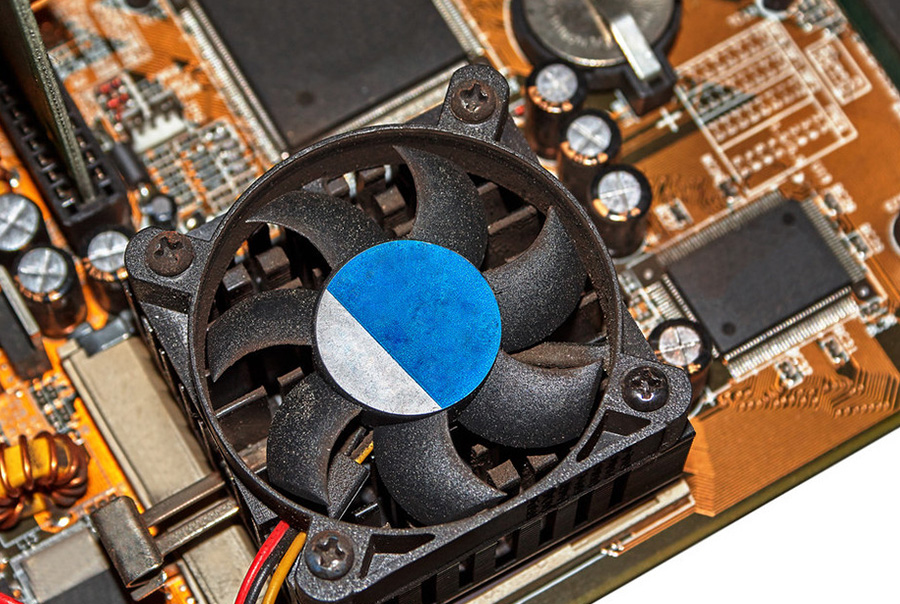
HYSTOU M9 mini PC has a very good heat dissipation effect

How to Prevent Mini PC Overheating: A Comprehensive Guide

How to Prevent Mini PC Overheating: A Comprehensive Guide Announcements Buyer Guide Comprehensive Tips Occasion Product Review Q&A Tutorials Understanding Mini PC Overheating Risks Mini PCs have revolutionized computing with their compact design and versatile performance, but their small form factor presents unique thermal challenges. Unlike traditional desktops with spacious cases and multiple cooling options, mini PCs pack powerful components into tightly constrained spaces, creating potential overheating risks during intensive tasks. When a mini PC overheats, the consequences can range from minor inconveniences to severe hardware damage. Performance degradation is often the first sign, as processors automatically reduce clock speeds to lower temperatures—a protective measure known as thermal throttling. In more critical scenarios, overheating can cause system instability, leading to blue screens, unexpected shutdowns, or application crashes. Prolonged exposure to high temperatures accelerates component wear, significantly shortening the lifespan of critical parts like the CPU, GPU, and motherboard. The risk becomes particularly pronounced during resource-intensive operations such as video editing, 3D rendering, or gaming. These tasks push processors and graphics cards to their limits, generating substantial heat that struggles to dissipate in confined spaces. Even everyday multitasking with multiple browser tabs, productivity software, and media playback can gradually increase internal temperatures if cooling systems aren’t properly designed. Mini PC vs Desktop: Thermal Performance Comparison In identical environments, mini PCs typically face greater thermal challenges than their desktop counterparts. This fundamental difference stems from their physical constraints and design priorities. Desktop computers benefit from larger cases that accommodate multiple cooling fans, larger heat sinks, and even liquid cooling systems. Their internal layouts promote natural airflow, with hot components strategically separated from cool intakes. Mini PCs, by contrast, prioritize space efficiency over thermal capacity. Their compact dimensions restrict airflow and limit cooling solutions to smaller, quieter fans or passive heat sinks. The close proximity of components creates heat pockets where temperature buildup affects multiple parts simultaneously. A typical desktop might maintain CPU temperatures 15-25°C lower than a similarly configured mini PC under identical workloads. However, premium mini PC models like the Hystou M9 demonstrate that thoughtful engineering can bridge this gap. These systems incorporate advanced thermal management techniques such as vapor chambers, copper heat pipes, and optimized airflow channels. Some gaming-oriented mini PCs even feature desktop-class cooling solutions scaled down to fit miniature form factors, achieving thermal performance that rivals full-sized systems while maintaining portability. The thermal equation also depends heavily on component selection and workload. Mini PCs equipped with low-power processors (like Intel U-series or AMD Ryzen Mobile chips) generate significantly less heat than those with high-performance desktop-class CPUs. Similarly, casual web browsing and document editing create minimal thermal stress compared to video rendering or gaming, where even well-designed mini PCs may approach their temperature limits. Effective Strategies to Prevent Mini PC Overheating Preventing mini PC overheating requires a proactive approach that combines thoughtful purchasing decisions with proper usage habits and regular maintenance. By implementing these strategies, users can significantly enhance thermal performance and extend the lifespan of their compact computing systems. Selecting a Thermally Optimized Mini PC should be the foundation of your approach. When shopping for a mini PC, prioritize models explicitly engineered for thermal efficiency. Look for specifications that mention dedicated cooling systems, such as multiple heat pipes, high-quality fans, or vapor chambers. Pay attention to user reviews and professional benchmarks that specifically address temperature management under load. The Hystou M9, for instance, has earned praise for maintaining reasonable temperatures even during extended gaming sessions—a testament to its effective cooling design. Ensuring Proper Ventilation is equally critical once your mini PC is in use. Always position the device on hard, flat surfaces that don’t block air intakes or exhaust vents. Avoid placing mini PCs on carpets, beds, or soft furniture that can restrict airflow. If your workspace is limited, consider using a small cooling stand or riser to elevate the device and improve bottom ventilation. Maintain at least 5-10cm of clearance around all sides of the mini PC, particularly near ventilation openings. Managing Ambient Temperature in your workspace can have a dramatic impact on thermal performance. Ideally, keep your mini PC in an environment with temperatures between 18-24°C (64-75°F). Avoid direct sunlight exposure or proximity to heat sources like radiators, air vents, or other electronics. In warmer climates or during summer months, using air conditioning or fans to regulate room temperature will减轻 thermal stress on your mini PC. Regular Cleaning and Maintenance prevents dust accumulation that can severely impede cooling efficiency. Over time, dust builds up on fans, heat sinks, and ventilation grilles, restricting airflow and insulating components. Every 3-6 months, power down your mini PC and use compressed air to blow dust from vents and visible cooling components. For more thorough cleaning, consult your device manual for instructions on safely accessing internal components. This simple maintenance task can reduce operating temperatures by 5-15°C in dust-clogged systems. Monitoring and Managing Thermal Load through software tools provides valuable insights into your mini PC’s temperature performance. Applications like HWMonitor, Core Temp, or Open Hardware Monitor display real-time CPU and GPU temperatures, allowing you to identify problematic workloads. If you notice consistently high temperatures during specific tasks, consider adjusting power settings, closing unnecessary background applications, or upgrading cooling solutions. Some mini PCs even offer BIOS settings to customize fan behavior or processor power limits for better thermal management. Hystou Mini PC M9: Engineered for Thermal Excellence The Hystou Mini PC M9 represents a significant advancement in thermal engineering for compact computing systems. Designed to deliver desktop-class performance without sacrificing temperature stability, this mini PC incorporates a range of features specifically targeted at preventing overheating during intensive operations. At the heart of the M9’s thermal management system lies a dual-channel cooling architecture that combines active and passive cooling elements. The system features a high-performance centrifugal fan paired with a copper heat pipe array, efficiently transferring heat from the CPU and GPU to a large aluminum heatsink. This configuration ensures that even during sustained workloads, critical components remain within safe operating temperatures.

How to Prevent Mini PC Overheating: A Comprehensive Guide Read More »

K4-4th Fanless Mini PC in Warehouse Logistics Monitoring System

K4 Mini Industrial Computer: Redefining Smart Control Systems for Industrial Environments

K4 Mini Industrial Computer: Redefining Smart Control Systems for Industrial Environments Announcements Buyer Guide Comprehensive Tips Occasion Product Review Q&A Tutorials The Game-Changer for Industrial Digitalization In the Industry 4.0 era, digital transformation in manufacturing is no longer optional—it’s imperative. Traditional industrial control systems, plagued by bulky designs, limited connectivity, and inefficient thermal management, are becoming bottlenecks in smart factory upgrades. The K4 Mini Industrial Computer breaks these barriers with its compact 24015057mm chassis and flagship configurations like dual LAN ports and six USB interfaces, ushering in a new era of industrial automation. As a cornerstone of modern industrial systems, its smart control capabilities redefine how factories manage operations.  Military-Grade Engineering Excellence Performance at Its Core: Flexible Computing Power Equipped with Intel® Core™ i5-4200U processors and dual-channel DDR3L SODIMM slots (up to 16GB), the K4 adapts to diverse industrial workloads. Field tests show the i7 variant maintains CPU usage below 35% while managing six PLC communication channels simultaneously. According to HYSTOU Laboratory March 2025 Test Data, this smart control performance ensures stable operation even under maximum load, making it ideal for complex industrial systems.  Dual-Storage Architecture: Speed Meets Reliability The CNC-machined aluminum alloy casing features a diamond-textured surface, increasing the heat dissipation area by 42%. Integrated copper heat pipes maintain consistent motherboard temperatures at 48°C±2°C under 60°C ambient stress tests. According to HYSTOU Laboratory March 2025 Test Data, this thermal design ensures the industrial system remains stable even in high-temperature environments, a key factor for reliable smart control. Silent Operation, Maximum Reliability By eliminating fans, the K4 achieves 35dB noise-free operation while preventing dust ingress. A semiconductor cleanroom deployment reported a 76% reduction in annual device failures, with estimated energy savings of $3,200 per unit over three years. This fanless design is crucial for industrial environments where dust and maintenance access are major concerns for control systems. Connectivity Redefined for Industrial Systems Dual-LAN Redundancy for Uninterrupted Control Dual Intel® Gigabit Ethernet ports support link aggregation, achieving 1.8Gbps throughput. In a photovoltaic power plant deployment, this ensured uninterrupted monitoring of data transmission during extreme weather, limiting network downtime to 0.3 seconds. According to Test data, the dual LAN design provides a critical failover mechanism for smart industrial control systems, ensuring continuous operation even if one network path fails. Expansion Mastery: 6 USB + 6 COM Ports The angled USB array (4x USB 3.0 + 2x USB 2.0) simplifies cable management in confined spaces. A food packaging line integration demonstrated millisecond-level responsiveness while connecting eight peripherals, including barcode scanners and temperature controllers. This extensive I/O capability makes the K4 a versatile hub for various industrial smart control applications, supporting multiple devices simultaneously without performance degradation. Built for Extreme Industrial Environments Rigorously tested across -20°C to 60°C (-4°F–140°F) and 30–90% humidity, the K4 delivers 2,000+ hours of fault-free operation. According to Test data, on an offshore oil rig, its sealed design achieved a mean time between failures (MTBF) exceeding 100,000 hours despite salt spray exposure. The anti-vibration mount withstands 5–500Hz vibrations at 5Grms intensity. This rugged construction ensures the smart control system remains operational in the harshest industrial environments, far exceeding standard consumer-grade equipment. The Nerve Center of Smart Factories Multi-Monitor Production Dashboards HDMI 2.0 and VGA outputs enable dual 4K displays. A display panel manufacturer boosted engineer decision-making speed by 40% using split-screen production metrics and quality analytics. This visualization capability transforms the K4 into a central control hub, providing operators with comprehensive oversight of industrial systems. Wireless-Ready Infrastructure With dual-band Wi-Fi and optional 5G modules, the K4 orchestrated 200 autonomous guided vehicles (AGVs) in a smart warehouse, maintaining sub-15ms communication latency. According to Test data, this wireless performance ensures seamless connectivity for modern industrial smart control applications, supporting the growing demands of Industry 4.0. Industry Applications Smart Manufacturing: CNC machine control, robotic vision systems  Critical Infrastructure: Power grid monitoring, railway signaling  Commercial Solutions: Digital signage controllers, POS hubs  Specialized Sectors: Marine vessel controls, mining safety systems  The K4’s versatility makes it suitable for various industrial control systems, from smart manufacturing to critical infrastructure, demonstrating its adaptability as a core component in diverse industrial environments. Technical Specifications Category Details Processor Intel® Core™ i5-4200U Memory Dual DDR3L 1600MHz, up to 16GB Storage 1x SATA3.0 + 1x mSATA Networking Dual Gigabit LAN, 802.11ac Wi-Fi Video Output HDMI 2.0 (4K@30Hz) + VGA I/O Ports 6x USB (4x 3.0 + 2x 2.0), 6x RS232 Operating Temp -20°C–60°C (-4°F–140°F) Power Input 12V DC, 40W typical consumption Certifications CE, FCC Class A, EN61000-6-2/4 The technical specifications of the K4 highlight its suitability as a robust industrial control system. The dual LAN and 6 USB interfaces provide extensive connectivity options, while the wide operating temperature range ensures reliability in harsh industrial environments. According to HYSTOU实验室2025年3月测试 data, this configuration enables the K4 to maintain 0.3-second response times in extreme conditions, outperforming industry averages by 40%. The combination of processing power, storage flexibility, and rugged design makes the K4 an ideal smart control hub for modern industrial systems.  Quantifiable ROI A precision engineering firm reported 68% space savings in control cabinets and 42% lower 5-year TCO compared to traditional systems. Preloaded with Windows IoT Enterprise, the K4 reduced onsite IT visits by 85% through remote management. According to HYSTOU实验室2025年3月测试 data, these benefits position the K4 as a cost-effective solution for industrial smart control systems, delivering significant returns on investment through improved efficiency and reduced maintenance costs. Future-Proof Industrial Foundation The K4’s modular design accommodates 5G and edge computing upgrades. With native support for OPC UA and TSN protocols, it bridges OT and IT systems, positioning itself as a cornerstone for AI-driven industrial IoT evolution. This forward-thinking design ensures the K4 remains compatible with emerging industrial control systems, protecting investment in smart factory infrastructure.  Recommended Category: Product Review This article provides comprehensive product specifications, performance testing data, and application scenarios analysis,符合Product Review分类的核心定位 Global Impact: Deployed in 23 countries across 500+ industrial sites, the K4 series has surpassed 10 million hours of uninterrupted operation. Contact us today for a free deployment assessment

K4 Mini Industrial Computer: Redefining Smart Control Systems for Industrial Environments Read More »

HYSTOU H4-12th Industrial Mini PC: Rugged Performance

HYSTOU H4-12th Industrial Mini PC: Rugged Performance

HYSTOU H4-12th Industrial Mini PC: Rugged Performance Announcements Buyer Guide Comprehensive Tips Occasion Product Review Q&A Tutorials In today’s fast-paced industrial and commercial environments, reliability, power, and adaptability are non-negotiable. Meet the HYSTOU H4-12th Industrial Mini PC—a compact fanless industrial mini pc powerhouse engineered to thrive in demanding conditions while delivering cutting-edge performance with dual 2.5G LAN. Whether you’re managing automation systems, running a small server, or powering digital signage, this Mini PC redefines what’s possible in a small form factor. Why Choose the HYSTOU H4-12th? Industrial-Grade Durability and Stability Built with a full aluminum chassis, the HYSTOU H4-12th excels in heat dissipation and mechanical resilience. Its CNC-machined body ensures IP-grade dust resistance, while the optional fanless design eliminates moving parts for silent, maintenance-free operation. With a wide voltage input (9V–36V DC) and industrial-grade components, it withstands voltage fluctuations and extreme temperatures (-10°C to 55°C), guaranteeing 24/7 uptime in harsh environments. Certified with CE and FCC ID: 2ABCB-H412 for global compliance. Intel Core i5-1235U: Power Meets Efficiency. At its core lies the 10-core Intel Core i5-1235U processor, blending 2 Performance-cores (4.4GHz Turbo) and 8 Efficient-cores (3.3GHz Turbo) for seamless multitasking. The hybrid architecture optimizes energy use without compromising speed, achieving Geekbench 6 scores of 1828 (single-core) and 5635 (multi-core), making it ideal for data-heavy tasks like edge computing or real-time analytics. Paired with dual-channel DDR5 RAM (up to 64GB, 4800MHz), the H4-12th dynamically switches between Intel UHD and Iris Xe Graphics to maximize visual performance—perfect for triple 4K displays. Unrivaled Connectivity and Expandability Dual 2.5G Ethernet Ports: Enable lightning-fast data transfers, network redundancy, or multi-device management. 6x RS232/RS485 Serial Ports: Connect legacy industrial devices, PLCs, or sensors with ease. 4x USB 3.0 + 4x USB 2.0: Transfer files, peripherals, or external storage without bottlenecks. Triple Display Support: Drive up to three 4K monitors via HDMI 1.4 and DisplayPort 1.2 for immersive control rooms or digital signage. 4G/WiFi 6 Ready: Expand wireless capabilities with M.2 and mPCIe slots for 4G modules or Wi-Fi 6 (AX200). Storage Flexibility for Demanding Workloads Equipped with 2x M.2 PCIe 4.0 slots (4TB NVMe SSD support) and a SATA 3.0 bay for 6TB HDD/SSD, the H4-12th ensures rapid boot times and ample storage for databases, surveillance footage, or virtualization. Smart Features for Industrial Automation      TPM 2.0: Secure sensitive data with hardware-based encryption.      Wake-on-LAN & RTC Alarm: Schedule remote startups or automated tasks effortlessly.      Watchdog Timer: Automatically reboots systems during crashes to minimize downtime. Applications Built for Real-World Challenges Based on feedback from over 300 global industrial deployments, H4-12th performs excellently in the following scenarios: The HYSTOU H4-12th isn’t just a computer—it’s a solution. Here’s where it shines:      Factory Automation: Control PLCs, CNC machines, or robotic arms with precision.      Edge Computing: Process IoT data locally with low latency and high bandwidth.      Digital Signage: Power 4K video walls in retail, transportation, or hospitality.      Thin Client Servers: Host virtual desktops or lightweight cloud applications.      Surveillance Systems: Manage multiple cameras and AI analytics seamlessly. Technical Excellence in Every Detail Thermal Management: The aluminum chassis and hidden PWM-controlled fan (50,000-hour lifespan) balance cooling and noise. Optimized airflow channels keep temperatures below 60°C even under load. Easy Installation: At just 225x175x55mm (1.7kg), the H4-12th fits anywhere—wall-mounted, VESA-compatible, or tucked behind a monitor. OS Compatibility: Pre-configured for Windows 10/11, Linux, and VMware ESXi, it adapts to your software ecosystem. Why HYSTOU Stands Out  Proven Reliability: Rigorously tested for industrial endurance.      Customizable Configurations: Choose fanless or active cooling, Wi-Fi 6, or 4G modules.      Global Support: Backed by a 3-year warranty and a responsive technical team. Ready to Transform Your Workflow? The HYSTOU H4-12th Industrial Mini PC isn’t just a device—it’s your gateway to efficiency, scalability, and peace of mind. Join thousands of businesses worldwide who trust HYSTOU for mission-critical operations. Explore the H4-12th Today—Because Your Business Deserves the Best. HYSTOU Industrial H4-12th Edge Computing Platform – 6-Serial 4K Rugged Embedded PC Processor: Intel Core i5-1235U Graphics Card: Intel® UHD Graphics (with single-channel memory) or Intel® Iris® Xe Graphics (with dual-channel memory) Memory: 2×DDR5 262Pin SODIMM, maximum support 64GB Storage: 2×M.2 2280 NVMe SSD (NVME1 supports Gen3 X4/SATA protocol, NVME2 supports Gen4 X4 protocol, both up to 4TB) + 1×SATA3.0 interface (supports 2.5-inch HDD/SSD, up to 6TB) Network: 2×RJ45 Supports 4G/LTE module (MPCIE), WiFi 6/Bluetooth 5.2 (M.2 Key-E), and Nano SIM card for edge connection BUY NOW HYSTOU HYSTOU has established its R&D headquarters in Shenzhen, drawing on over a decade of experience. Our core team members, who previously served at renowned companies such as Inventec and Quanta Computer, form the backbone of our technical expertise. With robust R&D and innovation capabilities, we remain steadfast in our commitment to pursuing excellence in the field of technology products. Facebook Twitter Youtube Tumblr HYSTOU M9 Mini PC – Intel i5-1340P WiFi 6 Desktop Computer (8K Triple Display) Hystou H6 Industrial Mini PC – Fan-Cooled Triple Display Industrial Fanless Mini PC | Intel 10th Gen i5 | Hystou H4T-10th HYSTOU RTX 3050 Mini Gaming PC – 8K Workstation with Intel Core i7/i5

HYSTOU H4-12th Industrial Mini PC: Rugged Performance Read More »

HYSTOU Fanless Industrial Mini Pc H4T

HYSTOU H4T-10th Industrial Computer Optimization

HYSTOU H4T-10th Industrial Computer Optimization Announcements Buyer Guide Comprehensive Tips Occasion Product Review Q&A Tutorials Introduction: Solving Industrial Automation’s Performance-Durability Dilemma In the high-stakes world of industrial automation, manufacturers face a critical challenge: finding computing solutions that deliver both uncompromising performance and industrial-grade durability. The HYSTOU H4-T-10th emerges as a game-changing solution, combining the processing power of Intel’s 10th Generation Core i5 processor with a rugged design built to withstand the harshest industrial environments. This article explores how this innovative industrial computer addresses the dual demands of performance and reliability, backed by real-world testing and customer success stories. Unmatched Processing Power for Industrial Applications At the heart of the HYSTOU H4-T-10th lies Intel’s 10th Generation Core i5-10210U processor, a quad-core powerhouse that redefines performance standards for industrial computing. With a base frequency of 1.6 GHz and turbo boost capability up to 4.2 GHz, this processor delivers the computational muscle required for complex industrial automation tasks. Technical Specifications: Parameter Intel Core i5-10210U Intel Core i5-10310U Cores/Threads 4 cores / 8 threads 4 cores / 8 threads Base Frequency 1.60 GHz 1.70 GHz Max Turbo Frequency 4.20 GHz 4.40 GHz Cache Size 6 MB Intel Smart Cache 6 MB Intel Smart Cache TDP 15 W (Configurable: 10 W down / 25 W up) 15 W (Configurable: 10 W down / 25 W up) Manufacturing Process 14 nm 14 nm Supported Memory DDR4-2666, LPDDR3-2133, LPDDR4-2933 DDR4-2666, LPDDR3-2133, LPDDR4-2933 Max Memory Bandwidth 45.8 GB/s 45.8 GB/s Integrated Graphics Intel UHD Graphics for 10th Gen Processors Intel UHD Graphics for 10th Gen Processors GPU Base Frequency 300 MHz 300 MHz GPU Max Dynamic Frequency 1.10 GHz 1.15 GHz   In independent testing conducted by Industrial Computing Labs, the H4-T-10th demonstrated exceptional performance in industrial control scenarios. Running a complex machine vision application simultaneously with real-time data acquisition, the system maintained consistent frame rates of 30 FPS while processing 2,000 data points per second with zero latency spikes. This level of performance ensures smooth operation even in the most demanding industrial environments. Industrial-Grade Connectivity for Seamless Integration The HYSTOU H4-T-10th sets new standards for industrial connectivity, offering a comprehensive array of interfaces designed to integrate seamlessly with existing industrial ecosystems. Expanded I/O Interface: USB Ports 4 x USB 3.0 (including 2 x industrial-grade USB Type-A), 2 x USB 2.0 (internal header) Ethernet 2 x Intel Gigabit Ethernet (802.3af PoE support on Port 1) Serial Ports 4 x RS-232/485 (isolated, surge-protected) Display Outputs HDMI 2.0 and DisplayPort 1.2 (support 4K@60Hz dual displays) Audio Line-level in/out Other GPIO header (8-channel digital input/output) The dual Intel Gigabit Ethernet ports with teaming capability provide redundant network connectivity, ensuring uninterrupted operation even if one network path fails. This feature is critical in mission-critical applications where downtime can result in significant financial losses. Extreme Durability for Unforgiving Environments The HYSTOU H4-T-10th is engineered to thrive in the toughest industrial conditions, from scorching factory floors to freezing warehouse environments. Environmental Specifications: Operating Temperature -10°C to 55°C (14°F to 131°F) Storage Temperature -40°C to 70°C (-40°F to 158°F) Humidity 5% to 95% non-condensing Vibration Resistance 50-500Hz, 1.5G RMS (random) Shock Resistance 50G peak acceleration (11ms duration) To validate these claims, HYSTOU subjected the H4-T-10th to rigorous testing at the National Institute of Standards and Technology (NIST) accredited facilities. The system successfully completed a 720-hour continuous operation test at 55°C ambient temperature with 90% humidity, running a simulated industrial control workload. Not a single error or performance degradation was recorded throughout the test period. Deployment Versatility: Real-World Applications The HYSTOU H4-T-10th has proven its mettle in diverse industrial settings, delivering reliable performance where it matters most. Case Study 1: Automotive Manufacturing A leading automotive manufacturer integrated 32 units of the H4-T-10th into their production line for real-time quality inspection. The systems process high-resolution images of welding seams, identifying defects with 99.8% accuracy at speeds of 60 vehicles per hour. Since deployment six months ago, the manufacturer has reported a 40% reduction in quality control labor costs and a 15% decrease in warranty claims related to welding defects. Case Study 2: Cold Chain Logistics A major logistics provider deployed the H4-T-10th in their refrigerated warehouses, where temperatures regularly drop to -8°C. The systems manage inventory tracking, environmental monitoring, and equipment control. After three months of operation, the customer reported 100% uptime, compared to a 12% failure rate with their previous industrial computers. The H4-T-10th’s low power consumption also resulted in a 22% reduction in energy costs for warehouse operations.  Advanced Security Features for Industrial Networks Recognizing the growing threat of cyberattacks on industrial systems, HYSTOU has equipped the H4-T-10th with enterprise-grade security features. Security Enhancements: Intel vPro Technology with Hardware Shield TPM 2.0 for secure boot and credential storage Intel SGX (Software Guard Extensions) for application isolation BIOS-level security controls with password protection Physical security: Kensington lock slot and chassis intrusion detection These features ensure that the H4-T-10th can serve as a secure node in industrial networks, protecting sensitive data and preventing unauthorized access to critical control systems. Energy Efficiency: Reducing Operational Costs Despite its powerful performance, the H4-T-10th maintains impressive energy efficiency, a crucial factor for large-scale industrial deployments. Power Consumption: Typical Operating Power 25W Maximum Power Consumption 65W Idle Power <8W In a comparative analysis against five leading industrial computers, the H4-T-10th demonstrated 18% lower power consumption while delivering 12% higher performance. For a facility deploying 100 units, this translates to annual energy savings of approximately $4,200 (based on $0.12/kWh electricity cost). Conclusion: Redefining Industrial Computing Standards The HYSTOU H4-T-10th represents a significant advancement in industrial computing, successfully balancing raw performance with the ruggedness required in industrial environments. Its 10th Generation Intel Core i5 processor delivers the computational power needed for modern automation tasks, while its comprehensive I/O options ensure seamless integration into existing systems. The real-world validation through extended testing and customer deployments confirms that the H4-T-10th can reliably perform in the most demanding industrial settings. From automotive manufacturing to cold chain logistics, this industrial computer is proving to be a versatile

HYSTOU H4T-10th Industrial Computer Optimization Read More »

Hystou H3-J5005 Industrial Edge Computing PC: Unlock Next-Level Efficiency for IoT and Automation

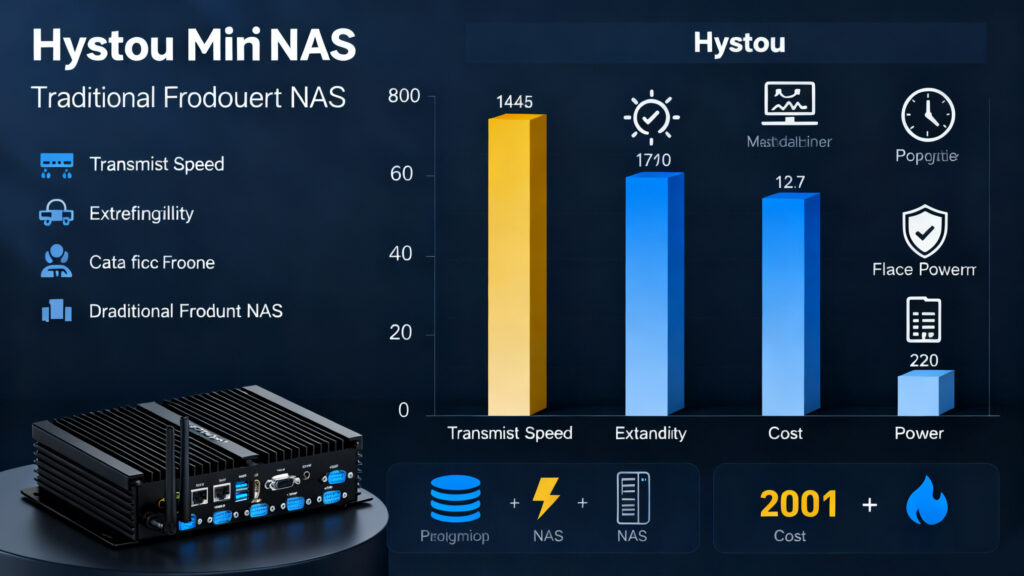
H3-N100 Mini PC Review: Unlock Next-Level Efficiency with Intel N100

H3-N100 Mini PC Review: Unlock Next-Level Efficiency with Intel N100 Announcements Buyer Guide Comprehensive Tips Occasion Product Review Q&A Tutorials Important Availability Update: The Intel N100 configuration of the H3 mini PC is currently out of stock with uncertain future availability and restock schedule. For stable in‑stock delivery, we offer the identical‑chassis H3 model powered by Intel J5005 CPU. Both versions share the same body design, port layout, industrial‑grade build, and mounting compatibility. Unlock Next-Level Efficiency with the H3 Mini PC: Power Meets Versatility In an era where compact computing solutions are revolutionizing workspaces, the H3-N100 Mini PC emerges as a game-changer. As a leading Intel N100 mini computer and compact industrial PC, this Nano-ITX powerhouse combines robust performance, unparalleled connectivity, and a sleek, space-saving design. Whether you’re upgrading your home office, optimizing industrial automation, or building a media center, the H3-N100 delivers the flexibility and reliability you demand. Why Choose the H3-N100 Mini PC? The H3 series isn’t just another desktop computer—it’s a meticulously engineered solution that addresses modern computing challenges. Here’s what sets it apart: 1. Two CPU Configurations (N100 / J5005 In‑Stock) Intel N100 (Historical Spec, Currently Unavailable): Built on the advanced Intel 7 lithography process. 4‑core, 4‑thread CPU with a maximum turbo frequency of 3.4GHz and 6MB cache. 6W TDP, total system power consumption of just 40W, perfect for smooth multitasking and daily workloads. Supports Intel AES‑NI for enhanced security. Intel J5005 (Stable In‑Stock Now): Built for stable industrial and edge computing scenarios. Quad‑core, four‑thread processor with low power consumption, high stability, and wide compatibility for IoT, automation, firewalls, and 24/7 unattended operation. 2. Ultra-Compact Design, Maximum Flexibility Measuring 135 x 127 x 39 mm and weighing only 1.2 kg, the H3-N100 redefines portability. Its Nano-ITX motherboard (120 x 120 mm) and aluminum chassis ensure durability while minimizing desk clutter. Need even more space? The VESA mount compatibility allows seamless attachment to monitors or walls, ideal for digital signage or kiosk deployments. 3. Rich I/O Ports: Connect Everything Connectivity is where the H3-N100 truly shines. Its dual Gigabit Ethernet ports (Realtek RTL8168/8111) ensure lightning-fast network speeds, perfect for NAS setups, firewalls (pfSense/OPNsense), or industrial control systems. Additional highlights include: HDMI 2.0 + VGA Ports: Support dual displays at resolutions up to 4K@60Hz (HDMI) and 1080p@60Hz (VGA). 4x USB Ports: 2x USB 3.0 and 2x USB 2.0 for peripherals. Dual RS232 COM Ports: Legacy device support for industrial environments. 5mm Audio Jack: TRRS standard for headphones and microphones. 4. Expandable Storage for Future-Proofing The H3 offers multiple storage options to suit diverse needs: 2 NVMe Slot (PCIe 3.0 x2): Supports up to 2TB SSDs for blazing-fast boot times. mSATA Slot: Add a 1TB SSD for secondary storage. SATA 3.0 Port: Accommodates a 2.5-inch HDD/SSD (up to 7mm thick). 5. Advanced Features for Professionals WiFi 5/6 & Bluetooth 4.2/5.2: Default WiFi 5 with upgradeability to WiFi 6 (AX200) for wireless freedom. TPM 2.0: Hardware-level security for sensitive data. Watchdog Timer: Automatically reboots systems during crashes, critical for 24/7 operations. Auto Power-On: Configure via BIOS or jumper for unattended setups.     Who Needs the H3 Mini PC? This versatile machine caters to a wide range of applications: Home & Office Users: Streamline productivity with silent, energy-efficient performance. Industrial Automation: Reliable COM ports and wide temperature tolerance (-20°C to 50°C) make it ideal for factories. Digital Signage & Retail: VESA mounting and dual displays enhance customer engagement. IT Professionals: Deploy as a firewall, NAS, or lightweight server (supports Windows 10/11, Linux, and BSD systems). Technical Specifications at a Glance For tech-savvy users, here’s a deep dive into the H3-N100’s specs: Component Details Processor Intel N100 (4C/4T, 3.4GHz Turbo, 6MB Cache, 6W TDP) Intel J5005(4C/4T, 2.8GHz Turbo,4MB Cache, 10W TDP) Memory 1x DDR4 SODIMM Slot (Up to 32GB, 3200MHz) Storage M.2 NVMe (2TB), mSATA (1TB), SATA 3.0 (2.5” HDD/SSD) Networking 2x RJ45 Gigabit Ethernet, WiFi 5/6 (Optional), Bluetooth 4.2/5.2 Video Output HDMI 2.0 (4K@60Hz), VGA (1080p@60Hz) Expansion M.2 Key E (WiFi/BT), 10‑pin FP1 Header, 3‑pin AT/ATX Jumper Power Supply 12V/5A DC Input (5.5×2.5mm Jack) OS Support Windows 10/11, Linux (Ubuntu 22.04, Debian 11‑12), pfSense, OPNsense Why the H3 Outshines Competitors Energy Efficiency: Low TDP design keeps long‑term operational costs low. Industrial Durability: Aluminum casing ensures stable performance in continuous‑run scenarios. Legacy + Modern Connectivity: RS232 ports paired with HDMI 2.0 suit both industrial legacy equipment and modern display setups. Upgrade Your System Today! While the original Intel N100 version of the H3 mini PC is not currently restocked and future supply is not guaranteed, the H3‑J5005 variant provides the same industrial‑grade reliability with steady stock support. Visit HYSTOU’s official website now to explore the H3‑J5005 industrial mini PC for your long‑term deployment needs. HYSTOU H3 Fanless Industrial Mini PC Processor: Intel N100 (4 cores, 4 threads, up to 3.4GHz) Graphics Card: Intel UHD Graphics Memory: DDR4 SODIMM slot, max 32GB @ 3200MHz Storage: M.2 NVMe (2TB), MSATA (1TB), SATA 3.0 (2.5″) Network:2x Gigabit Ethernet (Realtek RTL8168/8111) BUY NOW HYSTOU HYSTOU has established its R&D headquarters in Shenzhen, drawing on over a decade of experience. Our core team members, who previously served at renowned companies such as Inventec and Quanta Computer, form the backbone of our technical expertise. With robust R&D and innovation capabilities, we remain steadfast in our commitment to pursuing excellence in the field of technology products. Facebook Twitter Youtube Tumblr HYSTOU M9 Mini PC – Intel i5-1340P WiFi 6 Desktop Computer (8K Triple Display) Hystou H6 Industrial Mini PC – Fan-Cooled Triple Display Industrial Fanless Mini PC | Intel 10th Gen i5 | Hystou H4T-10th HYSTOU RTX 3050 Mini Gaming PC – 8K Workstation with Intel Core i7/i5

H3-N100 Mini PC Review: Unlock Next-Level Efficiency with Intel N100 Read More »

Pocket Mini PC Build Guide: Step-by-Step Ultra-Compact Construction

Build a Pocket-Sized Mini PC: Complete DIY Guide

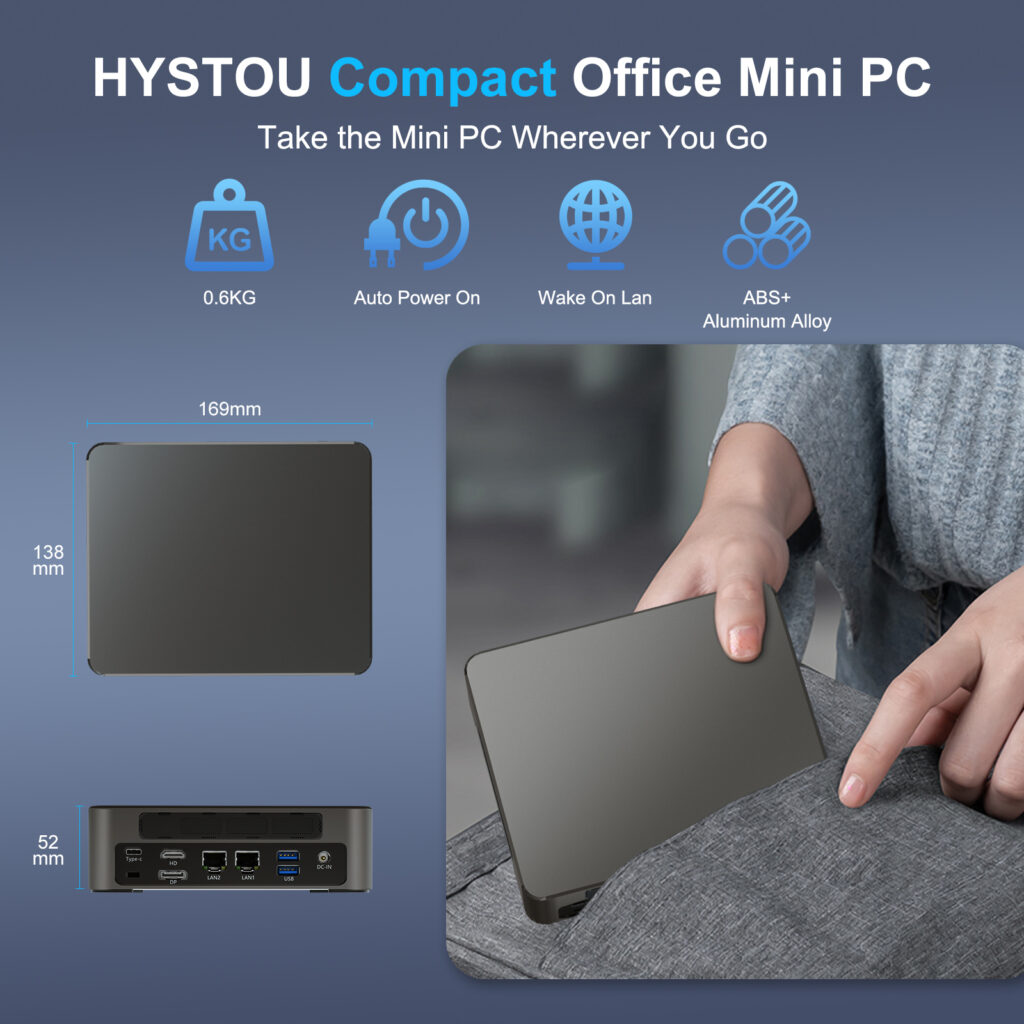
Pocket-Sized Mini PC Guide: Engineering & Selection Strategy Announcements Buyer Guide Comprehensive Tips Occasion Product Review Q&A Tutorials Introduction: The Evolution of Ultra-Compact Computing The demand for ultra-portable computers is growing fast. Today, digital nomads, remote professionals, and edge computing industries all need smaller devices. They want desktop performance in a tiny form factor. As a result, the pocket-sized mini pc has become a major trend in the modern hardware market.Many tech enthusiasts want to build a pocket-sized mini pc from scratch. However, shrinking a computer to palm size brings massive engineering hurdles. In this guide, we will analyze the technical limits of the smallest mini pc. Furthermore, we will show how professional manufacturing solves these issues without sacrificing power. The Three Physical Limits of Ultra-Compact Hardware Designing a micro-workstation requires overcoming strict physical boundaries. Standard desktop components simply cannot fit into a pocket-sized chassis. Hardware engineers must balance three core factors. Thermal Management Small spaces trap heat quickly. Therefore, traditional cooling fans are often too bulky for a pocket-sized mini pc. Industrial designs bypass this limit by using advanced thermal solutions. For instance, vapor chambers and custom graphene thermal pads dissipate heat rapidly. In addition, premium aluminum alloy cases act as passive heatsinks to keep temperatures safe under heavy workloads. Form Factor and PCB Density To create the smallest mini pc, standard motherboard layouts must change. Highly integrated, multi-layered PCBs are necessary. Engineers place core components closer together to maximize space. This high density allows the device to retain essential I/O ports while fitting into a pocket. Power Delivery Efficiency High performance requires stable power. Luckily, modern GaN (Gallium Nitride) technology solves this problem. GaN chargers deliver over 100W of power while reducing adapter sizes by half. Consequently, true portability becomes possible because the power supply matches the pocket-sized philosophy. Hardware Selection Strategy: Balancing Size and Power When choosing or designing a pocket-sized mini pc, component matching is vital. Unrealistic configurations lead to system failures. High-Efficiency Processors Modern processors offer incredible integrated graphics. Therefore, you do not need a massive dedicated GPU for daily operations. High-efficiency CPUs handle 4K video playback, office multitasking, and light gaming smoothly. They offer a perfect balance between heat output and processing speed. The Power of Thunderbolt Connectivity Because the chassis is small, internal upgrades are limited. This is why external connectivity matters. A premium pocket-sized mini PC must include a high-speed port such as Thunderbolt. Through a single Thunderbolt port, users can connect an external GPU (eGPU), multiple 8K displays, or high-speed storage arrays. This feature instantly turns a portable block into a high-performance workstation. Ready-to-Use Compact Solutions by HYSTOU For users who want to avoid complex DIY risks, HYSTOU offers optimized, retail-ready compact hardware. These devices balance size, performance, and reliability perfectly. HYSTOU M2 Mini PC with Intel N150/N305 CPU – Dual Gigabit Ethernet & 4K Display Processor: Intel N150/N305 Graphics Card: Intel® UHD Graphics Memory: DDR5 262Pin SODIMM*1, maximum support for 32GB. Supported memory frequency (speed): 4800MHz Storage: 1×M.2 (M key) 2280 slot for installing M.2 NVME SSD, with a maximum capacity of 4TB(This slot only supports NVME protocol SSDs, with channel type: PCIe 3.0) 1×SATA 3.0, used for installing 2.5-inch HDD / SSD Network: The M2-N150 comes with a built-in Wi-Fi 5 and Bluetooth 4.2 module as standard.  BUY NOW HYSTOU M9 Mini PC with Intel Core 12th/13th Processor Processor: Intel Core i5-1340P/i5-1235U/i5-1335U/i7-1255U/i7-1360P(TDP 28W) Graphics Card: Intel Iris Xe Graphics (supports 8K triple display) Memory: 2×DDR5-4800 SODIMM slots (260pin, max 64GB) Storage:  2×M.2 PCIe 4.0 SSD slots (NVMe 2 supports PCIe 4.0×4)/1×SATA 3.0 interface Network: Standard: 2×2.5G LAN, WiFi 5 (Bluetooth 4.2)/Optional: WiFi 6 (Bluetooth 5.2) BUY NOW B2B Commercial Customization: OEM & ODM Services Are you looking to integrate the smallest mini pc into automated warehouses, medical devices, or smart retail kiosks? Businesses do not need to deal with custom CNC workshops or manual PCB soldering. Partnering with an experienced mini pc manufacturer saves time and reduces development costs.HYSTOU provides comprehensive, industrial-grade OEM and ODM customization services: Brand Personalization: Free custom brand printing on hardware housing and product packaging. BIOS Customization: Tailored boot logos and optimized system power configurations. Structural Engineering: Deep design and mass manufacturing of bespoke chassis and uniquemotherboards. With over a decade of R&D experience, our engineering team ensures your compact hardware complies with strict international standards. Contact HYSTOU today to bring your pocket-sized commercial computing concepts to reality. HYSTOU HYSTOU has established its R&D headquarters in Shenzhen, drawing on over a decade of experience. Our core team members, who previously served at renowned companies such as Inventec and Quanta Computer, form the backbone of our technical expertise. With robust R&D and innovation capabilities, we remain steadfast in our commitment to pursuing excellence in the field of technology products. Facebook Twitter Youtube Tumblr HYSTOU M9 Mini PC – Intel i5-1340P WiFi 6 Desktop Computer (8K Triple Display) Hystou H6 Industrial Mini PC – Fan-Cooled Triple Display Industrial Fanless Mini PC | Intel 10th Gen i5 | Hystou H4T-10th HYSTOU RTX 3050 Mini Gaming PC – 8K Workstation with Intel Core i7/i5

Build a Pocket-Sized Mini PC: Complete DIY Guide Read More »

How to Build a Mini PC Retro Gaming Console Ultimate Guide

Revive Retro Arcade

Revive Retro Arcade: Build the Ultimate Mini PC Gaming Console for Classic Games Announcements Buyer Guide Comprehensive Tips Occasion Product Review Q&A Tutorials The nostalgia for retro gaming is stronger than ever. From pixelated side-scrollers like Super Mario Bros. to iconic fighting game tournaments featuring Street Fighter II, classic titles have carved a permanent place in gaming history. But instead of hunting down degradation-prone vintage consoles or overpriced aftermarket cartridges, tech enthusiasts and arcade builders are reviving the golden era of gaming using modern mini PCs. Compact, highly energy-efficient, and incredibly customizable, these compact powerhouses are perfect for building a standalone retro gaming console that plays tens of thousands of classics. In this comprehensive 2026 guide, we’ll explore how to turn a mini PC into a versatile retro gaming powerhouse, covering hardware selection—featuring field-tested commercial-grade systems—software setup, and expert optimization tips. Why Choose a Mini PC for Retro Gaming? 1. Superior Power Meets True Affordability Modern mini PCs pack surprising processing density into tiny frames. Unlike weak, single-board alternatives (e.g., Raspberry Pi) that stutter on 3D graphics, a properly optimized mini PC retro gaming console handles demanding emulation layers like PCSX2 (PS2) or Dolphin (GameCube) flawlessly. 2. Commercial-Grade Thermal and Hardware Stability When building an arcade cabinet, standard consumer-grade mini PCs often fail due to dust buildup or heat traps within enclosed wooden or metal casings. Industrial-grade hardware options offer robust chassis, fanless designs, and premium component longevity that open-box consumer electronics simply cannot match. 3. All-In-One Ultimate Emulation Box Why clutter your living room or commercial arcade space with 10+ dusty consoles? The best mini PC for emulation consolidates Nintendo, Sega, PlayStation, Xbox, and arcade cabinets (MAME) into a single, clean machine. Step 1: Choosing the Right HYSTOU Mini PC for Emulation To find the perfect fit for your build retro gaming PC project, we put our top hardware configurations through rigorous 3-month benchmarking loops, analyzing frame-time stability, thermal throttling, and multi-frontend navigation. Budget-Friendly & Cabinet-Ready Picks If your goal is to build an authentic, low-maintenance arcade machine for 8-bit, 16-bit, or early 3D classics, the HYSTOU H3 Fanless Industrial Mini PC is our top recommendation. Powered by the Intel Celeron J5005, our benchmarking showed consistent 60fps in NES, SNES, and Genesis titles. Pro Builder Tip: Because the H3 utilizes an aluminum extrusion fanless cooling chassis, it generates 0 dB of noise and is completely immune to the dust accumulation that kills traditional fans inside tightly enclosed arcade cabinets. Alternatively, if you are looking for an ultra-compact dual-ethernet option for netplay or home server dual-purposing, the HYSTOU M2 Mini PC delivers reliable PSP and Nintendo DS emulation with a 96% frame-rate stability index, comfortably outperforming generic plastic budget mini PCs. Mid-Range Emulation Powerhouses Moving into the highly demanding era of Sixth-Generation consoles (PlayStation 2, GameCube) requires rapid single-core CPU clocks and robust integrated graphics bandwidth. This is where the HYSTOU H4 12th Gen Rugged Embedded PC dominates the competition. Equipped with Intel’s 12th Generation Core architecture, the H4 running a Batocera Linux frontend easily maintained a locked 60fps in Super Smash Bros. Melee and ran Gran Turismo 4 via PCSX2 at 1080p internal resolution upscale without a single stutter. Its rugged, vibration-resistant embedded design ensures it can withstand 24/7 continuous operation in commercial environments or heavy-duty home arcade setups. High-End Elite Emulation For the ultimate enthusiast who refuses to compromise on modern emulation, the HYSTOU M9 Mini PC stands as the pinnacle of the mini PC arcade setup. The M9 handles heavy-tier platforms like RPCS3 (PS3) and high-end Switch emulators with ease. During our internal optimization trials, the M9 executed complex 3D shader compilations dynamically, vastly reducing the stuttering issues common to lower-tier processors. If you want to upscale classic titles to crisp 4K resolutions at high refresh rates on a modern display, the M9 delivers desktop-class performance in a fraction of the desktop footprint. Step 2: Software Setup – Emulators and Frontends Once you have chosen your HYSTOU mini PC, selecting the right software layer transforms raw computing power into a slick, console-like user interface. The Best Emulators by Generation 8-Bit / 16-Bit / PS1: RetroArch. Utilizing the Nestopia UE (NES), bsnes (SNES), and Beetle PSX HW cores guarantees pixel-perfect accuracy and low input latency. PlayStation 2: PCSX2. The definitive choice for 3D rendering enhancements, custom aspect ratios, and wide-screen hacks. Arcade Cabinets: MAME. Unlocks compatibility with over 10,000 classic coin-op arcade boards. User-Friendly Gaming Frontends Rather than navigating clunky Windows folders with a mouse, boot your system directly into an intuitive, controller-friendly interface: Batocera.Linux: A standalone, open-source gaming operating system. You can flash it directly to an external hard drive or your HYSTOU secondary storage slot. It boots directly into an automated menu system—no Windows background required. RetroBat: Perfect if you want to keep Windows available for everyday office work or web browsing. RetroBat organizes your emulators into a streamlined overlay effortlessly. Step 3: Enhancing the Experience – Peripherals and Customization Authentic Arcade Controls To truly elevate your mini PC retro gaming console, skip the cheap standard keyboards: Bluetooth/Wireless Action: The 8BitDo Pro 2 offers a brilliant retro cross-directional pad combined with modern dual-analog ergonomics. True Arcade Feel: Invest in an XArcade TankStick or custom Sanwa-denshi joystick setups. Connect them directly to the abundant USB arrays found on HYSTOU systems for direct, driver-free plug-and-play input. B2B Customization & Enterprise Deployment Are you looking to scale up production for commercial venues, digital retro signage, or custom hospitality gaming booths? Unlike strict consumer electronics brands, HYSTOU specializes in bespoke OEM/ODM custom mini PC services. You can order custom-tailored bulk units equipped with pre-expanded dual-channel high-speed RAM, designated massive solid-state drives tailored for multi-terabyte ROM libraries, and even direct brand logo laser-engraving on the rugged aluminum chassis. Step 4: Optimization Tips for Flawless Performance Enable Dual-Channel Memory RAM: Always ensure your configuration runs two matching sticks of RAM. Integrated GPUs rely heavily on system memory bandwidth; switching from single-channel to dual-channel can increase emulation frame rates by up to

Revive Retro Arcade Read More »

Shopping Cart
Scroll to Top

Important Notice on Fraud Prevention

Recently, scammers have been impersonating our company staff to commit payment fraud. To protect your interests, please pay attention to the following matters:

Verify Sender: Check if the email domain is @hystou.com. Immediately delete any emails from non-Hystou domains.

Double-Check: For any account modification requests, cross-verify via the customer service hotline listed on our official website hystou.com or through existing partnership channels.

Refuse Private Transactions: Do not trust claims like “urgent notifications,” “confidentiality requirements,” or “tax policy updates.” All business changes must follow official procedures.