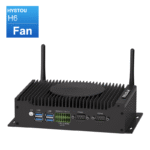
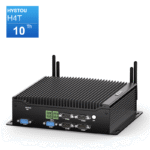
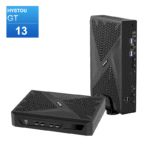
Hystou Mini PC Scalability Guide: Upgradability, Compatibility & Hardware Expansion

Hardware Scalability & Compatibility Matrix
| Component | Architecture & Slot Options | Max Capacity / Standards | Upgrade Impact & Notes |
| System Memory (RAM) | Single Slot: 1x DDR4 SO-DIMM Dual Slot: 2x DDR4 / 2x DDR5 SO-DIMM | DDR4: Up to 32GB (Single) / 64GB (Dual) DDR5: Up to 64GB / 128GB (Model dependent) | Boosts multi-tasking and VM performance. Dual-channel activates full iGPU graphics bandwidth. |
| Primary Storage | 1x M.2 2280 Slot (PCIe 3.0×4 / PCIe 4.0×4 NVMe) | Up to 2TB+ NVMe SSD | Reduces OS boot times by up to 42% and accelerates heavy file rendering. |
| Secondary Storage | 1x mSATA 3.0 Slot AND/OR 1x 2.5″ SATA III Bay | Flexible capacity expansion | Ideal for dedicated local backups, log storage, or secondary data drives. |
| Wireless / WWAN | 1x Mini PCIe / M.2 Slot + 1x SIM Slot | Wi-Fi 6/6E (802.11ax) OR 4G LTE Module | Delivers up to 3x wireless throughput vs Wi-Fi 5, or remote cellular failover. |
| Processor (CPU) | Integrated / BGA Soldered | Non-upgradable post-purchase | Select higher-tier CPU (e.g., Core i7/i9) upfront based on long-term compute needs. |
Memory (RAM) Upgrade Flexibility: DDR4 vs. DDR5 Options
Because Hystou manufactures a diverse lineup ranging from low-power edge gateways to high-performance workstations, memory configurations depend on the specific processor platform:
Entry-Level & Industrial Series (e.g., Intel N-Series / Celeron):
Features 1x DDR4 SO-DIMM slot (Single-Channel, supporting up to 16GB or 32GB depending on CPU architecture).
Tip: Choose a single high-capacity module with lower latency for optimal efficiency.
Mid-Range & Mainstream Workstations (e.g., Intel Core i3/i5 10th-11th Gen):
Features 2x DDR4 SO-DIMM slots (Dual-Channel support, max 64GB DDR4-2666/3200MHz).
Tip: Populate both slots with matching modules to unlock dual-channel memory architecture.
High-Performance & Next-Gen Flagships (e.g., Intel Core i7/i9 12th Gen+ / USB4 Models):
Features 2x DDR5 SO-DIMM slots (Dual-Channel support, up to 64GB/128GB DDR5-4800/5600MHz).
Tip: DDR5 provides up to 50% faster data transfer rates compared to DDR4, drastically improving memory-bound workflows like video encoding and 3D modeling.
Compatibility Checklist: Always verify whether your specific Hystou motherboard requires DDR4 or DDR5 SO-DIMMs before purchasing, as the physical notch positions and operating voltages ($1.2\text{V}$ for DDR4 vs. $1.1\text{V}$ for DDR5) are non-interchangeable.
Triple-Storage Architecture & Expansion Options
M.2 2280 NVMe SSD (Primary): The high-speed lane for OS and active software. Upgrading from a SATA-based M.2 to a PCIe 4.0 NVMe drive increases read speeds up to 7,000+ MB/s on compatible motherboards.
2.5-inch SATA III Drive Bay (Secondary): Accommodates standard 7mm/9.5mm internal SATA SSDs or hard drives for cost-effective, high-capacity mass storage.
mSATA Slot (Auxiliary): Serves as an additional compact storage interface for system recovery partitions, embedded Linux distributions, or network caching.
Step-by-Step Hardware Upgrade Guide
Pre-Upgrade Checklist
Data Backup: Secure critical files to external storage or cloud services.
Tools Required: PH00/PH0 Phillips precision screwdriver, anti-static wrist strap.
Safe Shutdown: Disconnect the power supply and peripherals. Hold the power button for 5 seconds to drain residual system electricity.
Step 1: Open Chassis Access
Unscrew the bottom plate retaining screws (or release the tool-less latches on select chassis lines like the H6 series) to remove the aluminum bottom cover.
Step 2: Upgrading SO-DIMM Memory (RAM)
Push the side metal locking tabs outward to release the existing RAM stick.
Align the key notch on the new DDR4 or DDR5 module with the slot key.
Insert the RAM stick into the slot at a 30-degree angle, then press down firmly until the side clips snap into place.
Step 3: Installing an M.2 NVMe SSD
Remove the M.2 retaining screw from the motherboard standoff.
Slide the M.2 2280 SSD into the M.2 slot at a shallow angle until fully seated.
Gently push the SSD flat against the standoff and secure it with the retaining screw.
Step 4: Installing a 2.5-inch SATA Drive
Attach the internal SATA data/power flexible cable to the drive ports.
Fasten the 2.5-inch drive into the dedicated mounting bracket or bottom lid bay using the included bracket screws.
Connect the cable header to the motherboard and reassemble the bottom cover.
Post-Upgrade System Setup & Diagnostics
BIOS Verification: Press
DelorF2continuously during startup to enter BIOS/UEFI. Verify that the newly installed RAM capacity (Single or Dual-Channel status) and storage drives are properly recognized.Disk Initialization: In Windows, open
Disk Management(diskmgmt.msc) to initialize and format new drives. In Linux, uselsblkandfdiskto configure partitions.Driver Updates: Visit the official Hystou Support portal to download updated chipset, graphics, and storage management drivers.
Software, Firmware, and Long-Term Maintenance
BIOS / UEFI Updates: Firmware releases patch hardware stability issues, update RAM XMP profiles, and optimize fan control profiles.
Operating System Support: Fully compatible with Windows 11 Pro, Windows 10 IoT Enterprise, and Linux distributions (Ubuntu, Debian, Proxmox VE, pfSense).
Thermal Management: The heavy-duty aluminum chassis acts as a passive heatsink. When upgrading to high-performance NVMe SSDs, install an ultra-thin thermal pad to bridge the drive to the aluminum shell for maximum thermal dissipation.
Frequently Asked Questions
Q1: Does installing extra RAM or changing storage void my Hystou warranty?
Answer: No. User upgrades to RAM, SSDs, or wireless modules do not void Hystou’s standard 3-year hardware warranty, provided the components are installed safely without causing physical damage to motherboard pins or sockets.
Q2: Can I upgrade a single-slot DDR4 Mini PC to dual-channel DDR5?
Answer: No. Memory architecture is fixed by the motherboard design and CPU chipset. A single-slot motherboard cannot accept a second module, and DDR4 slots cannot accept DDR5 RAM. Check your device manual for exact slot counts and RAM generation support.
Q3: Can I attach an External GPU (eGPU) to my Hystou Mini PC?
Answer: Yes, on select models. Hystou Mini PCs equipped with Thunderbolt 4 or USB4 ports support external desktop graphics enclosures, enabling high-performance GPU scaling for 3D rendering, machine learning, and gaming.

HYSTOU
HYSTOU has established its R&D headquarters in Shenzhen, drawing on over a decade of experience. Our core team members, who previously served at renowned companies such as Inventec and Quanta Computer, form the backbone of our technical expertise. With robust R&D and innovation capabilities, we remain steadfast in our commitment to pursuing excellence in the field of technology products.