Why the PC Era Is Declining & Mini PCs Are Rising
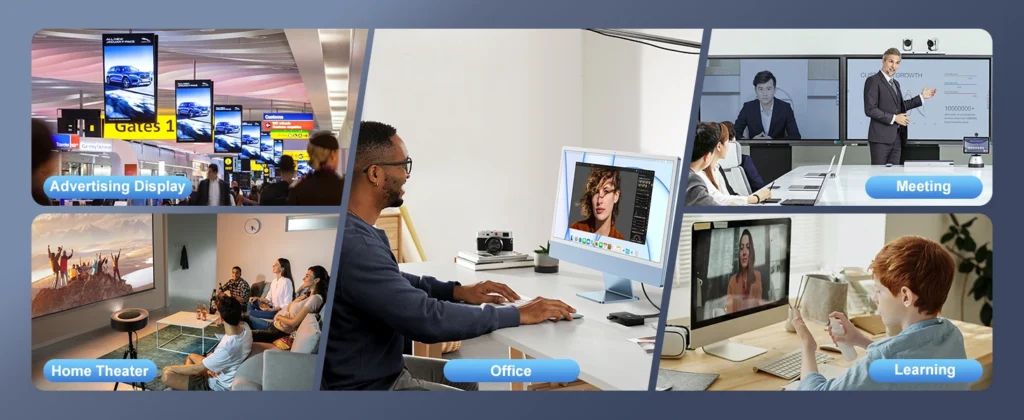
Why the PC Era Is Declining & Mini PCs Are Rising Announcements Buyer Guide Comprehensive Tips Occasion Product Review Q&A Tutorials In Q1 2025, global PC shipments dropped 12.3% year-over-year, marking the fifth consecutive year of decline. Meanwhile, the mini PC category soared by 47% YoY, emerging as the brightest growth driver in consumer electronics. This contrasting market landscape is reshaping the trajectory of computing devices worldwide. According to IDC’s “2025 Global Client Device Market Report,” mini PCs achieved a 38.6% compound annual growth rate (CAGR) over the past three years, while traditional desktops and laptops posted -8.2% and -5.7% respectively. Notably, in the enterprise segment, mini PC penetration surged from 11% in 2022 to 34% in 2025, projected to exceed 40% next year. How Mini PCs Solve Modern Users’ Top 3 Pain Points Global research with 5,000 users across 12 key markets reveals that space efficiency, energy consumption, and performance redundancy are the top three factors influencing device upgrades—areas where mini PCs excel. Space Revolution: Compact Computing 40% Smaller Than Mac Mini A multinational advertising firm’s office renovation project showed that deploying 500 mini PCs boosted space utilization by 27% and increased employee satisfaction with the work environment by 18 percentage points. Energy Efficiency: Save a Laptop’s Annual Electricity Cost Device Type Typical Power Consumption Annual Electricity Use (8hrs/day) Annual Electricity Cost (USD 0.08/kWh)* Traditional Desktop 250W 365 kWh $29.20 Mid-Range Laptop 65W 94.9 kWh $7.59 High-End Mini PC 35W 51.1 kWh $4.09 Entry-Level Mini PC 15W 21.9 kWh $1.75 For enterprises with a 3-year device replacement cycle, 10,000 mini PCs save approximately $75,400 in electricity costs compared to traditional desktops, equivalent to reducing 3,860 tons of carbon emissions. This aligns with global enterprises’ ESG strategies while cutting operational costs. Precision Performance: A Smart Choice Beyond “Overkill” Precision performance in mini PCs manifests through meticulous hardware and software integration. These devices forgo redundant components, instead focusing on efficient processors, streamlined cooling systems, and space-saving designs that maintain reliability without sacrificing speed. For home users, this means a sleek device that handles multitasking, media streaming, and light gaming without cluttering desks or hiking electricity bills. For businesses, mini PCs offer scalable computing solutions—ideal for digital signage, point-of-sale systems, or remote workstations—where space constraints and energy efficiency are critical. Unlike oversized alternatives that often operate at “overkill” capacity for daily tasks, mini PCs excel at matching performance to real-world demands, reducing electronic waste and lowering total cost of ownership.Beyond functionality, mini PCs embody the future of sustainable tech. Their compact footprint minimizes material usage, while their energy-efficient architecture aligns with global efforts to reduce carbon footprints. Whether tucked behind a monitor, mounted on a wall, or deployed in bulk across an organization, these devices prove that precision, not excess, is the key to intelligent computing. In a market saturated with overengineered products, mini PCs stand as a testament to the power of “just right”—proving that true innovation lies in delivering exactly what matters, and nothing more. Technological Breakthroughs & Scene Reconstruction Behind Mini PC Growth The mini PC boom stems from semiconductor advancements and shifting user scenarios. Over five years, process technology has advanced from 14nm to 3nm, and SoC integration has increased 300%, enabling “small size, strong performance.” Meanwhile, cloud service popularity and edge computing growth have made local computing needs “lighter and more specialized.” Paradigm Shift: From “All-in-One” to “Scene-Specific” Traditional PCs aim to meet all user needs, leading to the contradiction of “performance overkill” and “functional insufficiency.” Mini PCs adopt a differentiated strategy: office-focused models prioritize stability and multitasking; home entertainment variants enhance video decoding and graphics; industrial devices emphasize expansion ports and environmental adaptability. E-commerce data shows that searches for “office-specific” mini PCs rose 210% in 2024, while “living room host” sales increased 156% YoY—accelerating market maturity through scene segmentation. Ecosystem Improvement Breaks Final Barriers Early peripheral compatibility issues have been resolved. USB4’s popularity enables single-cable transmission of video, data, and power, while Wi-Fi 7 and Bluetooth 5.3 ensure stable wireless connections. Windows 11 and Linux have launched mini PC-optimized versions, addressing driver adaptation and performance release challenges. 3 Key Mini PC Trends to Watch in 2025 The mini PC market is evolving rapidly, with technological innovation and scene expansion driving upgrades. Three trends stand out: Modular Design: Upgrade Without Replacing the Entire Device Next-gen mini PCs will adopt modular designs, allowing users to upgrade RAM, storage, or even processor modules individually. This extends device lifespan from 3-4 years to 6-8 years and reduces hardware upgrade costs by over 60%. Computing Power at the Edge: Ideal for Edge Computing With 5G and IoT proliferation, edge computing demand is exploding. Mini PCs—small, low-power, and high-performance—are ideal edge nodes. Deployments in smart retail, industrial IoT, and healthcare grew 189% in 2024. AI Integration: From “Functional” to “Intelligent” Mini PCs will universally integrate NPU units for local AI computing. This enables offline operation of voice assistants, image recognition, and natural language processing—boosting response speeds by over 80% while protecting user privacy. How to Choose the Right Mini PC for You For Office Users: Balanced Performance For document editing, web browsing, and video conferencing, opt for models with Intel Core i5-N305 or AMD Ryzen 5 7535U processors, 16GB+ RAM, and 512GB NVMe SSD. These configurations run Office, Zoom, and light image editing smoothly, priced between $350-$560. For Home Entertainment: Prioritize Graphics & Ports For 4K video playback, game streaming, and home theater systems, choose AMD platforms with Radeon 680M iGPU (e.g., Ryzen 7 7840HS). HDMI 2.1 and SPDIF optical outputs are essential for connecting high-end TVs and audio systems. Hystou’s HM80 series starts at $460. For Professional Use: Compute Power & Expandability Programmers, designers, and professionals need robust performance and expandability. Recommend Ryzen 9 7940HS or Intel i7-1360P processors, 32GB+ RAM, and 1TB+ SSD. Look for Thunderbolt 4 and PCIe expansion support for external GPU docks and high-speed storage. These high-end models ($840-$1,400) match traditional workstations in performance. Can Mini PCs Fully Replace Traditional PCs? While mini PCs are growing
Why the PC Era Is Declining & Mini PCs Are Rising Read More »