
Pocket-Sized Mini PC Guide: Engineering & Selection Strategy


Introduction: The Evolution of Ultra-Compact Computing
The demand for ultra-portable computers is growing fast. Today, digital nomads, remote professionals, and edge computing industries all need smaller devices. They want desktop performance in a tiny form factor. As a result, the pocket-sized mini pc has become a major trend in the modern hardware market.
Many tech enthusiasts want to build a pocket-sized mini pc from scratch. However, shrinking a computer to palm size brings massive engineering hurdles. In this guide, we will analyze the technical limits of the smallest mini pc. Furthermore, we will show how professional manufacturing solves these issues without sacrificing power.
The Three Physical Limits of Ultra-Compact Hardware
Designing a micro-workstation requires overcoming strict physical boundaries. Standard desktop components simply cannot fit into a pocket-sized chassis. Hardware engineers must balance three core factors.
Thermal Management
Small spaces trap heat quickly. Therefore, traditional cooling fans are often too bulky for a pocket-sized mini pc. Industrial designs bypass this limit by using advanced thermal solutions. For instance, vapor chambers and custom graphene thermal pads dissipate heat rapidly. In addition, premium aluminum alloy cases act as passive heatsinks to keep temperatures safe under heavy workloads.
Form Factor and PCB Density
To create the smallest mini pc, standard motherboard layouts must change. Highly integrated, multi-layered PCBs are necessary. Engineers place core components closer together to maximize space. This high density allows the device to retain essential I/O ports while fitting into a pocket.
Power Delivery Efficiency
High performance requires stable power. Luckily, modern GaN (Gallium Nitride) technology solves this problem. GaN chargers deliver over 100W of power while reducing adapter sizes by half. Consequently, true portability becomes possible because the power supply matches the pocket-sized philosophy.
Hardware Selection Strategy: Balancing Size and Power
When choosing or designing a pocket-sized mini pc, component matching is vital. Unrealistic configurations lead to system failures.
High-Efficiency Processors
Modern processors offer incredible integrated graphics. Therefore, you do not need a massive dedicated GPU for daily operations. High-efficiency CPUs handle 4K video playback, office multitasking, and light gaming smoothly. They offer a perfect balance between heat output and processing speed.
The Power of Thunderbolt Connectivity
Because the chassis is small, internal upgrades are limited. This is why external connectivity matters. A premium pocket-sized mini PC must include a high-speed port such as Thunderbolt. Through a single Thunderbolt port, users can connect an external GPU (eGPU), multiple 8K displays, or high-speed storage arrays. This feature instantly turns a portable block into a high-performance workstation.
Ready-to-Use Compact Solutions by HYSTOU
For users who want to avoid complex DIY risks, HYSTOU offers optimized, retail-ready compact hardware. These devices balance size, performance, and reliability perfectly.
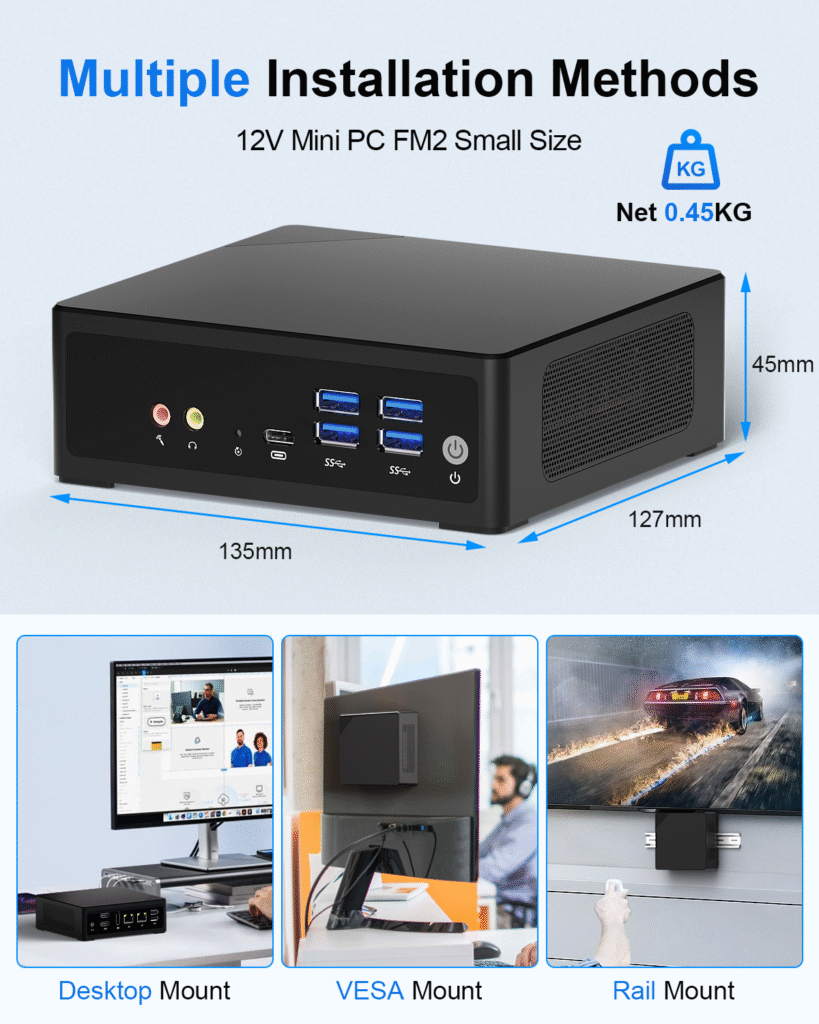
HYSTOU M2 Mini PC with Intel N150/N305 CPU – Dual Gigabit Ethernet & 4K Display
- Processor: Intel N150/N305
- Graphics Card: Intel® UHD Graphics
- Memory: DDR5 262Pin SODIMM*1, maximum support for 32GB. Supported memory frequency (speed): 4800MHz
- Storage: 1×M.2 (M key) 2280 slot for installing M.2 NVME SSD, with a maximum capacity of 4TB(This slot only supports NVME protocol SSDs, with channel type: PCIe 3.0) 1×SATA 3.0, used for installing 2.5-inch HDD / SSD
- Network: The M2-N150 comes with a built-in Wi-Fi 5 and Bluetooth 4.2 module as standard.
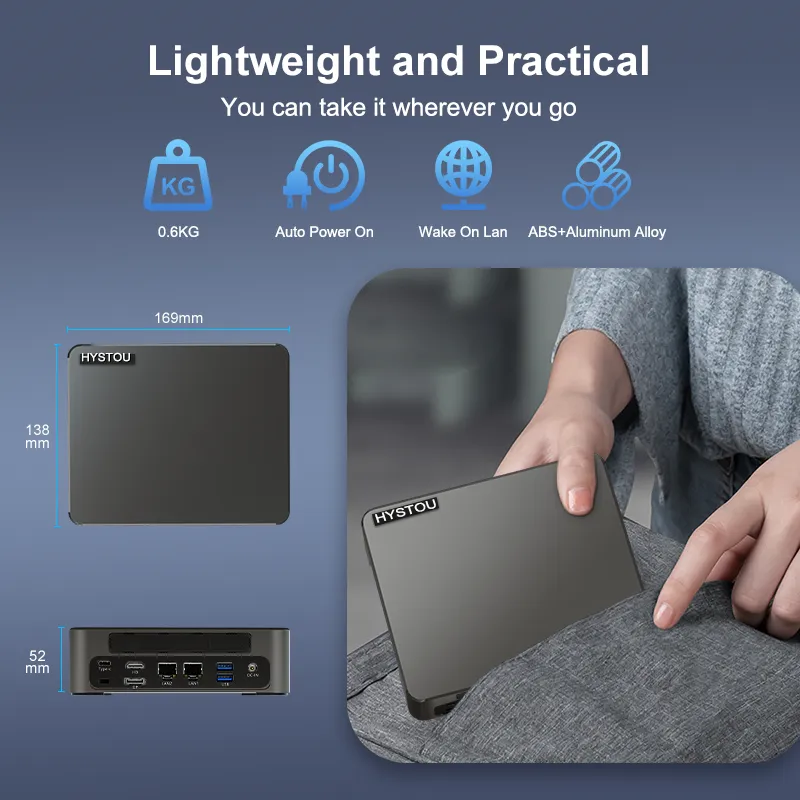
HYSTOU M9 Mini PC with Intel Core 12th/13th Processor
- Processor: Intel Core i5-1340P/i5-1235U/i5-1335U/i7-1255U/i7-1360P(TDP 28W)
- Graphics Card: Intel Iris Xe Graphics (supports 8K triple display)
- Memory: 2×DDR5-4800 SODIMM slots (260pin, max 64GB)
- Storage: 2×M.2 PCIe 4.0 SSD slots (NVMe 2 supports PCIe 4.0×4)/1×SATA 3.0 interface
- Network: Standard: 2×2.5G LAN, WiFi 5 (Bluetooth 4.2)/Optional: WiFi 6 (Bluetooth 5.2)
B2B Commercial Customization: OEM & ODM Services
Are you looking to integrate the smallest mini pc into automated warehouses, medical devices, or smart retail kiosks? Businesses do not need to deal with custom CNC workshops or manual PCB soldering. Partnering with an experienced mini pc manufacturer saves time and reduces development costs.
HYSTOU provides comprehensive, industrial-grade OEM and ODM customization services:
- Brand Personalization: Free custom brand printing on hardware housing and product packaging.
- BIOS Customization: Tailored boot logos and optimized system power configurations.
- Structural Engineering: Deep design and mass manufacturing of bespoke chassis and unique
motherboards.
With over a decade of R&D experience, our engineering team ensures your compact hardware complies with strict international standards. Contact HYSTOU today to bring your pocket-sized commercial computing concepts to reality.

HYSTOU
HYSTOU has established its R&D headquarters in Shenzhen, drawing on over a decade of experience. Our core team members, who previously served at renowned companies such as Inventec and Quanta Computer, form the backbone of our technical expertise. With robust R&D and innovation capabilities, we remain steadfast in our commitment to pursuing excellence in the field of technology products.



