How to Enhance Classroom Learning with a Mini pc
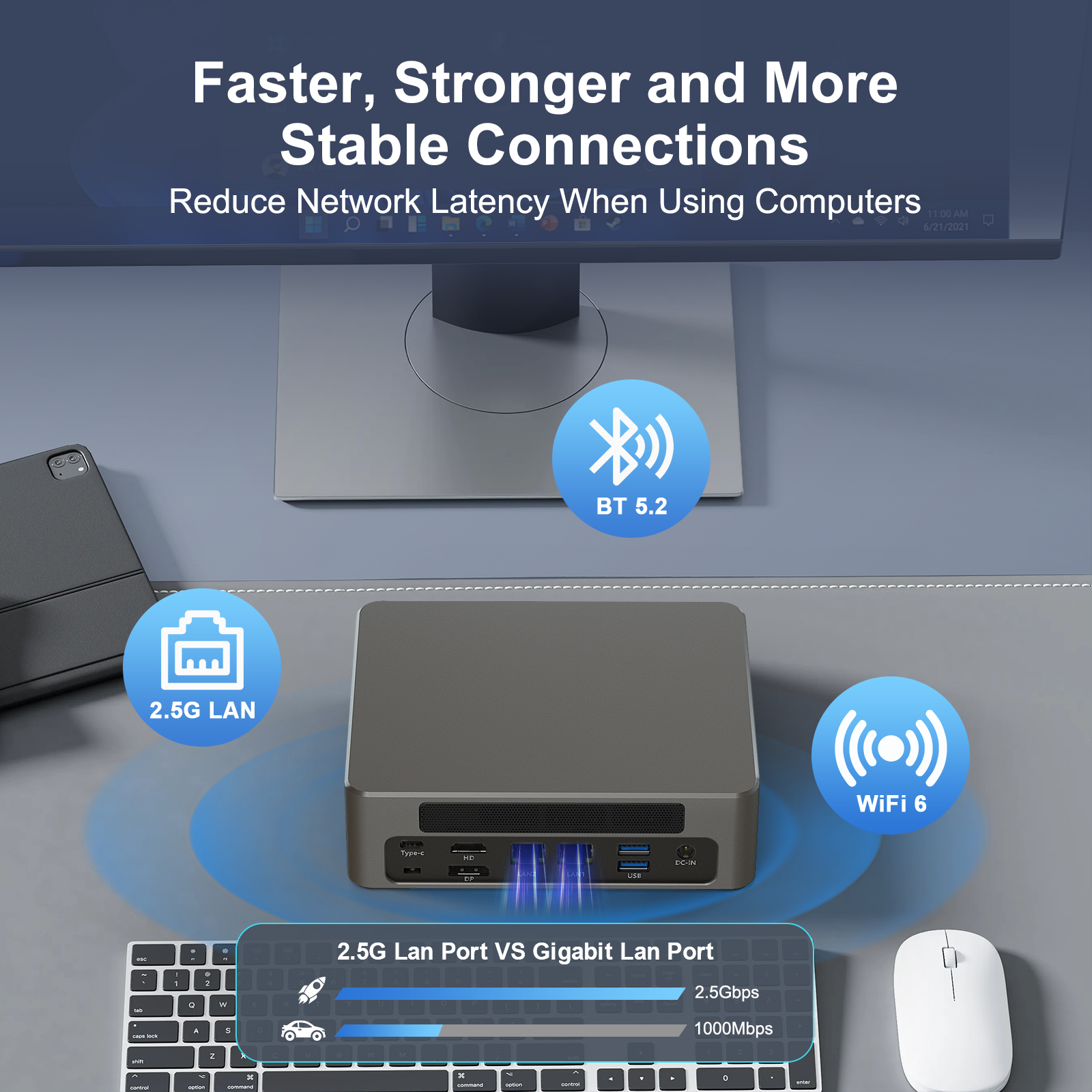
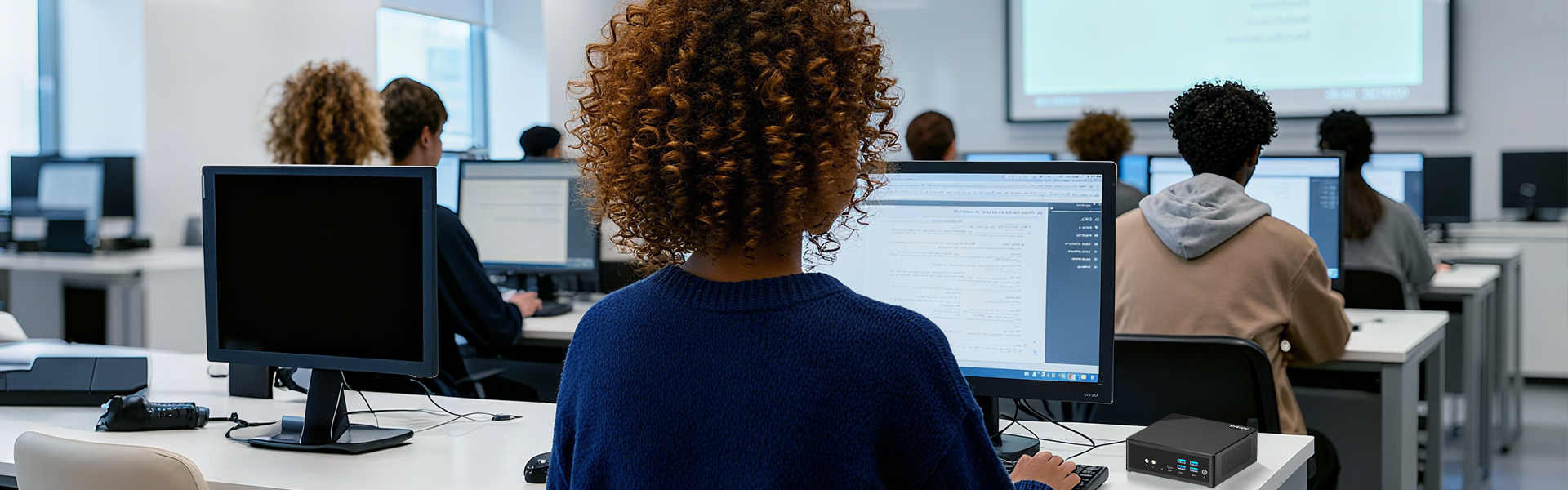
With digital integration becoming the baseline of modern education, digitalized teaching environments significantly improve classroom interactivity and student engagement. It also empowers educators to manage and deliver course content with unprecedented efficiency. However, traditional desktop computers are no longer a viable fit for today’s dynamic classrooms due to their bulky form factors and high energy consumption.
The emergence of the Mini PC completely solves the mobility dilemma. With its compact size, robust performance, affordable pricing, and eco-friendly power consumption, the Mini PC has become the new star of educational technology. This article explores how schools can leverage Mini PCs to enhance classroom interactivity, support flexible learning, and optimize school IT budgets.
The Role of Mini PCs in the Modern Classroom
1. Digital Pedagogical Interaction and Presentation
A digital, intelligent teaching environment is now essential. In tight classroom spaces, a Mini PC acts as the central hub for multimedia content display. By connecting to projectors or interactive whiteboards, it seamlessly streams PPTs, 4K videos, and interactive animations. This instant responsiveness capitalizes on modern, immersive teaching styles to mobilize student enthusiasm—all while keeping the classroom bright and clutter-free by packing full computing power into a chassis smaller than a textbook.
2. Distance Learning and Blended Classrooms
Modern education demands reliable hybrid capabilities. Whether managing temporary remote transitions or conducting cross-campus collaborations, Mini PCs smoothly run heavy video conferencing software for remote lectures and student counseling. Because they double as portable workstations, teachers can easily carry their complete digital setups between classrooms or home, enabling personalized tutoring and active Q&A sessions anywhere, anytime.
3. Next-Gen AR and Virtual Reality (VR) Learning
Augmented Reality (AR) and Virtual Reality (VR) technologies are redefining experimental learning. Modern Mini PCs pack the graphical and processing muscle required to power AR/VR headsets. Students can explore historical simulations, visualize complex human anatomy, or run virtual chemistry labs. This interactive approach transforms passive listeners into active explorers, stimulating curiosity and practical problem-solving skills.
Why Mini PCs Are Overtaking Desktops in Education
To help school administrators and educators visualize the benefits, here is a direct comparison between traditional setups and modern Mini PC deployments:
| Feature | Traditional Desktop PC | Hystou Educational Mini PC | Classroom / Institutional Benefit |
| Footprint & Size | Bulky, restricts movement | Ultra-compact, VESA-mountable | Frees up desk space; ideal for mobile tech carts. |
| Power Consumption | High (Typically 200W+) | Low energy draw (Eco-friendly) | Drastically reduces school electricity bills. |
| Noise Level | Constant fan buzz | Silent / Fanless options available | Promotes a quiet, distraction-free lecture environment. |
| Maintenance | Complex hardware upkeep | Centralized web-based management | Lowers IT overhead through streamlined network updates. |
Space Efficiency and Ultimate Flexibility
Traditional towers hog valuable real estate on teachers’ desks or student pods. Conversely, a compact Mini PC can be mounted directly behind a monitor via VESA brackets, fixed neatly to the wall, or integrated into mobile teaching trolleys. This flexibility allows schools to rearrange classroom layouts instantly for group work or project-based learning without worrying about cable congestion.
Cost and Energy Efficiency
Budget constraints are a constant hurdle for educational institutions. Mini PCs offer an exceptional price-to-performance ratio, allowing schools to purchase multiple units within a standard budget and equip more classrooms with interactive tools. Furthermore, their low-wattage design significantly cuts down on long-term institutional energy costs.
Simplified IT Maintenance and Management
With fewer moving parts and simpler internal architectures, Mini PCs streamline deployment. School IT technicians can leverage centralized web-based management consoles to push system updates, upgrade educational software, deploy security patches, and perform bulk reboots across the school network simultaneously. This keeps technical downtime to a minimum, letting teachers focus entirely on student achievements.
Recommended Mini PC for Educational Deployment
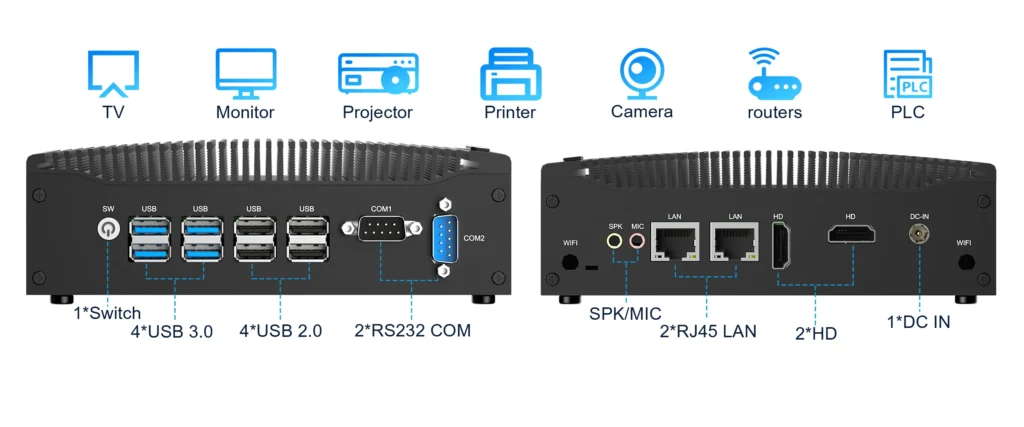
Hystou H7-8th Fanless Silent Mini PC
For classrooms requiring reliable, daily multi-media performance without distracting background noise, the Hystou H7 is the ideal solution.
- Silent, Distraction-Free Environment: Engineered with a premium fanless cooling design, the H7 operates in total silence, making it perfect for quiet lecture halls, testing centers, and primary classrooms.
- Efficient Performance: Powered by energy-efficient yet capable processors, it easily handles high-definition presentations, classroom management software, and heavy web browsing across multiple tabs.
- Rich Connectivity: It features comprehensive I/O options to seamlessly bridge old and new classroom tech, connecting effortlessly to older projectors, modern interactive whiteboards, document cameras, and local area school networks.
Practical Tips for Implementing Mini PCs in Schools
Optimized Physical Placement: Prioritize safety and ergonomics. Mount the Mini PC behind the display or secure it inside a mobile teaching cart. Use short cable sleeves to bundle power and HDMI cords, avoiding trip hazards and creating a clean, safe learning zone.
Tailored Software Configurations: Pre-install essential classroom management systems and interactive educational apps (e.g., Google Classroom, ClassDojo, Khan Academy, or Quizlet). Setting up specialized user profiles for “Teacher” and “Student” ensures quick logins and strict content filtering.
Leverage Supplier Customization: Partner with flexible vendors like Hystou who can customize hardware configurations (RAM, SSD, and specific I/O ports) at the factory level. This ensures your hardware perfectly matches your school’s specific infrastructure—from primary labs to advanced blended universities.
Conclusion
Mini PCs provide the ultimate hardware solution for the modern education sector. By delivering high-tier digital performance in a space-saving, budget-friendly package, they are ticking every box for school administrators looking to future-proof their classrooms. Whether you are replacing a legacy computer lab or designing an agile, tech-enabled collaborative space, integrating Mini PCs is a cost-effective, scalable step toward true classroom innovation.

HYSTOU
HYSTOU has established its R&D headquarters in Shenzhen, drawing on over a decade of experience. Our core team members, who previously served at renowned companies such as Inventec and Quanta Computer, form the backbone of our technical expertise. With robust R&D and innovation capabilities, we remain steadfast in our commitment to pursuing excellence in the field of technology products.