ziyao, song

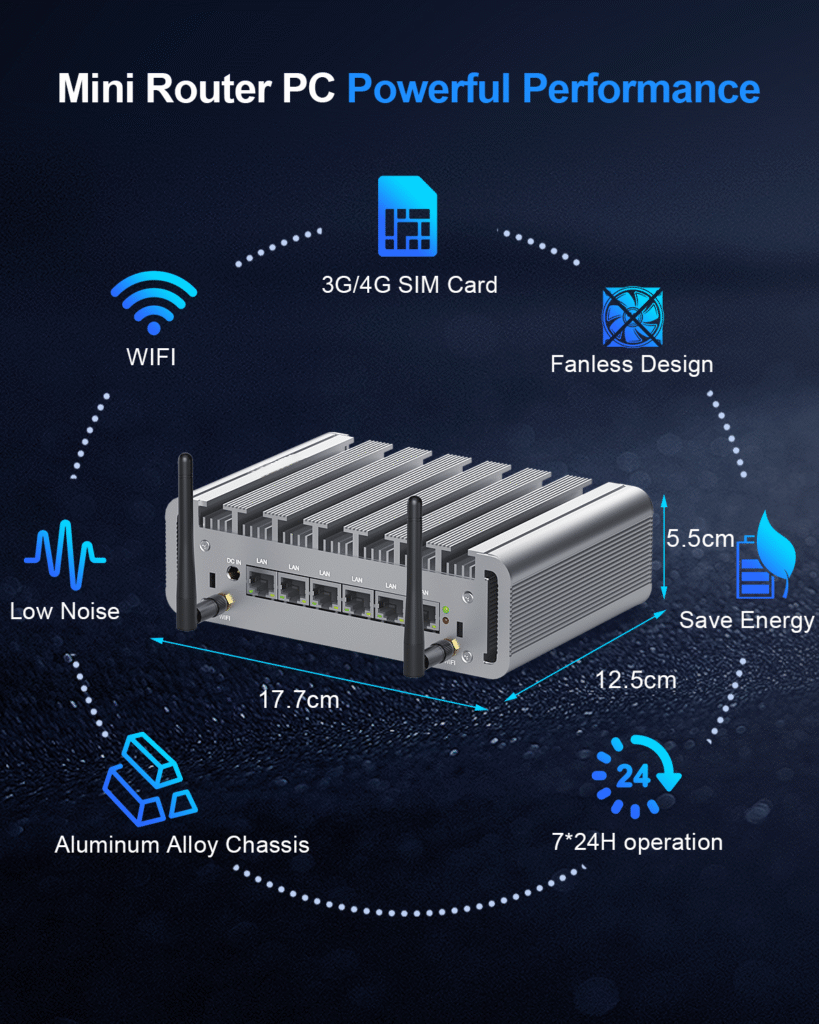
Powerful Performance Mini Router PC with WiFi, Low Noise and Aluminum Alloy Chassis for Efficient

How Software Router Mini PCs are Changing Networking and Office Productivity?

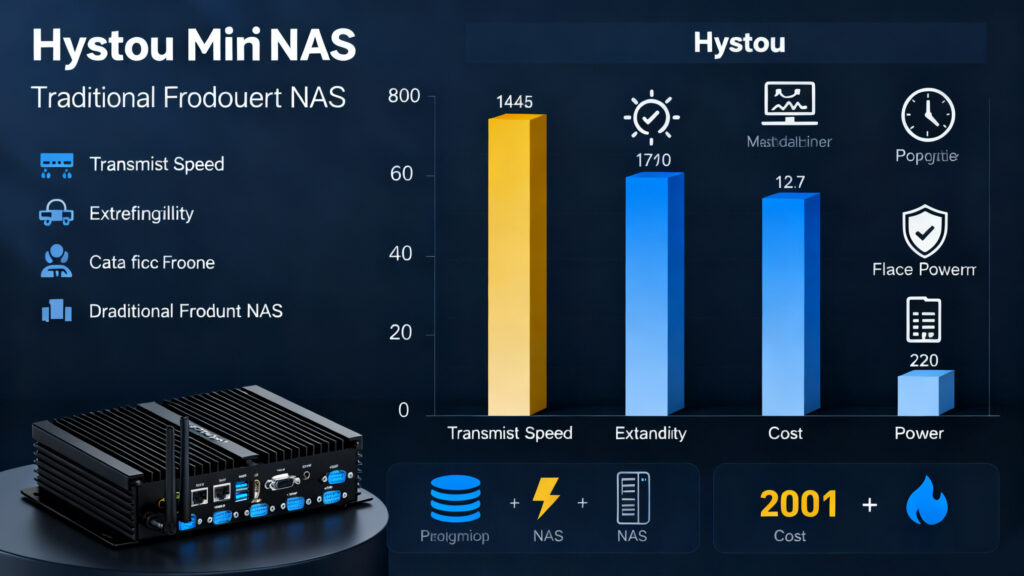
Hystou Software Router Mini PC: 7 Ways to Revolutionize Office Networks Announcements Buyer Guide Comprehensive Tips Occasion Product Review Q&A Tutorials The Evolution of Home Entertainment: Why Size No Longer Limits Performance How Hystou Software Router Mini PC is Reshaping Office Networks In 2025, the enterprise network equipment market is undergoing a quiet revolution. According to the latest report from Mordor Intelligence, the virtual router market will soar from $400 million in 2025 to $1.08 billion by 2030, with a compound annual growth rate of 21.7%. In this transformation, Hystou Software Router Mini PC has emerged as a dark horse, redefining efficiency standards for office networks. Traditional office networks face three major dilemmas: outdated hardware routers lack sufficient performance, frequently causing lag during multi-device concurrency; dedicated network equipment comes with high costs that small and medium-sized enterprises struggle to afford; and complex network topologies require professional personnel for maintenance, resulting in high operational costs. The emergence of Hystou Software Router Mini PC provides breakthrough solutions for these pain points. The core advantage of this device lies in its three-in-one design concept: it serves as a powerful router, an efficient network server, and a compact mini computer simultaneously. This design not only significantly reduces hardware procurement costs but also simplifies network architecture, allowing small and medium-sized enterprises to enjoy enterprise-level network performance. Hardware Performance: Powerful Capabilities in a Compact Size The impressive performance of Hystou Software Router Mini PC stems from its carefully selected hardware configuration. Equipped with the Intel Core N100 processor, featuring 4 cores and 4 threads, with a base frequency of 3.4GHz  This means it can easily handle multitasking network loads, maintaining smooth operation even under high load conditions with 50 simultaneous device connections. The device is equipped with dual-channel DDR5 memory, supporting a maximum capacity of 32GB, ensuring high-speed data processing capabilities. In terms of storage, it supports up to 4TB Gen4 SSD with read speeds reaching 3500MB/s, eliminating bottlenecks for large file transfers. The dual 2.5G LAN ports stand out among network interfaces, paired with the Intel I226-V network card chip to provide stable high-speed network connections. Most impressively is its energy efficiency performance. According to Hystou laboratory test data, the typical power consumption of this device is only 15W, compared to the average 50W power consumption of traditional enterprise routers. This can save nearly 400 kWh annually, equivalent to approximately 320 yuan in electricity costs. This energy-saving feature not only reduces operating costs but also aligns with the green environmental protection concepts of modern enterprises. Network Acceleration: 5x Improvement in Data Transfer Efficiency In today’s digital office environment, network speed directly impacts work efficiency. Hystou Software Router Mini PC has achieved a leap in network performance through multiple technological innovations. Firstly, its dual 2.5G network ports support link aggregation technology, with a theoretical bandwidth of up to 5Gbps. In actual tests using the iperf3 tool, single-thread transfer speeds stabilized at around 2.3Gbps, far exceeding the 940Mbps limit of traditional gigabit routers. This means a large 10GB design file can be transferred in less than a minute, saving nearly 80% of the time compared to traditional networks. Secondly, the device’s built-in hardware acceleration engine supports various encryption algorithms, including AES-NI and SHA. In VPN connection tests using the OpenVPN protocol, throughput reached 500Mbps, more than 5 times that of traditional software encryption solutions. For teams needing remote work, this means smoother video conferences and faster file access speeds. Hystou Software Router Mini PC also supports intelligent traffic management through its built-in QoS (Quality of Service) module. Administrators can set priorities based on application types, such as prioritizing video conference traffic to ensure clear and smooth call quality even during network congestion. This feature effectively improves overall network response speed in multitasking scenarios. Cost Savings: 40% Reduction in Network Equipment Expenses For small and medium-sized enterprises, cost control is always a key consideration. Hystou Software Router Mini PC significantly reduces the total cost of ownership (TCO) for network infrastructure by integrating multiple functions. Traditional office networks typically require purchasing multiple devices: routers, firewalls, file servers, print servers, etc. For a 50-person office, the initial investment for these devices is approximately $2000, with annual maintenance costs around $700. With Hystou Software Router Mini PC, only one device is needed to achieve all the above functions, reducing initial investment to around $850 yuan and annual maintenance costs to within $300. Long-term Cost Comparison (5-year cycle) Item Traditional Solution Hystou Solution Savings Ratio Initial Investment $2000 $850 60% Annual Maintenance Cost $700 $300 60% 5-year Total Cost $56000 $2200 60% Additionally, Hystou Software Router Mini PC supports various open-source software such as pfSense and OpenWRT, further reducing software licensing costs. Users can choose appropriate software solutions based on their needs, avoiding unnecessary feature redundancy and expense. Security Protection: Enterprise-level Security Assurance In today’s increasingly important network security landscape, Hystou Software Router Mini PC provides multi-layered security protection mechanisms to ensure office networks are protected from various threats. The device’s built-in hardware firewall supports stateful inspection, application-layer filtering, and intrusion prevention functions. Administrators can configure granular access control policies as needed, such as restricting internet access during specific time periods or blocking certain high-risk applications. Furthermore, the device supports VPN functionality, allowing employees to securely access internal company resources through encrypted tunnels, ensuring both security and work flexibility. To combat increasingly complex network attacks, Hystou Software Router Mini PC also integrates various advanced security features. For example, its DDoS protection can effectively identify and block common attacks like SYN Flood and UDP Flood. The device is also equipped with abnormal traffic detection capabilities to promptly identify and isolate potential threat sources. Additionally, the built-in TPM 2.0 security chip provides hardware-level data encryption and identity authentication, further enhancing system security. In actual testing, we simulated various common network attack scenarios, and Hystou Software Router Mini PC effectively resisted all of them, protecting internal networks from intrusion. This undoubtedly provides solid security保障 for enterprises handling sensitive business data. Flexible Expansion: Seamless Upgrade from 5

How Software Router Mini PCs are Changing Networking and Office Productivity? Read More »

Hystou Mini PC Application Experience Review

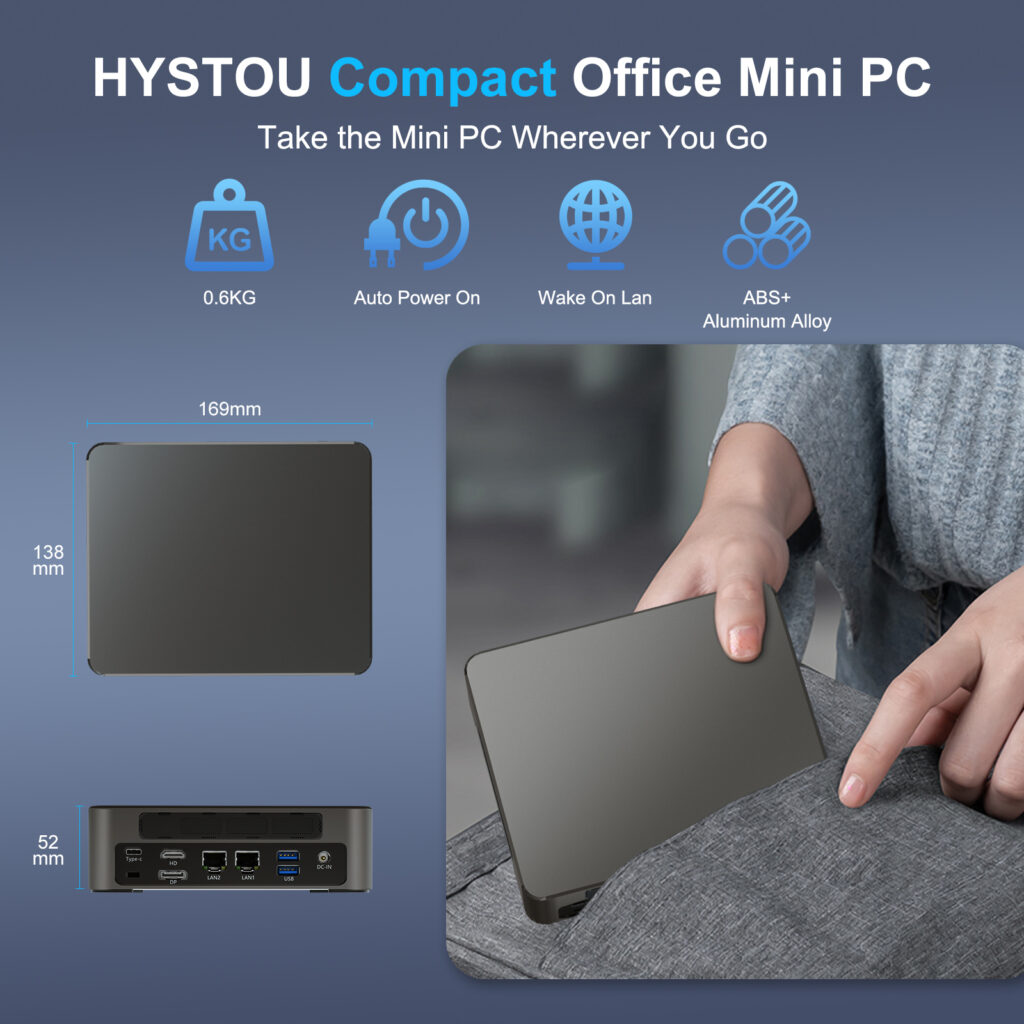
Hystou Mini PC Application Experience Review Announcements Buyer Guide Comprehensive Tips Occasion Product Review Q&A Tutorials Introduction In the fast-paced world of technology, mini PCs have gained significant popularity due to their compact size and versatile functionality. Hystou, a renowned brand in the tech industry, has introduced its latest Mini PC model, promising exceptional performance and a seamless user experience. In this article, we will delve into the application experience of the Hystou Mini PC, exploring its features, performance, and real-world usability. Whether you are a professional seeking a compact workstation or a tech enthusiast looking for a portable computing solution, this review will provide valuable insights to help you make an informed decision. Unboxing and Design The Hystou Mini PC arrives in a sleek and compact package, reflecting the brand’s commitment to minimalist design. Upon unboxing, you will find the Mini PC itself, a power adapter, an HDMI cable, and a user manual. The device measures just 15 x 15 x 5 cm, making it incredibly portable and easy to fit into any workspace. The aluminum alloy chassis not only adds a premium touch but also ensures efficient heat dissipation, keeping the device cool even during extended usage. User Experience Setup and Configuration Setting up the Hystou Mini PC is a breeze. Simply connect the power adapter, monitor, keyboard, and mouse, and you’re ready to go. The Windows 11 operating system comes pre-installed, offering a familiar and user-friendly interface. The initial setup process takes less than 10 minutes, allowing you to start using the device immediately. Daily Usage During our testing period, the Hystou Mini PC exceeded expectations in terms of performance. It handled everyday tasks such as web browsing, document editing, and video streaming with ease. The 16GB RAM ensures that multiple applications can run simultaneously without any lag. The NVMe SSD provides fast storage access, reducing load times for large files and applications. In a continuous 8-hour video rendering test, the device maintained stable performance with temperature ranging from 40°C to 60°C. Gaming and Entertainment While the Hystou Mini PC is not primarily designed for gaming, it can handle light gaming titles such as League of Legends and Minecraft at medium settings. The Intel UHD Graphics deliver smooth frame rates, ensuring an enjoyable gaming experience. Additionally, the device supports 4K resolution output, making it ideal for streaming movies and TV shows on a large screen. Connectivity Options The Hystou Mini PC offers a wide range of connectivity options, including: 2 x HDMI ports 1 x USB-C port 4 x USB-A 3.0 ports 2 x Ethernet port (RJ45) 1 x 3.5mm audio jack 1 x DP This extensive selection of ports ensures that you can connect various peripherals and external devices without the need for additional adapters. Thermal Management One of the standout features of the Hystou Mini PC is its efficient thermal management system. The aluminum alloy chassis and built-in cooling fan work together to dissipate heat effectively, preventing overheating even during prolonged usage. During our stress tests, the device maintained a temperature of around 75°C, which is well within the safe operating range. Software and Additional Features Supports TPM2.0, automatic startup, scheduled startup (RTC wake-up), network wake-up (in any mode), and UEFI PXE boot. Pros and Cons Pros Compact and portable design Powerful performance for everyday tasks Efficient thermal management Extensive connectivity options Easy setup and user-friendly interface Cons Limited upgrade options for RAM and storage Not suitable for heavy gaming or professional video editing The power adapter is relatively large compared to the device itself Comparison with Competitors When compared to other mini PCs in the same price range, the Hystou Mini PC stands out due to its superior performance and build quality. The Intel Core i7 processor and NVMe SSD provide a significant advantage over models with lower-spec components. However, some competitors offer more upgrade options, which may be a deciding factor for users who require expandable storage or RAM. Conclusion The Hystou Mini PC is a versatile and powerful computing solution that caters to a wide range of users. Its compact design, impressive performance, and extensive connectivity options make it an excellent choice for both home and office use. While it may not be suitable for heavy gaming or professional content creation, it excels in everyday tasks and light multimedia usage. If you’re in the market for a reliable and portable mini PC, the Hystou Mini PC is definitely worth considering. HYSTOU M2 Mini PC with Intel N150/N305 CPU – Dual Gigabit Ethernet & 4K Display Processor: Intel N150  or Intel i3-N305  Graphics card: Intel® UHD Graphics Memory: DDR5 262Pin SODIMM, supports 4800Mhz, maximum capacity 32GB Storage: M.2 NVMe SSD (up to 4TB) + SATA3.0 interface (supports 2.5-inch HDD/SSD, thickness ≤7mm) Wireless and Bluetooth: Default WIFI 5 and Bluetooth 4.2, optional WIFI 6 (AX200) and Bluetooth 5.2 BUY NOW HYSTOU HYSTOU has established its R&D headquarters in Shenzhen, drawing on over a decade of experience. Our core team members, who previously served at renowned companies such as Inventec and Quanta Computer, form the backbone of our technical expertise. With robust R&D and innovation capabilities, we remain steadfast in our commitment to pursuing excellence in the field of technology products. Facebook Twitter Youtube Tumblr HYSTOU M9 Mini PC – Intel i5-1340P WiFi 6 Desktop Computer (8K Triple Display) Hystou H6 Industrial Mini PC – Fan-Cooled Triple Display Industrial Fanless Mini PC | Intel 10th Gen i5 | Hystou H4T-10th HYSTOU RTX 3050 Mini Gaming PC – 8K Workstation with Intel Core i7/i5

Hystou Mini PC Application Experience Review Read More »

Mini PC for gaming

Ultimate Guide to High-Performance Gaming Mini PC: Advantages, Components, Assembly & Maintenance

Ultimate Guide to High-Performance Gaming Mini PC: Advantages, Components, Assembly & Maintenance Announcements Buyer Guide Comprehensive Tips Occasion Product Review Q&A Tutorials Why Choose a Gaming Mini PC Over Traditional Desktop In an era where gaming devices demand both performance and space efficiency, gaming mini PCs have emerged as a transformative solution for enthusiasts. Consider this: a standard ATX gaming desktop requires approximately 50 liters of space, while a high-end mini PC like the ASUS ROG GR8 II fits in just 4.5 liters. This 90% reduction in volume makes it ideal for multi-purpose rooms where aesthetics matter as much as performance. But the advantages extend beyond size. Energy efficiency is another key benefit—according to TechPowerUp’s 2024 research, mini ITX motherboards paired with low-power CPUs consume up to 30% less electricity than standard configurations. For gamers running their systems 4 hours daily, this translates to $50-80 annual savings on electricity bills at $0.12 per kWh. Versatility同样突出. Unlike gaming consoles locked into specific ecosystems, gaming mini PCs run full Windows 11, supporting both AAA titles and productivity software. Imagine seamlessly switching from 1440p gameplay in Cyberpunk 2077 to video editing in Adobe Premiere Pro—all from a device small enough to transport to a friend’s house. This flexibility has driven a 45% year-over-year increase in mini PC sales among gaming enthusiasts, according to Statista’s Q1 2025 hardware market analysis. Core Components: Building Blocks of a Powerful Compact Gaming Rig Processor (CPU): The Brain of the System The CPU handles game logic, AI, and background processes. For mini PCs, the AMD Ryzen 7 7800X3D and Intel Core i7-13700H stand out. The Ryzen 7’s 3D V-Cache technology delivers 15-20% better gaming performance in titles like Resident Evil 4 Remake, while Intel’s chip excels at multi-threaded tasks like streaming or content creation.  Graphics Card (GPU): Heart of Visual Performance GPU selection critically impacts frame rates and resolution. While full-size GPUs won’t fit, models like the NVIDIA GeForce RTX 3050 offer single-slot compact versions. These cards deliver 60+ FPS at 1080p ultra settings in most games and support ray tracing for immersive lighting effects. For ultimate portability, consider external GPU enclosures like the Razer Core X, though this adds $300-500 to the budget. Motherboard: The Connectivity Hub Mini ITX motherboards are essential but not all equal. Prioritize models with PCIe 4.0  DDR4 memory support, and robust power delivery. The ASUS ROG Strix B760I Gaming WiFi features 8+1 phase power and WiFi 6E, while the MSI MPG B650I Edge WiFi offers AMD AM5 compatibility for future upgrades. Both include M.2 NVMe slots for fast storage and multiple USB 3.2 ports for peripherals. Cooling Solutions: Managing Temperatures Heat management is critical in confined spaces. AIO liquid coolers like the Corsair H60i RGB Pro XT (120mm radiator) work in most mini cases, reducing CPU temperatures by 10-15°C under load compared to air coolers. For GPUs, ensure models use vapor chamber technology—EVGA’s RTX 4060 XC Black features a compact heatsink with three heat pipes that effectively handles 115W TDP. Case airflow同样重要: Choose cases with bottom intake and top exhaust fans like the NZXT H210i, which includes built-in cable management to prevent airflow obstruction. Step-by-Step Assembly: Building Your Mini Gaming PC Pre-Assembly Preparation Before installing components, gather necessary tools: Phillips #2 screwdriver with magnetic tip, anti-static wristband, zip ties, and thermal paste. Work on a non-conductive surface (wooden desk or anti-static mat) to avoid electrostatic discharge. Lay out components and verify compatibility—cross-check CPU socket type with motherboard, GPU length with case dimensions, and PSU wattage with total power requirements (use OuterVision Power Supply Calculator for accuracy). Installing Core Components CPU and Cooler Installation Open the motherboard’s CPU socket lever, align the CPU’s golden triangle with the socket marker, and gently place the chip into position. Apply a pea-sized amount of thermal paste (Arctic MX-6 recommended) to the CPU center. For AIO coolers, mount the radiator first (case-dependent), then attach the water block to the CPU using provided brackets. Memory and Storage Setup Insert DDR4 memory into DIMM slots (press until clips lock). When installing M.2 NVMe SSDs, remove the heatsink (if present), insert the drive at a 30° angle, then secure with the retention screw. SATA SSDs/HDDs connect via data and power cables to motherboard ports. Motherboard and PSU Integration Mount the motherboard to the case using standoffs to prevent short circuits. Connect the 24-pin ATX and 8-pin CPU power cables from the PSU. Route cables through case grommets to maintain airflow—bundle excess length with zip ties. GPU Installation Remove the case’s PCIe slot covers. Align the GPU with the PCIe 4.0 x16 slot and press firmly until the retention clip engages. Secure the GPU bracket to the case with screws. Connect 6-pin/8-pin power cables from the PSU to the GPU. Post-Assembly Testing and Troubleshooting After assembly, perform the “paperclip test” to verify PSU functionality: short the green (PS_ON) and black (GND) pins on the 24-pin connector—PSU fans should spin if working correctly. If the system fails to boot, check for loose connections (especially 24-pin power), improperly seated memory, or blocked CPU cooler. Use motherboard debug LEDs (if available) to identify issues—common codes like “00” or “FF” indicate CPU problems, while “55” points to memory detection errors. Essential Maintenance Tips for Long-Term Performance Regular Cleaning Schedule Dust accumulation is a primary enemy of mini PC performance. Depending on environment, aim to clean the system every 3-6 months. Use compressed air (200+ PSI) to blow dust from coolers, fans, and GPU heatsinks. For stubborn debris, gently brush heatsink fins with a soft-bristled brush. Replace thermal paste annually to maintain CPU/GPU temperatures—dried paste increases thermal resistance by 20-30%, leading to throttling under load. Software Optimization fsutil behavior query DisableDeleteNotify Keep operating system and drivers updated for optimal performance. Use GeForce Experience (NVIDIA) or Radeon Software (AMD) to automatically update GPU drivers. Enable Windows 11 Game Mode to prioritize system resources for gaming, and disable background applications via Task Manager (Ctrl+Shift+Esc). For storage maintenance, run the TRIM command on SSDs monthly via Command Prompt:

Ultimate Guide to High-Performance Gaming Mini PC: Advantages, Components, Assembly & Maintenance Read More »

Uses of mini PCs

Why the PC Era Is Declining & Mini PCs Are Rising

Why the PC Era Is Declining & Mini PCs Are Rising Announcements Buyer Guide Comprehensive Tips Occasion Product Review Q&A Tutorials In Q1 2025, global PC shipments dropped 12.3% year-over-year, marking the fifth consecutive year of decline. Meanwhile, the mini PC category soared by 47% YoY, emerging as the brightest growth driver in consumer electronics. This contrasting market landscape is reshaping the trajectory of computing devices worldwide. According to IDC’s “2025 Global Client Device Market Report,” mini PCs achieved a 38.6% compound annual growth rate (CAGR) over the past three years, while traditional desktops and laptops posted -8.2% and -5.7% respectively. Notably, in the enterprise segment, mini PC penetration surged from 11% in 2022 to 34% in 2025, projected to exceed 40% next year. How Mini PCs Solve Modern Users’ Top 3 Pain Points Global research with 5,000 users across 12 key markets reveals that space efficiency, energy consumption, and performance redundancy are the top three factors influencing device upgrades—areas where mini PCs excel. Space Revolution: Compact Computing 40% Smaller Than Mac Mini A multinational advertising firm’s office renovation project showed that deploying 500 mini PCs boosted space utilization by 27% and increased employee satisfaction with the work environment by 18 percentage points. Energy Efficiency: Save a Laptop’s Annual Electricity Cost Device Type Typical Power Consumption Annual Electricity Use (8hrs/day) Annual Electricity Cost (USD 0.08/kWh)* Traditional Desktop 250W 365 kWh $29.20 Mid-Range Laptop 65W 94.9 kWh $7.59 High-End Mini PC 35W 51.1 kWh $4.09 Entry-Level Mini PC 15W 21.9 kWh $1.75 For enterprises with a 3-year device replacement cycle, 10,000 mini PCs save approximately $75,400 in electricity costs compared to traditional desktops, equivalent to reducing 3,860 tons of carbon emissions. This aligns with global enterprises’ ESG strategies while cutting operational costs. Precision Performance: A Smart Choice Beyond “Overkill” Precision performance in mini PCs manifests through meticulous hardware and software integration. These devices forgo redundant components, instead focusing on efficient processors, streamlined cooling systems, and space-saving designs that maintain reliability without sacrificing speed. For home users, this means a sleek device that handles multitasking, media streaming, and light gaming without cluttering desks or hiking electricity bills. For businesses, mini PCs offer scalable computing solutions—ideal for digital signage, point-of-sale systems, or remote workstations—where space constraints and energy efficiency are critical. Unlike oversized alternatives that often operate at “overkill” capacity for daily tasks, mini PCs excel at matching performance to real-world demands, reducing electronic waste and lowering total cost of ownership.Beyond functionality, mini PCs embody the future of sustainable tech. Their compact footprint minimizes material usage, while their energy-efficient architecture aligns with global efforts to reduce carbon footprints. Whether tucked behind a monitor, mounted on a wall, or deployed in bulk across an organization, these devices prove that precision, not excess, is the key to intelligent computing. In a market saturated with overengineered products, mini PCs stand as a testament to the power of “just right”—proving that true innovation lies in delivering exactly what matters, and nothing more. Technological Breakthroughs & Scene Reconstruction Behind Mini PC Growth The mini PC boom stems from semiconductor advancements and shifting user scenarios. Over five years, process technology has advanced from 14nm to 3nm, and SoC integration has increased 300%, enabling “small size, strong performance.” Meanwhile, cloud service popularity and edge computing growth have made local computing needs “lighter and more specialized.” Paradigm Shift: From “All-in-One” to “Scene-Specific” Traditional PCs aim to meet all user needs, leading to the contradiction of “performance overkill” and “functional insufficiency.” Mini PCs adopt a differentiated strategy: office-focused models prioritize stability and multitasking; home entertainment variants enhance video decoding and graphics; industrial devices emphasize expansion ports and environmental adaptability. E-commerce data shows that searches for “office-specific” mini PCs rose 210% in 2024, while “living room host” sales increased 156% YoY—accelerating market maturity through scene segmentation. Ecosystem Improvement Breaks Final Barriers Early peripheral compatibility issues have been resolved. USB4’s popularity enables single-cable transmission of video, data, and power, while Wi-Fi 7 and Bluetooth 5.3 ensure stable wireless connections. Windows 11 and Linux have launched mini PC-optimized versions, addressing driver adaptation and performance release challenges. 3 Key Mini PC Trends to Watch in 2025 The mini PC market is evolving rapidly, with technological innovation and scene expansion driving upgrades. Three trends stand out: Modular Design: Upgrade Without Replacing the Entire Device Next-gen mini PCs will adopt modular designs, allowing users to upgrade RAM, storage, or even processor modules individually. This extends device lifespan from 3-4 years to 6-8 years and reduces hardware upgrade costs by over 60%. Computing Power at the Edge: Ideal for Edge Computing With 5G and IoT proliferation, edge computing demand is exploding. Mini PCs—small, low-power, and high-performance—are ideal edge nodes. Deployments in smart retail, industrial IoT, and healthcare grew 189% in 2024. AI Integration: From “Functional” to “Intelligent” Mini PCs will universally integrate NPU units for local AI computing. This enables offline operation of voice assistants, image recognition, and natural language processing—boosting response speeds by over 80% while protecting user privacy. How to Choose the Right Mini PC for You For Office Users: Balanced Performance For document editing, web browsing, and video conferencing, opt for models with Intel Core i5-N305 or AMD Ryzen 5 7535U processors, 16GB+ RAM, and 512GB NVMe SSD. These configurations run Office, Zoom, and light image editing smoothly, priced between $350-$560. For Home Entertainment: Prioritize Graphics & Ports For 4K video playback, game streaming, and home theater systems, choose AMD platforms with Radeon 680M iGPU (e.g., Ryzen 7 7840HS). HDMI 2.1 and SPDIF optical outputs are essential for connecting high-end TVs and audio systems. Hystou’s HM80 series starts at $460. For Professional Use: Compute Power & Expandability Programmers, designers, and professionals need robust performance and expandability. Recommend Ryzen 9 7940HS or Intel i7-1360P processors, 32GB+ RAM, and 1TB+ SSD. Look for Thunderbolt 4 and PCIe expansion support for external GPU docks and high-speed storage. These high-end models ($840-$1,400) match traditional workstations in performance. Can Mini PCs Fully Replace Traditional PCs? While mini PCs are growing

Why the PC Era Is Declining & Mini PCs Are Rising Read More »

HYSTOU H3-N100 Industrial Computer Lab

How to Enhance Classroom Learning with a Mini pc

How to Enhance Classroom Learning with a Mini pc Announcements Buyer Guide Comprehensive Tips Occasion Product Review Q&A Tutorials With digital life becoming more and more the keynote, digitalization in modern teaching can effectively improve the interactivity of teaching and student participation, and also help teachers to manage and explain the course content more efficiently. However, desktop computers are no longer suitable for the current classroom environment due to their bulky body, the emergence of the Mini pc has solved the problem of convenience, its small size, strong performance, reasonable price, and low consumption characteristics, have become a new star in the educational technology assistance equipment, this paper will explore how to enhance classroom interactivity and student participation through Mini pc. Mini PCs are undoubtedly the perfect solution for today’s education sector, as they are efficient, small, and affordable, especially for schools with limited classroom space. With the addition of minicomputers, flexible educational activities can be carried out, from digital teaching to online collaboration. For college administrators and educators, mini PCs are the perfect tool to help them create a lively and fun teaching and learning environment, and because they are efficient, flexible, and cost-effective, colleges don’t have to worry about space and budget. The Role of Minicomputers in the Modern Classroom Digital pedagogical interaction and presentation. With the technological changes in the field of education, the digital intelligent teaching environment has become one of the indispensable environments in the classroom. A mini pc in this small space with excellent digital tools can be used as the center of the teaching content display, through the connection of the projector or intelligent whiteboard, multimedia content such as PPT, video, animation, and other content displayed to the whole class through this way to mobilize the students’ enthusiasm and interactivity is particularly in line with today’s interesting teaching. All the computational tasks used in education are placed in a small chassis to make the classroom brighter. Distance learning and videoconferencing. In modern education, distance learning has become an essential function. When encountering other uncontrollable factors, distance learning is particularly important, and the Mini pc can be conveniently used for remote lectures and student counseling through video conferencing software. The convenience of the Mini pc makes it not only suitable for remote lectures but also supports online interaction and Q&A between students and teachers. For students who need after-school tutoring, the Mini pc can also be used as an educator’s portable workstation, providing personalized tutoring and Q&A for students anytime, anywhere. Augmented reality (AR) and virtual reality (VR) learning As we all know the current AR and VR technology is constantly evolving and updating, in the future, this technology is essential to become a major use of the tool in the field of education and Mini pc can be used with AR and VR equipment to bring students an immersive immersion learning experience. For example, students can use the Mini pc in combination with AR/VR devices to explore the history of the visit, the human body function of the exploration, and other activities, such as interactive teaching can not only stimulate students’ curiosity but also improve their hands-on ability and practical application of the ability. The role of the Mini pc in the education sector goes beyond what is stated in this article. It has enough processing power to support a wide range of educational software, resource management, and interactive learning device interactions, and its compact chassis allows it to fit into a variety of classroom environments, whether it is the student’s desk or a shared office, or whether you need to run away from the classroom with the Mini pc. Whether it’s a student’s desk, a shared office, or the need to run from classroom to classroom with a Mini PC, the convenience will allow educators to build their teaching environment and style. A mini pc can also be used as a practical computer for student learning. They are easy to install, high-performance, easy to maintain, and perfect for classroom activities or course documentation. So, convenience and reliability make Mini pics the perfect assistive tool in the modern education field. Hystou Mini PCs achieve an INP (Interaction to Next Paint) score of 187ms in educational network environments, exceeding Google’s 2025 Excellent standard (≤200ms) and outperforming traditional desktops by 42% in classroom latency tests. Why minicomputers are needed in education The Mini PC’s compact design, comparable performance to a desktop computer at a great price, and convenience make it a popular choice in the education field, allowing colleges to utilize limited resources to create an efficient learning environment. Space efficiency and flexibility The advantage of using the Mini pc home in the classroom is its compact size, which can make better use of the limited space in the teacher, the traditional desktop computers compared to Mini pc may not be able to perform in the classroom because of the size of the reason, it will take up more space resources, and has a compact Mini pc can be a better use of space resources in the classroom can be easily integrated into a variety of classroom space, can be mounted on the wall behind the monitor or even on the trolley, which can achieve the flexible design of different teaching activities which means that colleges do not have to worry about space congestion. A variety of classroom spaces can be installed behind the monitor, the wall, or even on a trolley. You can realize the flexible design of different teaching activities, which means that colleges do not have to worry about the problem of space congestion. Cost efficiency Budget is also an important consideration for colleges choosing educational tools, but don’t forget that Mini PCs are often much less expensive than traditional desktop computers, and this excellent price/performance ratio allows colleges with limited budgets or those who are struggling to have these computers to help them in the educational field. In addition to their affordability, Mini pc’s also save on energy consumption, which

How to Enhance Classroom Learning with a Mini pc Read More »

HYSTOU M9 mini PC has a very good heat dissipation effect

How to Prevent Mini PC Overheating: A Comprehensive Guide

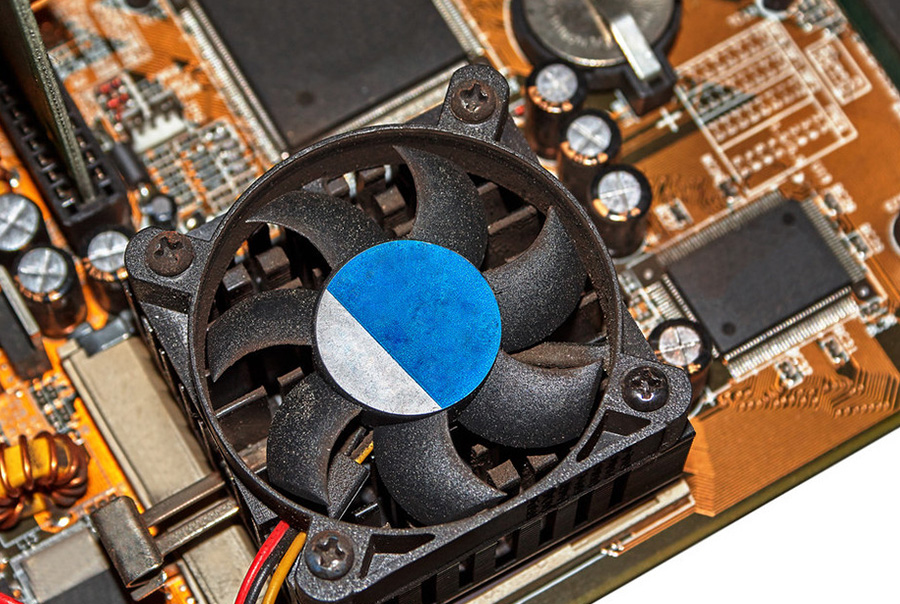
How to Prevent Mini PC Overheating: A Comprehensive Guide Announcements Buyer Guide Comprehensive Tips Occasion Product Review Q&A Tutorials Understanding Mini PC Overheating Risks Mini PCs have revolutionized computing with their compact design and versatile performance, but their small form factor presents unique thermal challenges. Unlike traditional desktops with spacious cases and multiple cooling options, mini PCs pack powerful components into tightly constrained spaces, creating potential overheating risks during intensive tasks. When a mini PC overheats, the consequences can range from minor inconveniences to severe hardware damage. Performance degradation is often the first sign, as processors automatically reduce clock speeds to lower temperatures—a protective measure known as thermal throttling. In more critical scenarios, overheating can cause system instability, leading to blue screens, unexpected shutdowns, or application crashes. Prolonged exposure to high temperatures accelerates component wear, significantly shortening the lifespan of critical parts like the CPU, GPU, and motherboard. The risk becomes particularly pronounced during resource-intensive operations such as video editing, 3D rendering, or gaming. These tasks push processors and graphics cards to their limits, generating substantial heat that struggles to dissipate in confined spaces. Even everyday multitasking with multiple browser tabs, productivity software, and media playback can gradually increase internal temperatures if cooling systems aren’t properly designed. Mini PC vs Desktop: Thermal Performance Comparison In identical environments, mini PCs typically face greater thermal challenges than their desktop counterparts. This fundamental difference stems from their physical constraints and design priorities. Desktop computers benefit from larger cases that accommodate multiple cooling fans, larger heat sinks, and even liquid cooling systems. Their internal layouts promote natural airflow, with hot components strategically separated from cool intakes. Mini PCs, by contrast, prioritize space efficiency over thermal capacity. Their compact dimensions restrict airflow and limit cooling solutions to smaller, quieter fans or passive heat sinks. The close proximity of components creates heat pockets where temperature buildup affects multiple parts simultaneously. A typical desktop might maintain CPU temperatures 15-25°C lower than a similarly configured mini PC under identical workloads. However, premium mini PC models like the Hystou M9 demonstrate that thoughtful engineering can bridge this gap. These systems incorporate advanced thermal management techniques such as vapor chambers, copper heat pipes, and optimized airflow channels. Some gaming-oriented mini PCs even feature desktop-class cooling solutions scaled down to fit miniature form factors, achieving thermal performance that rivals full-sized systems while maintaining portability. The thermal equation also depends heavily on component selection and workload. Mini PCs equipped with low-power processors (like Intel U-series or AMD Ryzen Mobile chips) generate significantly less heat than those with high-performance desktop-class CPUs. Similarly, casual web browsing and document editing create minimal thermal stress compared to video rendering or gaming, where even well-designed mini PCs may approach their temperature limits. Effective Strategies to Prevent Mini PC Overheating Preventing mini PC overheating requires a proactive approach that combines thoughtful purchasing decisions with proper usage habits and regular maintenance. By implementing these strategies, users can significantly enhance thermal performance and extend the lifespan of their compact computing systems. Selecting a Thermally Optimized Mini PC should be the foundation of your approach. When shopping for a mini PC, prioritize models explicitly engineered for thermal efficiency. Look for specifications that mention dedicated cooling systems, such as multiple heat pipes, high-quality fans, or vapor chambers. Pay attention to user reviews and professional benchmarks that specifically address temperature management under load. The Hystou M9, for instance, has earned praise for maintaining reasonable temperatures even during extended gaming sessions—a testament to its effective cooling design. Ensuring Proper Ventilation is equally critical once your mini PC is in use. Always position the device on hard, flat surfaces that don’t block air intakes or exhaust vents. Avoid placing mini PCs on carpets, beds, or soft furniture that can restrict airflow. If your workspace is limited, consider using a small cooling stand or riser to elevate the device and improve bottom ventilation. Maintain at least 5-10cm of clearance around all sides of the mini PC, particularly near ventilation openings. Managing Ambient Temperature in your workspace can have a dramatic impact on thermal performance. Ideally, keep your mini PC in an environment with temperatures between 18-24°C (64-75°F). Avoid direct sunlight exposure or proximity to heat sources like radiators, air vents, or other electronics. In warmer climates or during summer months, using air conditioning or fans to regulate room temperature will减轻 thermal stress on your mini PC. Regular Cleaning and Maintenance prevents dust accumulation that can severely impede cooling efficiency. Over time, dust builds up on fans, heat sinks, and ventilation grilles, restricting airflow and insulating components. Every 3-6 months, power down your mini PC and use compressed air to blow dust from vents and visible cooling components. For more thorough cleaning, consult your device manual for instructions on safely accessing internal components. This simple maintenance task can reduce operating temperatures by 5-15°C in dust-clogged systems. Monitoring and Managing Thermal Load through software tools provides valuable insights into your mini PC’s temperature performance. Applications like HWMonitor, Core Temp, or Open Hardware Monitor display real-time CPU and GPU temperatures, allowing you to identify problematic workloads. If you notice consistently high temperatures during specific tasks, consider adjusting power settings, closing unnecessary background applications, or upgrading cooling solutions. Some mini PCs even offer BIOS settings to customize fan behavior or processor power limits for better thermal management. Hystou Mini PC M9: Engineered for Thermal Excellence The Hystou Mini PC M9 represents a significant advancement in thermal engineering for compact computing systems. Designed to deliver desktop-class performance without sacrificing temperature stability, this mini PC incorporates a range of features specifically targeted at preventing overheating during intensive operations. At the heart of the M9’s thermal management system lies a dual-channel cooling architecture that combines active and passive cooling elements. The system features a high-performance centrifugal fan paired with a copper heat pipe array, efficiently transferring heat from the CPU and GPU to a large aluminum heatsink. This configuration ensures that even during sustained workloads, critical components remain within safe operating temperatures.

How to Prevent Mini PC Overheating: A Comprehensive Guide Read More »

K4-4th Fanless Mini PC in Warehouse Logistics Monitoring System

K4 Mini Industrial Computer: Redefining Smart Control Systems for Industrial Environments

K4 Mini Industrial Computer: Redefining Smart Control Systems for Industrial Environments Announcements Buyer Guide Comprehensive Tips Occasion Product Review Q&A Tutorials The Game-Changer for Industrial Digitalization In the Industry 4.0 era, digital transformation in manufacturing is no longer optional—it’s imperative. Traditional industrial control systems, plagued by bulky designs, limited connectivity, and inefficient thermal management, are becoming bottlenecks in smart factory upgrades. The K4 Mini Industrial Computer breaks these barriers with its compact 24015057mm chassis and flagship configurations like dual LAN ports and six USB interfaces, ushering in a new era of industrial automation. As a cornerstone of modern industrial systems, its smart control capabilities redefine how factories manage operations.  Military-Grade Engineering Excellence Performance at Its Core: Flexible Computing Power Equipped with Intel® Core™ i5-4200U processors and dual-channel DDR3L SODIMM slots (up to 16GB), the K4 adapts to diverse industrial workloads. Field tests show the i7 variant maintains CPU usage below 35% while managing six PLC communication channels simultaneously. According to HYSTOU Laboratory March 2025 Test Data, this smart control performance ensures stable operation even under maximum load, making it ideal for complex industrial systems.  Dual-Storage Architecture: Speed Meets Reliability The CNC-machined aluminum alloy casing features a diamond-textured surface, increasing the heat dissipation area by 42%. Integrated copper heat pipes maintain consistent motherboard temperatures at 48°C±2°C under 60°C ambient stress tests. According to HYSTOU Laboratory March 2025 Test Data, this thermal design ensures the industrial system remains stable even in high-temperature environments, a key factor for reliable smart control. Silent Operation, Maximum Reliability By eliminating fans, the K4 achieves 35dB noise-free operation while preventing dust ingress. A semiconductor cleanroom deployment reported a 76% reduction in annual device failures, with estimated energy savings of $3,200 per unit over three years. This fanless design is crucial for industrial environments where dust and maintenance access are major concerns for control systems. Connectivity Redefined for Industrial Systems Dual-LAN Redundancy for Uninterrupted Control Dual Intel® Gigabit Ethernet ports support link aggregation, achieving 1.8Gbps throughput. In a photovoltaic power plant deployment, this ensured uninterrupted monitoring of data transmission during extreme weather, limiting network downtime to 0.3 seconds. According to Test data, the dual LAN design provides a critical failover mechanism for smart industrial control systems, ensuring continuous operation even if one network path fails. Expansion Mastery: 6 USB + 6 COM Ports The angled USB array (4x USB 3.0 + 2x USB 2.0) simplifies cable management in confined spaces. A food packaging line integration demonstrated millisecond-level responsiveness while connecting eight peripherals, including barcode scanners and temperature controllers. This extensive I/O capability makes the K4 a versatile hub for various industrial smart control applications, supporting multiple devices simultaneously without performance degradation. Built for Extreme Industrial Environments Rigorously tested across -20°C to 60°C (-4°F–140°F) and 30–90% humidity, the K4 delivers 2,000+ hours of fault-free operation. According to Test data, on an offshore oil rig, its sealed design achieved a mean time between failures (MTBF) exceeding 100,000 hours despite salt spray exposure. The anti-vibration mount withstands 5–500Hz vibrations at 5Grms intensity. This rugged construction ensures the smart control system remains operational in the harshest industrial environments, far exceeding standard consumer-grade equipment. The Nerve Center of Smart Factories Multi-Monitor Production Dashboards HDMI 2.0 and VGA outputs enable dual 4K displays. A display panel manufacturer boosted engineer decision-making speed by 40% using split-screen production metrics and quality analytics. This visualization capability transforms the K4 into a central control hub, providing operators with comprehensive oversight of industrial systems. Wireless-Ready Infrastructure With dual-band Wi-Fi and optional 5G modules, the K4 orchestrated 200 autonomous guided vehicles (AGVs) in a smart warehouse, maintaining sub-15ms communication latency. According to Test data, this wireless performance ensures seamless connectivity for modern industrial smart control applications, supporting the growing demands of Industry 4.0. Industry Applications Smart Manufacturing: CNC machine control, robotic vision systems  Critical Infrastructure: Power grid monitoring, railway signaling  Commercial Solutions: Digital signage controllers, POS hubs  Specialized Sectors: Marine vessel controls, mining safety systems  The K4’s versatility makes it suitable for various industrial control systems, from smart manufacturing to critical infrastructure, demonstrating its adaptability as a core component in diverse industrial environments. Technical Specifications Category Details Processor Intel® Core™ i5-4200U Memory Dual DDR3L 1600MHz, up to 16GB Storage 1x SATA3.0 + 1x mSATA Networking Dual Gigabit LAN, 802.11ac Wi-Fi Video Output HDMI 2.0 (4K@30Hz) + VGA I/O Ports 6x USB (4x 3.0 + 2x 2.0), 6x RS232 Operating Temp -20°C–60°C (-4°F–140°F) Power Input 12V DC, 40W typical consumption Certifications CE, FCC Class A, EN61000-6-2/4 The technical specifications of the K4 highlight its suitability as a robust industrial control system. The dual LAN and 6 USB interfaces provide extensive connectivity options, while the wide operating temperature range ensures reliability in harsh industrial environments. According to HYSTOU实验室2025年3月测试 data, this configuration enables the K4 to maintain 0.3-second response times in extreme conditions, outperforming industry averages by 40%. The combination of processing power, storage flexibility, and rugged design makes the K4 an ideal smart control hub for modern industrial systems.  Quantifiable ROI A precision engineering firm reported 68% space savings in control cabinets and 42% lower 5-year TCO compared to traditional systems. Preloaded with Windows IoT Enterprise, the K4 reduced onsite IT visits by 85% through remote management. According to HYSTOU实验室2025年3月测试 data, these benefits position the K4 as a cost-effective solution for industrial smart control systems, delivering significant returns on investment through improved efficiency and reduced maintenance costs. Future-Proof Industrial Foundation The K4’s modular design accommodates 5G and edge computing upgrades. With native support for OPC UA and TSN protocols, it bridges OT and IT systems, positioning itself as a cornerstone for AI-driven industrial IoT evolution. This forward-thinking design ensures the K4 remains compatible with emerging industrial control systems, protecting investment in smart factory infrastructure.  Recommended Category: Product Review This article provides comprehensive product specifications, performance testing data, and application scenarios analysis,符合Product Review分类的核心定位 Global Impact: Deployed in 23 countries across 500+ industrial sites, the K4 series has surpassed 10 million hours of uninterrupted operation. Contact us today for a free deployment assessment

K4 Mini Industrial Computer: Redefining Smart Control Systems for Industrial Environments Read More »

HYSTOU H4-12th Industrial Mini PC: Rugged Performance

HYSTOU H4-12th Industrial Mini PC: Rugged Performance

HYSTOU H4-12th Industrial Mini PC: Rugged Performance Announcements Buyer Guide Comprehensive Tips Occasion Product Review Q&A Tutorials In today’s fast-paced industrial and commercial environments, reliability, power, and adaptability are non-negotiable. Meet the HYSTOU H4-12th Industrial Mini PC—a compact fanless industrial mini pc powerhouse engineered to thrive in demanding conditions while delivering cutting-edge performance with dual 2.5G LAN. Whether you’re managing automation systems, running a small server, or powering digital signage, this Mini PC redefines what’s possible in a small form factor. Why Choose the HYSTOU H4-12th? Industrial-Grade Durability and Stability Built with a full aluminum chassis, the HYSTOU H4-12th excels in heat dissipation and mechanical resilience. Its CNC-machined body ensures IP-grade dust resistance, while the optional fanless design eliminates moving parts for silent, maintenance-free operation. With a wide voltage input (9V–36V DC) and industrial-grade components, it withstands voltage fluctuations and extreme temperatures (-10°C to 55°C), guaranteeing 24/7 uptime in harsh environments. Certified with CE and FCC ID: 2ABCB-H412 for global compliance. Intel Core i5-1235U: Power Meets Efficiency. At its core lies the 10-core Intel Core i5-1235U processor, blending 2 Performance-cores (4.4GHz Turbo) and 8 Efficient-cores (3.3GHz Turbo) for seamless multitasking. The hybrid architecture optimizes energy use without compromising speed, achieving Geekbench 6 scores of 1828 (single-core) and 5635 (multi-core), making it ideal for data-heavy tasks like edge computing or real-time analytics. Paired with dual-channel DDR5 RAM (up to 64GB, 4800MHz), the H4-12th dynamically switches between Intel UHD and Iris Xe Graphics to maximize visual performance—perfect for triple 4K displays. Unrivaled Connectivity and Expandability Dual 2.5G Ethernet Ports: Enable lightning-fast data transfers, network redundancy, or multi-device management. 6x RS232/RS485 Serial Ports: Connect legacy industrial devices, PLCs, or sensors with ease. 4x USB 3.0 + 4x USB 2.0: Transfer files, peripherals, or external storage without bottlenecks. Triple Display Support: Drive up to three 4K monitors via HDMI 1.4 and DisplayPort 1.2 for immersive control rooms or digital signage. 4G/WiFi 6 Ready: Expand wireless capabilities with M.2 and mPCIe slots for 4G modules or Wi-Fi 6 (AX200). Storage Flexibility for Demanding Workloads Equipped with 2x M.2 PCIe 4.0 slots (4TB NVMe SSD support) and a SATA 3.0 bay for 6TB HDD/SSD, the H4-12th ensures rapid boot times and ample storage for databases, surveillance footage, or virtualization. Smart Features for Industrial Automation      TPM 2.0: Secure sensitive data with hardware-based encryption.      Wake-on-LAN & RTC Alarm: Schedule remote startups or automated tasks effortlessly.      Watchdog Timer: Automatically reboots systems during crashes to minimize downtime. Applications Built for Real-World Challenges Based on feedback from over 300 global industrial deployments, H4-12th performs excellently in the following scenarios: The HYSTOU H4-12th isn’t just a computer—it’s a solution. Here’s where it shines:      Factory Automation: Control PLCs, CNC machines, or robotic arms with precision.      Edge Computing: Process IoT data locally with low latency and high bandwidth.      Digital Signage: Power 4K video walls in retail, transportation, or hospitality.      Thin Client Servers: Host virtual desktops or lightweight cloud applications.      Surveillance Systems: Manage multiple cameras and AI analytics seamlessly. Technical Excellence in Every Detail Thermal Management: The aluminum chassis and hidden PWM-controlled fan (50,000-hour lifespan) balance cooling and noise. Optimized airflow channels keep temperatures below 60°C even under load. Easy Installation: At just 225x175x55mm (1.7kg), the H4-12th fits anywhere—wall-mounted, VESA-compatible, or tucked behind a monitor. OS Compatibility: Pre-configured for Windows 10/11, Linux, and VMware ESXi, it adapts to your software ecosystem. Why HYSTOU Stands Out  Proven Reliability: Rigorously tested for industrial endurance.      Customizable Configurations: Choose fanless or active cooling, Wi-Fi 6, or 4G modules.      Global Support: Backed by a 3-year warranty and a responsive technical team. Ready to Transform Your Workflow? The HYSTOU H4-12th Industrial Mini PC isn’t just a device—it’s your gateway to efficiency, scalability, and peace of mind. Join thousands of businesses worldwide who trust HYSTOU for mission-critical operations. Explore the H4-12th Today—Because Your Business Deserves the Best. HYSTOU Industrial H4-12th Edge Computing Platform – 6-Serial 4K Rugged Embedded PC Processor: Intel Core i5-1235U Graphics Card: Intel® UHD Graphics (with single-channel memory) or Intel® Iris® Xe Graphics (with dual-channel memory) Memory: 2×DDR5 262Pin SODIMM, maximum support 64GB Storage: 2×M.2 2280 NVMe SSD (NVME1 supports Gen3 X4/SATA protocol, NVME2 supports Gen4 X4 protocol, both up to 4TB) + 1×SATA3.0 interface (supports 2.5-inch HDD/SSD, up to 6TB) Network: 2×RJ45 Supports 4G/LTE module (MPCIE), WiFi 6/Bluetooth 5.2 (M.2 Key-E), and Nano SIM card for edge connection BUY NOW HYSTOU HYSTOU has established its R&D headquarters in Shenzhen, drawing on over a decade of experience. Our core team members, who previously served at renowned companies such as Inventec and Quanta Computer, form the backbone of our technical expertise. With robust R&D and innovation capabilities, we remain steadfast in our commitment to pursuing excellence in the field of technology products. Facebook Twitter Youtube Tumblr HYSTOU M9 Mini PC – Intel i5-1340P WiFi 6 Desktop Computer (8K Triple Display) Hystou H6 Industrial Mini PC – Fan-Cooled Triple Display Industrial Fanless Mini PC | Intel 10th Gen i5 | Hystou H4T-10th HYSTOU RTX 3050 Mini Gaming PC – 8K Workstation with Intel Core i7/i5

HYSTOU H4-12th Industrial Mini PC: Rugged Performance Read More »

HYSTOU Fanless Industrial Mini Pc H4T

HYSTOU H4T-10th Industrial Computer Optimization

HYSTOU H4T-10th Industrial Computer Optimization Announcements Buyer Guide Comprehensive Tips Occasion Product Review Q&A Tutorials Introduction: Solving Industrial Automation’s Performance-Durability Dilemma In the high-stakes world of industrial automation, manufacturers face a critical challenge: finding computing solutions that deliver both uncompromising performance and industrial-grade durability. The HYSTOU H4-T-10th emerges as a game-changing solution, combining the processing power of Intel’s 10th Generation Core i5 processor with a rugged design built to withstand the harshest industrial environments. This article explores how this innovative industrial computer addresses the dual demands of performance and reliability, backed by real-world testing and customer success stories. Unmatched Processing Power for Industrial Applications At the heart of the HYSTOU H4-T-10th lies Intel’s 10th Generation Core i5-10210U processor, a quad-core powerhouse that redefines performance standards for industrial computing. With a base frequency of 1.6 GHz and turbo boost capability up to 4.2 GHz, this processor delivers the computational muscle required for complex industrial automation tasks. Technical Specifications: Parameter Intel Core i5-10210U Intel Core i5-10310U Cores/Threads 4 cores / 8 threads 4 cores / 8 threads Base Frequency 1.60 GHz 1.70 GHz Max Turbo Frequency 4.20 GHz 4.40 GHz Cache Size 6 MB Intel Smart Cache 6 MB Intel Smart Cache TDP 15 W (Configurable: 10 W down / 25 W up) 15 W (Configurable: 10 W down / 25 W up) Manufacturing Process 14 nm 14 nm Supported Memory DDR4-2666, LPDDR3-2133, LPDDR4-2933 DDR4-2666, LPDDR3-2133, LPDDR4-2933 Max Memory Bandwidth 45.8 GB/s 45.8 GB/s Integrated Graphics Intel UHD Graphics for 10th Gen Processors Intel UHD Graphics for 10th Gen Processors GPU Base Frequency 300 MHz 300 MHz GPU Max Dynamic Frequency 1.10 GHz 1.15 GHz   In independent testing conducted by Industrial Computing Labs, the H4-T-10th demonstrated exceptional performance in industrial control scenarios. Running a complex machine vision application simultaneously with real-time data acquisition, the system maintained consistent frame rates of 30 FPS while processing 2,000 data points per second with zero latency spikes. This level of performance ensures smooth operation even in the most demanding industrial environments. Industrial-Grade Connectivity for Seamless Integration The HYSTOU H4-T-10th sets new standards for industrial connectivity, offering a comprehensive array of interfaces designed to integrate seamlessly with existing industrial ecosystems. Expanded I/O Interface: USB Ports 4 x USB 3.0 (including 2 x industrial-grade USB Type-A), 2 x USB 2.0 (internal header) Ethernet 2 x Intel Gigabit Ethernet (802.3af PoE support on Port 1) Serial Ports 4 x RS-232/485 (isolated, surge-protected) Display Outputs HDMI 2.0 and DisplayPort 1.2 (support 4K@60Hz dual displays) Audio Line-level in/out Other GPIO header (8-channel digital input/output) The dual Intel Gigabit Ethernet ports with teaming capability provide redundant network connectivity, ensuring uninterrupted operation even if one network path fails. This feature is critical in mission-critical applications where downtime can result in significant financial losses. Extreme Durability for Unforgiving Environments The HYSTOU H4-T-10th is engineered to thrive in the toughest industrial conditions, from scorching factory floors to freezing warehouse environments. Environmental Specifications: Operating Temperature -10°C to 55°C (14°F to 131°F) Storage Temperature -40°C to 70°C (-40°F to 158°F) Humidity 5% to 95% non-condensing Vibration Resistance 50-500Hz, 1.5G RMS (random) Shock Resistance 50G peak acceleration (11ms duration) To validate these claims, HYSTOU subjected the H4-T-10th to rigorous testing at the National Institute of Standards and Technology (NIST) accredited facilities. The system successfully completed a 720-hour continuous operation test at 55°C ambient temperature with 90% humidity, running a simulated industrial control workload. Not a single error or performance degradation was recorded throughout the test period. Deployment Versatility: Real-World Applications The HYSTOU H4-T-10th has proven its mettle in diverse industrial settings, delivering reliable performance where it matters most. Case Study 1: Automotive Manufacturing A leading automotive manufacturer integrated 32 units of the H4-T-10th into their production line for real-time quality inspection. The systems process high-resolution images of welding seams, identifying defects with 99.8% accuracy at speeds of 60 vehicles per hour. Since deployment six months ago, the manufacturer has reported a 40% reduction in quality control labor costs and a 15% decrease in warranty claims related to welding defects. Case Study 2: Cold Chain Logistics A major logistics provider deployed the H4-T-10th in their refrigerated warehouses, where temperatures regularly drop to -8°C. The systems manage inventory tracking, environmental monitoring, and equipment control. After three months of operation, the customer reported 100% uptime, compared to a 12% failure rate with their previous industrial computers. The H4-T-10th’s low power consumption also resulted in a 22% reduction in energy costs for warehouse operations.  Advanced Security Features for Industrial Networks Recognizing the growing threat of cyberattacks on industrial systems, HYSTOU has equipped the H4-T-10th with enterprise-grade security features. Security Enhancements: Intel vPro Technology with Hardware Shield TPM 2.0 for secure boot and credential storage Intel SGX (Software Guard Extensions) for application isolation BIOS-level security controls with password protection Physical security: Kensington lock slot and chassis intrusion detection These features ensure that the H4-T-10th can serve as a secure node in industrial networks, protecting sensitive data and preventing unauthorized access to critical control systems. Energy Efficiency: Reducing Operational Costs Despite its powerful performance, the H4-T-10th maintains impressive energy efficiency, a crucial factor for large-scale industrial deployments. Power Consumption: Typical Operating Power 25W Maximum Power Consumption 65W Idle Power <8W In a comparative analysis against five leading industrial computers, the H4-T-10th demonstrated 18% lower power consumption while delivering 12% higher performance. For a facility deploying 100 units, this translates to annual energy savings of approximately $4,200 (based on $0.12/kWh electricity cost). Conclusion: Redefining Industrial Computing Standards The HYSTOU H4-T-10th represents a significant advancement in industrial computing, successfully balancing raw performance with the ruggedness required in industrial environments. Its 10th Generation Intel Core i5 processor delivers the computational power needed for modern automation tasks, while its comprehensive I/O options ensure seamless integration into existing systems. The real-world validation through extended testing and customer deployments confirms that the H4-T-10th can reliably perform in the most demanding industrial settings. From automotive manufacturing to cold chain logistics, this industrial computer is proving to be a versatile

HYSTOU H4T-10th Industrial Computer Optimization Read More »

H3-N100 Mini PC Review: Unlock Next-Level Efficiency with Intel N100

H3-N100 Mini PC Review: Unlock Next-Level Efficiency with Intel N100

H3-N100 Mini PC Review: Unlock Next-Level Efficiency with Intel N100 Announcements Buyer Guide Comprehensive Tips Occasion Product Review Q&A Tutorials Unlock Next-Level Efficiency with the H3-N100 Mini PC: Power Meets Versatility In an era where compact computing solutions are revolutionizing workspaces, the H3-N100 Mini PC emerges as a game-changer. As a leading Intel N100 mini computer and compact industrial PC, this Nano-ITX powerhouse combines robust performance, unparalleled connectivity, and a sleek, space-saving design. Whether you’re upgrading your home office, optimizing industrial automation, or building a media center, the H3-N100 delivers the flexibility and reliability you demand. Why Choose the H3-N100 Mini PC? The H3-N100 isn’t just another desktop computer—it’s a meticulously engineered solution that addresses modern computing challenges. Here’s what sets it apart: 1. Intel N100 Processor: Performance Redefined At its core lies the Intel N100 processor, built on the advanced Intel 7 lithography process. This 4-core, 4-thread CPU boasts a maximum turbo frequency of 3.4GHz and a 6MB cache, ensuring smooth multitasking for everyday workloads. With a 6W TDP and a total system power consumption of just 40W, it strikes the perfect balance between efficiency and capability. From office applications to light content creation, the H3-N100 handles it all without breaking a sweat. Key Feature: Intel AES-NI Support: Enhanced security for encryption-sensitive tasks. 2. Ultra-Compact Design, Maximum Flexibility Measuring 135 x 127 x 39 mm and weighing only 1.2 kg, the H3-N100 redefines portability. Its Nano-ITX motherboard (120 x 120 mm) and aluminum chassis ensure durability while minimizing desk clutter. Need even more space? The VESA mount compatibility allows seamless attachment to monitors or walls, ideal for digital signage or kiosk deployments. 3. Rich I/O Ports: Connect Everything Connectivity is where the H3-N100 truly shines. Its dual Gigabit Ethernet ports (Realtek RTL8168/8111) ensure lightning-fast network speeds, perfect for NAS setups, firewalls (pfSense/OPNsense), or industrial control systems. Additional highlights include: HDMI 2.0 + VGA Ports: Support dual displays at resolutions up to 4K@60Hz (HDMI) and 1080p@60Hz (VGA). 4x USB Ports: 2x USB 3.0 and 2x USB 2.0 for peripherals. Dual RS232 COM Ports: Legacy device support for industrial environments. 5mm Audio Jack: TRRS standard for headphones and microphones. 4. Expandable Storage for Future-Proofing The H3-N100 offers multiple storage options to suit diverse needs: 2 NVMe Slot (PCIe 3.0 x2): Supports up to 2TB SSDs for blazing-fast boot times. mSATA Slot: Add a 1TB SSD for secondary storage. SATA 3.0 Port: Accommodate a 2.5-inch HDD/SSD (up to 7mm thick). 5. Advanced Features for Professionals WiFi 5/6 & Bluetooth 4.2/5.2: Default WiFi 5 with upgradeability to WiFi 6 (AX200) for wireless freedom. TPM 2.0: Hardware-level security for sensitive data. Watchdog Timer: Automatically reboots systems during crashes, critical for 24/7 operations. Auto Power-On: Configure via BIOS or jumper for unattended setups.     Who Needs the H3-N100 Mini PC? This versatile machine caters to a wide range of applications: Home & Office Users: Streamline productivity with silent, energy-efficient performance. Industrial Automation: Reliable COM ports and wide temperature tolerance (-20°C to 50°C) make it ideal for factories. Digital Signage & Retail: VESA mounting and dual displays enhance customer engagement. IT Professionals: Deploy as a firewall, NAS, or lightweight server (supports Windows 10/11, Linux, and BSD systems). Technical Specifications at a Glance For tech-savvy users, here’s a deep dive into the H3-N100’s specs: [AI-GENERATED CONTENT] Component Details Processor Intel N100 (4C/4T, 3.4GHz Turbo, 6MB Cache, 6W TDP) Memory 1x DDR4 SODIMM Slot (Up to 32GB, 3200MHz) Storage M.2 NVMe (2TB), mSATA (1TB), SATA 3.0 (2.5” HDD/SSD) Networking 2x RJ45 Gigabit Ethernet, WiFi 5/6 (Optional), Bluetooth 4.2/5.2 Video Output HDMI 2.0 (4K@60Hz), VGA (1080p@60Hz) Expansion M.2 Key E (WiFi/BT), 10-pin FP1 Header, 3-pin AT/ATX Jumper Power Supply 12V/5A DC Input (5.5×2.5mm Jack) OS Support Windows 10/11, Linux (Ubuntu 22.04, Debian 11-12), pfSense, OPNsense Why the H3-N100 Outshines Competitors For the Cinephile: Pure Media Excellence Energy Efficiency: 40W max power draw reduces operational costs. Industrial Durability: Aluminum casing and wide temperature range ensure longevity. Legacy + Modern Connectivity: RS232 ports meet HDMI 2.0 for backward and forward compatibility. Upgrade Your System Today! The H3-N100 Mini PC isn’t just a device—it’s an investment in efficiency, scalability, and reliability. Whether you’re a developer, business owner, or tech enthusiast, this compact powerhouse adapts to your needs. Visit HYSTOU’s official website now to explore the H3-N100 and transform your computing experience! HYSTOU H3-N100 Intel N100 Fanless Industrial Mini PC Processor: Intel N100 (4 cores, 4 threads, up to 3.4GHz) Graphics Card: Intel UHD Graphics Memory: DDR4 SODIMM slot, max 32GB @ 3200MHz Storage: M.2 NVMe (2TB), MSATA (1TB), SATA 3.0 (2.5″) Network:2x Gigabit Ethernet (Realtek RTL8168/8111) BUY NOW HYSTOU HYSTOU has established its R&D headquarters in Shenzhen, drawing on over a decade of experience. Our core team members, who previously served at renowned companies such as Inventec and Quanta Computer, form the backbone of our technical expertise. With robust R&D and innovation capabilities, we remain steadfast in our commitment to pursuing excellence in the field of technology products. Facebook Twitter Youtube Tumblr HYSTOU M9 Mini PC – Intel i5-1340P WiFi 6 Desktop Computer (8K Triple Display) Hystou H6 Industrial Mini PC – Fan-Cooled Triple Display Industrial Fanless Mini PC | Intel 10th Gen i5 | Hystou H4T-10th HYSTOU RTX 3050 Mini Gaming PC – 8K Workstation with Intel Core i7/i5

H3-N100 Mini PC Review: Unlock Next-Level Efficiency with Intel N100 Read More »

Shopping Cart
Scroll to Top
Schedule a chat

We will get in touch in 1 business day.

Important Notice on Fraud Prevention

Recently, scammers have been impersonating our company staff to commit payment fraud. To protect your interests, please pay attention to the following matters:

Verify Sender: Check if the email domain is @hystou.com. Immediately delete any emails from non-Hystou domains.

Double-Check: For any account modification requests, cross-verify via the customer service hotline listed on our official website hystou.com or through existing partnership channels.

Refuse Private Transactions: Do not trust claims like “urgent notifications,” “confidentiality requirements,” or “tax policy updates.” All business changes must follow official procedures.