Why a Mini PC is the Ultimate Choice for Desktop Upgrades

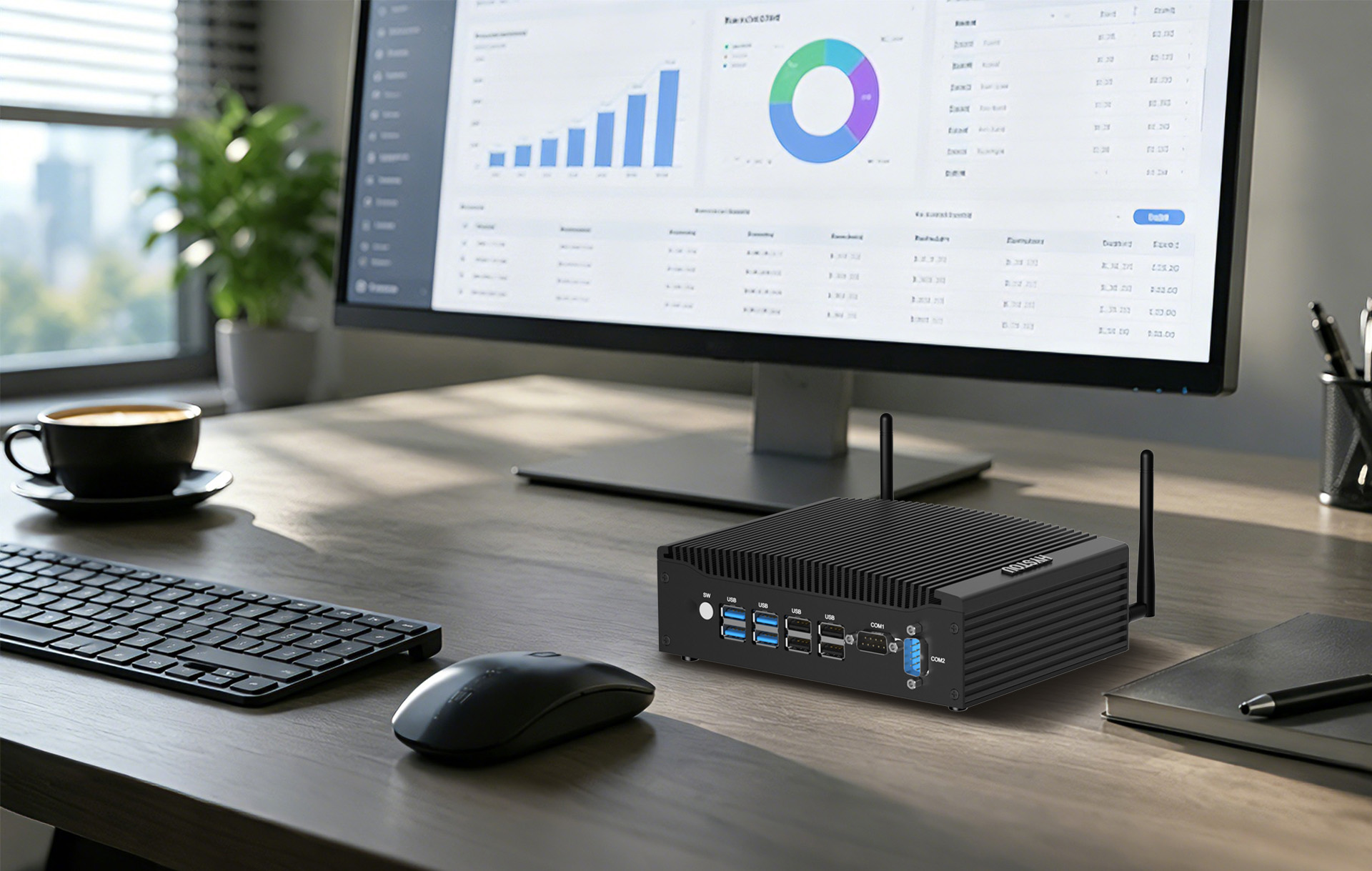
After years of standard daily use, many office and home desktop systems start to show their age. When performance begins to lag, users generally face a crossroads: performing an internal hardware refresh, replacing the full-sized tower entirely, or transitioning to a modern Mini PC.
Each approach has its legitimate technical merits. However, when balancing cost, performance requirements, and workspace optimization in 2026, the Mini PC has become one of the most practical upgrade paths.
The True Constraints of Full-Sized Desktop Upgrades
To make an informed decision, it is essential to analyze where traditional full-sized towers fall back—not necessarily in performance, but in physical efficiency and deployment convenience.
1. Internal Upgrades: High Modularity, but Platform Limitations
Full-sized desktops are praised for their modularity. When upgrading, users can easily choose to retain their existing monitors, peripherals, and even store components like M.2 NVMe SSDs or compatible RAM.
However, the primary bottleneck lies in the Core Platform (CPU and motherboard). If an old processor needs replacement, it almost always requires a new motherboard socket and chipset. While you don’t lose your peripherals, the process of sourcing compatible core parts, disassembling the chassis, and troubleshooting potential hardware conflicts demands significant time and technical know-how.
2. Full-Tower Replacement: The Persistent Issue of Spatial Footprint
For users who decide to skip the hassle of DIY assembly and buy a new pre-built full-sized tower, performance is rarely an issue. However, the most significant drawback remains its massive physical size.
Desk Congestion: Standard ATX or Micro-ATX towers occupy a substantial amount of desk real estate or legroom underneath.
Deployment Complexity: Massive chassis come with heavy cabling, require dedicated ventilation space, and are highly inflexible if you need to relocate your workspace or deploy multiple units in a streamlined corporate environment.
Redefining the Mini PC: No Longer Just for Basic Office Work
A common misconception is that choosing a Mini PC means compromising on power. In 2026, the paradigm has shifted. Driven by advanced multi-core mobile architectures and high-performance integrated or dedicated graphics, top-tier Mini PCs now deliver desktop-class performance that handles intensive workflows like 4K video editing, heavy AAA gaming, and AI content creation with ease.
| Upgrade Factor | Internal Component Refresh | Full-Size Tower Replacement | Modern Mini PC Upgrade |
| Primary Advantage | Keeps functional parts | Maximum peak performance | Ultimate space saving & efficiency |
| Spatial Impact | No change (Still takes up huge space) | Takes up massive desk/floor space | Ultra-compact (Can be hidden entirely) |
| Performance Range | Variable (Limited by the old platform) | Extremely Wide (Entry to Server grade) | Wide (From Daily Office to High-End Gaming/Creation) |
| Peripheral & Storage Reuse | High (Can reuse drives/peripherals) | High (Can reuse external devices) | High (100% compatible with existing gear) |
| Power Profile | High (Depends on older PSU/components) | High (Typically 300W–500W+ PSU) | Ultra-Low to Highly Optimized (15W–100W+ TDP) |
1. Reclaiming Your Workspace (The Form Factor Advantage)
The most compelling reason to choose a Mini PC over a traditional tower is its ultra-compact footprint. Measuring only a fraction of a standard tower, a Mini PC can sit neatly on a small desk, be tucked into a drawer, or be mounted directly to the back of your existing monitor via a standard VESA mount. It turns a cluttered, cable-heavy workstation into a clean, minimalist environment.
2. Seamless Integration with Your Existing Hardware
Just like a full-sized tower refresh, migrating to a Mini PC allows you to reuse your functional monitors, keyboards, mice, and external storage drives. Equipped with modern interfaces like HDMI 2.1, DisplayPort, and multi-functional USB-C ports, it bridges the gap between your legacy setup and modern architecture instantly.
3. Desktop-Class Power for Gaming and Content Creation
Equipped with cutting-edge multi-core processors (such as high-end Ryzen or Core Series), fast DDR5 RAM, and scalable NVMe SSD slots, modern mini systems deliver snappy performance. Furthermore, with the inclusion of advanced built-in graphics or expandability options like USB4 and OCuLink for external GPUs (eGPUs), a Mini PC can easily transform into a high-frame-rate gaming rig or a powerful workstation for designers and video editors.
Featured Upgrade Solutions: HYSTOU Mini PC
If you are ready to upgrade your desktop setup without sacrificing raw horsepower, HYSTOU provides premium Mini PCs that strike the perfect balance between ultra-compact size and pro-grade performance:
For Gamers & Creators: Hystou RTX 3050 Mini Gaming PC & 8K Workstation
The Hystou RTX 3050 completely redefines the boundaries of compact computing by packing a dedicated NVIDIA GeForce RTX 3050 graphics card into a sleek, space-saving chassis. This mini powerhouse delivers hardware-accelerated ray tracing and AI features, making it a dream upgrade for AAA gamers, 3D modelers, and video editors handling demanding 8K resolution workflows. If you want to eliminate the massive spatial footprint of a traditional mid-tower but still require dedicated GPU muscle for professional rendering and content creation, this 8K workstation is the ultimate uncompromising choice.
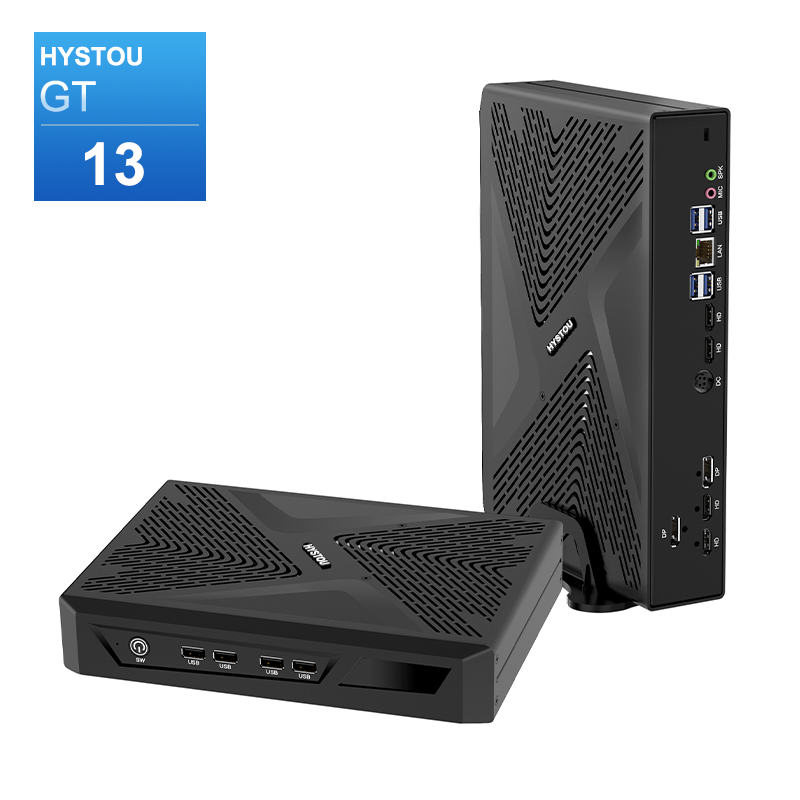
- Processor: Intel Core i7/i5 12th/13th Gen (up to 5.0GHz), available models include i7-11700F, i7-13700H
- Graphics Card: NVIDIA GeForce RTX 3050 6GB GDDR6 (2304 CUDA Cores)
- Memory: DDR4 3200MHz SODIMM, max 64GB (2×32GB)
- Storage: 1×M.2 NVMe PCIe 4.0 SSD (max 4TB) + 1×SATA HDD (max 6TB)
- Network: WiFi 6/6E, Bluetooth 5.2
- Other Features:8K multi-monitor support (2×HDMI 2.1 + 2×DP 1.4a, up to 5 displays)
For Silent Office & Industrial Deployment: Hystou H7 Fanless Mini PC
For small-and-medium businesses (SMBs) or users seeking absolute silence, the **Hystou H7** is a masterpiece of efficiency. Featuring a robust **fanless cooling design**, it operates in 100% total silence while completely eliminating dust accumulation—a common cause of hardware failure in traditional towers. Equipped with a reliable 8th Gen core and rich I/O ports for dual-display setups, it is the ultimate low-power, 24/7 continuous-duty option for modern corporate cubicles, retail POS checkouts, and industrial control gateways.
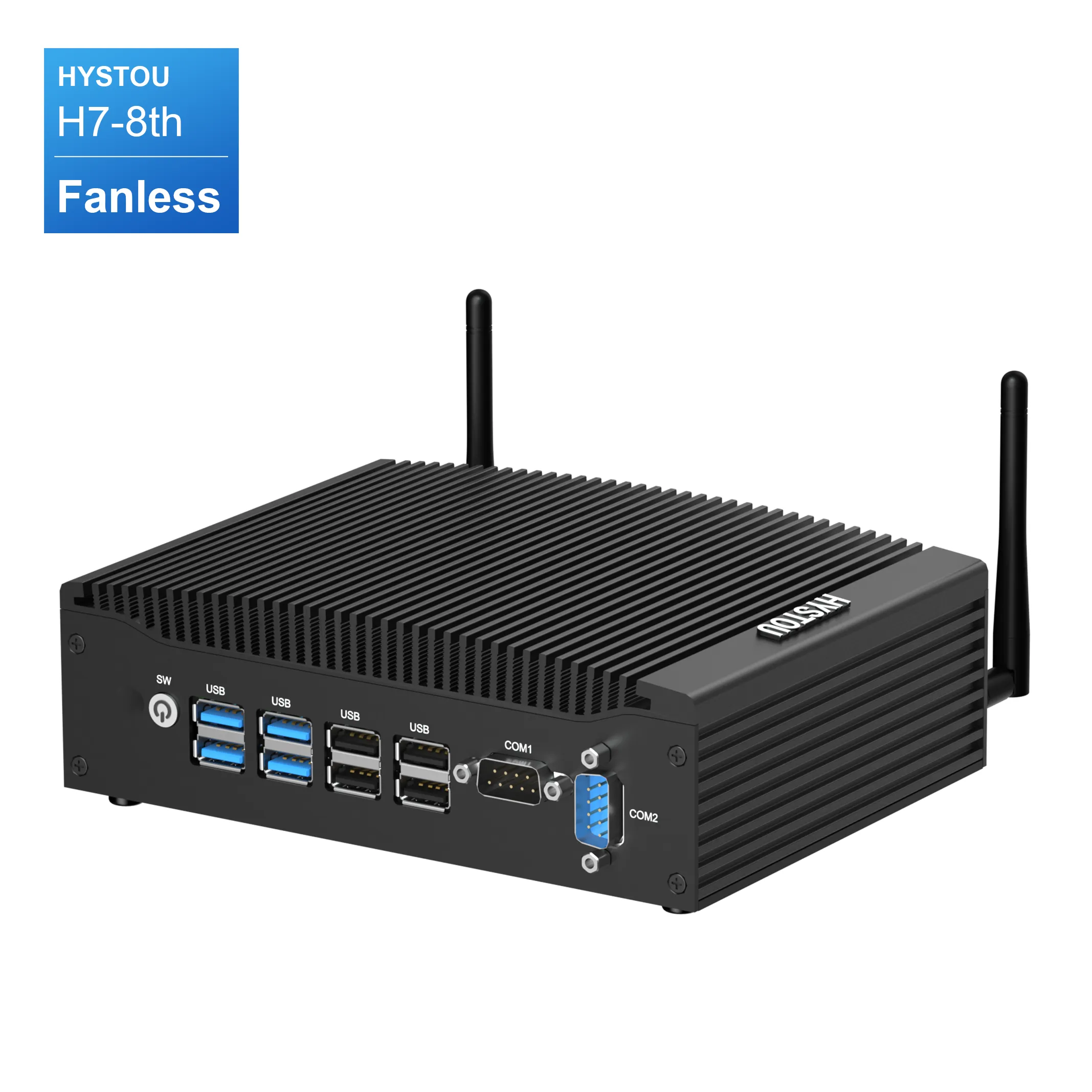
- Processor: Intel Core i5-8350U(4C/8T, 1.7-3.6GHz)
- Memory: DDR4 2600MHz SODIMM, max 32GB
- Storage: 1×M.2 NVMe PCIe 3.0 SSD (max 4TB) + 1×SATA HDD (max 2TB)
- Network: WiFi 5, Bluetooth 4.2
- Cooling Design: 100% Silent Fanless (Passive) Cooling (0dB Absolute Silence / Dust-Proof)
- Power Profile: Highly Optimized Low-TDP Architecture (24/7 continuous duty with ultra-low electricity overhead)
Frequently Asked Questions
Q1: Is a Mini PC's performance sufficient for gaming and professional design?
Absolutely. While historical mini PCs were limited to basic office tasks, modern premium models utilize advanced multi-core architectures and powerful integrated GPUs. For 90% of mainstream creators (video editing, graphic design) and gamers, they deliver a lag-free, identical experience to large towers.
Q2: Can a Mini PC be upgraded internally in the future?
Yes, within its form factor. While the CPU is typically integrated into the system board, almost all mainstream Mini PCs allow users to easily open the chassis to upgrade or expand the DDR4/DDR5 SO-DIMM memory and M.2 NVMe storage as data needs grow.
Conclusion
Upgrading your computing setup doesn’t have to mean cluttering your environment with another massive, heavy chassis. While internal hardware refreshes and full-sized towers still have their place for niche DIY custom loops, the Mini PC desktop upgrade offers an objective, space-saving, and highly versatile solution in 2026. Whether you are standardizing an office workspace or building a high-performance gaming and creation setup, the Mini PC delivers the exact power you need, while giving you your desk back.

HYSTOU
HYSTOU has established its R&D headquarters in Shenzhen, drawing on over a decade of experience. Our core team members, who previously served at renowned companies such as Inventec and Quanta Computer, form the backbone of our technical expertise. With robust R&D and innovation capabilities, we remain steadfast in our commitment to pursuing excellence in the field of technology products.