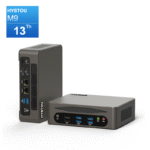
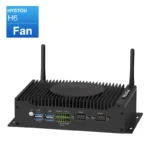
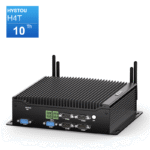
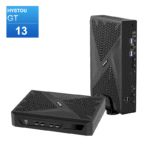
Industrial Mini PC: More Than Just Industrial
The “industrial” label is a quality standard, not a limitation. Here is where these rugged machines shine in everyday life.
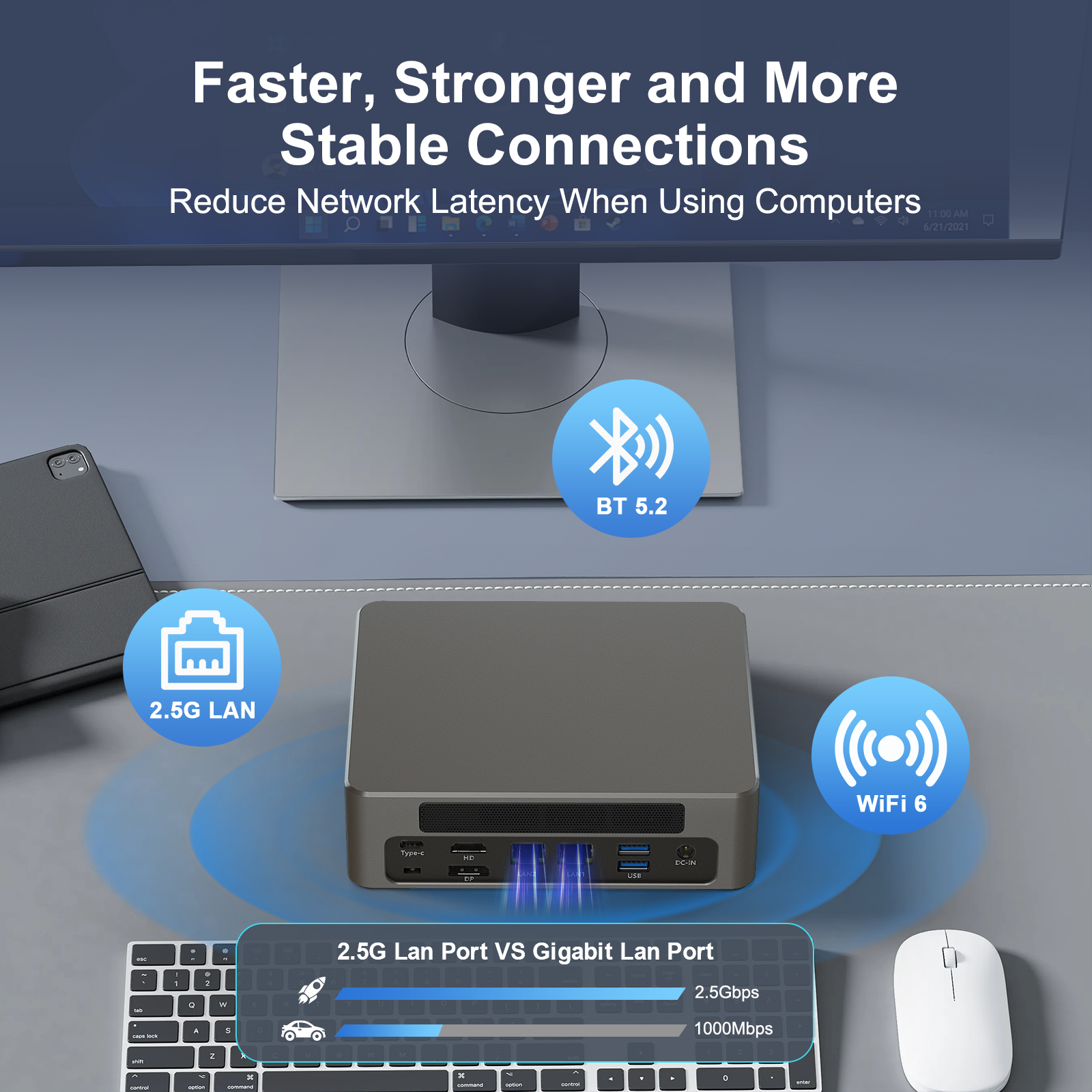
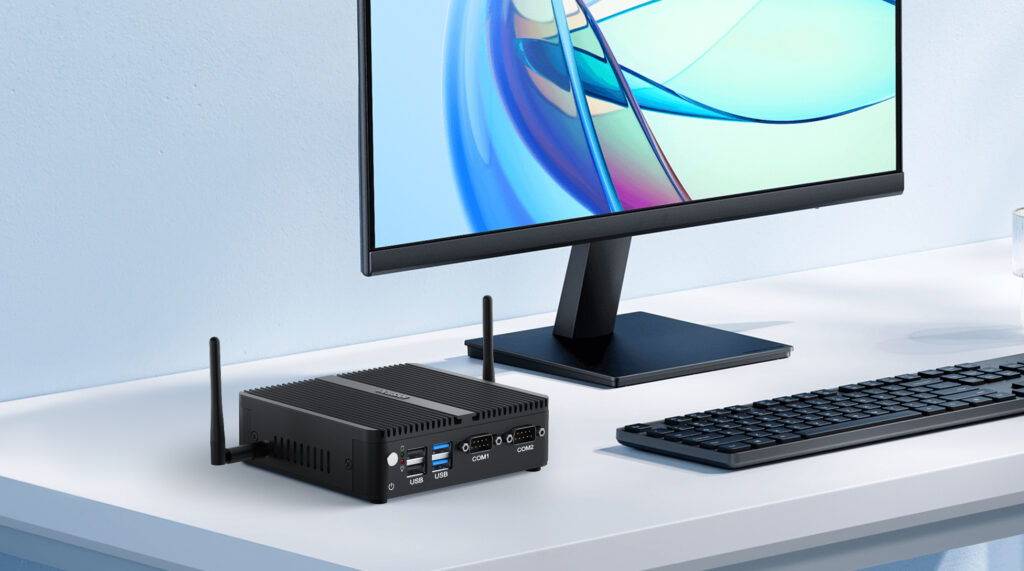
Picture an industrial mini PC. You probably imagine a factory floor. That picture is only half right. Today, industrial-grade mini PCs power digital signs, cash registers, and hospital displays. They also run home servers and network routers. The word “industrial” describes how these machines are built. It does not limit where they can be used. In fact, it is often a reason to choose one for everyday work. Industrial mini PC applications now span shops, clinics, classrooms, and living rooms. This guide explains what makes a mini PC industrial. It then shows six everyday places where these machines shine. You will also learn why ports like RS232 matter far beyond factories.
What Makes a Mini PC "Industrial"?
Industrial mini PCs are built to a higher standard. Four traits separate them from consumer models. Each one matters in daily use, too.
1. Fanless Cooling: Silent, Dust-Free, and Maintenance-Free
Most consumer PCs rely on fans. Fans move air. They also move dust. And they wear out over time. A fanless industrial mini PC uses a solid aluminum chassis instead. It spreads heat through the metal body. There are no moving parts. As a result, noise drops to 0 dB. There is also nothing to clog or fail. This makes a fanless mini PC ideal for quiet rooms, dusty shops, and always-on setups.
Fanless is not the only option, of course. HYSTOU also offers fan-cooled industrial mini PCs. The fan sits outside the chassis, on the aluminum heat sink. The case stays sealed, so dust cannot get in. Active cooling still supports higher-power processors, such as Core i5 and i7. These machines handle heavy workloads with ease. Choose fanless for silence and low maintenance. Choose air-cooled when performance comes first.
2. Wide Temperature Tolerance
Consumer PCs usually work between 0°C and 40°C. Industrial mini PCs go much further. Many models run from -20°C to 70°C. Some stretch from -40°C to 85°C. That range sounds extreme for an office. However, the margin brings peace of mind. A device that survives a hot summer kiosk will never complain about a warm room.
3. 24/7 Operation and Self-Healing Features
Industrial mini PCs are designed for always-on duty. They support auto power-on and wake-on-LAN. Many include a watchdog timer. The system can then restart itself after a crash. In practice, this reliability matters more than raw speed. A checkout system cannot afford downtime at noon.
4. Industrial Interfaces: RS232, Dual LAN, and GPIO
Consumer mini PCs offer HDMI and USB. Industrial models add more. You get serial ports, often called RS232 or COM ports. You get dual Ethernet for stable networking. Some models add GPIO for sensors and relays. These ports look technical at first. For many users, however, they are exactly what makes the device useful. We will return to RS232 in detail.
Six Everyday Places Industrial Mini PCs Shine
Here is the key point. Industrial mini PCs are not limited to factories. They appear in surprising places every day. Consider these six.
1. Digital Signage and Information Displays
Menu boards, mall screens, and airport displays run around the clock. That is demanding work for a computer. A fanless mini PC for digital signage is a natural fit. It plays content 24/7 without overheating. It has no fan to suck in dust from busy public spaces. Remote tools like wake-on-LAN make updates easy. For example, a restaurant menu board may run 16 hours a day. The right mini PC keeps it reliable for years. The demand is real. The global digital signage market was valued at USD 31.50 billion in 2025, according to Fortune Business Insights. It is projected to reach USD 69.90 billion by 2034.
2. Retail POS and Self-Service Kiosks
This is where RS232 earns its keep. A point-of-sale system must talk to many peripherals. Cash drawers, receipt printers, and barcode scanners connect through serial ports. Self-checkout kiosks, vending machines, and ticket machines follow the same pattern. A native RS232 port does this job reliably. USB adapters can work, but they add failure points. A mini PC with RS232 ports simplifies the whole setup. Meanwhile, the fanless design keeps the checkout counter quiet. And 24/7 operation handles overnight updates and reporting. The trend is clear. The global self-service kiosk POS market was worth about USD 26.18 billion in 2026, according to Industry Research Co. It is expected to reach USD 64.92 billion by 2035.
3. Healthcare and Medical Equipment
Hospitals are quiet by design. Fan noise is unwelcome in wards and clinics. Fanless industrial mini PCs fit right in. They power patient information displays, nurse station terminals, and medical carts. Many lab instruments still use serial connections. An industrial mini PC for healthcare can link them directly. Long product lifecycles also help here. Medical projects face long approval cycles. Stable hardware availability reduces compliance risk.
4. Office and Education
An office desktop does not need to be loud. An industrial mini PC for office use offers silence, small size, and low power. It also lasts longer than a typical consumer box. That makes it a strong choice for offices, meeting rooms, and computer labs. Schools use these machines for digital classrooms and electronic bulletin boards. Access control and campus devices often rely on RS232 or RS485 links. One compact unit can handle several jobs at once.
5. Home Servers, Routers, and Media Stations
Enthusiasts have discovered industrial mini PCs, too. A multi-LAN model makes an excellent home router or firewall. Many people run pfSense or OpenWrt on such hardware. Others use a mini PC for home server duties, like NAS storage. The same machine can run a Plex media station in the living room. Fanless design keeps it silent. Low power keeps the bill small. In fact, network engineers still use RS232 as a console port for routers and switches. A mini PC with a serial port can manage an entire home lab.
6. Edge AI and Machine Vision
AI is moving to the edge. That means intelligence runs close to where the data is generated. Industrial mini PCs handle this well. They power video surveillance, license plate recognition, and smart retail analytics. They also support machine vision beyond factories. Parking lots, warehouses, and stores all use these systems. Fanless cooling matters in outdoor enclosures. Wide temperature support handles heat and cold. The result is reliable AI inference anywhere.
RS232: The "Industrial" Port That Lives Everywhere
RS232 is one of the oldest computer interfaces still in use. Many people call it a legacy industrial port. The truth is more interesting. RS232 is alive in everyday equipment all around you.
Think about a coffee shop counter. The receipt printer connects by serial cable. The cash drawer triggers through the same port. The barcode scanner may use one, too. None of this is industrial. It is simply practical. A mini PC with RS232 connectivity offers native, stable ports. There is no reliance on USB-to-serial adapters. For integrators, that means simpler wiring and fewer failure points.
RS232 appears in many other places. Ticket machines at train stations use it. Hotel door locks rely on it. Laboratory instruments still speak serial. Weigh scales, payment terminals, and access control panels follow the same pattern. RS485 and RS422 variants cover longer distances. GPIO ports add even more control for sensors and relays. So the next time you see a COM port, do not assume it belongs in a factory. It may be powering a coffee shop’s point of sale. Or a museum’s audio guide.
Industrial Mini PC vs Consumer Mini PC: Quick Comparison
| Aspect | Industrial Mini PC | Consumer Mini PC |
|---|---|---|
| Cooling | Fanless, 0 dB | Fan-based, audible |
| Operating temperature | -20°C to 70°C, some wider | 0°C to 40°C |
| Duty cycle | 24/7 continuous | Daily office use |
| I/O options | RS232, dual LAN, GPIO | HDMI and USB mainly |
| Expected lifecycle | 5–10 years | 2–4 years |
| Certifications | CE, FCC, UL, RoHS and more | Limited |
Which one do you need? Ask yourself three questions. Will the device run 24/7? Will it sit in a dusty, hot, or humid place? Do you need RS232, dual LAN, or GPIO? If you answered yes to any of them, an industrial mini PC is the safer choice.
How to Choose an Industrial Mini PC
Choosing is simpler than it looks. Match the CPU to the workload. An Intel N-series model handles signage and POS well. A Core i5 or i7 model suits AI and heavy multitasking. Check the ports you actually need. Count the RS232 ports, LAN ports, and video outputs. Confirm the power input and mounting options. VESA, DIN rail, and wall mounts cover most setups. Verify certifications and warranty terms. Finally, consider customization. HYSTOU offers OEM and ODM services, from chassis design to BIOS changes.
Frequently Asked Questions
Can I use an industrial mini PC at home?
Yes. Fanless industrial mini PCs are silent, compact, and energy-efficient. They work well as home servers, media centers, and network routers.
Are industrial mini PCs slower than consumer PCs?
Not necessarily. Performance depends on the CPU, not the chassis. Industrial models focus on reliability and longevity. Choose the CPU that matches your workload.
Why do mini PCs still have RS232 ports?
Many everyday peripherals still use serial connections. Receipt printers, cash drawers, and barcode scanners are common examples. Native RS232 ports are stable and dependable.
Can an industrial mini PC run Windows or Linux?
Yes. HYSTOU is a Microsoft Authorized OEM Partner. Devices come with genuine Windows licenses. Ubuntu, Debian, and CentOS are supported as well.
What does fanless mean?
Fanless computers use passive cooling instead of internal fans. They are silent, dust-resistant, and have fewer parts that can fail.
Conclusion: Look Beyond the Label
An industrial mini PC is more than an industrial tool. It is a computer built for the long run. It serves digital signs, shops, clinics, classrooms, and living rooms. Its RS232 ports and rugged design are not barriers. They are advantages. If your project demands reliability, look beyond the label. Industrial grade may be exactly what you need.
Explore HYSTOU industrial mini PCs for your next project. Need help choosing? Contact our engineers for a tailored recommendation. Ask about OEM and ODM customization, too.

Author: Nick FU
Marketing Specialist | HYSTOU Mini PC & Network Appliance Manufacturer
HYSTOU has established its R&D headquarters in Shenzhen, drawing on over a decade of experience. Our core team members, who previously served at renowned companies such as Inventec and Quanta Computer, form the backbone of our technical expertise. With robust R&D and innovation capabilities, we remain steadfast in our commitment to pursuing excellence in the field of technology products.