

Home » HYSTOU-M6-R7 Downloads
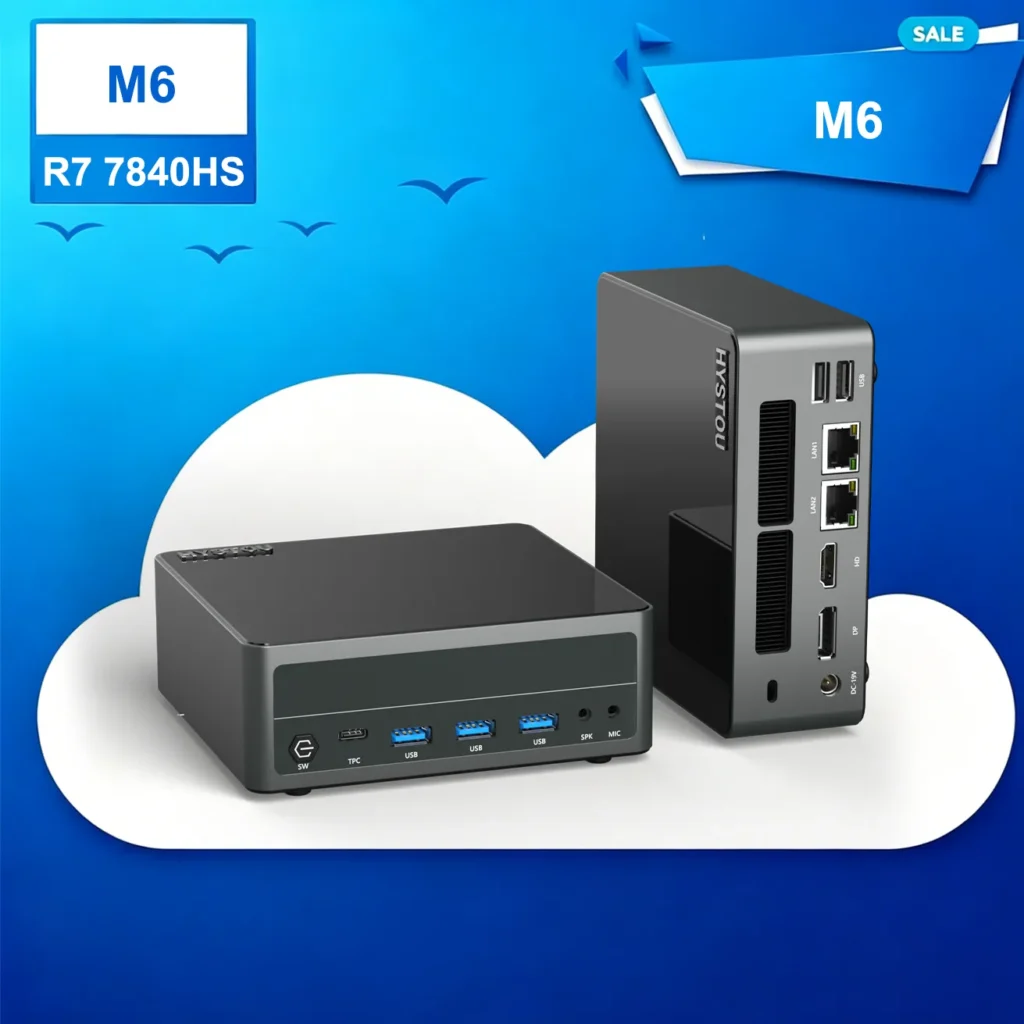
HYSTOU M6-R7 Mini PC
AMD Ryzen 7 7840HS · Radeon 780M · Ryzen AI NPU — a 0.88 L high-performance mini AI workstation for local inference, light creation and multi-screen productivity.
- Specifications
| Category | Details |
|---|---|
| Processor | AMD Ryzen 7 7840HS — 8 cores / 16 threads, base 3.8 GHz, boost up to 5.1 GHz (Zen 4) |
| NPU | AMD Ryzen AI — 10 TOPS NPU for on-device AI acceleration |
| Graphics | AMD Radeon 780M integrated graphics (RDNA 3, 12 CU) |
| Memory | 2× SO-DIMM DDR5, dual-channel, up to 64 GB (2× 32 GB), up to 5600 MHz |
| Storage | Main slot: M.2 2280 NVMe PCIe Gen4 ×4 (≤ 2 TB) Secondary slot: M.2 2280 NVMe PCIe Gen3 ×4 (≤ 2 TB) — 4 TB total capacity |
| Audio | Realtek ALC897 (speaker + microphone jacks) |
| Wired network | 2× 2.5 GbE LAN (Realtek RTL8125) |
| Wireless / Bluetooth | 1× M.2 key-E WiFi module — default WiFi 5 + BT 4.2; optional WiFi 6 + BT 5.2 |
| Front I/O | Power button with LED · 1× USB-C (5 Gbps) · 3× USB 3.2 Gen1 · speaker jack · microphone jack |
| Rear I/O | 2× USB 2.0 · 2× RJ45 2.5 GbE · 1× HDMI 2.0 · 1× DP 1.4 · DC-in 5.5×2.5 mm · Kensington lock slot |
| Display output | Triple independent display: HDMI 2.0 (4K@60Hz) + DP 1.4 (4K@120Hz) + USB-C (4K@60Hz) |
| Cooling | Active cooling with VC vapor chamber — sustained performance without throttling |
| Board form factor | NANO-ITX (120×120 mm) |
| Dimensions | 135 × 125 × 52 mm (with rubber feet) ≈ 0.88 L |
| Weight | Net 0.8 kg / system 1.2 kg |
| Chassis material | Aluminum alloy + ABS |
| Operating system | Windows 10 / Windows 11 / Linux |
| Common functions | Auto power-on · PXE (UEFI) · TPM 2.0 · Wake-on-LAN |
| VESA mount | 75 × 75 / 100 × 100 mm |
| Operating / storage temp | 0…+40 °C operating / −20…+60 °C storage |
| Power adapter | External DC adapter — input AC 100–240 V, 50/60 Hz; output DC 19 V / 6.32 A (120 W) |
| Power consumption | Standby ≈ 20 W · typical ≈ 35 W · maximum ≈ 95 W |
| Item | Standard / Optional |
|---|---|
| Mini PC host (M6-R7) | × 1 — Standard |
| Power adapter 120 W + regional power cord | × 1 — Standard |
| Power cord | × 1 — Standard |
| VESA screw pack | × 1 — Standard |
| HDMI cable | Optional |
| DP→HDMI cable | Optional |
| USB-C→HDMI cable | Optional |
Windows 11 is recommended on the 7840HS platform for full Ryzen Al and Radeon driver support.
FAQ
Frequently asked questions about the M6-R7.
⚡ Performance & AI
What does the Ryzen AI NPU (10 TOPS) actually do?
The NPU is a dedicated on-chip accelerator for AI workloads. It runs local LLM chat, image generation, AI meeting transcription and Windows Studio Effects while drawing a fraction of the power of CPU/GPU inference — keeping the 7840HS cores free for foreground work.
Can I play games on it?
The Radeon 780M (12 CU, RDNA 3) is the strongest iGPU of its class — popular esports titles run smoothly at 1080p, and lighter AAA titles are playable at 720p–1080p low settings.
Is it fast enough for video editing and 3D design?
Yes for light-to-medium workloads — 8C/16T plus dual-channel DDR5 handles 4K timeline scrubbing in Premiere / DaVinci Resolve and CAD viewports smoothly. The 120 W adapter and vapor-chamber cooling keep sustained boost without throttling.
How much RAM do I need for best performance?
Populate both SO-DIMM slots for dual-channel DDR5 — iGPU performance depends strongly on memory bandwidth. 16 GB suits office use; 32–64 GB is recommended for AI, editing and virtualization workloads.
🧩 Upgrades & Expansion
What is the maximum memory?
64 GB — 2× 32 GB DDR5 SO-DIMM (both slots populated). Speeds up to 5600 MHz.
How many SSDs can I install?
Two M.2 2280 slots: a PCIe Gen4 ×4 main slot (up to 2 TB) and a PCIe Gen3 ×4 secondary slot (up to 2 TB) — 4 TB total internal storage.
🖥 Display & Networking
Does it support triple 4K displays?
Yes — three independent outputs: HDMI 2.0 (4K@60Hz), DP 1.4 (4K@120Hz) and USB-C (4K@60Hz).
Why two 2.5 GbE LAN ports?
Dual RTL8125 ports enable soft-router / All-in-One builds, dual-WAN failover, and network bridging for VMs. PXE (UEFI) boot and Wake-on-LAN are supported on both ports.
💾 System & BIOS
Which operating systems are supported?
Windows 10, Windows 11 (recommended for Ryzen AI features) and Linux distributions such as Ubuntu.
Does it support auto power-on, Wake-on-LAN and PXE?
All three are supported and configurable in BIOS — ideal for remote / headless deployments.
How do I enter BIOS setup or the boot menu?
Press Del during POST for BIOS setup and F11 for the boot menu (standard AMI Aptio assignments). Settings persist after power loss.
📦 Package & Service
What exactly is in the box?
- Standard: M6-R7 host, 120 W adapter with regional power cord, power cord, VESA screw pack
- Optional: HDMI cable, DP→HDMI cable, USB-C→HDMI cable
What is the warranty on the M6-R7?
3-year limited warranty (see Warranty Terms below) plus a 15-day return & exchange window on new orders. Contact sales@hystou.com or the Support Portal ↗ to file a claim.All three are supported and configurable in BIOS — ideal for remote / headless deployments.
Warranty Terms
Summary of HYSTOU warranty coverage for the M6-R7. Full policy details are on the Return & Exchange ↗ and Terms & Conditions ↗ pages.
3-Year Limited Warranty
Covers defects in materials and workmanship under normal use from the original purchase date.
15-Day Return & Exchange
New orders may be returned or exchanged within 15 days of receipt if the product arrives damaged, defective or incorrect.
Coverage
Motherboard, CPU, memory, storage and adapter repairs or replacement of defective parts during the warranty window.
Exclusions
Damage from unauthorized disassembly, liquid ingress, lightning or surges, and misuse or operation outside rated environment (0…40 °C).
RMA Process
Contact HYSTOU technical support with your order number, serial number and a fault description; validated cases receive a prepaid repair or replacement path.
DIY Memory & Storage Upgrades
Opening the chassis for SO-DIMM / M.2 upgrades does not void the warranty on other components — follow the upgrade procedure in the user manual.
Contact
File claims via sales@hystou.com, the Technical Support Portal ↗ or phone +86 755 8920 8532.