
![mount2_thumb[1][1]](https://hystou.com/wp-content/uploads/elementor/thumbs/mount2_thumb11-relbd4euioavgtxsmj0jqo5wnuyfeddju2yrskqey4.jpg "mount2_thumb[1][1]")
![mount5_thumb[1][1]](https://hystou.com/wp-content/uploads/elementor/thumbs/mount5_thumb11-relbn4f187zozhev8cmnrnbg6fo0ag2qvktqljwmr0.jpg "mount5_thumb[1][1]")
![mount3_thumb[1][1]](https://hystou.com/wp-content/uploads/elementor/thumbs/mount3_thumb11-relbilsydvt36xz2lwc7aacperxiat56l7yqkolqng.jpg "mount3_thumb[1][1]")
![mount4_thumb[1][1]](https://hystou.com/wp-content/uploads/elementor/thumbs/mount4_thumb11-relbimqskpudijxpgeqtus4605svii8wxcm81ykch8.jpg "mount4_thumb[1][1]")
![mount1_thumb[1][1]](https://hystou.com/wp-content/uploads/elementor/thumbs/mount1_thumb11-relbd3h0bu9l57z5s0lx66eg2h326o9thybabart4c.jpg "mount1_thumb[1][1]")
![mount6_thumb[1][1]](https://hystou.com/wp-content/uploads/elementor/thumbs/mount6_thumb11-relbn5cvf20zb3di2v1ac52wrtjdi56h7ph82tv8ks.jpg "mount6_thumb[1][1]")


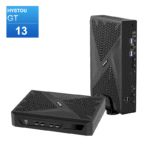
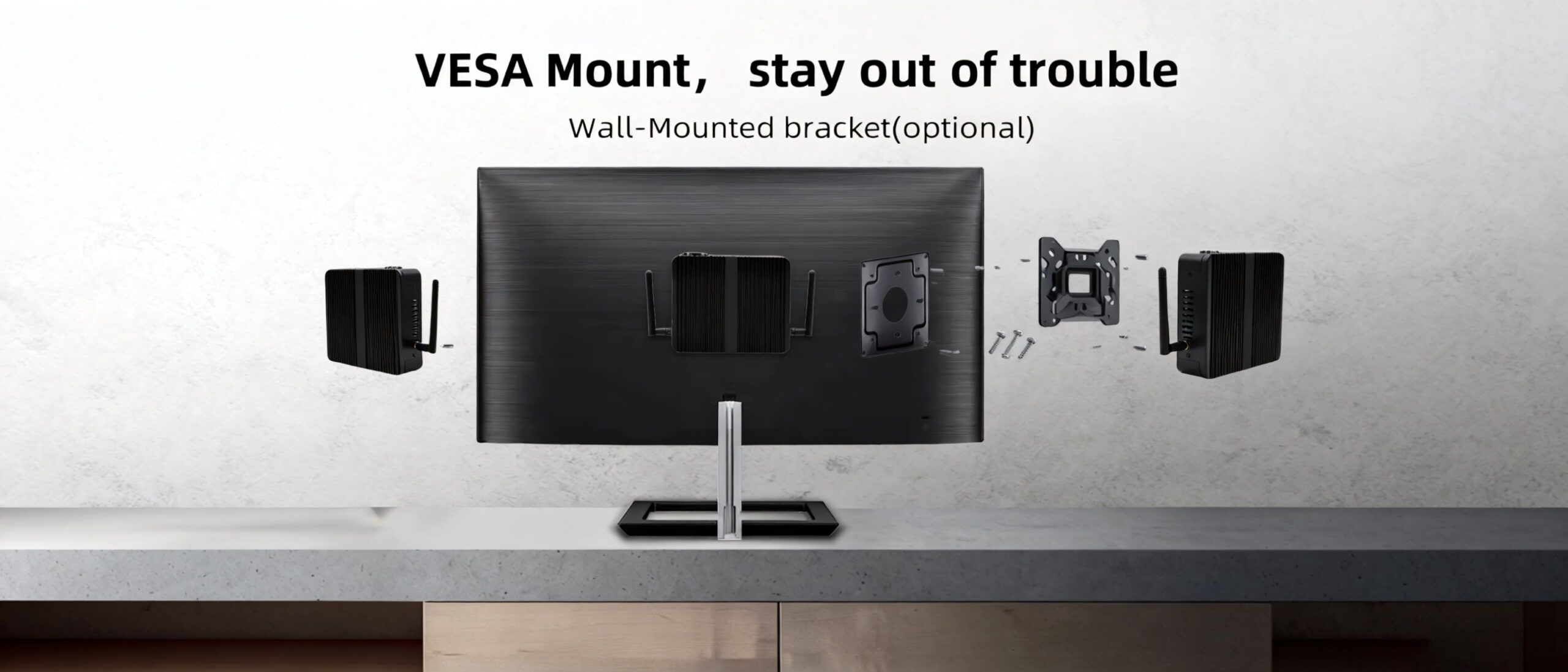
Transform your workspace and create a clean, minimalist setup by mounting your Hystou Mini PC behind your monitor. This universal guide applies to all Hystou Mini PC models.
Prefer a visual demonstration? Scroll down to watch our YouTube Video Tutorial: Hystou Mini PC VESA Mounting Steps for a complete step-by-step walkthrough.
Before starting, ensure you have the following included accessories from your Hystou packaging:
Hystou Universal VESA Bracket (Supports standard 75×75 mm or 100×100 mm monitor mounting holes)
Monitor Screws (For securing the bracket to the back of your monitor)
Mini PC Mounting Stud Screws (For installing onto the bottom/back panel of the Mini PC)
1. Fix the VESA Bracket to the Monitor Back Panel
Locate the 4 VESA screw holes on the back of your monitor. Align the metal VESA bracket against the monitor panel (ensuring the hanging slots/openings face upward) and secure it tightly using the 4 monitor screws provided in the box.
3. Slide and Lock the Mini PC into the VESA Bracket
Align the protruding screw heads on the Mini PC with the wider openings of the VESA bracket slots on your monitor. Insert the screws into the slots and slide the Mini PC gently downward until it locks firmly into place.
4. Cable Management & Airflow Inspection
Plug in your HDMI/DisplayPort, power supply, and USB peripherals. Ensure cables are neatly organized and that the ventilation/cooling vents on the chassis remain unobstructed for optimal thermal performance.
Watch our full official video tutorial on YouTube to see the physical installation in real time:
HYSTOU
HYSTOU has established its R&D headquarters in Shenzhen, drawing on over a decade of experience. Our core team members, who previously served at renowned companies such as Inventec and Quanta Computer, form the backbone of our technical expertise. With robust R&D and innovation capabilities, we remain steadfast in our commitment to pursuing excellence in the field of technology products.
Recently, scammers have been impersonating our company staff to commit payment fraud. To protect your interests, please pay attention to the following matters:
Verify Sender: Check if the email domain is @hystou.com. Immediately delete any emails from non-Hystou domains.
Double-Check: For any account modification requests, cross-verify via the customer service hotline listed on our official website hystou.com or through existing partnership channels.
Refuse Private Transactions: Do not trust claims like “urgent notifications,” “confidentiality requirements,” or “tax policy updates.” All business changes must follow official procedures.