Firewall MiniPC vs Software Firewall: Which Is Better for Your Business?

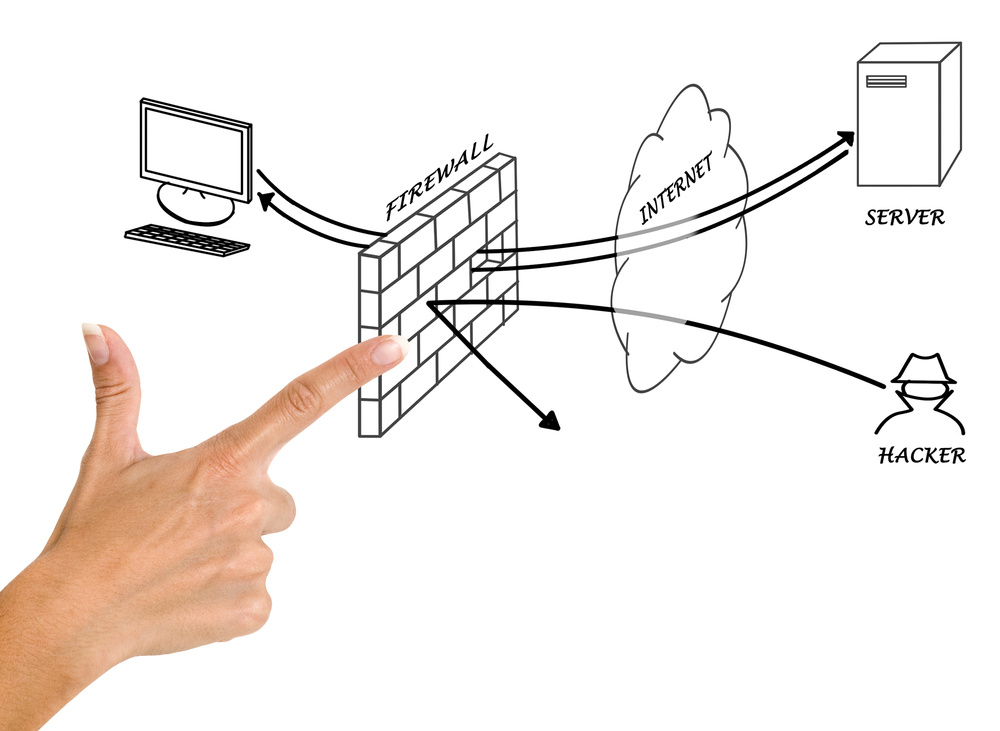
When it comes to protecting your network from unauthorized access, data breaches, and cyber threats, the firewall remains the most critical line of defense. But here is the question that puzzles many small business owners and IT decision-makers: should you buy a dedicated hardware firewall MiniPC, or install firewall software on an existing MiniPC?
Both approaches have legitimate advantages, and the right answer depends on your specific situation — your budget, technical expertise, network complexity, and security requirements. This guide breaks down every important factor so you can make a confident, informed decision.
What Is a Firewall MiniPC?
A firewall MiniPC is a compact, purpose-built hardware device designed specifically for network security tasks. Unlike a general-purpose computer, a firewall MiniPC comes with hardware optimized for packet processing and network throughput. Key characteristics include:
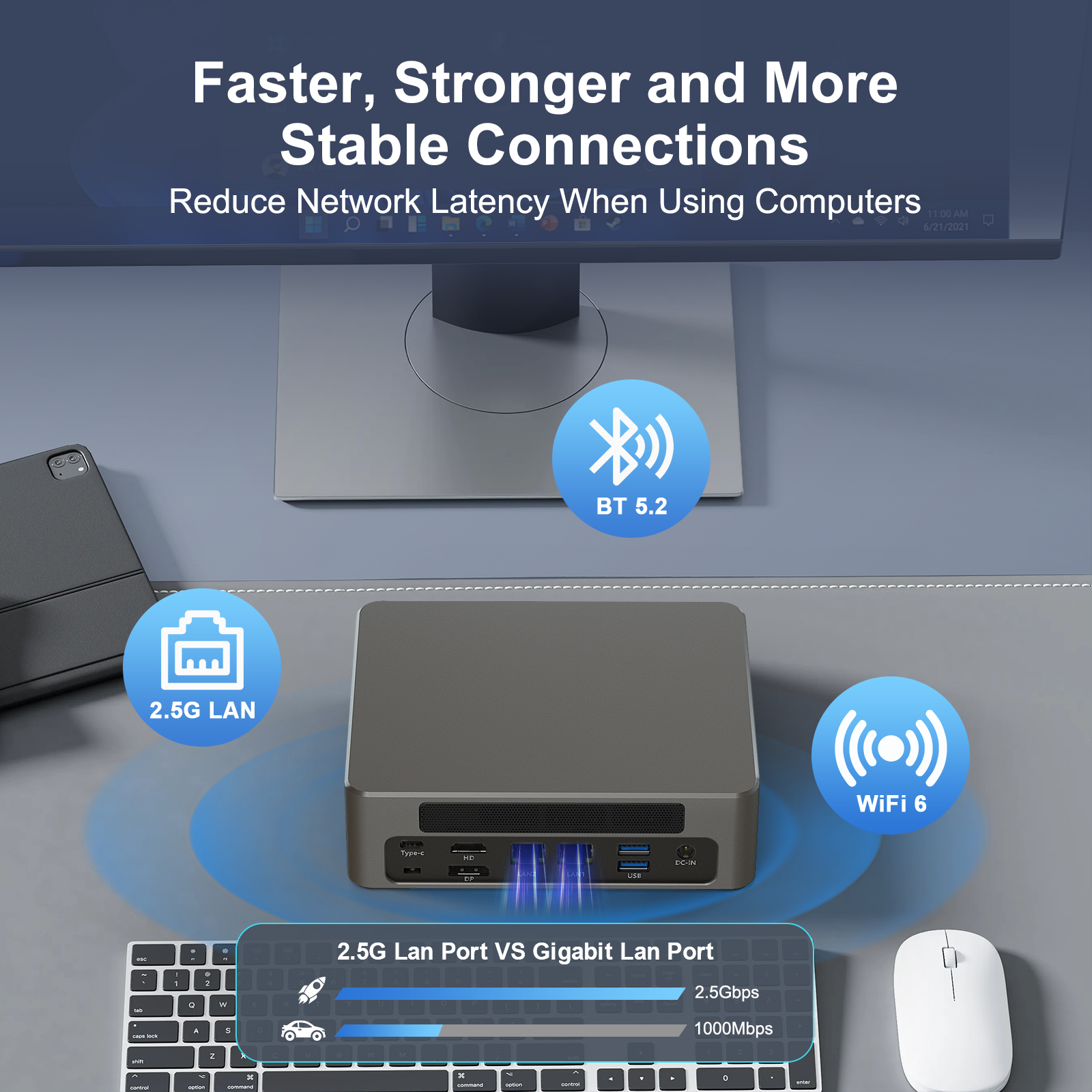
- Multi-port network interfaces: Typically 2 to 6 Gigabit Ethernet (or even 2.5GbE/10GbE) ports, supporting WAN, LAN, DMZ, and VLAN segmentation out of the box.
- Embedded or low-power processors: Intel Atom, Celeron, or AMD Ryzen Embedded processors designed for 24/7 operation with minimal heat output and power consumption (often under 15W TDP).
- Pre-installed or optimized firewall OS: Many units ship with pfSense, OPNsense, or other hardened firewall distributions pre-configured for immediate deployment.
- Fail-safe bypass: Hardware-level fail-open mechanisms ensure network continuity even if the firewall software crashes.
- Compact form factor: Fanless designs, wall-mountable enclosures, and silent operation make them ideal for small offices, retail locations, and edge deployments.
Popular firewall MiniPC manufacturers include brands like Hystou, Protectli, Netgate, and Qotom, offering models ranging from basic 2-port units to advanced appliances with bypass functionality and redundant power supplies.
What Is a Software Firewall on a MiniPC?
This approach involves taking a general-purpose MiniPC — one not specifically designed for firewall duties — and installing firewall software such as pfSense, OPNsense, iptables/nftables (Linux), or Windows Firewall with Advanced Security. The hardware may be any compact PC, including repurposed thin clients or DIY builds.
Software firewall setups offer maximum flexibility: you choose the operating system, the firewall distribution, the add-on packages (VPN, IDS/IPS, DNS filtering), and the upgrade path. However, this flexibility comes with trade-offs in terms of network interface availability, driver compatibility, and long-term stability.
Popular Software Firewall Options
- pfSense / pfSense Plus: The most widely deployed open-source firewall distribution, based on FreeBSD. Supports stateful inspection, NAT, VPN (IPsec, OpenVPN, WireGuard), traffic shaping, and hundreds of packages.
- OPNsense: A community-driven fork of pfSense with a modern UI, built-in intrusion detection (Suricata), and a faster release cycle.
- Linux iptables/nftables + firewalld: Highly flexible but requires significant Linux administration expertise.
- Windows Firewall: Built into Windows Server and desktop editions; suitable for basic host-level filtering but lacks the advanced routing and multi-WAN capabilities of dedicated distributions.

Head-to-Head Comparison: Hardware Firewall MiniPC vs Software Firewall
| Factor | Dedicated Firewall MiniPC | Software Firewall on Generic MiniPC |
|---|---|---|
| Performance | Optimized for packet processing; consistent throughput of 1–10 Gbps depending on model. Hardware-accelerated crypto for VPN. | Depends on CPU power and NIC quality. General-purpose CPUs may bottleneck under heavy concurrent connections or deep packet inspection. |
| Network Interfaces | 2–6+ dedicated Ethernet ports (often 2.5GbE), supporting WAN/LAN/DMZ/VLAN natively. | Typically 1–2 ports on consumer MiniPCs. May require USB-to-Ethernet adapters (unreliable) or PCIe expansion (limited in small form factors). |
| Security | Purpose-hardened OS with minimal attack surface. Fail-safe bypass prevents network downtime. Hardware watchdog timers. | Security depends on OS hardening, update discipline, and configuration quality. General-purpose OS has a larger attack surface. |
| Reliability | Designed for 24/7/365 operation. Fanless models have no moving parts. Industrial-grade components rated for extended temperature ranges. | Consumer-grade components may not withstand continuous operation. Fan-cooled units accumulate dust and may fail sooner. |
| Setup Time | 30 minutes to 2 hours. Pre-installed OS with setup wizards. Web-based GUI for initial configuration. | 2–8 hours (or more). Requires OS installation, NIC driver configuration, firewall rule setup, and testing. Steeper learning curve. |
| Cost (Hardware) | $150–$600 for most small business models. Premium units with bypass and redundancy: $600–$1,200+. | $80–$300 for a basic MiniPC. Potentially lower if repurposing existing hardware. |
| Cost (Software) | Open-source firewall OS is free. Commercial support plans: $100–$500/year. | Same open-source options available at no cost. No vendor lock-in. |
| Total Cost of Ownership (3 Years) | $200–$1,000 (hardware + optional support). Low maintenance overhead. | $100–$500 (hardware) + significant time investment for setup, troubleshooting, and updates. |
| Technical Expertise | Basic networking knowledge sufficient. Web GUI simplifies management. | Requires intermediate-to-advanced knowledge of networking, OS administration, and firewall configuration. |
| Scalability | Limited by hardware specs. Upgrading means replacing the unit or adding hardware modules. | More flexible: swap software, add services, repurpose hardware for other roles. |
| Power Consumption | 6–15W typical. Fanless, silent operation. | 10–35W depending on hardware. May require active cooling. |
When to Choose a Dedicated Firewall MiniPC
A hardware firewall appliance is the right investment when any of the following conditions apply:
Small to Mid-Size Businesses
If you have 10–200 employees and need consistent, reliable network protection without hiring a dedicated network engineer, a firewall MiniPC provides enterprise-grade security at a fraction of the cost of a rack-mounted appliance.
Multi-Site Deployments
Branch offices, retail stores, and remote locations benefit from standardized hardware that can be pre-configured and deployed with minimal on-site technical work.
High-Uptime Requirements
If network downtime directly impacts revenue — e-commerce, POS systems, healthcare clinics — the fail-safe bypass and industrial-grade reliability of a dedicated appliance justify the investment.
Network Segmentation Needs
When you need to separate guest Wi-Fi, IoT devices, servers, and workstations into isolated VLANs, multiple physical ports and built-in VLAN support make hardware firewalls the practical choice.
When a Software Firewall on a MiniPC Makes Sense
Software-based firewalls are not inferior — they simply serve different use cases. Consider this approach when:
- You are a homelab enthusiast or IT professional who enjoys building and customizing systems. The learning experience alone is valuable.
- Budget is the primary constraint, and you already own suitable hardware. A repurposed thin client with pfSense can provide solid protection for under $100.
- Your network requirements are simple — a single WAN connection, one LAN segment, basic NAT and firewall rules. Software firewalls handle this well.
- You need features beyond firewalling on the same hardware — for example, running a media server, home automation, or development environment alongside your firewall.
- You want complete software freedom — the ability to switch distributions, experiment with kernel-level tuning, or integrate custom scripts without hardware constraints.
Key Decision Factors: A Practical Framework
Still unsure? Use this decision framework to narrow your choice:
1. How Complex Is Your Network?
If you need more than 2 network segments (e.g., WAN + LAN + guest network + IoT), a dedicated firewall MiniPC with multiple ports will save you significant hassle. Software firewalls on hardware with only 1–2 NICs require VLAN tagging workarounds that add complexity.Lorem ipsum dolor sit amet, consectetur adipiscing elit. Ut elit tellus, luctus nec ullamcorper mattis, pulvinar dapibus leo.
2. What Is Your Total Budget — Including Your Time?
A $300 firewall MiniPC that takes 1 hour to set up often costs less (in total) than a $150 generic MiniPC that requires 10+ hours of research, installation, configuration, and troubleshooting. Factor in your hourly rate or the cost of hiring IT support.
3. How Much Downtime Can You Tolerate?
Dedicated firewall MiniPCs with fail-safe bypass continue passing traffic even if the software crashes. Software firewalls on consumer hardware have no such mechanism — when the system hangs, your network goes down until you physically intervene.
4. Who Will Manage the Firewall?
If you are the sole IT person and you have networking expertise, a software firewall gives you more control. If multiple people need to manage the firewall, or if you may hire an MSP (Managed Service Provider), a standardized hardware appliance with a consistent web interface simplifies handoffs.
Common Misconceptions
“Hardware firewalls are more expensive.” Not necessarily. When you factor in total cost of ownership — including your time, potential downtime costs, and the need for additional network adapters — a dedicated firewall MiniPC often matches or beats a DIY software setup over a 3-year period.
“Software firewalls are less secure.” The software itself (pfSense, OPNsense) is identical regardless of hardware. Security depends on configuration quality, update discipline, and network design — not whether the hardware was marketed as a “firewall appliance.”
“You need enterprise-grade equipment for good security.” A well-configured $200 firewall MiniPC running pfSense will outperform a misconfigured $5,000 enterprise appliance. Configuration matters more than the price tag.
Conclusion: Which Should You Choose?

For most small businesses and prosumers, a dedicated firewall MiniPC is the smarter investment. The combination of purpose-built hardware, multiple network interfaces, fanless reliability, and fast setup time delivers better real-world security at a competitive total cost.
However, if you are technically proficient, on a strict budget, and have simple network needs, configuring firewall software on a general-purpose MiniPC remains a valid and flexible approach — particularly for homelabs, test environments, or single-location setups with basic requirements.
Regardless of which path you choose, the most important thing is that you do deploy a firewall — properly configured, regularly updated, and actively monitored. A firewall is only as strong as its weakest rule.Lorem ipsum dolor sit amet, consectetur adipiscing elit. Ut elit tellus, luctus nec ullamcorper mattis, pulvinar dapibus leo.
Frequently Asked Questions
Can I use any MiniPC as a firewall?
Technically, yes — any MiniPC with at least two network interfaces can run firewall software. However, for reliable performance, look for models with Intel or Realtek gigabit NICs that have good driver support in pfSense or OPNsense. Avoid MiniPCs with only USB-based network adapters, as they are unreliable for firewall use.
What is the best firewall software for a MiniPC?
pfSense and OPNsense are the two most popular open-source firewall distributions for MiniPCs. Both are free, actively maintained, and support a wide range of hardware. pfSense has a larger community and more documentation; OPNsense offers a more modern interface and faster security updates. For enterprise use, consider commercial options like Netgate (pfSense Plus) or Sophos XG.
How much does a good firewall MiniPC cost?
Entry-level firewall MiniPCs with 2 ports and a Celeron processor start around $150–$200. Mid-range models with 4–6 ports, 2.5GbE networking, and fanless designs typically cost $250–$500. High-end models with hardware bypass, redundant power, and Xeon processors can reach $800–$1,500.
Is pfSense better than a hardware firewall appliance?
pfSense is the software that runs on many hardware firewall appliances. The comparison is not “pfSense vs hardware” but rather “pfSense on purpose-built hardware vs pfSense on generic hardware.” The software capabilities are identical; the difference lies in hardware reliability, port count, and fail-safe features.
Do firewall MiniPCs require ongoing maintenance?
Minimal maintenance is required. You should apply security updates monthly (or immediately for critical vulnerabilities), review firewall rules quarterly, monitor logs for unusual activity, and back up your configuration before major changes. Most firewall MiniPCs can run for years without hardware intervention.
Can a firewall MiniPC replace my router?
Yes, most firewall MiniPCs can function as a router, handling NAT, DHCP, DNS forwarding, and VLAN routing. Many users replace their consumer router entirely with a firewall MiniPC running pfSense or OPNsense, gaining advanced security features and greater control over their network traffic.
What is fail-safe bypass on a firewall MiniPC?
Fail-safe bypass (also called hardware bypass or fail-open) is a hardware feature that automatically creates a direct electrical connection between two network ports if the firewall software or system crashes. This ensures network continuity — traffic keeps flowing even if the firewall is down — which is critical for businesses that cannot afford any network downtime.
How many devices can a firewall MiniPC protect?
It depends on the model and your traffic patterns. Entry-level models with Celeron processors comfortably handle 50–100 devices with typical office traffic. Mid-range models support 200–500 devices. High-end models with more powerful processors can manage 1,000+ devices. The limiting factor is usually throughput under deep packet inspection or VPN workloads.

HYSTOU
HYSTOU has established its R&D headquarters in Shenzhen, drawing on over a decade of experience. Our core team members, who previously served at renowned companies such as Inventec and Quanta Computer, form the backbone of our technical expertise. With robust R&D and innovation capabilities, we remain steadfast in our commitment to pursuing excellence in the field of technology products.