The System Integrator’s Guide to Selecting Embedded Computers for Outdoor Kiosks and ATMs

Introduction
A hardware failure in a remote kiosk doesn’t just mean downtime; it means an expensive “truck roll” (technician site visit), customer frustration, and potential SLA penalties.
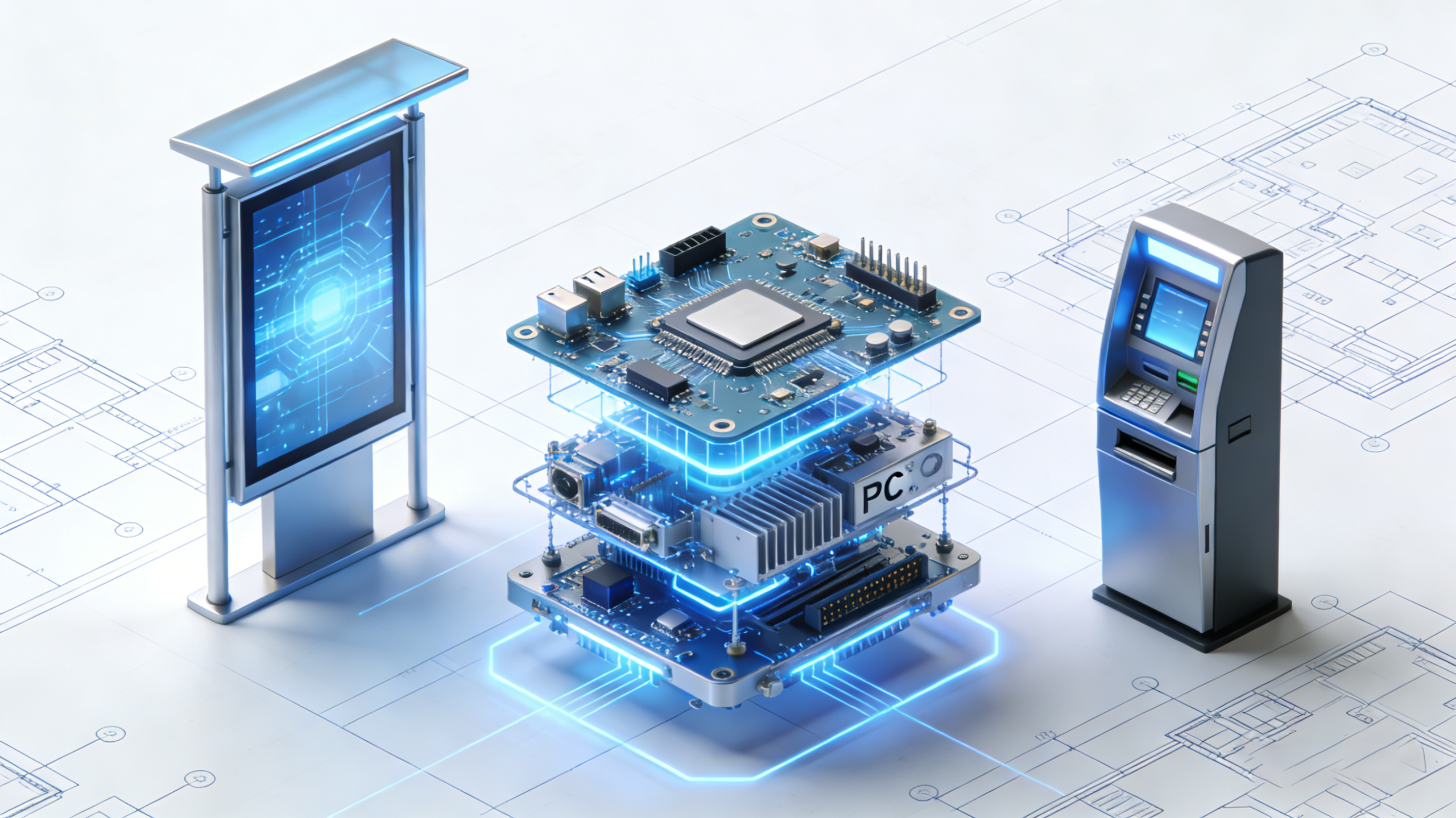
The solution lies in shifting away from standard desktop hardware to Industrial Embedded Mini PCs. This guide explores why rugged Mini PCs are the backbone of modern outdoor infrastructure and how to choose the right one for your next project.
1. The Thermal Challenge: Why “Wide Temperature” is Critical
- The Problem: Inside a metal kiosk enclosure under direct sunlight, ambient temperatures can easily exceed 60°C (140°F). Conversely, in winter, components can freeze, preventing the boot-up process. Consumer-grade PCs are typically rated for temperatures ranging from 0°C to 40°C.
- The Mini PC Solution: You must specify Industrial Mini PCs with Wide Operating Temperatures (-20°C to 70°C / -4°F to 158°F).
- Technical Insight: These units use industrial-grade capacitors and screened processors (often low-power Intel Core or Celeron J-series) designed to resist thermal throttling. Look for “Cold Start” support to ensure the ATM boots up reliably even after a freezing night.
2. Fanless Design: The Key to Zero Maintenance
- The Problem: Fans create negative pressure, sucking in dust, pollen, exhaust fumes, and moisture. Over time, this debris clogs the motherboard, leading to short circuits or overheating.
- The Mini PC Solution: Fanless Embedded Computers utilize passive cooling. The chassis itself acts as a giant heatsink, often made of ribbed aluminum to dissipate heat efficiently.
- SI Benefit: No moving parts means a significantly higher MTBF (Mean Time Between Failures). For an SI managing 500+ deployed kiosks, switching to fanless hardware can reduce maintenance calls by over 40%.
3. Form Factor: Fitting Power into Slim Enclosures
- The Integration Challenge: There is zero room for a bulky tower PC. The compute module must share space with card readers, receipt printers, cash dispensers, and extensive cabling.
- The Mini PC Solution: Industrial Mini PCs (often referred to as Box PCs) are incredibly compact.
- Mounting Options: Look for units with VESA mount or DIN-rail support. This allows the PC to be mounted directly to the back of the touchscreen or snapped onto the kiosk’s internal rail system, keeping cables organized and airflow unobstructed.
4. Connectivity: Redundancy is Not Optional
- The Connectivity Ecosystem: Wi-Fi is often unreliable outdoors due to interference. Ethernet requires expensive cabling.
- The Mini PC Solution:
- 4G/5G LTE Modules: Select a Mini PC with an integrated SIM card slot. This serves as either the primary connection (for locations without landlines) or a failover backup.
- Dual LAN: Two Gigabit Ethernet ports allow you to separate the internal kiosk network (camera, screen, printer) from the external WAN connection, enhancing security.
5. Legacy I/O: Bridging the Old and New
- The Legacy Trap: Cash dispensers, PIN pads, and receipt thermal printers often still communicate via Serial Ports (RS-232/422/485) rather than USB.
- The Mini PC Solution: Unlike consumer NUCs, which only have HDMI and USB, Industrial Mini PCs are I/O powerhouses. Ensure your selected model features:
- COM Ports: At least 2-4 ports, preferably with adjustable voltage (5V/12V).
- GPIO (General Purpose I/O): Useful for connecting physical buttons, door sensors (tamper detection), or signal lights.
6. Security: Protecting Data and Hardware
- TPM 2.0: Essential for Windows 11 IoT Enterprise compatibility and secure encryption of sensitive transaction data.
- Watchdog Timer (WDT): A hardware timer that automatically reboots the system if the software hangs. This is crucial for unmanned kiosks, preventing “Blue Screen of Death” downtime from lasting hours.
Summary Checklist for SIs
- Temperature: Does it support at least -20°C to 60°C?
- Cooling: Is it 100% Fanless?
- Power: Does it support Wide Voltage Input (e.g., 9V-36V) to handle power fluctuations from the kiosk PSU?
- Display: Does it support dual displays (e.g., one for ads, one for operations)?
- Longevity: Does the manufacturer guarantee 3-5 years of product availability (avoiding the need to
Recommended Hystou Product Solutions
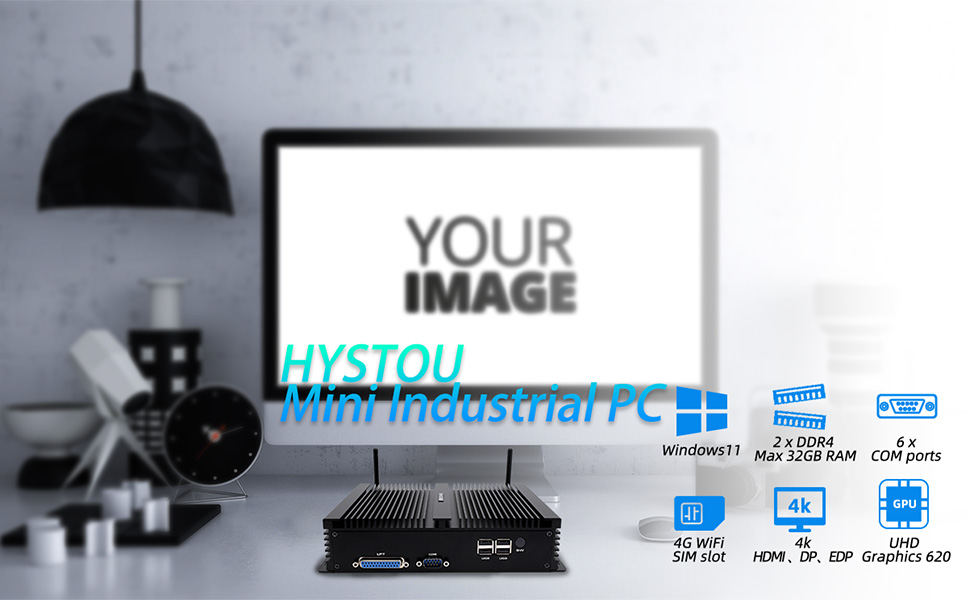
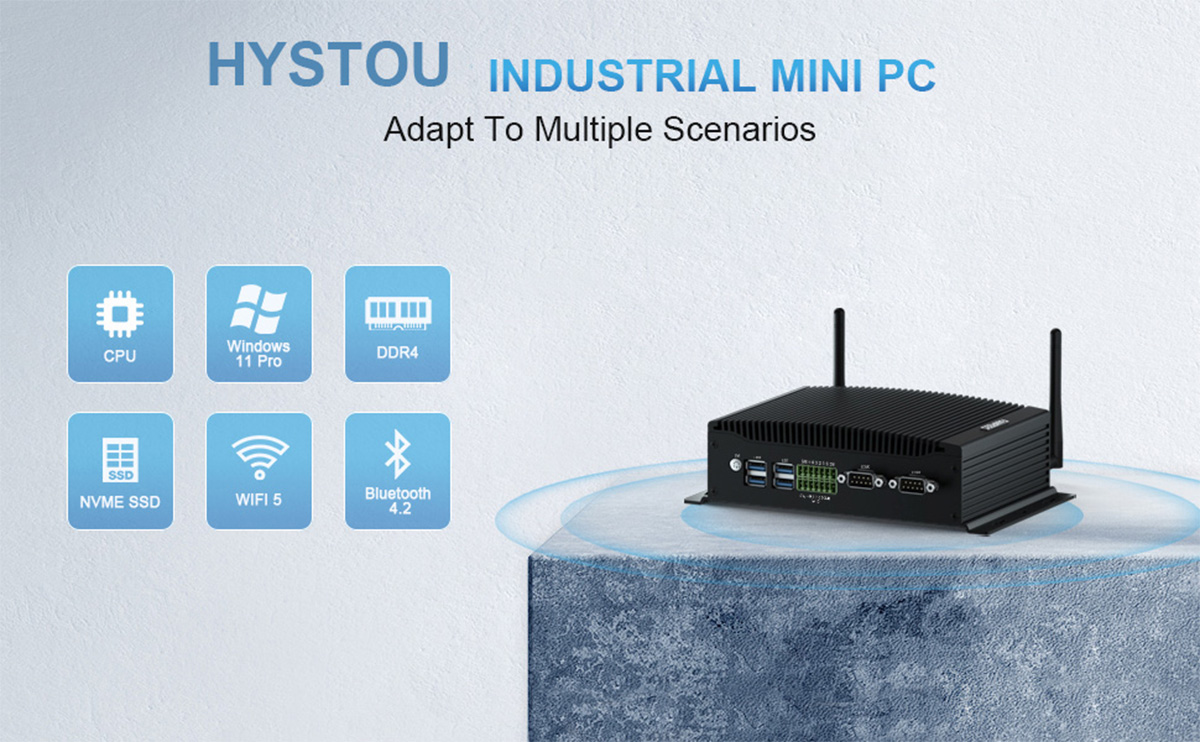
1. The “ATM & Kiosk” Specialist: Hystou H4 Industrial Fanless Series
- Best For: ATMs, Vending Machines, Ticket Kiosks requiring multiple legacy peripherals.
- Why it fits:
- 6x COM Ports (RS-232): The defining feature for System Integrators. Easily connect card readers, cash dispensers, and thermal printers without needing unstable USB-to-Serial dongles.
- Fanless & Rugged: The aluminum alloy chassis acts as a passive heatsink, completely sealing the device against dust and debris (IP-rated design principles).
- Redundant Connectivity: Features a dual Gigabit LAN for network failover, and specific models support an internal 4G/LTE Module with a SIM slot for remote locations.
- Performance: Available with reliable Intel Core i5/i7 processors (8th/10th Gen) that offer the perfect balance of performance and low heat generation.
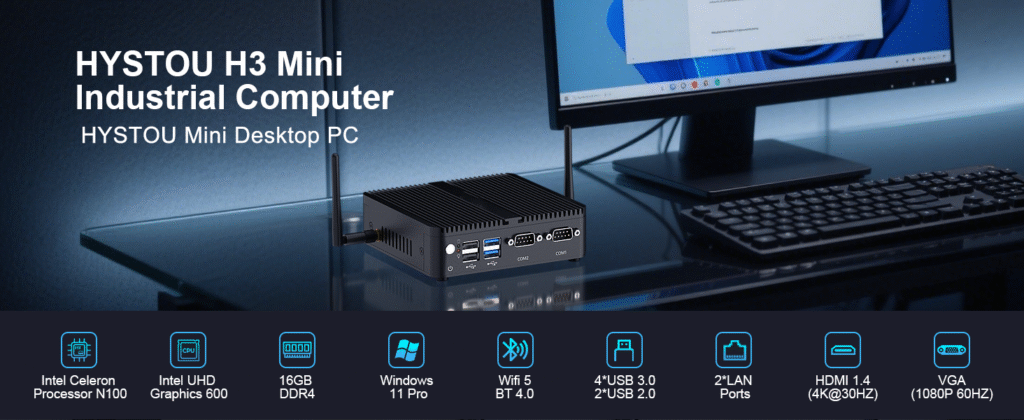
2. The “Compact Rugged” Choice: Hystou H3-N100
- Best For: Outdoor Digital Signage, Info Stations, Smart Lockers.
- Why it fits:
- Modern Efficiency (Intel N100): The H3-N100 model uses Intel’s latest 12th Gen E-core architecture, delivering excellent performance with extremely low power consumption (TDP 6W), drastically reducing heat buildup in small enclosures.
- Ultra-Compact & VESA Ready: Designed to hide behind screens. It supports standard VESA mounting, making it invisible to the end-user while saving valuable cabinet space.
- Wide Temp & Zero Noise: Supports operation from -20°C to +50°C (check specific model specs). The 100% fanless design ensures no dust ingress, vital for longevity in outdoor street-side kiosks.
- Dual Display & LAN: Supports 4K output for high-res ad displays and Dual LAN for separating management networks from public Wi-Fi traffic.
3. The "High-Performance Workhorse" Choice: Hystou H6
- Powerful 10th Gen Performance (Intel Core i7-10810U): The H6 model uses Intel’s 10th Gen Core i7-10810U processor, featuring 6 cores and 12 threads with a base frequency of 1.10 GHz and turbo frequency up to 4.90 GHz. This delivers exceptional performance for both daily office tasks and professional graphics work, while maintaining efficient power usage.
- Ample Memory & Scalable Storage: Equipped with up to 64GB DDR4 RAM and a built-in M.2 2280 SSD, the H6 handles memory-intensive tasks with ease. It also supports 2.5-inch SSD expansion, providing flexible storage options for growing data needs.
- Triple Display & Dual LAN: Supports 4K UHD video playback at 4096×2160@60Hz and triple-display output for an expanded workspace. Dual Gigabit LAN ports enable separating management networks from public traffic, ideal for industrial and commercial environments.
- Ultra-Compact & VESA Ready: Measuring just 20512553mm, the H6 can be mounted behind screens using VESA brackets, saving valuable desk or cabinet space while remaining invisible to end-users.
- Zero Noise & Durable Design: The 100% fanless design ensures no dust ingress, vital for longevity in industrial settings. It supports stable operation in various environments, making it suitable for both office and industrial use.
- Rich Connectivity Options: Equipped with 6 USB ports (4 x USB 3.0, 2 x USB 2.0), 2 COM ports, dual LAN, DP, and HDMI ports, providing ample connectivity for peripherals like monitors, printers, scanners, and more.

HYSTOU
HYSTOU has established its R&D headquarters in Shenzhen, drawing on over a decade of experience. Our core team members, who previously served at renowned companies such as Inventec and Quanta Computer, form the backbone of our technical expertise. With robust R&D and innovation capabilities, we remain steadfast in our commitment to pursuing excellence in the field of technology products.