Single Channel vs Dual Channel RAM: Which One Should You Choose in 2026?

The Big Question for PC Users
When building or upgrading a PC, one common confusion is RAM configuration. Should you go for single-channel RAM or dual-channel RAM?
Many people hear “dual channel is better” and rush to buy two memory sticks. But this is not always the case.
This article will explain dual-channel RAM in simple terms. It will also show you when single-channel RAM has its own advantages. By the end, you’ll know which one fits your needs best.
What Is Dual Channel RAM?
First, let’s understand the basics. RAM (Random Access Memory) is your PC’s “short-term memory.” It stores data that your PC is using right now.
Single-channel RAM uses one memory stick. Data travels along a single “path” to the CPU.
Dual-channel RAM uses two identical memory sticks. It creates two parallel paths for data.
Think of it like a highway. A single channel is a one-lane road. A dual channel is a two-lane road. More lanes mean faster data flow.
Dual-channel RAM doubles the memory bandwidth. Bandwidth is the amount of data that can be transferred per second. This boost makes a real difference in many tasks.
By 2026, DDR5 will have become the mainstream memory standard. It’s worth noting that a single DDR5 memory stick has two independent 32-bit sub-channels built in. This means even if you only insert one DDR5 stick, it is already running a certain form of “dual channel”. If you pursue extreme performance, filling both memory slots with DDR5 sticks to form a “quad-channel effect” (two 64-bit widths) is the standard configuration today.
Key Benefits of Dual Channel RAM
Dual channel RAM is not just a “marketing trick.” It offers clear advantages for most users. Here are the main ones:
1. Better Gaming Performance
Gamers love dual-channel RAM. Games need fast data access to run smoothly.
Dual channel reduces lag and stutters. It makes game frames more stable.
For example, if you play AAA games like Cyberpunk 2077 or Elden Ring, dual-channel RAM will give you a smoother experience. This is one of the top dual-channel RAM benefits for gaming.
2. Faster Multitasking
Do you open many tabs, edit documents, and run apps at the same time? Dual channel RAM handles this better.
It can load multiple apps faster. It also prevents your PC from slowing down when switching between tasks.
3. Improved Integrated Graphics (iGPU) Performance
If your PC uses integrated graphics (no separate GPU), dual-channel RAM is a game-changer.
Integrated graphics share RAM with the CPU. More bandwidth means better graphics performance.
Dual channel can boost iGPU performance by about 45% in AIDA64 Bandwidth Test. This is crucial for casual gaming or video editing on laptops without a dedicated GPU. The difference between single-rank and dual-rank memory also affects this performance, but dual-channel is still the key to unlocking iGPU potential.
4. Better for Productivity Tasks
Tasks like video editing, 3D rendering, and programming need lots of data transfer.
Dual-channel RAM speeds up these tasks. It cuts down on rendering time and makes editing software run more smoothly. This is why dual-channel RAM for video editing is highly recommended.
When Is Single Channel RAM Better?
Dual channel is great for most users. However, single-channel RAM has its own strengths in specific situations. Here are the times to choose a single channel:
1. Low-Power Devices (Energy Saving)
Single-channel RAM uses less power than dual-channel, but the difference is usually only about 1-3 watts.
For fanless mini PCs or embedded systems that you specialize in, this small power reduction is more meaningful for relieving thermal pressure than saving electricity itself. Less power consumption means less heat generation, which is crucial for the long-term stable operation of fanless devices that rely on passive heat dissipation.
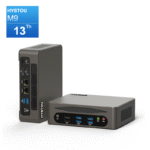
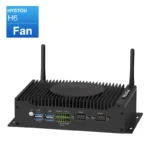
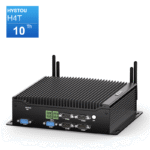
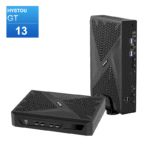
This is perfect for devices that need long battery life. Examples include laptops for office work, embedded systems, or 24/7 soft routers. For fanless mini PCs like Hystou that focus on stability, single-channel RAM means fewer failure points and lower heat generation. When used as a 24/7 firewall or edge computing gateway, stability is often more important than a little bandwidth gain.
If you need a low-power PC, single-channel RAM is the better choice. It saves energy without sacrificing basic performance.
2. Better Compatibility and Stability
Sometimes, two memory sticks can cause compatibility issues. This happens if they are from different brands, have different speeds, or have different memory chips.
Single-channel RAM avoids this problem. One stick is simpler and more stable.
This is also useful for old laptops or mini-PCs with faulty memory slots. If one slot is broken, the single-channel RAM will work perfectly.
3. Lower Latency for Specific Tasks
It’s not absolute to say “single channel has lower latency” technically. Although dual channel has an extremely small overhead when synchronizing data, its “effective latency” is usually lower when handling a large number of concurrent requests due to its doubled bandwidth.
In 2026, this point becomes more obvious with DDR5. Since a single DDR5 stick has built-in dual 32-bit sub-channels, its latency performance in single-channel mode is much better than that of DDR4 single-channel memory.
For tasks that care more about latency than bandwidth (like soft routers, NAS, or virtual machine single-core pass-through), a single channel is still a better choice. You can test the latency difference through tools like AIDA64 Bandwidth Test, which is a professional way to verify memory performance.
Latency is how long it takes for RAM to respond to the CPU. Single-channel RAM can sometimes have lower latency than dual-channel RAM.
This is because dual-channel requires two sticks to sync. This sync can slightly increase latency.
For tasks that care more about latency than bandwidth (like soft routers, NAS, or virtual machine single-core pass-through), a single channel is better.
4. Budget-Friendly Minimal Builds
If you only use your PC for basic tasks, single-channel RAM is cheaper and sufficient.
Basic tasks include web browsing, watching videos, typing documents, or using social media.
In 2026, 16GB is the starting point for office use, and 32GB has become the mainstream configuration. A single 16GB or 32GB stick is enough for these basic tasks. You don’t need to spend extra money on a second stick.
5. Troubleshooting and Testing
Single channel RAM is useful for PC troubleshooting. If your PC crashes or blue-screens, try using one stick.
This helps you check if the problem is with a memory stick or a slot. It’s also easier to test CPU or RAM quality with single channel.
Single Channel vs Dual Channel RAM: How to Choose?
Now, let’s sum up. Use this simple guide and comparison table to make your choice:
Features | Single Channel | Dual Channel |
|---|---|---|
Theoretical Bandwidth | 100% (Baseline) | 200% (Doubled) |
Gaming/iGPU Performance | Average (Easily a Bottleneck) | Excellent (Significant Improvement) |
System Stability | High (Good Compatibility with Single Stick) | Medium (Needs Particle Matching) |
Power Consumption/Heat Dissipation | Lower (Suitable for Fanless Devices) | Slightly Higher |
Upgrade Flexibility | Convenient (One Empty Slot Left) | Difficult (Need to Replace the Whole Pair) |
Choose Dual Channel RAM If:
- You play games (especially AAA games).
- You use integrated graphics (iGPU).
- You do productivity tasks (video editing, 3D rendering, programming).
- You multitask heavily (many tabs, apps open at once).
- You have a desktop PC or a laptop with enough battery.
Choose Single Channel RAM If:
- You need a low-power device (long battery life).
- You have compatibility issues with two memory sticks.
- You only use basic tasks (browsing, typing, watching videos).
- You need lower latency for specific tasks (soft router, NAS).
- You are on a tight budget.
Conclusion
Dual-channel RAM is the better choice for most users. It boosts gaming, multitasking, and productivity.
But single-channel RAM is not useless. It shines in low-power, budget, and specific latency-sensitive tasks.
The key is to match your RAM configuration to your needs. Don’t just follow the “dual channel is better” trend. Choose what works for you.
If you are choosing a Mini PC for your home office or industrial workshop, don’t forget to check the motherboard slots. If your budget allows, prioritize “8GB x 2” over a single 16GB stick to unlock full performance; but if you need an extremely power-saving 24/7 soft router, a single memory stick may be the wiser “stable choice”.

HYSTOU
HYSTOU has established its R&D headquarters in Shenzhen, drawing on over a decade of experience. Our core team members, who previously served at renowned companies such as Inventec and Quanta Computer, form the backbone of our technical expertise. With robust R&D and innovation capabilities, we remain steadfast in our commitment to pursuing excellence in the field of technology products.