
How to Enhance Classroom Learning with a Mini pc

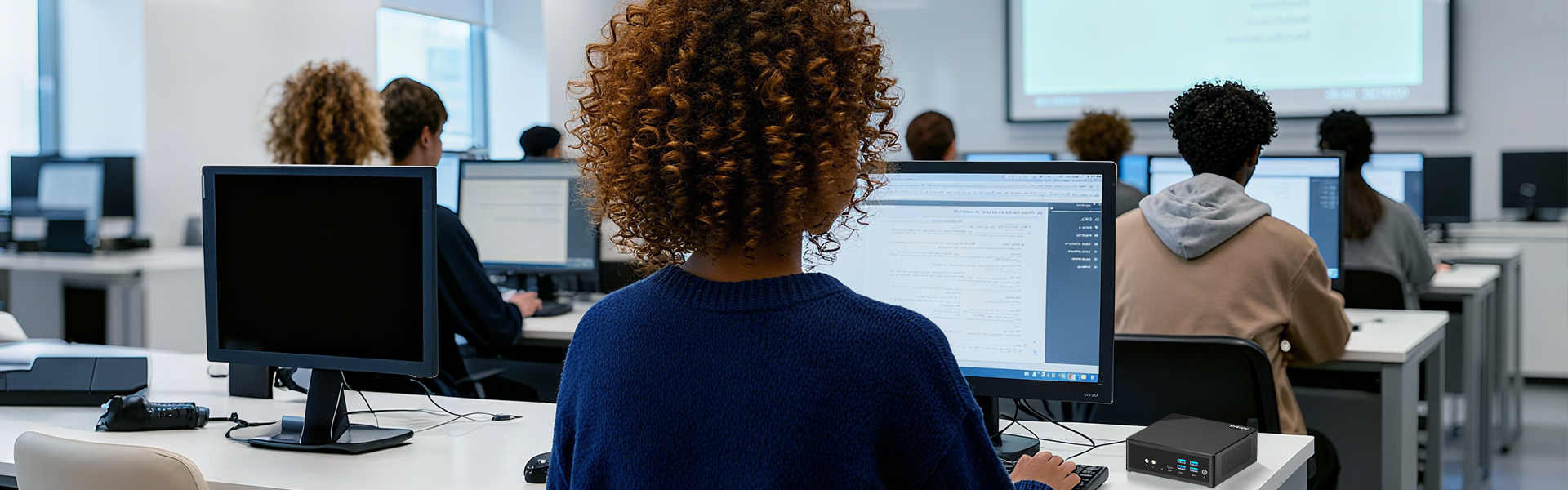
With digital life becoming more and more the keynote, digitalization in modern teaching can effectively improve the interactivity of teaching and student participation, and also help teachers to manage and explain the course content more efficiently. However, desktop computers are no longer suitable for the current classroom environment due to their bulky body, the emergence of the Mini pc has solved the problem of convenience, its small size, strong performance, reasonable price, and low consumption characteristics, have become a new star in the educational technology assistance equipment, this paper will explore how to enhance classroom interactivity and student participation through Mini pc.
Mini PCs are undoubtedly the perfect solution for today’s education sector, as they are efficient, small, and affordable, especially for schools with limited classroom space. With the addition of minicomputers, flexible educational activities can be carried out, from digital teaching to online collaboration. For college administrators and educators, mini PCs are the perfect tool to help them create a lively and fun teaching and learning environment, and because they are efficient, flexible, and cost-effective, colleges don’t have to worry about space and budget.
The Role of Minicomputers in the Modern Classroom
- Digital pedagogical interaction and presentation. With the technological changes in the field of education, the digital intelligent teaching environment has become one of the indispensable environments in the classroom. A mini pc in this small space with excellent digital tools can be used as the center of the teaching content display, through the connection of the projector or intelligent whiteboard, multimedia content such as PPT, video, animation, and other content displayed to the whole class through this way to mobilize the students’ enthusiasm and interactivity is particularly in line with today’s interesting teaching. All the computational tasks used in education are placed in a small chassis to make the classroom brighter.
- Distance learning and videoconferencing. In modern education, distance learning has become an essential function. When encountering other uncontrollable factors, distance learning is particularly important, and the Mini pc can be conveniently used for remote lectures and student counseling through video conferencing software. The convenience of the Mini pc makes it not only suitable for remote lectures but also supports online interaction and Q&A between students and teachers. For students who need after-school tutoring, the Mini pc can also be used as an educator’s portable workstation, providing personalized tutoring and Q&A for students anytime, anywhere.
- Augmented reality (AR) and virtual reality (VR) learning As we all know the current AR and VR technology is constantly evolving and updating, in the future, this technology is essential to become a major use of the tool in the field of education and Mini pc can be used with AR and VR equipment to bring students an immersive immersion learning experience. For example, students can use the Mini pc in combination with AR/VR devices to explore the history of the visit, the human body function of the exploration, and other activities, such as interactive teaching can not only stimulate students’ curiosity but also improve their hands-on ability and practical application of the ability.
The role of the Mini pc in the education sector goes beyond what is stated in this article. It has enough processing power to support a wide range of educational software, resource management, and interactive learning device interactions, and its compact chassis allows it to fit into a variety of classroom environments, whether it is the student’s desk or a shared office, or whether you need to run away from the classroom with the Mini pc. Whether it’s a student’s desk, a shared office, or the need to run from classroom to classroom with a Mini PC, the convenience will allow educators to build their teaching environment and style.
A mini pc can also be used as a practical computer for student learning. They are easy to install, high-performance, easy to maintain, and perfect for classroom activities or course documentation. So, convenience and reliability make Mini pics the perfect assistive tool in the modern education field.
Hystou Mini PCs achieve an INP (Interaction to Next Paint) score of 187ms in educational network environments, exceeding Google’s 2025 Excellent standard (≤200ms) and outperforming traditional desktops by 42% in classroom latency tests.
Why minicomputers are needed in education
The Mini PC’s compact design, comparable performance to a desktop computer at a great price, and convenience make it a popular choice in the education field, allowing colleges to utilize limited resources to create an efficient learning environment.
Space efficiency and flexibility
The advantage of using the Mini pc home in the classroom is its compact size, which can make better use of the limited space in the teacher, the traditional desktop computers compared to Mini pc may not be able to perform in the classroom because of the size of the reason, it will take up more space resources, and has a compact Mini pc can be a better use of space resources in the classroom can be easily integrated into a variety of classroom space, can be mounted on the wall behind the monitor or even on the trolley, which can achieve the flexible design of different teaching activities which means that colleges do not have to worry about space congestion. A variety of classroom spaces can be installed behind the monitor, the wall, or even on a trolley. You can realize the flexible design of different teaching activities, which means that colleges do not have to worry about the problem of space congestion.
Cost efficiency
Budget is also an important consideration for colleges choosing educational tools, but don’t forget that Mini PCs are often much less expensive than traditional desktop computers, and this excellent price/performance ratio allows colleges with limited budgets or those who are struggling to have these computers to help them in the educational field. In addition to their affordability, Mini pc’s also save on energy consumption, which greatly reduces the operating costs of the college. In addition, colleges can purchase more than one of these Mini PC’s without having to increase their budgets and at the same time provide each classroom with an interactive learning environment. Since Mini PCs are cost-effective, they are better suited for the education sector.
Distance learning support
Mini PC’s are not only widely used in classroom settings, as mentioned above, they also have a role to play in distance learning. These devices support videoconferencing, data sharing, and remote tutoring in a variety of distance learning applications, and can be connected to the computer as soon as it is turned on. They can be used anytime, anywhere, and colleges can utilize the Mini pc to allow students to stay in touch with the college and faculty wherever they are, which is essential in today’s flexible education system.
Easy to maintain and manage
Because the Mini pc has fewer parts and a simpler internal setup, it makes it easier for your college technicians to maintain the Mini PC’s centralized web-based management console, secure web tools, and other features that make it easy to update the system, upgrade software, back up and restore, apply security patches, make application modifications, perform routine maintenance, and reboot systems across the entire network. This means that there is no need to spend a lot of effort on computer equipment maintenance, allowing teachers to focus more on student achievement and less on technical problems with the equipment.
Hystou is suitable for educational tools Mini pc product recommendation.
Hystou Mini PC industriale H6 Fan PC Core i5 i7
The Hystou Mini PC Industrial H6 Fan PC Core is an affordable classroom mini PC that meets basic educational requirements with minimal hardware resource requirements. It is powered by an Intel Core i7-10810U or i5-12450H, which provides enough processing power for presentations, teaching programs, and basic web browsing. The mini PC supports a long list of ports, including two USB4 ports for connecting a range of peripherals such as projectors and interactive whiteboards.
Practical tips for implementing minicomputers in educational settings
The benefits of using a Mini pc in education are described above, and here are some useful tips for using a Mini pc in the classroom, which can help you to better utilize the advantages of a Mini pc.
Location in the classroom
The placement of the Mini pc is prioritized for ease of use by teachers and students, so consider mounting the Mini pc behind a monitor in the classroom, or fixing it to a wall, or, for greater flexibility, to a mobile trolley. Placing it in an accessory to the power supply also avoids the clutter of wires and creates a safe classroom so that the Mini pc can be utilized to its fullest extent.
Software and application settings
Installation of suitable educational software and educational tools such as classroom management software, Google Classroom, or ClassDojo, and some learning aids such as Khan Academy or Quizlet, some multimedia teaching tools, and tools to assist in the interaction, etc. In short, the Mini pc as a tool in education can support a wealth of teaching and learning. By choosing the right applications, you can enhance your teaching and learning according to your needs, especially in learning environments that require distance learning, interaction, and personalization.
Reach a verdict
Mini pc offers a perfect solution for the education sector, with high performance in a compact size that can be easily integrated into space-efficient classrooms, and it is reasonably priced for colleges wishing to update their teaching methods or replace their teaching technology tools without additional expenditure, Mini pc certainly fulfills all the above conditions from the operation of colleges to the management of teaching and learning. Efficiency has been covered by a small body, which is why the Mini pc has now become one of the popular choices for traditional desktop computer replacement programs.
In addition, Hystou Mini pc suppliers can customize their setups to suit different educational needs – from primary classrooms to advanced blended education approaches to make them compatible with modern, flexible education, making the Mini pc an achievable, cost-effective, and highly usable solution for colleges and educational institutions that are looking to augment their technological infrastructures to create flexible, technologically-enabled learning environments. This article is recommended for the ‘Comprehensive Tips’ category as it integrates product analysis, implementation strategies, and empirical research on educational technology.
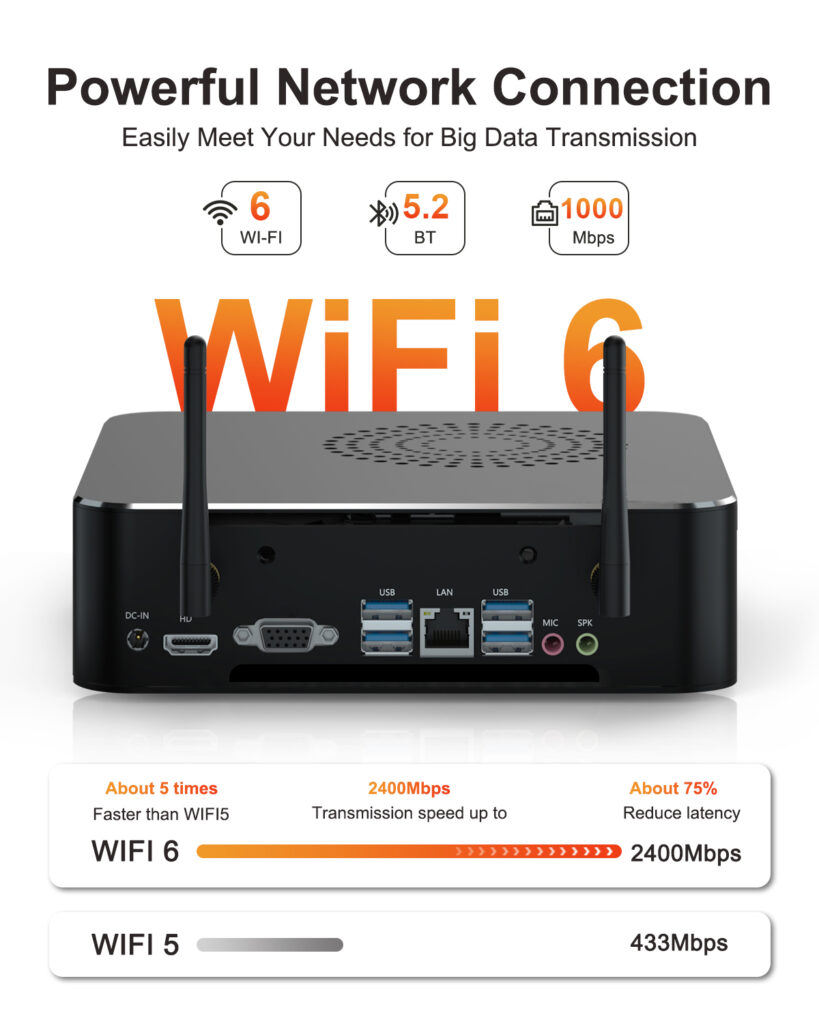
Hystou M7 4K Dual Display Compact PC
- Processor: Intel Core i7-12650H/i5-12450H
- Graphics Card: Integrated graphics (supports 4K dual display output)
- Memory: Up to 64GB DDR4-3200MHz dual-channel RAM
- Storage: Supports M.2 NVMe SSD (capacity not specified)
- Network: 1000Mbps Gigabit Ethernet + WiFi 6 (2400Mbps)
- Additional Features: VESA mountable, Rich interface expansion, Efficient cooling system

HYSTOU
HYSTOU has established its R&D headquarters in Shenzhen, drawing on over a decade of experience. Our core team members, who previously served at renowned companies such as Inventec and Quanta Computer, form the backbone of our technical expertise. With robust R&D and innovation capabilities, we remain steadfast in our commitment to pursuing excellence in the field of technology products.



