Gaming Mini PC Configuration Guide: Essential Specs for 2026

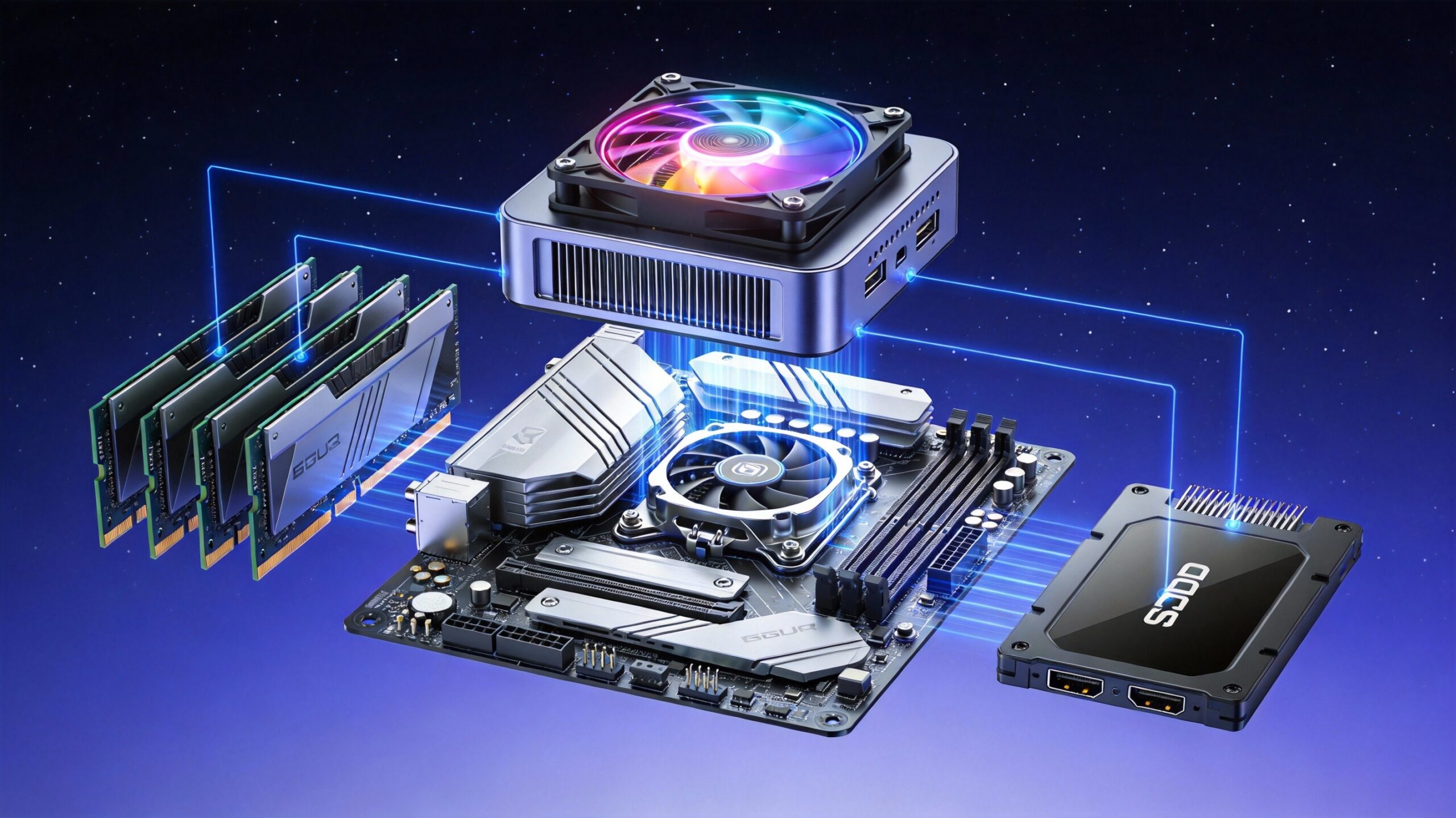
Gaming Mini PC Configuration: What You Need for Smooth Gameplay
Bulky gaming towers are no longer a desk staple. Today’s gaming mini PCs pack impressive power into compact frames. They’re perfect for space-saving setups, living room gaming, or LAN parties. But not all mini PCs perform equally. Gaming performance relies heavily on specific hardware configurations. This guide breaks down key specs to prioritize. It helps you balance power, portability, and value.
Key Processor (CPU) Requirements for Gaming Mini PCs
The CPU is your gaming mini PC’s “brain.” It handles in-game calculations, AI, and multitasking like streaming while gaming. For smooth gameplay, pick processors with high clock speeds and strong multi-core performance. This is critical for modern games that use multiple threads.
Top picks include Intel Core Ultra 7/9 series (e.g., Core Ultra 9 185H) and AMD Ryzen 7/9 HX series (e.g., Ryzen AI 9 HX 370). These chips offer 6-8 cores (12-16 threads). Base clock speeds start at 2.5GHz+, with boost speeds up to 5.0GHz+. They easily handle AAA games and concurrent tasks. Avoid entry-level CPUs like Intel Core i3 or AMD Ryzen 3. They may struggle with graphically intensive titles or future game updates.
Choose between Intel and AMD based on your ecosystem. Intel pairs well with Arc GPUs for ray tracing. AMD’s Ryzen processors have high-performance Radeon graphics. They’re great for budget builds without dedicated GPUs.
Graphics Card (GPU): The Backbone of Gaming Performance
For gaming, the GPU matters more than the CPU. It renders in-game visuals, handles texture details, and determines frame rates. Mini PCs have space limits. Focus on compact dedicated GPUs or powerful integrated graphics that don’t sacrifice performance.
Compact dedicated GPUs for mini PCs include NVIDIA GeForce RTX 4060 and AMD Radeon RX 7600. They support 1080p/1440p gaming at 60+ FPS on medium-high settings. Top integrated graphics options are AMD Radeon 890M (in Ryzen 9 HX 370) and Intel Arc 140T (in Core Ultra 9). They run popular games like Fortnite, Valorant, and FIFA smoothly at 1080p. Avoid GPUs with less than 4GB VRAM. Modern games need ample video memory for high-resolution textures.
Ray tracing support enhances immersion. Look for RTX or Arc GPUs if you want realistic lighting in games like Cyberpunk 2077. For budget builds, prioritize GPU performance over other specs. It has the most direct impact on gameplay quality.
RAM: Ensure Smooth Multitasking and Gameplay
RAM acts as temporary storage for in-game data. It lets the CPU and GPU access information quickly. Insufficient RAM causes stutters, load delays, and crashes. This is especially true when multitasking or playing open-world games.
The minimum RAM for gaming mini PCs is 16GB DDR5 (5600MHz+). 8GB will bottleneck modern titles. Opt for 32GB DDR5 for optimal performance. It enables seamless multitasking—gaming, streaming, and Discord at the same time. It also future-proofs your system for upcoming games. Prioritize dual-channel RAM. It boosts memory bandwidth by up to 50% compared to single-channel setups. Avoid DDR4 RAM if possible. DDR5 offers faster speeds and better energy efficiency for gaming.
Expandability is key. Choose a mini PC that supports up to 64GB or 128GB RAM. This lets you upgrade later without replacing the entire system.
Storage: Speed and Capacity for Gaming
Game load times and system responsiveness depend on storage. Mini PCs benefit from fast, compact storage. It saves space and generates less heat.
Use an NVMe SSD as primary storage (minimum 512GB). Look for read speeds of 3500MB/s+. This cuts load times for open-world games and speeds up boot times. For game libraries, try a hybrid setup. Use a 1TB NVMe SSD for frequently played games. Add a 2TB+ HDD for extra storage—ideal for older titles or media. Avoid SATA SSDs if you can. NVMe is 3-5x faster. Ensure the mini PC has M.2 slots for SSD upgrades. This is the standard for compact systems.
For portable gamers, external SSDs work well. Choose USB 3.2 Gen 2 or Thunderbolt 4 for fast transfer speeds. No internal upgrades are needed.
Cooling System and Connectivity: Overlooked Essentials
Gaming generates heat. Mini PCs’ compact design worsens thermal pressure. Poor cooling causes throttling (reduced performance) and long-term hardware damage. Look for advanced cooling solutions. Options include dual copper heat pipes, high-static fans, or liquid cooling (premium models).
Geekom’s Ice Blast 2.0 system, for example, boosts thermal efficiency by 52% vs. standard designs. It keeps operation quiet during intense gameplay.
Connectivity is another critical factor. Ensure the mini PC has these ports: at least one HDMI 2.1 or DisplayPort 1.4 (for 4K/144Hz monitors), 2-3 USB 3.2 Gen 2 ports (for gaming peripherals), a 2.5Gbps LAN port (for lag-free online gaming), and Wi-Fi 7 support (for wireless flexibility). Bluetooth 5.3 is ideal for wireless controllers and headsets. Avoid mini PCs with only USB 2.0 ports or outdated Wi-Fi 5. They limit peripheral compatibility and network performance.
Final Tips for Choosing a Gaming Mini PC
Balance performance and portability. Need a travel-friendly system? Prioritize integrated graphics and fanless cooling for quiet operation. For stationary setups, pick a mini PC with a dedicated GPU and expandable storage. Always check real-world benchmarks for the specific model. Don’t rely solely on specs—thermal design and component optimization vary by brand.

HYSTOU
HYSTOU has established its R&D headquarters in Shenzhen, drawing on over a decade of experience. Our core team members, who previously served at renowned companies such as Inventec and Quanta Computer, form the backbone of our technical expertise. With robust R&D and innovation capabilities, we remain steadfast in our commitment to pursuing excellence in the field of technology products.