DDR4 or DDR5? The Ultimate RAM Buying Guide for Every Gamer


When building or upgrading a gaming rig, RAM is often an afterthought. However, it is a vital component that dictates how smoothly your system runs.
Currently, the market is shifting from DDR4 to DDR5. This guide will help you understand the differences and avoid common buying mistakes.
What is RAM and Why Does it Matter?
Think of RAM (Random Access Memory) as your computer’s temporary workspace.
When you launch a game, the system moves data from your slow SSD to the lightning-fast RAM. This allows your CPU to access game files instantly. Consequently, if your memory is too slow or too small, you will experience stuttering, frame drops, or crashes.
DDR4 vs. DDR5: What Are the Real Differences?
The first step is checking your motherboard compatibility. Note: DDR4 and DDR5 slots are physically different and not interchangeable.
1. Speed and Frequency
DDR4 typically peaks around 3600MHz. In contrast, DDR5 starts at 4800MHz and can exceed 8000MHz. Higher frequency means faster data transfers.
2. Bandwidth Efficiency
DDR5 offers significantly higher bandwidth. It handles the massive data flow of modern open-world games much better than older generations.
3. Power Management
DDR5 is more efficient. It features an on-chip Power Management Integrated Circuit (PMIC). This ensures more stable voltage control directly on the module.
How Memory Affects Gaming Performance
Many gamers focus only on capacity. However, performance specs are equally important.
1. Eliminating Micro-Stutters (0.1% Low FPS)
Average FPS doesn’t tell the whole story. Many gamers suffer from “micro-stutters” despite having high frame rates. High-performance RAM improves 0.1% Low FPS, ensuring your gameplay remains butter-smooth during intense combat or fast-paced scenes.
2. Seamless Asset Streaming in Unreal Engine 5
Modern open-world games use “Asset Streaming” to load textures in real-time. Fast memory bandwidth prevents texture pop-in and ensures that distant landscapes load instantly without visual glitches.
3. A "Free" GPU Upgrade for Mini PC Users
If you are using a Mini PC or a laptop with Integrated Graphics (iGPU), your RAM acts as your Video Memory (VRAM). Upgrading to high-frequency, dual-channel DDR5 can boost your gaming performance by up to 30%, effectively giving you a massive GPU upgrade for a fraction of the cost.
4. Reducing System Latency
For competitive gamers, every millisecond counts. Low-latency RAM reduces the communication time between your CPU and GPU. Consequently, your mouse movements and inputs feel more responsive, giving you a crucial edge in fast-paced shooters.
How Much RAM Do You Need in 2026?
Your choice depends on your specific gaming habits and budget.
| Player Type | Recommended Capacity | Typical Usage |
| Entry-Level | 16GB | Esports titles (Valorant, LoL) at 1080p. |
| Mainstream | 32GB | The Gold Standard for 2026. 4K gaming and 3A titles. |
| Hardcore/Pro | 64GB+ | Heavy modding, simulation games, or 4K video editing. |
The Top "RAM Killer" Games
If you plan to play these titles, we strongly recommend at least 32GB of RAM:
Cities: Skylines II: As your city grows, the simulation data requires massive amounts of memory.
Microsoft Flight Simulator: Loading global textures in real-time is extremely memory-intensive.
Escape from Tarkov: This game is notorious for high memory usage. More RAM leads to faster load times and fewer stutters.
Cyberpunk 2077: High-density crowds and Ray Tracing demand a lot from your system’s resources.

Pro-Tips: Avoid These Common Mistakes
Enable XMP or EXPO
This is the most common mistake. Many “6000MHz” RAM sticks run at 4800MHz by default. You must enter your BIOS and enable XMP (Intel) or EXPO (AMD) to reach the advertised speeds.
Always Use Dual Channel
Never use a single stick of RAM. Two 16GB sticks (Dual Channel) are much faster than one 32GB stick. Using two slots doubles the memory bandwidth, significantly improving performance.
Check Physical Clearance
If you use a Mini PC or a Small Form Factor (SFF) case, check the height of the RAM heat sinks. Some high-performance modules are very tall and may hit your CPU cooler. In these cases, look for Low Profile (LP) RAM.
The end
For most gamers in 2026, 32GB of DDR5 6000MHz+ is the sweet spot for performance and longevity.
If you are on an older platform, DDR4 3600MHz is still viable. However, for a new gaming PC, investing in DDR5 is the best way to future-proof your setup.

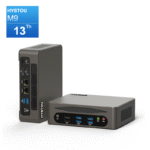
HYSTOU
HYSTOU has established its R&D headquarters in Shenzhen, drawing on over a decade of experience. Our core team members, who previously served at renowned companies such as Inventec and Quanta Computer, form the backbone of our technical expertise. With robust R&D and innovation capabilities, we remain steadfast in our commitment to pursuing excellence in the field of technology products.