operations@hystou.com

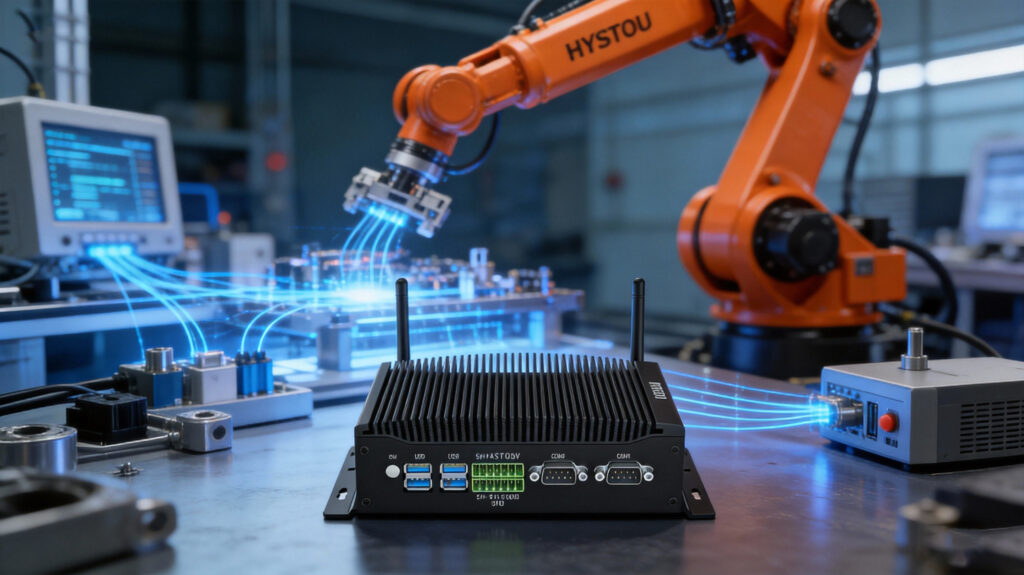
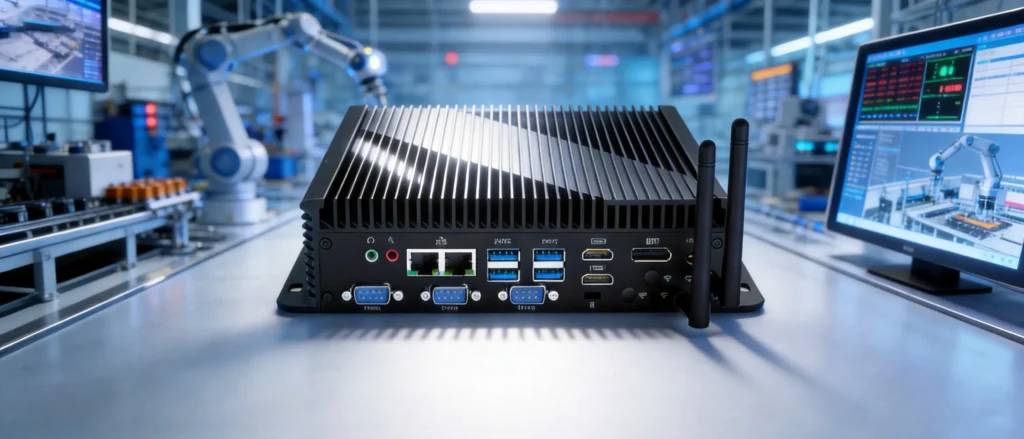
Rugged fanless industrial PC controlling robotic arms in a smart factory environment, symbolizing 2026 Edge AI automation trends

Top 5 Industrial Computing Hardware Trends Defining 2026

Top 5 Industrial Computing Hardware Trends Defining 2026 Announcements Buyer Guide Comprehensive Tips Occasion Product Review Q&A Tutorials The Shift from “Smart” to “Autonomous” We have officially entered 2026, and the landscape of industrial automation is no longer just about connecting devices—it is about enabling them to think. For system integrators and manufacturing CTOs, the hardware deployed on the factory floor this year faces a new set of demands. It is not enough to simply survive harsh environments; today’s Industrial PCs (IPCs) must process complex AI models locally and communicate at speeds previously reserved for data centers.Based on the latest silicon roadmaps and market shifts, here are the five critical trends in industrial computing hardware that are dominating 2026. 1. The NPU Revolution: Edge AI Goes Native For years, running AI at the edge meant bulky setups with power-hungry discrete GPUs. That era is ending. The most significant hardware shift in 2026 is the standardization of the Neural Processing Unit (NPU) directly within the CPU die.Processors like Intel’s Core Ultra series and advanced ARM-based SoCs now integrate dedicated AI acceleration engines. This architecture allows compact, fanless industrial computers to execute machine vision, optical inspection, and predictive maintenance workloads efficiently. Why it matters: It solves the bandwidth bottleneck. By processing sensitive production data locally on the NPU, manufacturers achieve millisecond latency and enhanced privacy, eliminating the need to stream terabytes of raw video footage to the cloud. 2. Workload Consolidation via Virtualization Factory floors have traditionally been cluttered with hardware: a PLC for control, an HMI for visualization, and a gateway for telemetry. The trend for 2026 is strictly “All-in-One.”Thanks to the high core counts of modern embedded processors, engineers are now leveraging Hypervisor technology to run mixed-criticality workloads on a single rugged device. Real-world application: Imagine a single IPC running a Real-Time Operating System (RTOS) on two dedicated cores for motion control, while simultaneously running Windows 11 IoT on the remaining cores for the operator interface and cloud dashboarding. The Benefit: This drastically lowers the Total Cost of Ownership (TCO), simplifies cabling complexity, and reduces failure points. 3. Connectivity Upgrades: Wi-Fi 7 and 5G RedCap In 2026, wire-like reliability over wireless channels is finally becoming a reality. Two specific protocols are reshaping how hardware connects: Wi-Fi 7 (802.11be): This is the game-changer for autonomous mobile robots (AMRs) and AGVs. With Multi-Link Operation (MLO), devices can send data across multiple frequency bands simultaneously. This ensures that even in interference-heavy warehouses, vehicles maintain a stable connection while roaming. 5G RedCap (Reduced Capability): Not every sensor needs the blistering speed of full 5G. RedCap is the “Goldilocks” standard for 2026—offering better speed than 4G, but with lower power consumption and cost than standard 5G. Expect to see RedCap-native gateways becoming the standard for dense sensor networks. 4. Modular Compute (SOM) as a Standard The pace of AI algorithm development is moving faster than the lifecycle of industrial machinery. To prevent hardware from becoming obsolete within two years, the industry is aggressively adopting System on Module (SOM) architectures.Instead of soldering the processor to the mainboard, manufacturers are using modular compute units. If you need to upgrade from an entry-level AI model to a complex Large Language Model (LLM) at the edge in 2027, you won’t need to replace the entire industrial controller—just the compute module. This modularity is becoming a key requirement in RFQs (Requests for Quotation) this year. 5. Hardware-Enforced Zero Trust Security Cybersecurity is no longer just a software concern. With the convergence of OT and IT, the attack surface has widened. In response, 2026 hardware is being built with a “Zero Trust” philosophy at the physical level.We are seeing a mandate for TPM 2.0 modules and security processors like Microsoft Pluton becoming standard in industrial builds. Furthermore, compliance with IEC 62443-4-2 is becoming a baseline requirement. This ensures that the hardware itself—from the BIOS to the boot process—is hardened against tampering before the operating system even loads. Final Thoughts: Future-Proofing Your 2026 Infrastructure The industrial computing hardware of 2026 is defined by a balance of raw power and efficiency. It is smaller, smarter, and more integrated than ever before.For decision-makers, the strategy is clear: stop procuring hardware that solves yesterday’s problems. Look for NPU-enabled, Wi-Fi 7-ready, and virtualization-capable devices. These are the pillars that will support the next generation of smart manufacturing. HYSTOU HYSTOU has established its R&D headquarters in Shenzhen, drawing on over a decade of experience. Our core team members, who previously served at renowned companies such as Inventec and Quanta Computer, form the backbone of our technical expertise. With robust R&D and innovation capabilities, we remain steadfast in our commitment to pursuing excellence in the field of technology products. Facebook Twitter Youtube Tumblr

Top 5 Industrial Computing Hardware Trends Defining 2026 Read More »

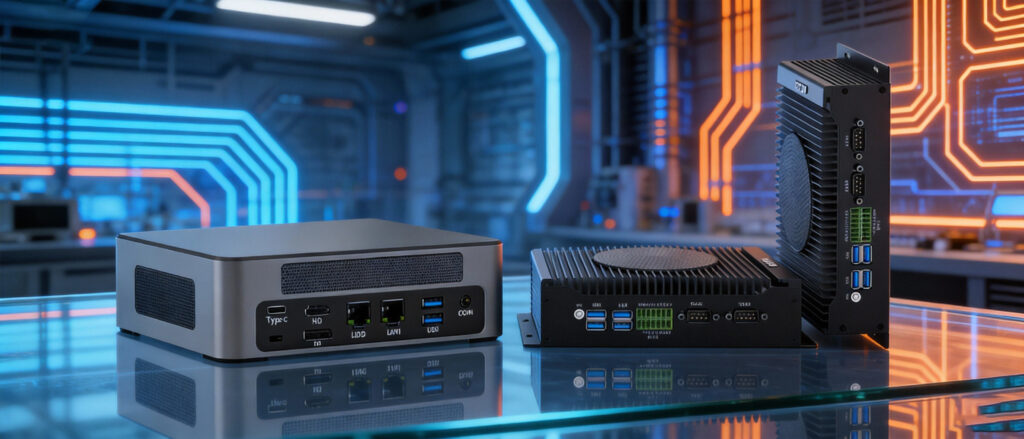
HYSTOU M9 next to H6 Industrial PC comparison for Windows 11 IoT

The Ultimate Performance Review: HYSTOU M9 vs. H6 Industrial PCs for Windows 11 IoT Enterprise

The Ultimate Performance Review: HYSTOU M9 vs. H6 Industrial PCs for Windows 11 IoT Enterprise Announcements Buyer Guide Comprehensive Tips Occasion Product Review Q&A Tutorials In the fast-paced world of industrial automation, selecting the right hardware for Windows 11 IoT Enterprise is critical. The operating system brings advanced security (TPM 2.0) and edge intelligence capabilities, but it requires hardware that can handle sustained workloads without failure. This comprehensive guide compares two flagship models from HYSTOU: the powerhouse M9 (Intel Core i5-1340P) and the rugged, reliable H6 Industrial Fan-Cooled PC. We analyze their architecture, thermal performance, and suitability for specific industrial applications, such as digital signage, Kiosks, and Factory Automation. 1. Executive Summary: Which PC Matches Your Needs? Before diving into the benchmarks, here is a quick verdict based on our assessment: The HYSTOU M9 is built for Computation. If your Windows 11 IoT application involves AI inference, real-time video analytics, or complex data processing, the 13th Gen Intel architecture is non-negotiable. The HYSTOU H6 is built for Connection and Stability. If you need a device to run 24/7 on a factory floor, connect to legacy PLCs via COM ports, and drive a triple-screen dashboard, the H6 is the superior choice. 2. Hardware Deep Dive: Under the Hood HYSTOU M9: The Raptor Lake Advantage The HYSTOU M9 is not just a standard office PC; it is a high-density computing node. CPU Architecture: It utilizes the Intel Core i5-1340P (12 Cores / 16 Threads). The “P” series balances performance and power efficiency. Hybrid Design: It features 4 Performance Cores (P-cores) for heavy tasks and 8 Efficient Cores (E-cores) for background processes. In a Windows 11 IoT environment, this means the OS can run updates or security scans on E-cores without lagging your main control software running on P-cores. Graphics: Integrated Intel Iris Xe Graphics (80EU) allows for 8K video output, making it suitable for high-end medical displays or advertising kiosks. HYSTOU H6: Industrial Ruggedization The HYSTOU H6 prioritizes physical durability and connectivity. Cooling System: Unlike consumer PCs, the H6 uses an industrial-grade Active Fan-Cooled system designed to move high volumes of air. This prevents heat pockets from forming during continuous 24/7 operation. I/O Richness: It typically features multiple COM ports (RS232/485). For Windows 11 IoT, this is crucial for bridging the gap between modern cloud dashboards and legacy serial machinery. Triple Display: The ability to drive three independent monitors natively is a key feature for control rooms. 3. Windows 11 IoT Enterprise: Performance & Compatibility Installing Windows 11 IoT on these devices unlocks specific features. Here is how they perform: Boot Speed & TPM 2.0 Compliance Both devices are fully compatible with Windows 11 requirements, including Secure Boot and TPM 2.0. M9: Boot time is approximately 6-8 seconds (Fast Boot enabled). The NVMe PCIe 4.0 SSD speeds significantly reduce application load times. H6: Boot time averages 12-15 seconds. The focus here is on a successful “handshake” with connected peripherals (displays, scanners) during boot, ensuring no driver failures. Stress Test: Thermal Throttling We simulated a heavy workload (100% CPU usage) to test stability. Scenario: Continuous data logging while rendering a 4K dashboard. M9 Performance: The CPU turbo boosts to 4.6GHz instantly. Under sustained load, it settles into a high-performance state. The fan spins up but remains relatively quiet. H6 Performance: The H6 maintains a lower, consistent clock speed. The industrial fan keeps the chassis cool to the touch. Result: Zero thermal throttling observed over a 48-hour period. 4. Connectivity and Expansion Industrial PCs live and die by their ports. Feature HYSTOU M9 HYSTOU H6 USB Ports High Speed (USB 3.2/Type-C) Mix of USB 3.0 & 2.0 (Stable) Network 2.5GbE LAN + Wi-Fi 6 Dual LAN (Intel Chips) Serial Ports Limited (Usually, USB adapters are needed) Native COM Ports (RS232) Display HDMI + Type-C (Up to 8K) Triple HDMI/DP (Multi-screen) Storage Dual M.2 NVMe Slots M.2 SSD + 2.5″ SATA HDD Support Expert Tip: If you are using Windows 11 IoT for Machine Vision (cameras), choose the M9 for its USB bandwidth. If you are connecting to PLCs or CNC machines, choose the H6 for its native COM ports to avoid driver issues with USB-to-Serial adapters. 5. Application Scenarios Case A: The Smart Kiosk (Retail/Banking) Recommendation: HYSTOU M9 Why: Kiosks demand responsiveness. Users expect smartphone-like speed when touching the screen. The i5-1340P ensures smooth animations and instant query responses. The compact size fits easily inside slim kiosk enclosures. Case B: Production Line Monitoring (HMI) Recommendation: HYSTOU H6 Why: This environment is dusty and requires the PC to run for months without a reboot. The H6 can drive three screens: one for production data, one for camera feeds, and one for ERP systems. Windows 11 IoT’s “Assigned Access” feature works perfectly here to lock the H6 into specific apps 6. Frequently Asked Questions (FAQ) Can the HYSTOU H6 run Windows 11 without a TPM chip? Most modern HYSTOU H6 units come with fTPM (Firmware TPM) enabled in the BIOS, making them fully compatible with Windows 11 official installation requirements. Is the fan on the H6 loud? No, “Industrial Fan-Cooled” does not mean loud. It means the fan bearing is designed for long life (50,000+ hours) and consistent airflow, rather than silence, though it is generally unobtrusive in a factory setting. Can I upgrade the RAM on the M9? Yes, the M9 supports dual-channel DDR4/DDR5 (depending on specific sub-model configuration), allowing for significant memory expansion, which is beneficial for virtualization on Windows 11. 7. Conclusion Choosing between the HYSTOU M9 and H6 depends entirely on your deployment environment.For clean, high-performance environments where processing speed is king, the M9 with Intel i5-1340P is an investment in future-proof computing.For demanding, mixed-signal industrial environments where reliability trumps raw speed, the H6 Industrial PC offers the peace of mind that your automation system will stay online, day in and day out. HYSTOU HYSTOU has established its R&D headquarters in Shenzhen, drawing on over a decade of experience. Our core team members, who previously served at renowned companies such as Inventec

The Ultimate Performance Review: HYSTOU M9 vs. H6 Industrial PCs for Windows 11 IoT Enterprise Read More »

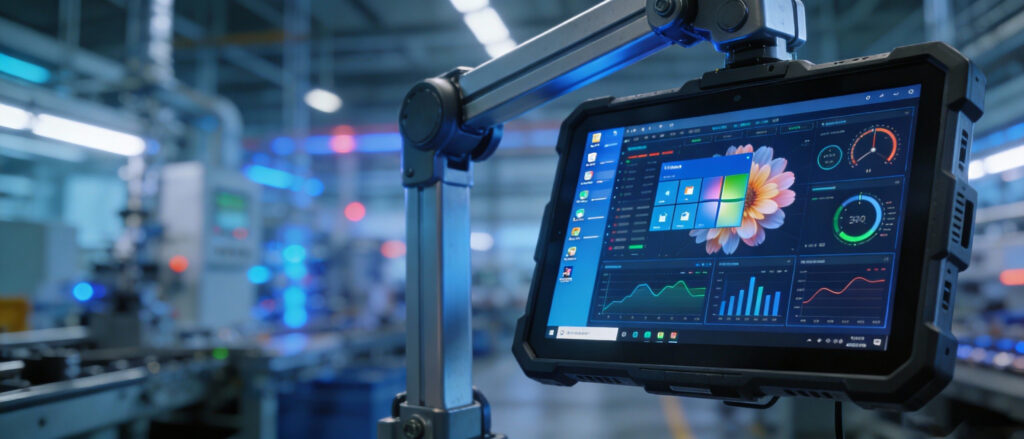
Industrial computing hardware running Windows 11 IoT Enterprise in a smart manufacturing factory.

Why Windows 11 IoT Enterprise is the Paradigm Shift for Industrial Computing Hardware

Why Windows 11 IoT Enterprise is the Paradigm Shift for Industrial Computing Hardware Announcements Buyer Guide Comprehensive Tips Occasion Product Review Q&A Tutorials The Convergence of IT and OT In the rapidly evolving landscape of Industry 4.0, the demarcation line between Operational Technology (OT) and Information Technology (IT) is becoming increasingly porous. Industrial PCs (IPCs) are no longer isolated units controlling assembly lines; they have evolved into critical nodes for cloud connectivity, edge analytics, and big data processing.Microsoft’s Windows 11 IoT Enterprise represents more than a mere incremental update; it is a systemic re-engineering designed to address the trifecta of modern industrial challenges: Cybersecurity, Interoperability, and Longevity. This article provides a comprehensive analysis of why transitioning to this platform is a strategic imperative for hardware manufacturers and system integrators. 1. Zero Trust Architecture: A Robust Cybersecurity Posture Industrial Control Systems (ICS) have increasingly become prime targets for ransomware and sophisticated cyberattacks. Windows 11 IoT Enterprise elevates security to the hardware level, redefining industrial defense through a “Zero Trust” methodology. Mandatory TPM 2.0 Integration: Unlike its predecessors, Windows 11 necessitates the presence of a Trusted Platform Module (TPM) 2.0. This serves as a hardware-based Root of Trust, safeguarding sensitive encryption keys and ensuring firmware integrity against physical tampering. Virtualization-Based Security (VBS) & HVCI: By leveraging hardware virtualization, VBS creates an isolated memory region. This ensures that even if the OS kernel is compromised, malicious code cannot execute within the protected memory space. Passwordless Authentication: Support for Windows Hello for Business enables operators to access Human-Machine Interfaces (HMIs) via secure biometrics, mitigating the risks associated with weak or shared credentials on the factory floor. 2. LTSC: The Ten-Year Commitment to Stability In industrial environments, distinct from consumer markets, “change” is often synonymous with “risk.” Manufacturing equipment demands continuous uptime and consistent behavior over extended periods. Long-Term Servicing Channel (LTSC): The Windows 11 IoT Enterprise LTSC offering (expected 2024 version) provides a 10-year support lifecycle. During this decade, devices receive critical security patches but are exempt from feature updates, preventing unexpected OS changes from disrupting validated industrial applications. Alignment with Fixed BOM Hardware: LTSC perfectly complements the “Fixed Bill of Materials” strategy employed by industrial hardware vendors, ensuring that the software environment remains compatible with specific hardware drivers for a decade. 3. Native Optimization for Edge Computing and AI The factory of the future is data-driven, with processing power shifting from the cloud to the edge. Windows 11 IoT Enterprise provides the requisite infrastructure for high-performance Edge AI. Intel Hybrid Architecture Scheduling: Windows 11 features an advanced scheduler optimized for Intel’s 12th Gen (and newer) hybrid architecture (P-cores and E-cores). It intelligently routes critical real-time control tasks to Performance cores while relegating background telemetry to Efficiency cores. Product in Action: To fully capitalize on this scheduling capability, the Hystou H4-12th Gen Industrial PC is engineered with the Intel Core i5-1235U processor. Its hybrid architecture works in tandem with Windows 11 to deliver a 40% efficiency boost in machine vision algorithms compared to legacy platforms, all while maintaining optimal thermal performance. Windows Subsystem for Linux (GUI): This feature significantly enhances developer productivity. Engineers can now run Linux GUI applications—such as ROS (Robot Operating System) simulations or AI inference models—directly alongside Windows applications, eliminating the overhead of dual-booting or resource-heavy virtual machines. This effectively bridges the gap between Windows and Linux on the factory floor. 4. Granular Control: Tailored for Fixed-Purpose Device Unlike the general-purpose Windows 11 Pro, the IoT Enterprise edition empowers administrators with absolute control over the device environment, a critical requirement for kiosks, digital signage, and medical devices. Multi-App Kiosk Mode: IT managers can configure devices to launch specific industrial software upon boot. By suppressing the Start menu, taskbar, and system notifications, the OS prevents operator error and ensures the device remains dedicated to its specific function. Use Case: For dedicated terminals requiring maximum uptime, the Hystou H3-N100 Fanless Mini PC is the ideal candidate. When paired with Windows 11 Kiosk Mode and its efficient Intel N100 processor, it operates as a secure, locked-down “black box” solution, eliminating the risk of accidental operator interference in factory settings. OS Debloating: The platform allows for the removal of consumer-centric bloatware (e.g., Xbox services, Weather, News). This streamlined footprint reduces the attack surface and frees up system resources for mission-critical operations. 5. Enhanced Connectivity and Interoperability As industrial communication protocols become more complex, the demand for bandwidth and low latency increases. Native Support for USB 4.0 and Wi-Fi 6E: Windows 11 IoT offers out-of-the-box support for the latest high-speed interfaces. This capability is vital for connecting high-resolution machine vision cameras and LiDAR systems, as well as facilitating massive wireless data transfer. Soft Real-Time Capabilities: While not a Hard Real-Time Operating System (RTOS), the IoT Enterprise edition features optimized thread prioritization. This delivers “Soft Real-Time” performance sufficient for a vast array of automation tasks, such as process monitoring and quality inspection. Featured Hardware Ready for Windows 11 IoT Legacy hardware often lacks the specifications required to support the advanced features of the new OS. To ensure a seamless transition to Industry 4.0, we recommend the following validated platforms from Hystou: 1. For High-Performance Edge Computing: Hystou H4-12th Gen Industrial PC Core Strength: Powered by the Intel Core i5-1235U (10 Cores/12 Threads), explicitly optimized for Windows 11’s hybrid scheduling. Industrial Spec: Features 6 COM ports, a fanless rugged design, and wide-temperature operation (-10°C to 55°C), making it the premier choice for complex SCADA systems and AI inference. 2.For Efficient Gateways & Kiosks: Hystou H3-N100 Fanless Mini PC For Efficient Gateways & Kiosks: Hystou H3-N100 Fanless Mini PC Conclusion Migrating to Windows 11 IoT Enterprise is not merely an aesthetic upgrade; it is a strategic investment in future-proof infrastructure. By addressing compliance through TPM 2.0, enabling AI convergence via WSL, and guaranteeing stability through the LTSC model, it stands as the definitive operating system for the next generation of industrial hardware.Ready to Future-Proof Your Industrial Infrastructure?Our engineering team is available to assess your current hardware compatibility and

Why Windows 11 IoT Enterprise is the Paradigm Shift for Industrial Computing Hardware Read More »

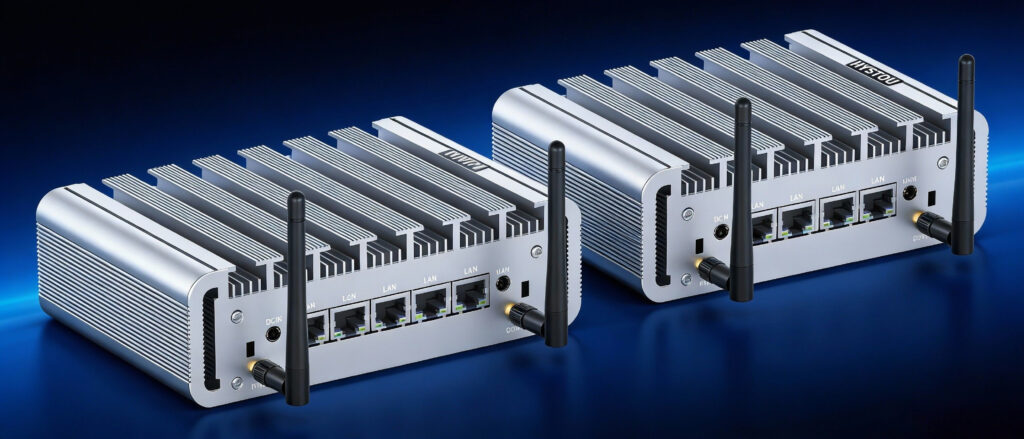
Best budget fanless mini PCs for firewalls Hystou P09B 4L and N100 6-port compared

Best Budget Fanless Mini PC (Multi-Network Port Design) for Network Security Devices: The Ultimate Guide

Best Budget Fanless Mini PC (Multi-Network Port Design) for Network Security Devices: The Ultimate Guide Announcements Buyer Guide Comprehensive Tips Occasion Product Review Q&A Tutorials In the rapidly evolving world of cybersecurity, reliance on standard consumer hardware is no longer sufficient. For network administrators, SMB owners, and home lab enthusiasts, the hardware backbone of their security infrastructure is critical. This brings us to the rising star of the industry: the Fanless Mini PC.Specifically, the Multi-Network Port Design has become a prerequisite for running advanced firewall operating systems, such as pfSense, OPNsense, Proxmox, and OpenWRT.Today, we are reviewing two market-leading solutions from Hystou that strike the perfect balance between performance, energy efficiency, and cost: The Industrial Specialist: Hystou P09B 4L (N100/DDR5) The Connectivity King: Hystou N100 6-Port Firewall PC Why “Fanless” and “Multi-Port” Are Non-Negotiable Before diving into the models, it is essential to understand the SEO of your network hardware—Stability, Efficiency, and Organization. 1. The Fanless Advantage A Fanless Mini PC uses passive cooling via a conductive chassis (usually aluminum). Zero Noise: Perfect for quiet offices or living rooms. High Reliability: With no moving parts, there is no risk of fan failure. Dust Resistance: Without airflow sucking in dust, the internal components last significantly longer in industrial or dusty environments. 2. The Power of Multi-Network Port Design A standard PC has one LAN port. A security device needs distinct physical paths for data: WAN (Wide Area Network): Direct connection to your modem. LAN (Local Area Network): Connection to your internal switch/Wi-Fi. DMZ & Failover: Extra ports allow you to isolate public servers or connect a second ISP for redundancy. Deep Dive: Hystou P09B-4L Industrial Firewall Tailored Configurations for Optimal Performance Best For: Factories, Harsh Environments, and Minimalist Home Labs.The Hystou P09B is built like a tank. It prioritizes durability and core performance over excessive expansion. Core Specs & Performance CPU: Intel Alder Lake N100 (Quad-Core, 6W TDP). RAM: DDR5 Support (4800MHz). LAN: 4x Intel i226-V 2.5GbE. Why It Stands Out The inclusion of DDR5 memory is crucial. Firewall software performs deep packet inspection (DPI). Faster RAM allows the system to process logs and filter traffic with lower latency compared to older DDR4 systems.The Industrial Design features a heavily finned top case. This maximizes heat dissipation, ensuring the N100 processor maintains peak turbo frequencies even under 24/7 load. Deep Dive: Hystou N100 6-Port (6x 2.5G) Best For: Virtualization (Proxmox), Small Offices, and Advanced Routing.If your network topology is complex, the Hystou N100 6-Port is the ultimate budget solution. The “6-Port” Use Case Why do you need 6 ports? ISP Load Balancing: Combine two 1Gbps internet connections into one robust network. Physical Segmentation: Assign Port 3 to “IoT Devices” (Cameras), Port 4 to “Guest Wi-Fi,” and Port 5 to “Office Data,” physically preventing hackers from jumping across networks. NAS Direct Link: Use the 2.5GbE speed to transfer files directly to a storage server without clogging the main switch. Storage & Expansion This model typically supports M.2 NVMe SSDs, ensuring that boot times for your OS (like pfSense) are instantaneous and log writing is swift. Technical Analysis: Why Intel N100 is the “Game Changer” In the past, budget firewalls used Intel Celeron J4125 chips. The Intel N100 (featured in both Hystou models) is a massive leap forward. Performance: The N100 is roughly 40-50% faster than the J4125 in single-core performance, which is vital for VPN encryption (WireGuard/OpenVPN). Energy Efficiency: Built on the “Gracemont” architecture (Intel 7 process), it delivers this performance while sipping only 6 to 15 watts of power. AES-NI: Native encryption acceleration means your VPN speed is limited by your internet bandwidth, not your hardware. Comparison: P09B vs. N100 6-Port Feature Hystou P09B-4L Hystou N100 6-Port Processor Intel N100 (Alder Lake) Intel N100 (Alder Lake) Ethernet Ports 4x Intel 2.5GbE 6x Intel 2.5GbE Memory Tech DDR5 (Faster) DDR5 (Faster) Chassis Style Industrial Rugged (Heavy Fins) Compact Consumer/Pro Ideal Deployment Wiring Closets, Factories Desktops, Server Racks Primary Benefit Durability & Heat Management Connectivity & Expansion Software Compatibility Both units are x86-64 architecture, meaning they are compatible with almost all major operating systems: Firewalls: pfSense CE, OPNsense, OpenWRT, Sophos XG Home. Virtualization: Proxmox VE, VMware ESXi (Note: Requires i226-V driver support). General: Windows 11 Pro, Ubuntu, CentOS. FAQ: Frequently Asked Questions Q: Can these devices handle Gigabit Internet?A: Yes. With Intel 2.5GbE ports and the N100 CPU, both models can easily route 1Gbps and even 2.5Gbps WAN speeds with firewall rules enabled.Q: Do these come with Wi-Fi?A: Most Hystou Mini PCs have a Mini-PCIe or M.2 slot for a Wi-Fi card, but for a security device, it is recommended to use the Ethernet ports with a dedicated Wireless Access Point (AP) for better coverage and security.Q: Is 8GB RAM enough for a firewall?A: Yes. For pure firewall use (pfSense), 8GB is overkill (4GB is usually plenty). However, if you plan to use IDS/IPS (Suricata) or run Proxmox with multiple VMs, 16GB or 32GB is recommended. Conclusion Choosing the Best Budget Fanless Mini PC comes down to your specific port requirements. For maximum durability and industrial reliability, the Hystou P09B 4L is the winner. For maximum network flexibility and virtualization, the Hystou N100 6-Port offers unbeatable value. Upgrade your network security today with Hystou’s efficient, silent, and powerful multi-port solutions. HYSTOU HYSTOU has established its R&D headquarters in Shenzhen, drawing on over a decade of experience. Our core team members, who previously served at renowned companies such as Inventec and Quanta Computer, form the backbone of our technical expertise. With robust R&D and innovation capabilities, we remain steadfast in our commitment to pursuing excellence in the field of technology products. Facebook Twitter Youtube Tumblr

Best Budget Fanless Mini PC (Multi-Network Port Design) for Network Security Devices: The Ultimate Guide Read More »

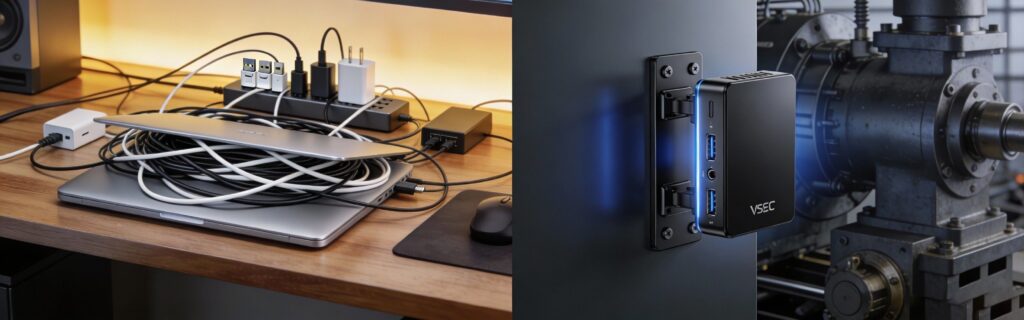
Comparison of USB-to-Serial adapter mess versus clean RS232 Mini PC setup.

The Industrial Backbone: Why an RS232 Mini PC is Essential for Legacy Equipment Integration

The Industrial Backbone: Why an RS232 Mini PC is Essential for Legacy Equipment Integration? Announcements Buyer Guide Comprehensive Tips Occasion Product Review Q&A Tutorials Introduction In the sleek world of modern consumer tech, ports like USB-C and Thunderbolt dominate. Yet, the backbone of global manufacturing—the RS232 serial protocol—remains untouched by time. From automotive assembly lines in Detroit to textile factories in Southeast Asia, the 9-pin COM port is still king. However, connecting these robust legacy machines to modern IT infrastructure presents a unique challenge. Standard desktops have abandoned serial ports, and dongles are notoriously unreliable. Enter the RS232 Mini PC: the purpose-built bridge between the past’s reliable hardware and the future’s data capabilities. The “Rigid Demand”: Why RS232 Won’t Die Why do engineers insist on searching for “RS232 Mini PC” instead of just buying a cheaper consumer tower? The answer lies in the protocol’s nature. RS232 is a point-to-point communication standard that offers simplicity and low overhead. Unlike USB, which requires complex driver stacks, RS232 simply sends bits down a wire.For equipment like PLCs (Programmable Logic Controllers) and laboratory spectrometers, this simplicity equals reliability. These machines often run 24/7/365. They cannot tolerate the microsecond latencies or driver resets that occur with USB emulation. The Hidden Risks of USB-to-Serial Adapters Many businesses try to cut corners with USB-to-Serial converters, only to face the “hidden costs” later: Data Drift: In high-speed CNC operations, a slight delay in signal timing caused by USB conversion can ruin a precision cut. Driver Nightmares: A Windows update can frequently render third-party USB dongle drivers obsolete overnight, stopping production lines. Physical Connection: USB plugs are designed for easy removal; they vibrate loose easily in industrial settings. DB9 connectors on a Mini PC feature screw locks, ensuring a vibration-proof connection. Technical Deep Dive: Native Support and Voltage Control Not all RS232 ports are created equal. An industrial RS232 Mini PC offers features that consumer add-on cards cannot match. Super I/O Chip Integration: The COM ports are managed directly by the motherboard’s Super I/O controller, ensuring direct memory access (DMA) and fixed IRQ addresses. This guarantees real-time data processing. Pin 9 Voltage Selection: Many modern industrial Mini PCs allow users to configure Pin 9 via BIOS or jumper settings to output 5V or 12V. This is crucial for POS systems (powering customer displays) or barcode scanners, eliminating the need for extra power bricks. Built for the Factory Floor: Hardware Resilience An RS232 Mini PC is not just about the ports; it’s about where the PC survives. Fanless Design: Moving parts are the first to fail. Fanless Mini PCs use heat sinks to dissipate heat, making them impervious to conductive dust, oil mist, and metal shavings. Wide Temperature Range: Unlike an office PC that struggles above 30°C, industrial units can operate from -20°C to 70°C, making them suitable for unconditioned warehouses or outdoor enclosures. Key Industry Applications 1. CNC & ManufacturingOperators use RS232 Mini PCs to drip-feed G-Code to older CNC mills that lack Ethernet ports. The stability of the PC prevents buffer underruns, which could break expensive tooling.2. Healthcare AutomationBlood analyzers and older MRI machines often output data via serial streams. A Mini PC collects this data, parses it, and sends it to the hospital’s central EMR system via LAN or Wi-Fi.3. Retail & KiosksSelf-service kiosks use COM ports to connect reliable legacy peripherals: cash dispensers, receipt printers, and card readers. How to Choose the Right Model When sourcing an RS232 Mini PC, consider this checklist: Port Count: Do you need RS232, or also RS422/RS485 for long-distance transmission? Isolation: For electrically noisy environments, look for “Isolated COM Ports” to prevent power surges from frying the motherboard. Expansion: Does it have a Mini-PCIe or M.2 slot for 4G/5G modules to transmit the serial data remotely? The industrial world isn’t ready to say goodbye to RS232, and it shouldn’t have to. The RS232 Mini PC represents the perfect symbiosis of legacy reliability and modern computing power. By investing in dedicated industrial hardware, you secure your production line against downtime, data loss, and compatibility headaches. HYSTOU HYSTOU has established its R&D headquarters in Shenzhen, drawing on over a decade of experience. Our core team members, who previously served at renowned companies such as Inventec and Quanta Computer, form the backbone of our technical expertise. With robust R&D and innovation capabilities, we remain steadfast in our commitment to pursuing excellence in the field of technology products. Facebook Twitter Youtube Tumblr

The Industrial Backbone: Why an RS232 Mini PC is Essential for Legacy Equipment Integration Read More »

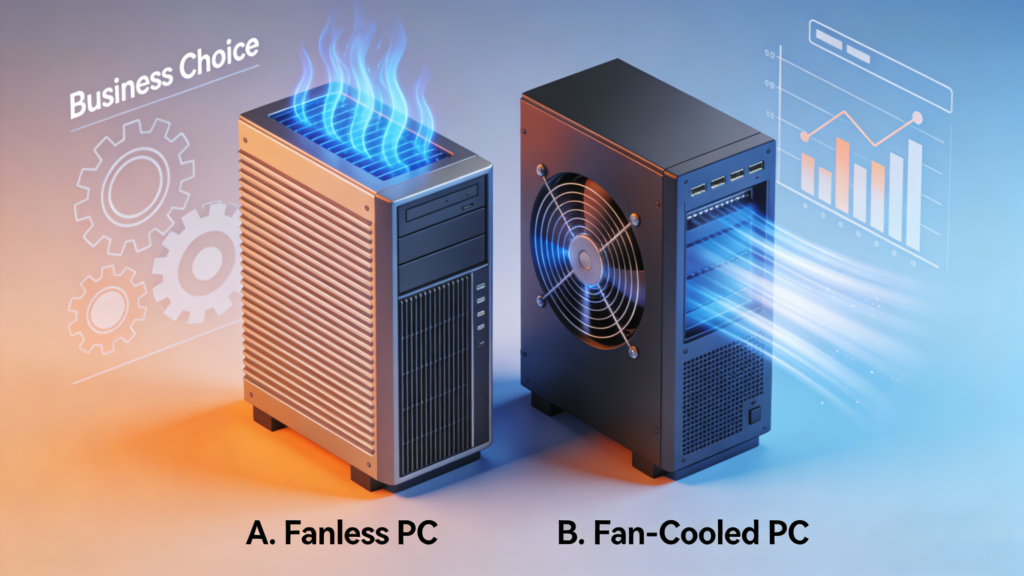
3D isometric comparison illustration of a fanless industrial PC with passive cooling fins versus a fan-cooled PC with active airflow, set against a business chart background.

Fanless vs. Fan-Cooled Industrial PCs: Which Is Best for Your Business?

Fanless vs. Fan-Cooled Industrial PCs: Which Is Best for Your Business? Announcements Buyer Guide Comprehensive Tips Occasion Product Review Q&A Tutorials In the world of industrial automation and edge computing, hardware failure is not an option. According to recent industry data, unplanned downtime can cost manufacturers thousands of dollars per hour. When selecting the “brain” for your operations, the cooling method—Fanless vs. Fan-Cooled—is often the single most critical decision impacting long-term reliability.While traditional tower desktops rely on fans, the rise of the Industrial Mini PC has shifted the market toward compact, passive cooling solutions. But is fanless always better? This comprehensive guide breaks down the engineering, costs, and use cases to help you choose the right infrastructure. 1. The Fan-Cooled Industrial PC (Active Cooling) Fan-cooled systems use internal fans to circulate air across the CPU and other components. This is the traditional method used in consumer electronics and high-performance servers. How It Works Active cooling draws ambient air into the chassis to cool the heat sink and exhausts hot air out.Pros: High Thermal Ceiling: Active cooling allows for high-wattage CPUs (like Intel Core i9 or Xeon, 125W+) to run at maximum speeds without throttling. Initial Cost: Generally cheaper to manufacture than sophisticated fanless heat-sink chassis. Expandability: Larger chassis often allow for full-sized GPU cards and multiple 3.5″ hard drives. Cons: The “Vacuum” Effect: Fans suck in dust, debris, and metal shavings. In a factory setting, this leads to short circuits and overheating. Mechanical Failure: The fan is a moving part. If the fan bearing fails, the system overheats and shuts down immediately. High Maintenance: Requires regular filter cleaning and fan replacement schedules. Best For: Climate-controlled server rooms, control centers, and high-load rendering tasks where the air is clean. 2. The Fanless Industrial PC (Passive Cooling) Fanless PCs dissipate heat through a specially designed, rugged chassis (usually aluminum or copper) that acts as a giant heat sink. This is the architecture used by most modern Industrial Mini PCs How It Works Using conductive cooling, heat is transferred from the CPU via heat pipes directly to the finned chassis, where it dissipates into the surrounding air naturally.Pros: Maximum Reliability: No moving parts means significantly higher Mean Time Between Failures (MTBF). Dust & Debris Proof: The sealed chassis prevents dust, moisture, and chemicals from entering (often rated IP65). Silent Operation: Zero noise pollution (0dB), ideal for medical or office environments. Vibration Resistance: With no spinning fans (and typically using SSDs), they are immune to shocks and vibrations common in logistics and machinery. Cons: Thermal Management: Relies on power-efficient CPUs (like Intel N100 or Core i5/i7 Mobile series) to manage heat. Heat to Touch: The case itself gets hot as it dissipates heat—this is normal but requires safe placement. Best For: Manufacturing floors, outdoor kiosks, in-vehicle computing, dusty workshops, and IoT Gateways. 3. Why the “Industrial Mini PC” is Taking Over Why are businesses increasingly switching to Fanless Mini PCs? The intersection of “Fanless” reliability and “Mini” form factor creates a sweet spot for modern industry. Space Efficiency In automation, control cabinet space is expensive real estate. A traditional tower PC is bulky. A Fanless Mini PC fits on a DIN rail or mounts behind a monitor (VESA mount), freeing up valuable floor space. Edge Computing Power A common myth is that fanless means slow. This is no longer true. Modern Industrial Mini PCs powered by Intel N100 or Core i5/i7 chips are powerful enough to handle: AI Inference Real-time Data Logging Machine Vision Processing Total Cost of Ownership (TCO) While a fanless unit might cost 15% more upfront, it saves money long-term: 0 Maintenance Costs: No fans to replace, no filters to clean. Energy Savings: Low-power mobile chips consume significantly less electricity. Lifespan: An industrial Mini PC often lasts 5-7 years, compared to 3 years for a standard desktop in harsh environments. 4. Real-World Use Cases Industry Challenge Solution: Fanless Mini PC Manufacturing Metal dust and oil mist caused standard PCs to short-circuit. Sealed Chassis: Prevents conductive dust from entering. Logistics Forklifts vibrate constantly; spinning hard drives and fans failed. Solid State Design: No moving parts withstand shock and vibration. Outdoor Kiosks Extreme temperatures (-10°C to 50°C) inside the enclosure. Wide-Temp Components: Industrial-grade parts survive heat and cold. 5. Buying Guide: How to Choose? When selecting your Industrial Mini PC, look for these specs: Processor: Intel N100 for gateways; Core i5/i7 for heavy processing. I/O Ports: Ensure you have enough Legacy COM ports (RS232/485) and dual LAN ports. Power Input: Look for Wide Voltage (9V-36V) to protect against power surges. Mounting: Check for DIN-Rail or Wall Mount brackets included in the box. 6. FAQ Q: Do Fanless Mini PCs get too hot?A: The chassis will feel hot to the touch because it is moving heat out of the system. This is intentional. As long as the CPU internal temperature is within limits, the system is safe.Q: Can I run Windows 11 on an Industrial Mini PC?A: Yes, most modern Industrial Mini PCs fully support Windows 11 Pro, Windows 10 IoT Enterprise, and Linux (Ubuntu/Debian).Q: How long do Fanless PCs last?A: Due to the lack of moving parts and industrial-grade components, they typically have a lifespan of 5 to 7+ years. 7. Conclusion Choose a Fan-Cooled PC if: You need raw, workstation-grade processing power for heavy data crunching in a clean, air-conditioned server room. Choose a Fanless Mini PC if: You need a “set it and forget it” device for a factory, warehouse, digital signage, or IoT gateway. The reliability of a Fanless Industrial Mini PC pays for itself by eliminating downtime. Ready to upgrade your infrastructure? Explore our latest range of rugged Mini PCs designed for the toughest environments. HYSTOU HYSTOU has established its R&D headquarters in Shenzhen, drawing on over a decade of experience. Our core team members, who previously served at renowned companies such as Inventec and Quanta Computer, form the backbone of our technical expertise. With robust R&D and innovation capabilities, we remain steadfast in our commitment to pursuing

Fanless vs. Fan-Cooled Industrial PCs: Which Is Best for Your Business? Read More »

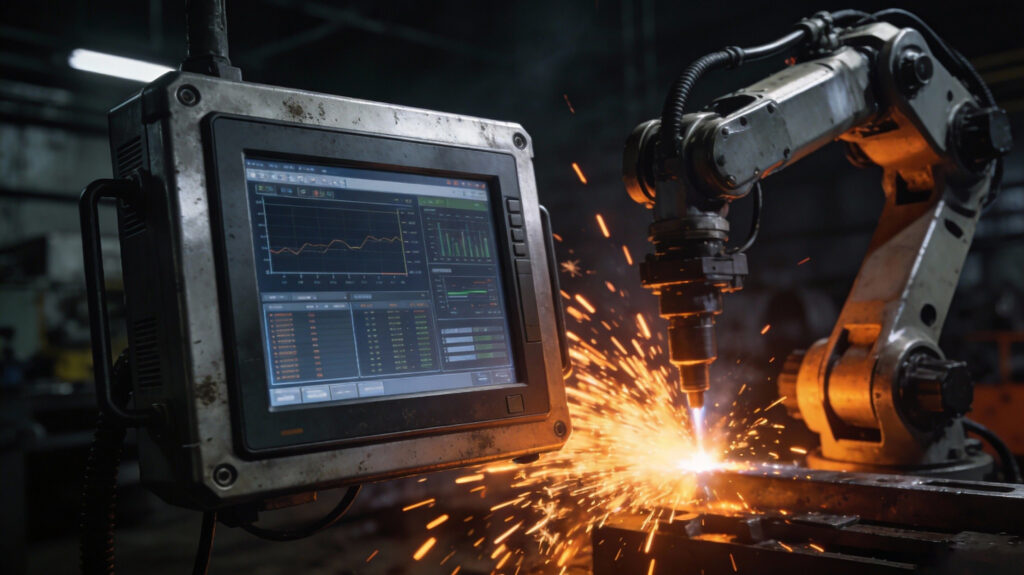
Rugged industrial panel PC operating next to a welding robot with sparks flying in a factory

How to Ensure 24/7 Reliability for Industrial Computers in Harsh Conditions?

How to Ensure 24/7 Reliability for Industrial Computers in Harsh Conditions? Announcements Buyer Guide Comprehensive Tips Occasion Product Review Q&A Tutorials In the modern industrial landscape, data is the new oil, and the hardware processing that data is the engine. Whether it’s an automotive assembly line, an outdoor oil rig, or a remote wind turbine, the demand is the same: zero downtime.However, achieving continuous operation is a significant challenge. According to industry research, unplanned downtime can cost manufacturers an estimated $260,000 per hour. For B2B buyers, facility managers, and system integrators, the “Holy Grail” of hardware is 24/7 reliability. Space-Saving Design and Portability Compared to traditional desktop computers, the HYSTOU Business Mini PC occupies significantly less space. Whether placed in a remote home office or a studio, it solves space resource shortages, allowing for a more efficient arrangement of office supplies. Furthermore, its compact size enables easy portability, letting small businesses with remote teams flexibly arrange workspaces and empowering employees to work from various locations. But standard office computers are not built to survive beyond the climate-controlled desk. To guarantee uptime, you need hardware specifically engineered to withstand harsh conditions. In this guide, we break down the critical engineering factors—from thermal management to power protection—that ensure your industrial computers keep running around the clock. What Defines “Harsh Conditions”? Before selecting hardware, it is crucial to define the enemy. In an industrial context, “harsh conditions” refer to environmental factors that actively degrade electronic components. If you are deploying computers in the following scenarios, consumer-grade hardware will inevitably fail: Extreme Temperatures: Environments that fluctuate rapidly between freezing cold and scorching heat (e.g., outdoor kiosks or steel mills). Airborne Particulates: Factories filled with conductive metal shavings, sawdust, oil mist, or fine textile fibers. Physical Stress: Constant vibration (railway transport) or sudden shock impacts (heavy machinery). Power Instability: Dirty power, voltage spikes, and unstable currents caused by heavy equipment starting and stopping. To combat these threats, an industrial computer must possess specific design characteristics. 1. Eliminate Points of Failure: Fanless Design The most common point of failure in standard computers is the cooling fan. In a sterile office, fans are fine. But in harsh conditions, a fan acts as a vacuum cleaner, sucking in dust, moisture, and debris. This leads to clogged vents, overheating, and eventually, CPU failure. To ensure 24/7 reliability, the industry standard is the Fanless Industrial Computer.   How It Works Instead of using moving fans, fanless systems utilize advanced passive cooling technology. Heat Dissipation: The chassis itself (usually made of aluminum with fins) acts as a giant heat sink. Heat Pipes: Copper heat pipes transfer thermal energy from the CPU directly to the chassis surface. The Reliability Benefit By removing the fan, you eliminate the primary mechanical moving part. Furthermore, a fanless design allows for a sealed enclosure. Without air vents, contaminants like metal dust cannot enter the system to short-circuit the motherboard. This significantly increases the system’s MTBF (Mean Time Between Failures). 2. Wide Temperature Tolerance Commercial PCs are typically rated for operation between 0°C and 35°C. However, industrial environments rarely maintain a comfortable room temperature. An embedded system inside a traffic control box in Arizona might face internal temperatures of 60°C, while a unit in a cold storage facility might drop to -20°C.True industrial reliability requires Wide Temperature Components. The Standard: Look for computers rated for -40°C to 70°C (-40°F to 158°F). Under the Hood: This isn’t just about the CPU. Every capacitor, resistor, and memory module must be screened to ensure they don’t leak, crack, or lose capacitance during thermal cycling. 3. Shock and Vibration Resistance In heavy industry, AGVs (Automated Guided Vehicles), and transportation, constant low-frequency vibration is a silent killer. It can loosen internal cables, unseat RAM modules, and destroy mechanical hard drives.To ensure your system runs 24/7 without data corruption, look for these design features: Cable-less Design: Top-tier industrial computers use board-to-board connections rather than internal wires. This eliminates the risk of cables wiggling loose due to vibration. Industrial SSDs: Never use spinning Hard Disk Drives (HDDs) in harsh environments. Industrial-grade Solid State Drives (SSDs) have no moving parts and offer superior data retention. Soldered Memory: In extreme vibration scenarios, verify if the RAM is soldered directly to the board (onboard RAM) rather than using standard DIMM slots. Industry Standards You Should Check (MIL-STD, IP Ratings) Claims of “ruggedness” are meaningless without certification. When evaluating suppliers, ask for compliance with specific standards to verify the hardware’s authority. MIL-STD-810G Originally a US military standard, this is the benchmark for equipment durability. What it proves: If a computer is MIL-STD-810G compliant (specifically Method 514.6 for vibration and 516.6 for shock), it has been lab-tested to survive drops and continuous shaking without failing. IP Ratings (Ingress Protection) This code consists of two digits (e.g., IP65). First Digit (Dust): 6 means “Dust Tight” (no dust can enter). Second Digit (Liquids): 5 means protection against water jets; 7 means protection against immersion. Selection Tip: For most factory floors, IP65 is the sweet spot—it protects against washdowns and dust without the high cost of full waterproof IP67/68 units. 4. Robust Power Protection Factory power grids are notoriously “dirty.” When a massive CNC machine or conveyor motor starts up, it can send a voltage spike through the line that fries sensitive electronics instantly.Reliability requires a power input design that acts as a shield: Wide Voltage Input: Instead of a fixed 12V input, industrial PCs should accept a range (e.g., 9V–48V DC). This allows the system to keep running even if the voltage dips or surges. OVP/OCP: Over-Voltage and Over-Current Protection circuits are mandatory to prevent permanent hardware damage. Ignition Control: For vehicle-mounted computers, ignition control intelligence prevents the PC from draining the vehicle battery when the engine is off. 5. Autonomous Recovery: Watchdog Timers Even with the most robust hardware, software glitches can happen. In a remote location—such as an unmanned solar farm or an offshore platform—sending a technician to simply press a “reset” button is prohibitively expensive.A Hardware Watchdog

How to Ensure 24/7 Reliability for Industrial Computers in Harsh Conditions? Read More »

The System Integrator’s Guide to Selecting Embedded Computers for Outdoor Kiosks and ATMs

The System Integrator’s Guide to Selecting Embedded Computers for Outdoor Kiosks and ATMs Announcements Buyer Guide Comprehensive Tips Occasion Product Review Q&A Tutorials Introduction For System Integrators (SIs), the outdoor kiosk market—ranging from ATMs and EV charging stations to interactive digital signage—is booming. However, deploying hardware in uncontrolled outdoor environments presents a brutal challenge. Unlike a climate-controlled server room, an outdoor enclosure is a battlefield of temperature extremes, humidity, and dust. A hardware failure in a remote kiosk doesn’t just mean downtime; it means an expensive “truck roll” (technician site visit), customer frustration, and potential SLA penalties. The solution lies in shifting away from standard desktop hardware to Industrial Embedded Mini PCs. This guide explores why rugged Mini PCs are the backbone of modern outdoor infrastructure and how to choose the right one for your next project. 1. The Thermal Challenge: Why “Wide Temperature” is Critical The most common cause of kiosk failure is thermal stress. The Problem: Inside a metal kiosk enclosure under direct sunlight, ambient temperatures can easily exceed 60°C (140°F). Conversely, in winter, components can freeze, preventing the boot-up process. Consumer-grade PCs are typically rated for temperatures ranging from 0°C to 40°C. The Mini PC Solution: You must specify Industrial Mini PCs with Wide Operating Temperatures (-20°C to 70°C / -4°F to 158°F). Technical Insight: These units use industrial-grade capacitors and screened processors (often low-power Intel Core or Celeron J-series) designed to resist thermal throttling. Look for “Cold Start” support to ensure the ATM boots up reliably even after a freezing night. 2. Fanless Design: The Key to Zero Maintenance In an outdoor environment, a fan is a liability, not an asset. The Problem: Fans create negative pressure, sucking in dust, pollen, exhaust fumes, and moisture. Over time, this debris clogs the motherboard, leading to short circuits or overheating. The Mini PC Solution: Fanless Embedded Computers utilize passive cooling. The chassis itself acts as a giant heatsink, often made of ribbed aluminum to dissipate heat efficiently. SI Benefit: No moving parts means a significantly higher MTBF (Mean Time Between Failures). For an SI managing 500+ deployed kiosks, switching to fanless hardware can reduce maintenance calls by over 40%. 3. Form Factor: Fitting Power into Slim Enclosures Modern kiosk designs are prioritizing sleek, slim aesthetics (e.g., drive-thru ordering screens). The Integration Challenge: There is zero room for a bulky tower PC. The compute module must share space with card readers, receipt printers, cash dispensers, and extensive cabling. The Mini PC Solution: Industrial Mini PCs (often referred to as Box PCs) are incredibly compact. Mounting Options: Look for units with VESA mount or DIN-rail support. This allows the PC to be mounted directly to the back of the touchscreen or snapped onto the kiosk’s internal rail system, keeping cables organized and airflow unobstructed. 4. Connectivity: Redundancy is Not Optional For transactional kiosks like ATMs and Ticketing Machines, network failure equals lost revenue. The Connectivity Ecosystem: Wi-Fi is often unreliable outdoors due to interference. Ethernet requires expensive cabling. The Mini PC Solution: 4G/5G LTE Modules: Select a Mini PC with an integrated SIM card slot. This serves as either the primary connection (for locations without landlines) or a failover backup. Dual LAN: Two Gigabit Ethernet ports allow you to separate the internal kiosk network (camera, screen, printer) from the external WAN connection, enhancing security. 5. Legacy I/O: Bridging the Old and New While the CPU might be modern, many kiosk peripherals are not. The Legacy Trap: Cash dispensers, PIN pads, and receipt thermal printers often still communicate via Serial Ports (RS-232/422/485) rather than USB. The Mini PC Solution: Unlike consumer NUCs, which only have HDMI and USB, Industrial Mini PCs are I/O powerhouses. Ensure your selected model features: COM Ports: At least 2-4 ports, preferably with adjustable voltage (5V/12V). GPIO (General Purpose I/O): Useful for connecting physical buttons, door sensors (tamper detection), or signal lights. 6. Security: Protecting Data and Hardware ATMs are high-value targets. Security must be hardware-enforced. TPM 2.0: Essential for Windows 11 IoT Enterprise compatibility and secure encryption of sensitive transaction data. Watchdog Timer (WDT): A hardware timer that automatically reboots the system if the software hangs. This is crucial for unmanned kiosks, preventing “Blue Screen of Death” downtime from lasting hours. Summary Checklist for SIs Before purchasing hardware for your next outdoor deployment, ask these questions: Temperature: Does it support at least -20°C to 60°C? Cooling: Is it 100% Fanless? Power: Does it support Wide Voltage Input (e.g., 9V-36V) to handle power fluctuations from the kiosk PSU? Display: Does it support dual displays (e.g., one for ads, one for operations)? Longevity: Does the manufacturer guarantee 3-5 years of product availability (avoiding the need to Recommended Hystou Product Solutions Based on the strict requirements for outdoor kiosks and ATMs, we recommend the following Hystou Industrial Mini PCs. These models are currently available and specifically engineered to handle harsh environments, legacy I/O needs, and continuous 24/7 operation. 1. The “ATM & Kiosk” Specialist: Hystou H4 Industrial Fanless Series Best For: ATMs, Vending Machines, Ticket Kiosks requiring multiple legacy peripherals. Why it fits: 6x COM Ports (RS-232): The defining feature for System Integrators. Easily connect card readers, cash dispensers, and thermal printers without needing unstable USB-to-Serial dongles. Fanless & Rugged: The aluminum alloy chassis acts as a passive heatsink, completely sealing the device against dust and debris (IP-rated design principles). Redundant Connectivity: Features a dual Gigabit LAN for network failover, and specific models support an internal 4G/LTE Module with a SIM slot for remote locations. Performance: Available with reliable Intel Core i5/i7 processors (8th/10th Gen) that offer the perfect balance of performance and low heat generation. 2. The “Compact Rugged” Choice: Hystou H3-N100 Best For: Outdoor Digital Signage, Info Stations, Smart Lockers. Why it fits: Modern Efficiency (Intel N100): The H3-N100 model uses Intel’s latest 12th Gen E-core architecture, delivering excellent performance with extremely low power consumption (TDP 6W), drastically reducing heat buildup in small enclosures. Ultra-Compact & VESA Ready: Designed to hide behind screens. It supports standard

The System Integrator’s Guide to Selecting Embedded Computers for Outdoor Kiosks and ATMs Read More »

Industrial Mini PCs

Top 5 Industrial Mini PCs for Digital Signage & Video Walls (2025 Buyer’s Guide)

Top 5 Industrial Mini PCs for Digital Signage & Video Walls: A Buyer’s Guide Announcements Buyer Guide Comprehensive Tips Occasion Product Review Q&A Tutorials In the rapidly evolving world of retail, corporate communication, and public transport, digital signage has become the standard for engagement. Whether it’s a massive 8K video wall in an airport or an interactive kiosk in a hotel lobby, the hardware powering these displays is critical. Consumer-grade desktops often fail under the stress of 24/7 operation. The solution? Industrial Mini PCs. In this guide, we review the top 5 Industrial Mini PCs from HYSTOU, specifically engineered for digital signage, offering features like multi-display support, fanless cooling, and extreme durability. Why Choose an Industrial Mini PC for Digital Signage? Before diving into the models, it is essential to understand why industrial hardware is non-negotiable for professional displays: 1. 24/7 Reliability: Unlike standard PCs, industrial mini PCs are built with high-grade capacitors and heat sinks designed to run weeks or months without a reboot.2. Multi-Display Support: From dual 4K menus to triple 8K video walls, these units offer dedicated outputs (HDMI, DP, Type-C).3. Harsh Environment Tolerance: Many models feature fanless designs and wide temperature ranges (-20°C to 50°C), making them immune to dust, grease, and heat.4. Compact Form Factor: They easily mount behind screens using VESA brackets, keeping the installation clean and wire-free. Review: The Top 5 HYSTOU Models for 2025 1. HYSTOU M9: The 8K Performance Powerhouse Best For: High-End Video Walls & 3D Rendering If your project demands the highest visual fidelity, the HYSTOU M9 is the ultimate choice. Powered by 13th Gen Intel Core i5/i7 processors, it bridges the gap between compact size and workstation performance. 8K Triple Display: With Intel Iris Xe Graphics, the M9 supports three simultaneous displays via HDMI, DP, and Type-C. It supports 8K resolution, making it ideal for large-scale video walls where pixel density is crucial. High-Speed Connectivity: Features Dual 2.5G LAN ports** for rapid content distribution from local servers. Storage: Dual M.2 PCIe 4.0 slots ensure zero latency when playing back heavy 4K/8K video files. Verdict: The M9 is the “Ferrari” of digital signage players—built for speed and stunning visuals. 2. HYSTOU H7: The Outdoor Reliability Expert Best For: Outdoor Kiosks & Transport Hubs Digital signage in semi-outdoor environments (like bus stops or train stations) faces fluctuating temperatures. The HYSTOU H7 is engineered to survive where others fail. Wide Temperature Range: Operates stably from -10°C to 50°C. 4G/LTE Connectivity: Includes a SIM card slot. This is a game-changer for remote installations where wired internet is unavailable, allowing for seamless content updates via mobile networks. Dual 4K Output: Drives two 4K screens, ideal for dual-sided advertising totems. 3. HYSTOU H3-N100: The Silent & Efficient Choice Best For: Museums, Libraries & Hotels In noise-sensitive environments, the hum of a computer fan is unacceptable. The HYSTOU H3-N100 utilizes a fanless design for completely silent operation. Zero Noise, Zero Dust: The passive cooling system eliminates noise and prevents dust ingress, significantly extending the device’s lifespan. Energy Efficient: Powered by the Intel N100 processor (6W TDP), this unit consumes minimal power, reducing operational costs for businesses running screens 24/7. Cost-Effective: It offers the perfect balance of price and performance for standard 4K advertising displays. 4. HYSTOU H6: The Versatile Triple-Display Solution Best For: Menu Boards & Corporate Lobbies The HYSTOU H6 (10th Gen Core) is a robust mid-range option designed for multi-tasking. Triple Screen Support: Perfect for restaurant menu boards where three screens are arranged side-by-side to form a continuous image. Smart Management: Supports Auto Power-On and Wake-on-LAN, allowing IT managers to automate boot sequences without visiting the site. 5. HYSTOU H4: The Connectivity King Best For: Interactive Kiosks & Industrial Automation Interactive signage often requires more than just a screen—it needs to connect to barcode scanners, receipt printers, cameras, and sensors. Massive I/O: The H4 stands out with 6 COM Ports, 4 USB 3.0, and 4 USB 2.0 ports. Legacy Support: It bridges modern triple-display capabilities with legacy industrial interfaces, making it ideal for self-service kiosks and factory floor displays. Technical Comparison Table Model Processor Display Output Cooling Key Feature HYSTOU M9 13th Gen i5/i7 Triple 8K Active ighest Performance HYSTOU H7 12th Gen i5 Dual 4K Active 4G/LTE Support HYSTOU H3 Intel N100 Dual 4K Fanless Silent & Low Power HYSTOU H6 10th Gen i7 Triple 4K Fanless Triple Menu Board Ready HYSTOU H4 8th Gen i5 Triple 4K Fanless 6 COM Ports Frequently Asked Questions Do I really need a fanless PC for digital signage? A: For most long-term deployments, yes. Fans are mechanical parts that eventually fail. A fanless PC (like the H3, H6, H4) is more reliable and attracts less dust, reducing maintenance costs. Can these PCs run Windows 11? Yes, all listed HYSTOU models support Windows 10, Windows 11, and Linux (Ubuntu), ensuring compatibility with all major Content Management Systems (CMS). How do I mount these behind a TV? Industrial mini PCs are VESA mount compatible. You can screw them directly onto the back of a standard monitor or inside a kiosk enclosure. A: For most long-term deployments, yes. Fans are mechanical parts that eventually fail. A fanless PC (like the H3, H6, H4) is more reliable and attracts less dust, reducing maintenance costs. Yes, all listed HYSTOU models support Windows 10, Windows 11, and Linux (Ubuntu), ensuring compatibility with all major Content Management Systems (CMS). Industrial mini PCs are VESA mount compatible. You can screw them directly onto the back of a standard monitor or inside a kiosk enclosure. Conclusion Choosing the right media player is the foundation of a successful digital signage network. Need Raw Power for 8K? Go with the M9.  Need Silence? Choose the H3-N100.  Need Connectivity? The H4 is your solution. Ready to upgrade your display infrastructure? Explore the full range of HYSTOU Industrial Mini PCs here👉  HYSTOU HYSTOU has established its R&D headquarters in Shenzhen, drawing on over a decade of experience. Our core team members, who previously served at renowned companies such as Inventec

Top 5 Industrial Mini PCs for Digital Signage & Video Walls (2025 Buyer’s Guide) Read More »

HYSTOU Fanless Firewall Mini PC N100 - Latest Version with I225/I226 Lan and DDR4 RAM

Why Fanless Mini PCs are Essential for Dusty Manufacturing in 2025 | HYSTOU

Why Fanless Mini PCs are Essential for Dusty Manufacturing Environments in 2025 Announcements Buyer Guide Comprehensive Tips Occasion Product Review Q&A Tutorials As we navigate through 2025, the manufacturing sector is more automated and data-driven than ever before. From CNC machining centers to textile processing plants, the demand for reliable edge computing is skyrocketing. However, these environments present a unique challenge: airborne particulates. For factory managers and IT procurement specialists, choosing the right hardware is critical. This is where the Fanless Mini PC becomes not just an option, but a necessity. Unlike traditional towers that gasp for air, HYSTOU industrial computers offer a sealed, robust solution designed to survive where others fail. The Hidden Enemy: How Dust Destroys Hardware In a standard computer, fans are the lifeline. They pull cool air in to regulate temperature. Unfortunately, in a factory setting, they also pull in dust, metal shavings, oil mist, and textile fibers. Over time, this creates a “thermal blanket” on the motherboard and CPU. The result? Overheating: The CPU throttles down, slowing production software. Short Circuits: Conductive metallic dust bridges circuits, causing permanent failure. Mechanical Failure: The fan bearing itself seizes up due to grit. By 2025 standards, unplanned downtime is too costly. A Silent Mini PC without moving parts eliminates this risk entirely. The HYSTOU Fanless Advantage: Engineered for Resilience HYSTOU has positioned itself as a leader in industrial computing by addressing these exact pain points. A Fanless Mini PCutilizes a passive cooling system. The chassis itself—typically constructed from high-quality aluminum alloy—acts as a giant heatsink. 1. Zero Dust Ingress Because there is no need for airflow intake, the casing is sealed. Dust, dirt, and moisture remain on the outside, ensuring the internal components stay pristine for years. 2. Vibration Resistance and Silence A Silent Mini PC implies no noise, which is great for operators, but technically it means no moving parts. In manufacturing, equipment often vibrates. Traditional fans and spinning HDDs fail under vibration. HYSTOU’s fanless designs, combined with SSD storage, offer superior shock resistance. Recommended for 2025: HYSTOU Mini PC Based on the current industrial demands, here are the top picks from the HYSTOU Mini PC lineup The Rugged Workhorse: HYSTOU H4 Industrial Series Best For: Heavy industrial machinery, CNC control, and outdoor kiosks. Why it wins: The H4 series typically features a fully enclosed, heavy-duty chassis. It supports wide operating temperatures, making it immune to the sweltering heat of a foundry or the cold of a logistics warehouse. Key Specs: multiple COM ports (RS232/485) for legacy equipment connection. Hystou Fanless Mini PC H4T-10th Processor: Intel 10th Gen i5-10210U/i5-10310U / i7-10710U(up to 4.4GHz Turbo, 15W TDP) Graphics: Intel UHD Graphics Memory: 2×DDR4 SODIMM slots (max 64GB) Storage: 1×M.2_2280 SATA SSD slot (up to 2TB) Network: 2×Gigabit RJ45 LAN, Intel 802.11ac dual-band WiFi (Bluetooth 4.2) Display Output: HDMI/EDP/Type-C triple display support Fanless design for silent operation Aluminum alloy casing for industrial environments Click to view details The Compact Controller: HYSTOU H4-4th Series Best For: AGV (Automated Guided Vehicles), visual inspection arms, and tight spaces.Why it wins: Small footprint with powerful Intel Core processing power. It delivers the performance of a desktop without the bulk or the dust vulnerability. HYSTOU H4 Triple Display Processor: Intel 8th Gen Core i5-8250U/i7-8550U (TDP 15W) Graphics Card: Intel UHD Graphics 620 Memory: 2×DDR4 260Pin SODIMM slots/Max 64GB (2400MHz) Storage: 1×SATA3.0 port (supports 2.5-inch HDD/SSD, up to 6TB)/1×M.2 2280 PCIe 3.0 x2 slot (NVMe/SATA compatible) Network: Dual Intel 1210/211 Gigabit Ethernet ports/M.2 E-key (WiFi 5+BT4.2, optional WiFi 6+BT5.2) Click to view details Industrial Automation With a wide operating temperature range (-20°C to +50°C) and stable performance, it is an ideal choice for factory automation, process control systems, and industrial monitoring applications. Its fanless design eliminates the risk of dust accumulation, ensuring reliable operation in manufacturing environments. HYSTOU Fanless Industrial Mini PC H3 Graphics Card: Intel UHD Graphics (supports 4K resolution) Memory: DDR4 SODIMM slot, max 32GB @ 3200MHz Storage: M.2 NVMe slot (up to 2TB) MSATA slot (up to 1TB) SATA 3.0 interface (compatible with 2.5-inch HDD/SSD, ≤7mm thickness) Network: Dual Gigabit Ethernet (Realtek RTL8168/8111 controllers) Additional Features: Fanless design for silent operation Dual display outputs: HDMI 2.0 (4K@60Hz) + VGA (1080P@60Hz) Click to view details Conclusion: Investing in Reliability In 2025, your manufacturing hardware should solve problems, not create them. Switching to a HYSTOU Fanless Mini PC is an investment in uptime. By removing the fan, you remove the most common point of failure in dusty environments. Ready to upgrade your production line? Explore the full range of industrial solutions offered by the HYSTOU Mini PC product series. HYSTOU HYSTOU has established its R&D headquarters in Shenzhen, drawing on over a decade of experience. Our core team members, who previously served at renowned companies such as Inventec and Quanta Computer, form the backbone of our technical expertise. With robust R&D and innovation capabilities, we remain steadfast in our commitment to pursuing excellence in the field of technology products. Facebook Twitter Youtube Tumblr HYSTOU K4 Dual Display Mini Computer Industrial Fanless Mini PC | Intel 10th Gen i5 | Hystou H4T-10th HYSTOU H6 Fanless Industrial Mini PC HYSTOU Fanless Industrial Mini PC H3

Why Fanless Mini PCs are Essential for Dusty Manufacturing in 2025 | HYSTOU Read More »

Shopping Cart
Scroll to Top
Schedule a chat

We will get in touch in 1 business day.

Important Notice on Fraud Prevention

Recently, scammers have been impersonating our company staff to commit payment fraud. To protect your interests, please pay attention to the following matters:

Verify Sender: Check if the email domain is @hystou.com. Immediately delete any emails from non-Hystou domains.

Double-Check: For any account modification requests, cross-verify via the customer service hotline listed on our official website hystou.com or through existing partnership channels.

Refuse Private Transactions: Do not trust claims like “urgent notifications,” “confidentiality requirements,” or “tax policy updates.” All business changes must follow official procedures.