
VPN vs RDP How to Choose the Best Remote Access Solution for You

VPN vs RDP Understanding the Core Differences
The way we work has undergone a profound transformation. In 2024, a staggering 58% of American workers reported having the option to work from home at least one day a week, according to a Gallup poll. This shift has made remote access solutions more critical than ever before. But with so many options available, choosing the right one can be a daunting task. Have you ever found yourself struggling to securely access your office computer or home files from a remote location? Two of the most popular solutions are VPN and RDP, but what exactly sets them apart? And could there be a hardware solution that enhances both? Let’s dive in.
What is VPN
Imagine you’re sending a sensitive package through the mail. You wouldn’t just put it in a regular envelope and hope for the best. Instead, you’d use a secure, tamper-proof container. That’s essentially what a Virtual Private Network (VPN) does for your internet connection. It creates an encrypted “tunnel” that shields your data as it travels from your device to a remote network.
When you connect to a VPN, you’re essentially teleporting your device into another network. Suddenly, you can access shared folders, internal websites, and network printers as if you were physically present in the office. But here’s the kicker: all of this traffic is encrypted, adding an extra layer of security to your online activities.
Setting up a VPN typically requires a server or computer that’s always on. This is where a Mini PC shines. With its low power consumption and silent operation, a Mini PC makes for an ideal VPN gateway. It’s energy-efficient, compact, and can provide enterprise-level security without the enterprise-level price tag.
What is RDP
If a VPN is like creating a secure tunnel to a network, the Remote Desktop Protocol (RDP) is more like having remote control for a specific computer. Developed by Microsoft, RDP allows you to view and control another computer’s desktop from anywhere in the world. It’s like sitting in front of that machine, even if it’s thousands of miles away.
With RDP, you’re not just accessing files or networks—you’re controlling the entire device. You can open applications, edit documents, and even adjust settings, all as if you were physically present. This makes RDP incredibly powerful for scenarios where you need to use specific software or troubleshoot issues on a remote machine.
But there’s a catch: the computer you’re trying to control needs to be powered on and connected to the internet at all times. Enter the Mini PC again. By setting up a dedicated Mini PC as your RDP host, you ensure that your remote desktop is always available. Whether you’re using a laptop, tablet, or even a smartphone, you can connect to your Mini PC and access your full desktop environment from anywhere in the world.
VPN vs RDP A Comprehensive Comparison
Feature | VPN | RDP |
|---|---|---|
Core Functionality | Creates a secure connection to a remote network | Allows control of a specific remote computer |
Access Level | Network-wide | Device-specific |
User Experience | Access remote resources using local applications | Interact with a remote desktop interface |
Performance Requirements | Lower bandwidth consumption | Higher bandwidth and lower latency are needed for smooth graphics |
Security | Encrypts the entire network connection | Encrypts the remote session itself |
Typical Use Cases | Accessing company intranets, file servers, and bypassing geo-restrictions | Remote work, IT support, and using specialized software |
How to Choose Between VPN and RDP
The decision between VPN and RDP isn’t about which is better—it’s about which is better for your specific needs. Let’s break down the scenarios where each solution shines.
When to Choose VPN
A VPN is your best bet if you need to access multiple resources within a remote network. Think shared folders, network printers, internal databases, and company intranets. With a VPN, you’re essentially bringing the remote network to your local device, allowing you to work in your familiar environment while still accessing the resources you need.
For example, imagine you’re working from home and need to access several different shared drives on your company’s server, print to the office printer, and log into your team’s internal project management system. A VPN would seamlessly connect you to all of these resources, letting you work as if you were sitting at your office desk.
Mini PC Value Add: Setting up a VPN server doesn’t have to be complicated or expensive. With a Mini PC, you can create a cost-effective VPN gateway that runs 24/7 without racking up a huge electricity bill. Many Mini PCs can even double as a network-attached storage (NAS) device, giving you a centralized location for files that can be accessed securely from anywhere via your VPN.
When to Choose RDP
RDP is the way to go when you need to interact directly with a specific computer or application. This is particularly useful if you have specialized software that’s only installed on one machine, or if you need a consistent work environment regardless of the device you’re using.
Consider a graphic designer who needs access to expensive, resource-intensive design software that’s only licensed on their office computer. With RDP, they can control that office computer from their home laptop, using the powerful software as if they were sitting in front of the office machine. Similarly, IT support teams often use RDP to troubleshoot issues on remote computers without having to be physically present.
Mini PC Value Add: Dedicating a Mini PC as your RDP host is a smart investment. These compact machines pack enough power to run most professional software smoothly, yet they’re energy-efficient enough to leave running all day, every day. Hystou’s high-performance Mini PC models, for instance, come equipped with powerful processors and fast RAM to ensure a responsive remote desktop experience. Their small footprint and quiet operation mean they can be tucked away in a corner, providing a dedicated remote work station without cluttering your space or disturbing your environment.
The Power of Combining VPN and RDP
Sometimes, the best solution is to use VPN and RDP together. By first connecting to a VPN, you establish a secure connection to the remote network. Then, using RDP within that secure tunnel, you can control specific computers or servers. This hybrid approach gives you the best of both worlds: the broad access of VPN with the precise control of RDP.
For example, a software developer might use a VPN to connect to their company’s internal network, then use RDP to access a powerful development server. This setup ensures a secure connection while allowing the developer to work directly on the specialized environment they need.
Mini PC Value Add: A single Mini PC can serve as both your VPN gateway and RDP host, maximizing efficiency and minimizing costs. This dual-purpose setup not only saves space but also reduces energy consumption compared to running separate machines for each function. It’s a perfect example of how Mini PCs offer versatile solutions for modern remote work environments.
Why Mini PC is the Ultimate Hardware Companion for Remote Access
Now that we’ve explored the software side of remote access, let’s turn our attention to the hardware that can elevate your remote work experience: the Mini PC. These compact powerhouses offer a range of benefits that make them ideal for both VPN and RDP setups.
Unbeatable Energy Efficiency
One of the most compelling advantages of Mini PCs is their energy efficiency. Traditional desktop computers can consume anywhere from 150 to 300 watts of power. In contrast, most Mini PCs use between 15 and 65 watts—about the same as a standard light bulb. When you’re running a machine 24/7 as a VPN server or RDP host, this difference adds up quickly.
Let’s put this into perspective. Running a typical desktop 24/7 for a month would cost around $15 to $30 in electricity (based on the average U.S. electricity rate of $0.15 per kWh). A Mini PC, on the other hand, would only set you back $1 to $5 per month. Over a year, that’s a savings of $168 to $300! And since Mini PCs are designed for continuous operation, you don’t have to worry about reliability issues from leaving them running. (AI-generated technical specifications)
Space Saving Design
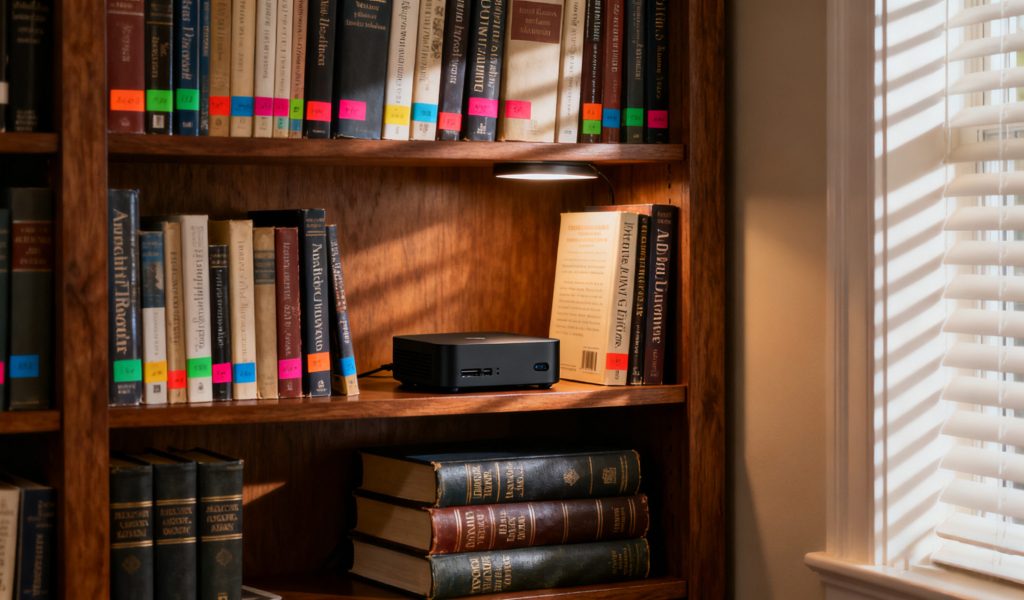
In today’s increasingly cramped living and working spaces, every square inch counts. Mini PCs are a game-changer in this regard. Most models are about the size of a paperback book or smaller—some are even palm-sized. This compact footprint means you can set up a dedicated remote access server without sacrificing valuable desk space or cluttering your home.
Many Mini PCs also come with VESA mounting brackets, allowing you to attach them directly to the back of a monitor or TV. This “invisible” setup keeps your workspace clean and organized while still providing a powerful remote access solution. Whether you’re setting up in a home office, a small apartment, or even a shared workspace, a Mini PC can fit seamlessly into your environment.
Powerful Performance with Silent Operation
Don’t let their small size fool you—modern Mini PCs pack a serious punch. Many models come equipped with the latest processors from Intel and AMD, offering performance that rivals traditional desktop computers for most office and professional applications. Whether you’re running a VPN server, hosting an RDP session, or even doing light video editing, a high-quality Mini PC can handle the task with ease.
Perhaps even more impressive is how quietly Mini PCs operate. Many models feature fanless designs, meaning they run completely silent. Those that do have fans are engineered to be whisper-quiet, even under load. This is a stark contrast to traditional desktop computers, which can sound like jet engines taking off, especially when running resource-intensive tasks. Wit
Centralized Security and Management
In the age of remote work, data security is more important than ever. Mini PCs offer a centralized solution that can enhance your security posture. By storing sensitive data and running critical applications on a dedicated Mini PC, you reduce the risk of data loss or breach that can come from spreading information across multiple devices.
Centralization also simplifies management and backups. Instead of having to ensure every device has the latest security updates and backups, you can focus on maintaining a single, secure Mini PC. This not only saves time but also reduces the chance of human error. Many Mini PCs also come with built-in security features like TPM (Trusted Platform Module) chips, adding an extra layer of protection for your sensitive data.
Versatility and Return on Investment
One of the most compelling aspects of Mini PCs is their versatility. While we’ve focused on their role in remote access solutions, these compact computers can do so much more. When you’re not using your Mini PC as a VPN server or RDP host, it can double as a home media center, streaming your favorite shows and movies to your TV. It can act as a lightweight web server for a personal blog or small business website. Some people even use them as dedicated gaming machines for retro games or less demanding modern titles.
This versatility translates to an excellent return on investment. Instead of buying separate devices for each function, a single Mini PC can meet multiple needs, saving you money in the long run. And because Mini PCs are designed to be durable and reliable, you can expect years of service from your investment.
Conclusion
The shift to remote and hybrid work models has made reliable, secure remote access solutions more important than ever. VPN and RDP are both powerful tools, each with its own strengths and ideal use cases. VPN excels at connecting you to entire networks, while RDP gives you precise control over individual machines. In many cases, using them together provides the most flexible and secure solution.
But regardless of which software solution you choose, the hardware you run it on matters. Mini PCs offer the perfect combination of power, efficiency, and versatility for modern remote work environments. Their small footprint, low energy consumption, and quiet operation make them ideal for 24/7 operation as VPN servers or RDP hosts. And with their ability to handle multiple roles—from remote access hub to media center—they provide exceptional value for money.
If you’re still unsure about which remote access solution is right for you, or if you want to learn more about how a Mini PC can enhance your remote work setup, our team of experts is here to help. We can assess your specific needs and recommend the perfect combination of software and hardware to keep you productive, secure, and connected, no matter where you’re working from.
Ready to take your remote work setup to the next level? Explore Hystou’s range of Mini PCs today and discover the perfect solution for your remote access needs. Your ideal remote workstation is just a click away.

HYSTOU M9 Mini PC – Intel i5-1340P WiFi 6 Desktop Computer (8K Triple Display)
- Processor: Intel Core I5-1235U / I7-1255U / I5-1335U / I5-1340P / I7-1360P
- Graphics Card: Intel® UHD Graphics (with single-channel memory) or Intel® Iris® Xe Graphics (with dual-channel memory)
- Memory: 2×DDR5 262Pin SODIMM, maximum support 64GB
- Storage: 2×M.2 2280 NVMe SSD (NVME1 supports Gen3 X4/SATA protocol, NVME2 supports Gen4 X4 protocol, both up to 4TB) + 1×SATA3.0 interface (supports 2.5-inch HDD/SSD, up to 6TB)
- Network: 2×RJ45 (Intel I225-V 2.5G network card), supports WiFi 6 (optional AX200) and Bluetooth 5.2

HYSTOU
HYSTOU has established its R&D headquarters in Shenzhen, drawing on over a decade of experience. Our core team members, who previously served at renowned companies such as Inventec and Quanta Computer, form the backbone of our technical expertise. With robust R&D and innovation capabilities, we remain steadfast in our commitment to pursuing excellence in the field of technology products.



