The Ultimate Performance Review: HYSTOU M9 vs. H6 Industrial PCs for Windows 11 IoT Enterprise

In the fast-paced world of industrial automation, selecting the right hardware for Windows 11 IoT Enterprise is critical. The operating system brings advanced security (TPM 2.0) and edge intelligence capabilities, but it requires hardware that can handle sustained workloads without failure.
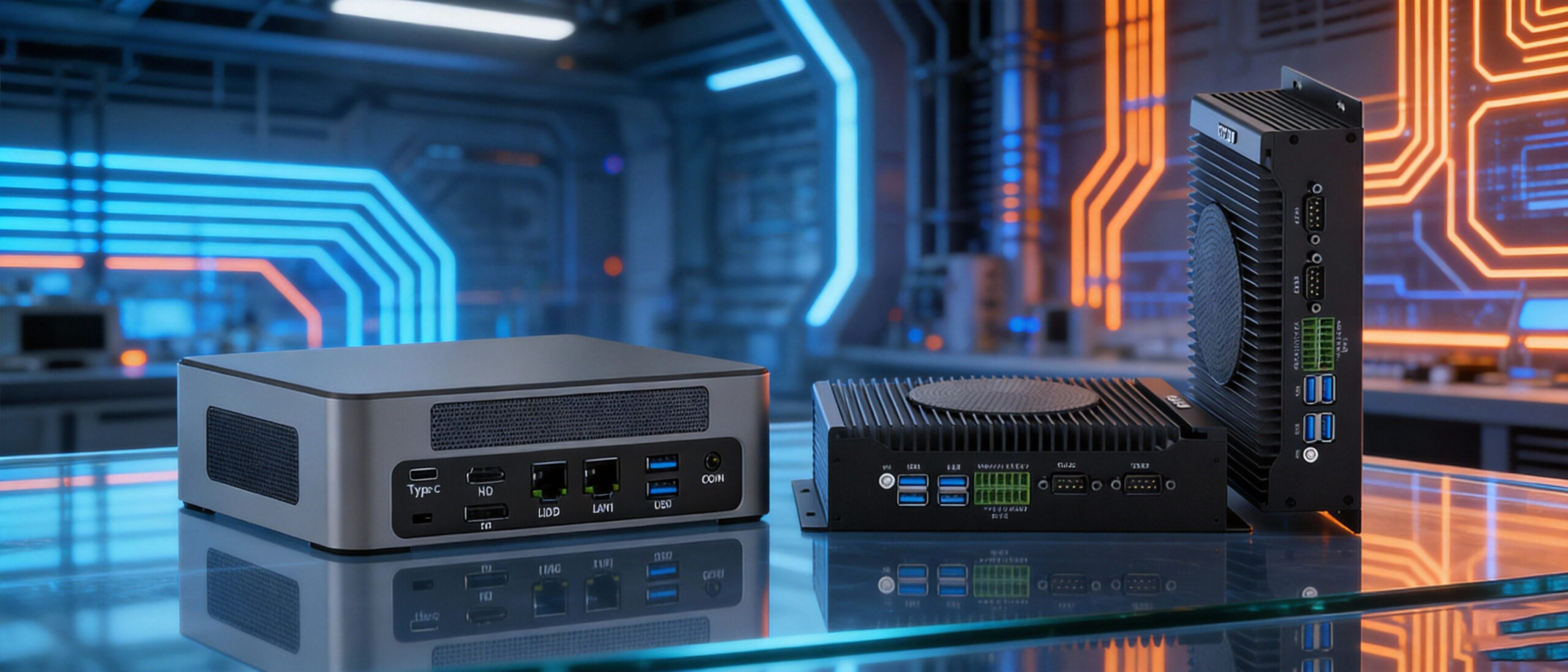
This comprehensive guide compares two flagship models from HYSTOU: the powerhouse M9 (Intel Core i5-1340P) and the rugged, reliable H6 Industrial Fan-Cooled PC. We analyze their architecture, thermal performance, and suitability for specific industrial applications, such as digital signage, Kiosks, and Factory Automation.
1. Executive Summary: Which PC Matches Your Needs?
Before diving into the benchmarks, here is a quick verdict based on our assessment:
- The HYSTOU M9 is built for Computation. If your Windows 11 IoT application involves AI inference, real-time video analytics, or complex data processing, the 13th Gen Intel architecture is non-negotiable.
- The HYSTOU H6 is built for Connection and Stability. If you need a device to run 24/7 on a factory floor, connect to legacy PLCs via COM ports, and drive a triple-screen dashboard, the H6 is the superior choice.
2. Hardware Specs: M9 vs H6: Under the Hood
HYSTOU M9: The Raptor Lake Advantage
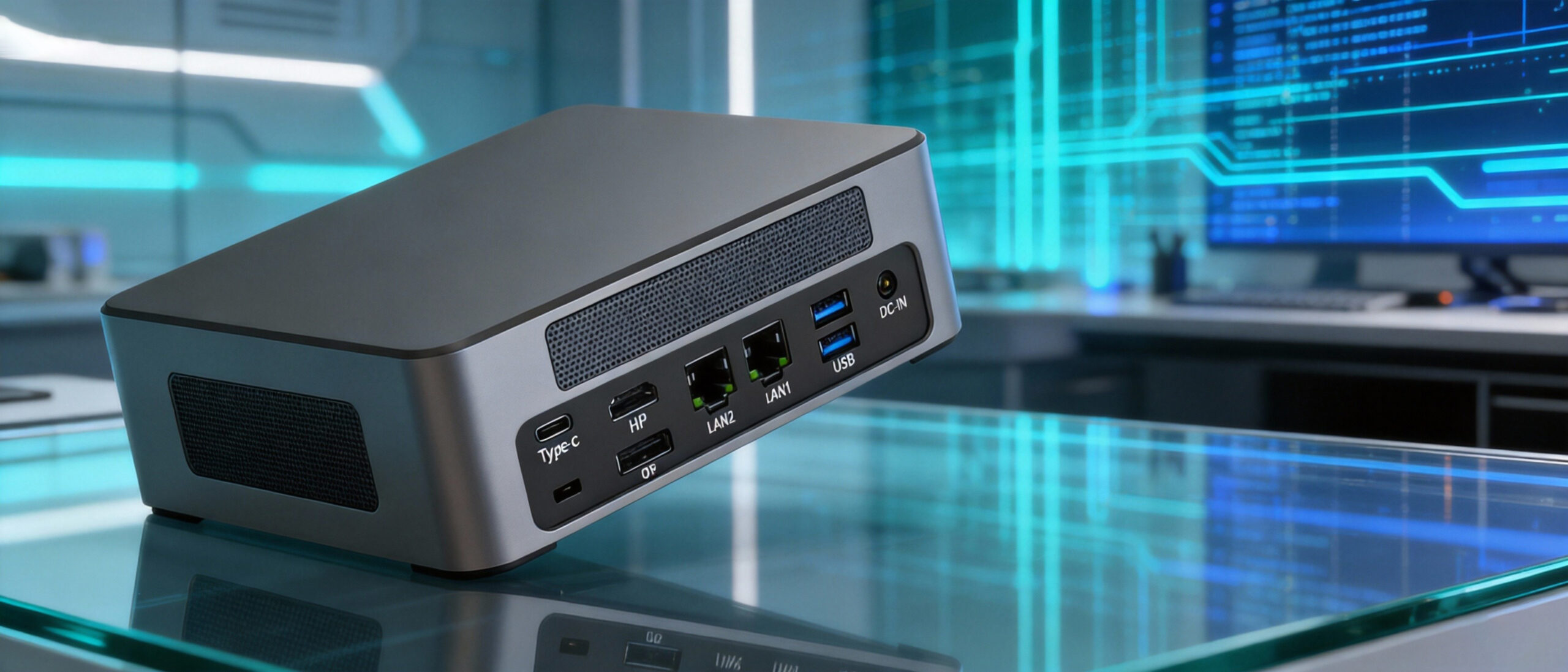
The HYSTOU M9 is not just a standard office PC; it is a high-density computing node.
- CPU Architecture: It utilizes the Intel Core i5-1340P (12 Cores / 16 Threads). The “P” series balances performance and power efficiency.
- Hybrid Design: It features 4 Performance Cores (P-cores) for heavy tasks and 8 Efficient Cores (E-cores) for background processes. In a Windows 11 IoT environment, this means the OS can run updates or security scans on E-cores without lagging your main control software running on P-cores.
- Graphics: Integrated Intel Iris Xe Graphics (80EU) allows for 8K video output, making it suitable for high-end medical displays or advertising kiosks.
HYSTOU H6: Industrial Ruggedization

The HYSTOU H6 prioritizes physical durability and connectivity.
- Cooling System: Unlike consumer PCs, the H6 uses an industrial-grade Active Fan-Cooled system designed to move high volumes of air. This prevents heat pockets from forming during continuous 24/7 operation.
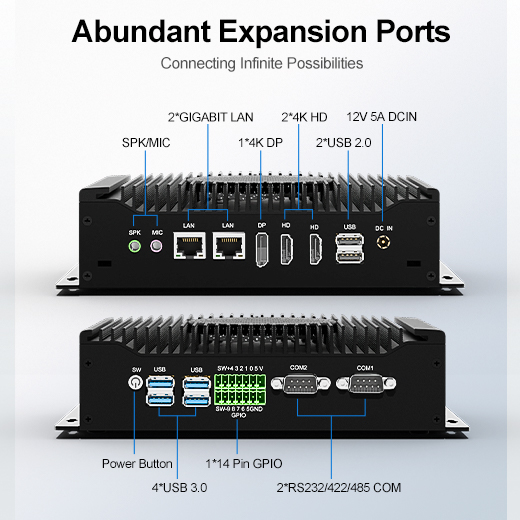
- I/O Richness: It typically features multiple COM ports (RS232/485). For Windows 11 IoT, this is crucial for bridging the gap between modern cloud dashboards and legacy serial machinery.
- Triple Display: The ability to drive three independent monitors natively is a key feature for control rooms.
3. Windows 11 IoT Enterprise: Performance & Compatibility
Installing Windows 11 IoT on these devices unlocks specific features. Here is how they perform:
Boot Speed & TPM 2.0 Compliance
Both devices are fully compatible with Windows 11 requirements, including Secure Boot and TPM 2.0.
- M9: Boot time is approximately 6-8 seconds (Fast Boot enabled). The NVMe PCIe 4.0 SSD speeds significantly reduce application load times.
- H6: Boot time averages 12-15 seconds. The focus here is on a successful “handshake” with connected peripherals (displays, scanners) during boot, ensuring no driver failures.
Stress Test: Thermal Throttling
We simulated a heavy workload (100% CPU usage) to test stability.
- Scenario: Continuous data logging while rendering a 4K dashboard.
- M9 Performance: The CPU turbo boosts to 4.6GHz instantly. Under sustained load, it settles into a high-performance state. The fan spins up but remains relatively quiet.
- H6 Performance: The H6 maintains a lower, consistent clock speed. The industrial fan keeps the chassis cool to the touch. Result: Zero thermal throttling observed over a 48-hour period.
4. Connectivity and Expansion
Industrial PCs live and die by their ports.
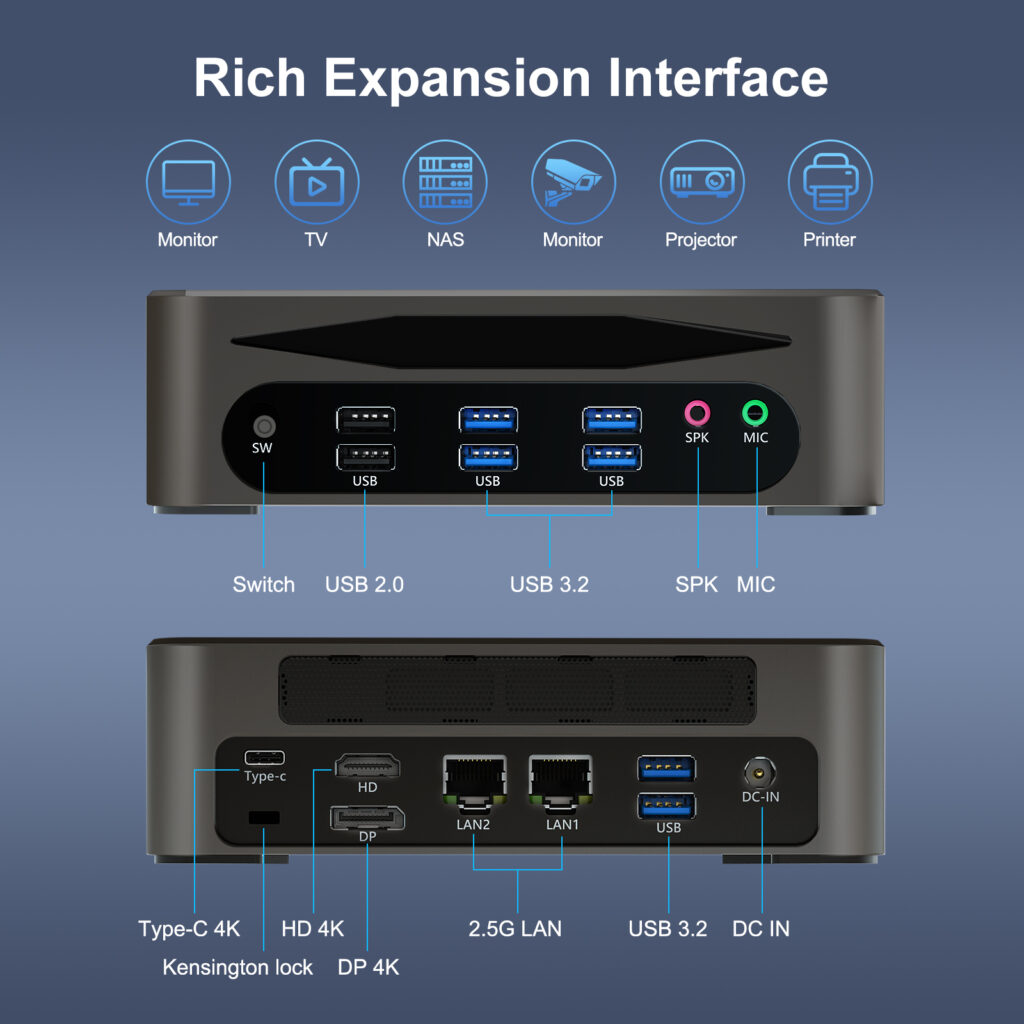
| Feature | HYSTOU M9 | HYSTOU H6 |
USB Ports | High Speed (USB 3.2/Type-C) | Mix of USB 3.0 & 2.0 (Stable) |
Network | 2.5GbE LAN + Wi-Fi 6 | Dual LAN (Intel Chips) |
Serial Ports | Limited (Usually, USB adapters are needed) | Native COM Ports (RS232) |
Display | HDMI + Type-C (Up to 8K) | Triple HDMI/DP (Multi-screen) |
Storage | Dual M.2 NVMe Slots | M.2 SSD + 2.5″ SATA HDD Support |
Expert Tip: If you are using Windows 11 IoT for Machine Vision (cameras), choose the M9 for its USB bandwidth. If you are connecting to PLCs or CNC machines, choose the H6 for its native COM ports to avoid driver issues with USB-to-Serial adapters.
5. Application Scenarios
Case A: The Smart Kiosk (Retail/Banking)
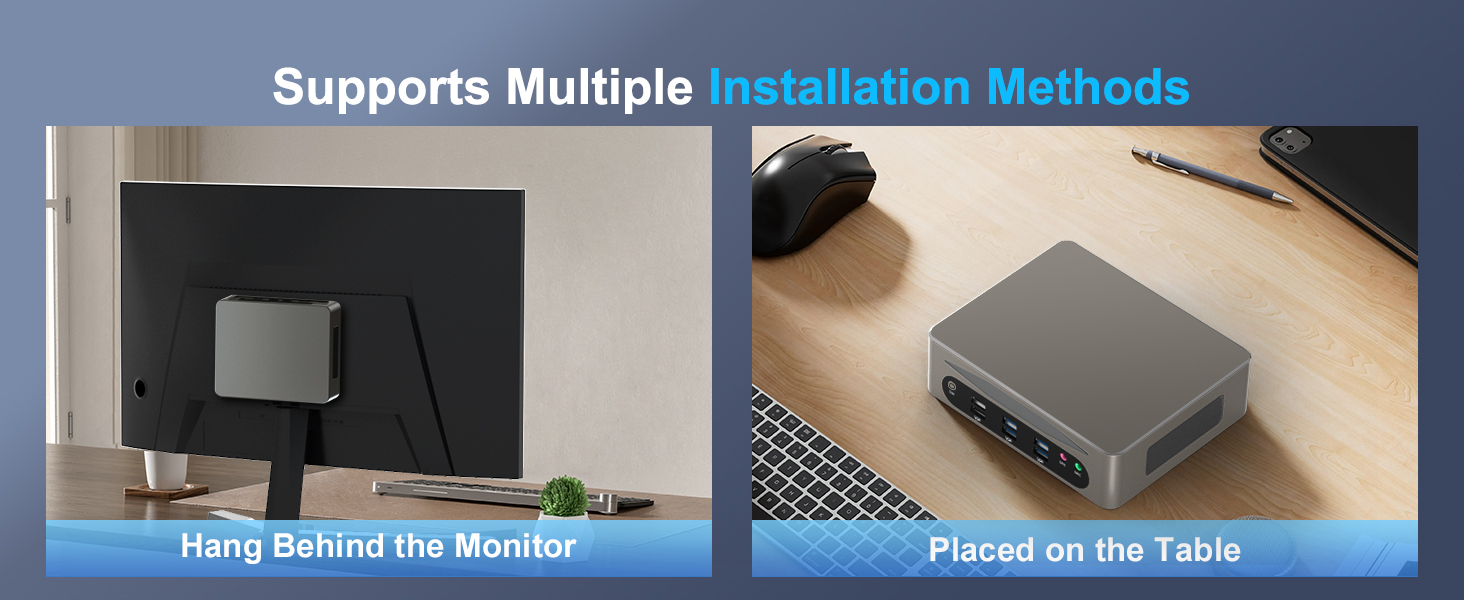
- Recommendation: HYSTOU M9
- Why: Kiosks demand responsiveness. Users expect smartphone-like speed when touching the screen. The i5-1340P ensures smooth animations and instant query responses. The compact size fits easily inside slim kiosk enclosures.
Case B: Production Line Monitoring (HMI)
- Recommendation: HYSTOU H6
- Why: This environment is dusty and requires the PC to run for months without a reboot. The H6 can drive three screens: one for production data, one for camera feeds, and one for ERP systems. Windows 11 IoT’s “Assigned Access” feature works perfectly here to lock the H6 into specific apps
6. Frequently Asked Questions (FAQ)
Can the HYSTOU H6 run Windows 11 without a TPM chip?
Most modern HYSTOU H6 units come with fTPM (Firmware TPM) enabled in the BIOS, making them fully compatible with Windows 11 official installation requirements.
Is the fan on the H6 loud?
No, “Industrial Fan-Cooled” does not mean loud. It means the fan bearing is designed for long life (50,000+ hours) and consistent airflow, rather than silence, though it is generally unobtrusive in a factory setting.
Can I upgrade the RAM on the M9?
Yes, the M9 supports dual-channel DDR4/DDR5 (depending on specific sub-model configuration), allowing for significant memory expansion, which is beneficial for virtualization on Windows 11.
7. Conclusion
Choosing between the HYSTOU M9 and H6 depends entirely on your deployment environment.
For clean, high-performance environments where processing speed is king, the M9 with Intel i5-1340P is an investment in future-proof computing.
For demanding, mixed-signal industrial environments where reliability trumps raw speed, the H6 Industrial PC offers the peace of mind that your automation system will stay online, day in and day out.

HYSTOU
HYSTOU has established its R&D headquarters in Shenzhen, drawing on over a decade of experience. Our core team members, who previously served at renowned companies such as Inventec and Quanta Computer, form the backbone of our technical expertise. With robust R&D and innovation capabilities, we remain steadfast in our commitment to pursuing excellence in the field of technology products.