
Small Size, Big Power: How Intel Turbo Boost Technology Enhances Your Mini PC

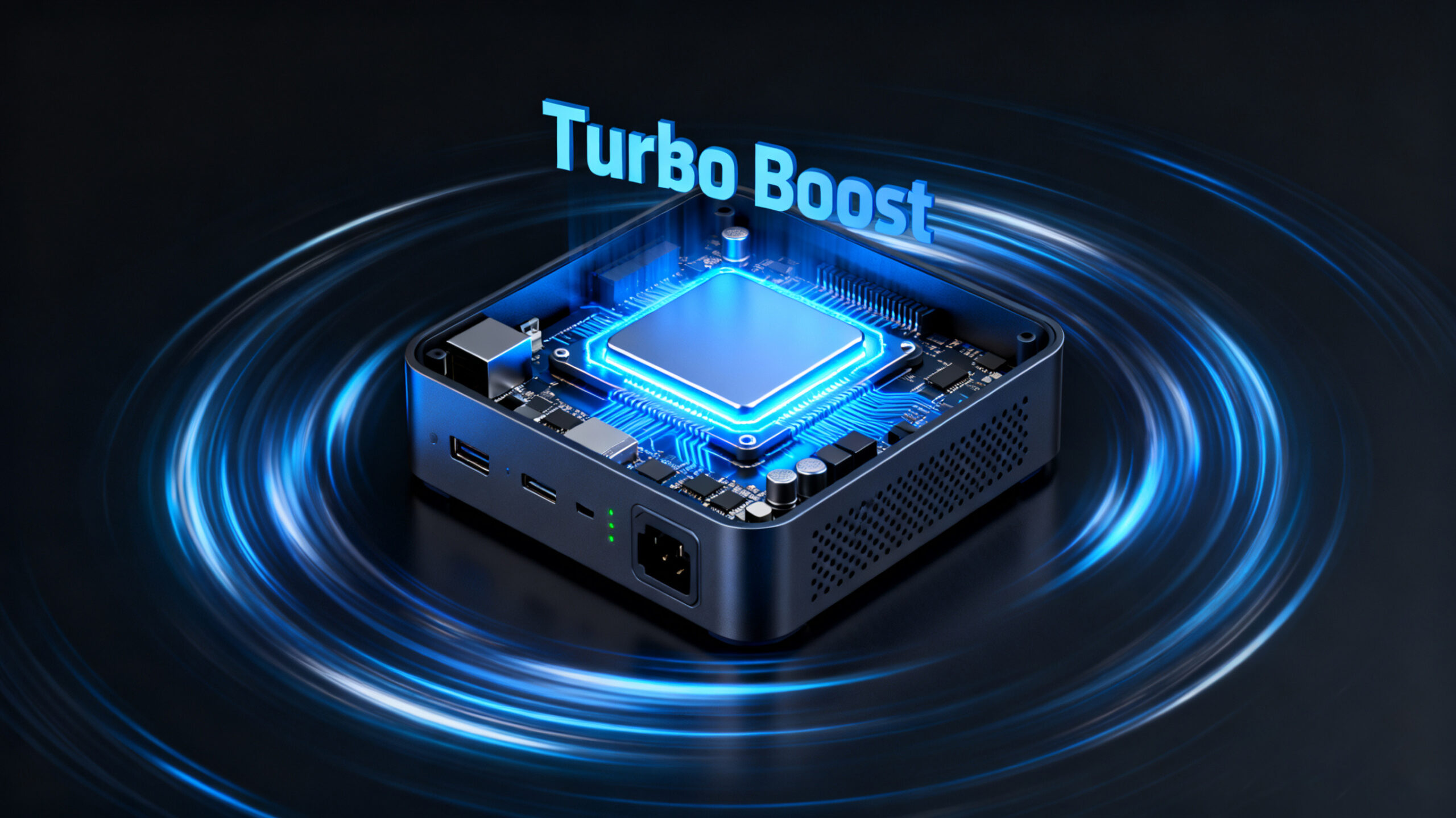
The Mini PC Performance Paradox
Have you ever experienced that heart-sinking moment when your computer grinds to a halt during a critical task? You’re editing a video for an important client, compiling a complex code project, or immersed in an intense gaming session when suddenly everything slows down. The cursor freezes, the progress bar stalls, and frustration mounts as you watch precious minutes tick by.
For mini PC users, this scenario often triggers a familiar concern: “With such a compact size, isn’t performance inevitably compromised?” It’s a reasonable question. We’ve been conditioned to associate computing power with physical size—bulky towers with rows of fans, glowing RGB lights, and endless upgrade possibilities. How could something that fits in the palm of your hand possibly keep up?
Today, we’re here to introduce a technology that shatters this misconception: Intel Turbo Boost Technology. Think of it as the hidden performance booster inside your mini PC, quietly waiting to unleash extra power exactly when you need it most.
What Exactly Is Intel Turbo Boost Technology?
At its core, Intel Turbo Boost is an intelligent, automatic CPU overclocking technology. In simple terms, it allows individual or multiple CPU cores to temporarily exceed their base operating frequency when demanding tasks require additional processing power.
Let’s use a car engine analogy to clarify this concept:
Base Frequency: This is like your car’s cruising speed on the highway—say 60 mph. It’s efficient, steady, and perfect for everyday driving conditions (browsing the web, word processing, streaming videos).
Turbo Boost Frequency: Imagine you need to overtake a slow-moving vehicle or climb a steep hill. You press the accelerator, and the engine revs higher, temporarily reaching speeds of 100 mph to meet the increased demand. This is precisely what Turbo Boost does for your CPU.
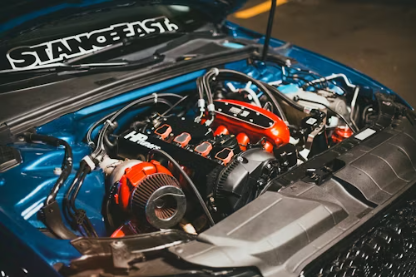
The key distinction here is the technology’s intelligence and temporary nature. Unlike manual overclocking, which forces components to run at higher speeds constantly, Turbo Boost activates dynamically. It delivers extra power exactly when needed and scales back when the demand decreases, striking an optimal balance between performance and efficiency.
The Inner Workings of Turbo Boost
You might be wondering: How does the CPU “know” when to accelerate? Turbo Boost operates based on sophisticated algorithms that continuously monitor three critical factors:
- Workload Analysis: The system evaluates whether current tasks require enhanced CPU performance. Simple activities like checking email won’t trigger Turbo Boost, but video rendering or complex calculations will.
Core Utilization: The technology distinguishes between single-threaded and multi-threaded tasks. Many applications still rely heavily on single-core performance, so Turbo Boost can prioritize increasing frequencies for specific cores rather than all of them simultaneously.
Thermal and Power Headroom: Most importantly, the CPU constantly monitors its temperature and power consumption. Turbo Boost can only activate when the system has sufficient thermal and power margins to safely increase performance without exceeding factory-set limits.
In essence, Turbo Boost operates within what engineers call “performance envelopes.” When your mini PC has thermal and power reserves available, the technology automatically increases core frequencies—sometimes by as much as 40% above base speeds—until it reaches these predefined limits. This intelligent balancing act ensures maximum performance without compromising system stability or longevity.
Why Turbo Boost Is a Game-Changer for Mini PC Users
For mini PC enthusiasts, Turbo Boost isn’t just a nice feature—it’s a transformative technology that addresses the fundamental challenge of compact computing: how to deliver exceptional performance without sacrificing size, battery life, or thermal management.
Breaking the "Small = Weak" Stereotype
Mini PCs have long struggled against the perception that smaller size necessarily means inferior performance. Turbo Boost directly counters this misconception by enabling “performance on demand.” Your compact computer doesn’t need to maintain peak power consumption constantly; instead, it can conserve energy during routine tasks and unleash additional power precisely when required.
Real-World Benefits Across Key Scenarios
Let’s explore how Turbo Boost enhances specific use cases that matter most to mini PC users:
Content Creation: Video editors working with 4K footage will notice significantly faster rendering times. Photo editors using Adobe Photoshop or Lightroom will experience smoother brush strokes and quicker filter applications, even with multiple layers.
Productivity Powerhouse: Professionals working with large Excel spreadsheets containing complex formulas will see calculations complete in seconds rather than minutes. Running virtual machines alongside productivity software becomes feasible without frustrating slowdowns.
Gaming Capabilities: While mini PCs aren’t typically gaming powerhouses, Turbo Boost can provide noticeable frame rate improvements in CPU-bound scenarios—think large-scale battles in strategy games or complex physics calculations in open-world adventures.
Development and Programming: Software developers compiling code will appreciate dramatically reduced build times, allowing for faster iteration and testing cycles. Data scientists running machine learning models will see quicker training iterations.
The Competitive Advantage
It’s important to note that not all mini PCs offer this capability. Many budget systems use processors that either lack Turbo Boost entirely or feature limited implementations. When you choose a mini PC equipped with Intel Core processors featuring full Turbo Boost technology, you’re investing in a system that can adapt to your changing needs and deliver performance that often surpasses larger, less sophisticated alternatives.
Maximizing Turbo Boost Performance on Your Mini PC
While Intel Turbo Boost operates automatically, several factors influence how effectively it can enhance your mini PC experience. At our company, we’ve engineered our systems to fully leverage this technology through careful design considerations:

Advanced Thermal Engineering
Our mini PCs feature state-of-the-art cooling solutions that include:
Multi-layered heat sink fins with optimized airflow channels
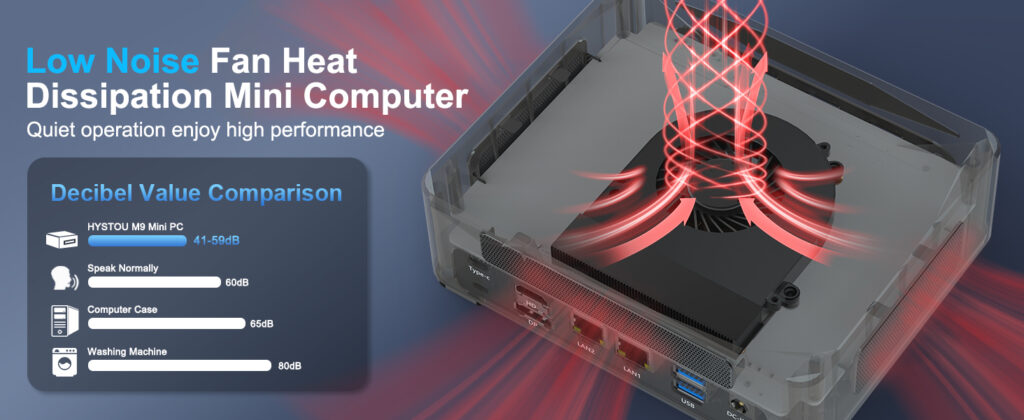
High-performance, low-noise fans with adaptive speed control
Premium thermal interface materials that ensure efficient heat transfer from CPU to cooling components
This superior thermal management allows Turbo Boost to maintain higher frequencies for longer durations, delivering sustained performance when you need it most.
Robust Power Delivery
We’ve invested in high-quality power delivery components that ensure your CPU receives clean, stable power even during peak Turbo Boost events. This not only maximizes performance potential but also enhances system reliability and longevity.
Intelligent Performance Profiles
Many of our models include user-selectable performance modes:
Balanced Mode: Optimizes for everyday use with efficient power consumption
Performance Mode: Unlocks maximum Turbo Boost potential for demanding tasks
Silent Mode: Prioritizes quiet operation while maintaining reasonable performance
These profiles allow you to tailor your mini PC’s behavior to specific tasks and environments.
User Maintenance Recommendations
To ensure your mini PC continues to deliver optimal Turbo Boost performance:
Keep all ventilation ports unobstructed
Perform annual maintenance to remove dust buildup from cooling components
Use your system on hard, flat surfaces rather than soft materials that can block airflow
Consider elevating the device if you regularly perform CPU-intensive tasks
Conclusion - Redefining Compact Computing
Intel Turbo Boost Technology represents more than just incremental performance improvement—it fundamentally redefines what’s possible with compact computing devices. By intelligently delivering power exactly when and where it’s needed, Turbo Boost enables mini PCs to punch far above their weight class, challenging the notion that serious computing requires bulky hardware.
For the digital creator balancing performance needs with living space constraints, the remote worker seeking powerful yet portable computing, or the enthusiast building a stealthy home theater PC, Turbo Boost-equipped mini PCs offer an compelling solution. They represent the perfect intersection of form and function—proof that great things truly can come in small packages.
Ready to Experience the Difference?
Explore our range of mini PCs featuring the latest Intel Core processors with Turbo Boost Technology and discover how compact computing can transform your workflow and entertainment experience.
Have Questions?
Our technical experts are available to help you select the perfect mini PC configuration. Contact our support team for detailed specifications on Turbo Boost frequencies and capabilities for specific models.

HYSTOU M9 Mini PC – Intel i5-1340P WiFi 6 Desktop Computer (8K Triple Display)
- Processor: Intel Core I5-1235U / I7-1255U / I5-1335U / I5-1340P / I7-1360P
- Graphics Card: Intel® UHD Graphics (with single-channel memory) or Intel® Iris® Xe Graphics (with dual-channel memory)
- Memory: 2×DDR5 262Pin SODIMM, maximum support 64GB
- Storage: 2×M.2 2280 NVMe SSD (NVME1 supports Gen3 X4/SATA protocol, NVME2 supports Gen4 X4 protocol, both up to 4TB) + 1×SATA3.0 interface (supports 2.5-inch HDD/SSD, up to 6TB)
- Network: 2×RJ45 (Intel I225-V 2.5G network card), supports WiFi 6 (optional AX200) and Bluetooth 5.2

HYSTOU
HYSTOU has established its R&D headquarters in Shenzhen, drawing on over a decade of experience. Our core team members, who previously served at renowned companies such as Inventec and Quanta Computer, form the backbone of our technical expertise. With robust R&D and innovation capabilities, we remain steadfast in our commitment to pursuing excellence in the field of technology products.



