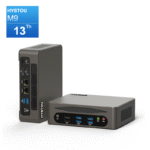
Mini PC vs Desktop: Who is the better fit for Your Next Setup?

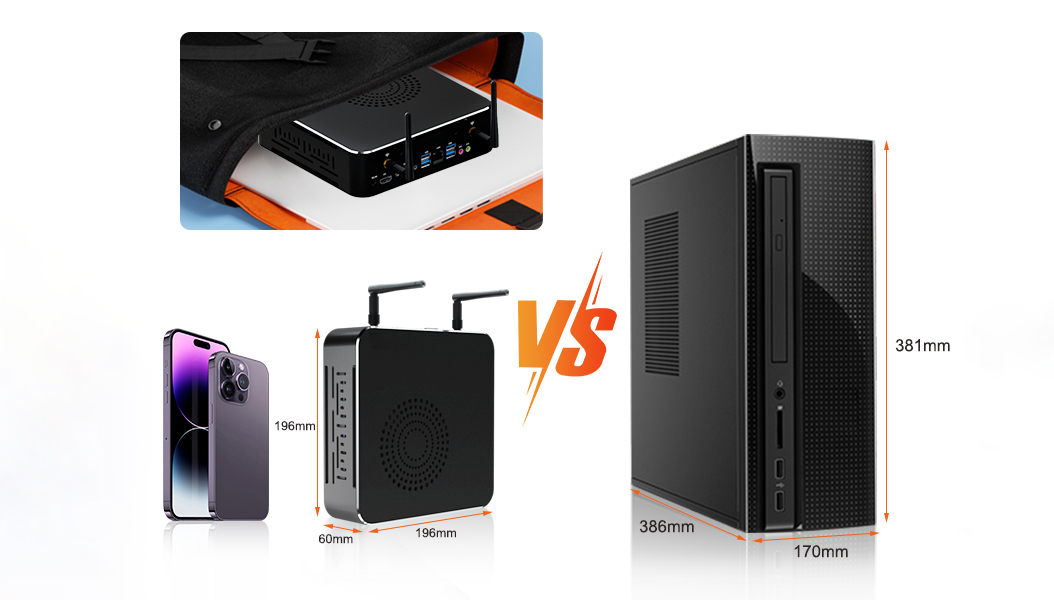
The Choice is No Longer Just About Specs—It’s About Balancing Performance with Lifestyle
Do you find yourself hesitating before buying a new computer? On one hand, you might feel a natural resistance to the massive, dust-gathering chassis of a traditional desktop tower eating up your legroom. On the other hand, a lingering worry remains: “Can a box the size of a sandwich really handle my workload?”
Let’s clear the air. In today’s tech landscape, the choice is no longer a simple brawl over raw performance numbers. It is a question of matching technology to your living environment. For most users, lifestyle factors like space and flexibility matter as much as specs; for a small group of power users, raw performance remains non-negotiable.
The 3-Dimensional Showdown: Where the Mini PC Shines
To help you decide, let’s look at the three critical factors that actually impact your daily usage: Space, Efficiency, and Flexibility.
1. Space & Design: The "Desk Aesthetics" Revolution
The Desktop: Modern desktops also offer compact chassis options (e.g., ITX cases) with optimized cable management, and their open architecture allows for easy upgrades of GPUs, storage, and cooling systems—an irreplaceable advantage for users needing long-term scalability.
The Mini PC: Imagine a powerful computer that fits in the palm of your hand. You can mount it behind a monitor (VESA mount), tuck it into a bookshelf, or let it sit on your desk as a piece of minimalist art. It transforms your workspace from a crowded cockpit into a Zen-like zone of productivity. It’s not just a PC; it’s part of your interior decor.
2. Performance & Efficiency: The "Good Enough" vs. "Smart Enough" Debate
The Desktop: Yes, for the top 1% of users (hardcore overclockers), the tower wins on raw expansion. But it comes at a cost: high power consumption (often 300W+), heat, and fan noise. TDP (Thermal Design Power) is a measure of how much heat a processor generates. Lower TDP means less power consumption and quieter operation.
- The Mini PC:
Modern Mini PCs utilize the mobile and desktop-class architectures, such as the AMD Ryzen 7/9 series or Intel Core i7/i9 processors. These chips feature integrated graphics capable of handling 4K video playback, complex coding environments, and mainstream gaming with ease. Mainstream gaming (e.g., League of Legends, Minecraft) runs smoothly at 1080p/60fps, but AAA titles (e.g., Cyberpunk 2077) may require low-to-medium settings—unlike high-end desktops that support 4K/120fps with dedicated GPUs.Furthermore, they operate at a remarkably low TDP (Thermal Design Power), typically ranging from 30W to 65W.
For 90% of users, this is the “smarter” performance. You get a snappy, responsive experience without the roar of cooling fans or a spike in your electricity bill. It is high-performance with a low carbon footprint.
3. Flexibility: Redefining the "Personal" Computer
The Desktop: Once you plug it in, it stays there.
The Mini PC: It’s a chameleon: by day, it’s a workstation; by night, it’s a 4K home theater PC or a silent home server.
Creating Mini PCs That Don’t Compromise: Meet HYSTOU M9
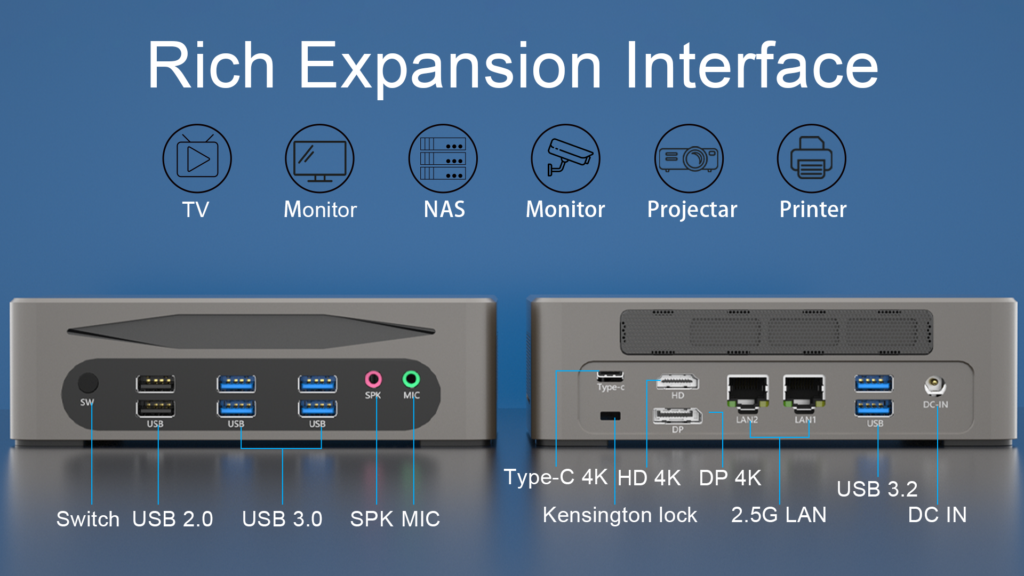
If a mini PC aligns with your lifestyle, the HYSTOU M9 series addresses common pain points of compact devices: unlike most mini PCs that require dongles for basic connectivity, it offers full I/O ports (USB-C, HDMI 2.0, dual LAN) for plug-and-play use; its dual-channel DDR5 slots and dual M.2 NVMe support ensure you can upgrade performance as your needs grow—no compromise on expandability despite its small size.
Processor: Equipped with the Intel Core i7-1360P, delivering desktop-grade processing speeds.
Connectivity: Unlike standard dongle-heavy laptops, we provide a full array of I/O ports including USB-C, HDMI 2.0, and dual LAN ports.
Cooling: Our proprietary Intelligent cooling design ensures the system remains whisper-quiet even under load.
Expandability: Features dual-channel DDR5 RAM slots and dual M.2 NVMe SSD support for future-proof upgrades.
With our intelligent management software pre-installed, performance tuning is automated, ensuring your device adapts to your workflow, not the other way around.
Which Path Should You Take?
Stick with the Traditional Tower IF:
You are a competitive AAA gamer requiring ultra-high frame rates and distinct massive GPUs.
You are a professional video editor or 3D renderer requiring sustained 100% CPU/GPU loads 24/7.
You need 4+ hard drives and multiple PCIe capture cards inside the chassis.
The Mini PC is Your Perfect Match IF:
The Urban Professional: You want a clean, cable-free desk to switch seamlessly between reports, meetings, and streaming.
- The Freelancer: You need to switch between home office, coffee shops, and client sites—requiring a portable device (without laptop battery anxiety) and powerful enough for light video editing or graphic design.
The Student/Renter: A lifesaver for dormitories and small apartments, maximizing the use of limited space.
The Family Hub: You need a shared computer for the kids’ homework, your taxes, and 4K movies in the living room.
Business Owners: You want to deploy a fleet of computers that are easy to maintain, energy-efficient, and look professional.
Tech Enthusiasts: You want to experiment with home labs, servers, or retro gaming emulation without buying bulky hardware.
The Future is Compact
As we move towards a more connected and mobile world, the demand for space-efficient computing solutions will only grow. The Mini PC is not just a passing trend—it represents the future of personal computing, where technology integrates seamlessly with our lives rather than dominating them.

HYSTOU
HYSTOU has established its R&D headquarters in Shenzhen, drawing on over a decade of experience. Our core team members, who previously served at renowned companies such as Inventec and Quanta Computer, form the backbone of our technical expertise. With robust R&D and innovation capabilities, we remain steadfast in our commitment to pursuing excellence in the field of technology products.