
Mini PC for Modern Offices: The Ultimate Buyer's Guide

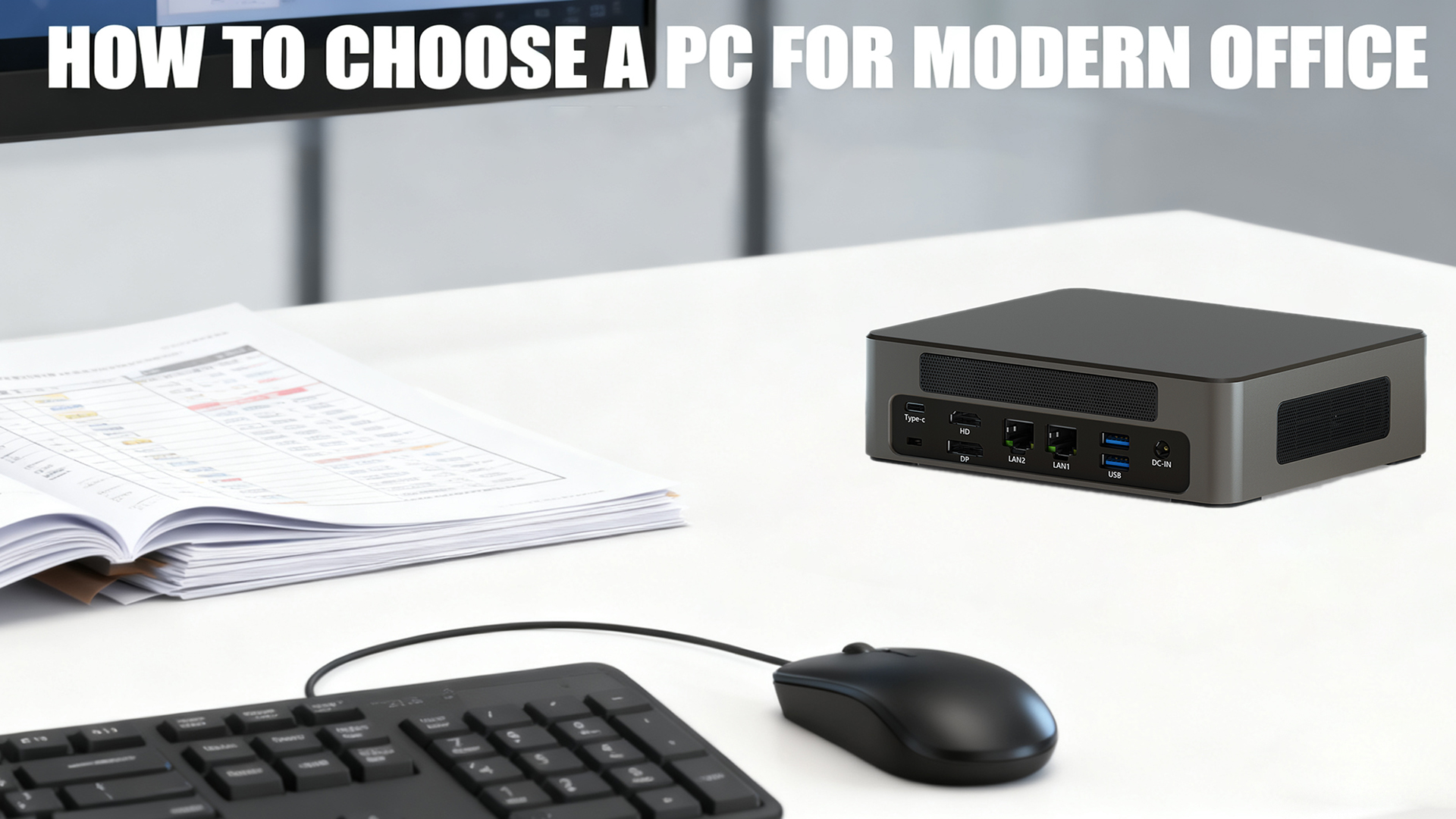
Picture this: A modern office where desk space is at a premium, teams split time between on-site and remote work, and every professional juggles multiple tasks—from video conferences to data analysis—simultaneously. Cables snake across cluttered desks, bulky desktops hog valuable real estate, and laptops struggle to balance portability with the performance needed for intensive work. Sound familiar?
The core question emerges: How can businesses unlock maximum computing power without sacrificing space, flexibility, or budget? Enter the Mini PC—a compact computing solution that defies the myth that “smaller means less powerful.” Blending a tiny footprint with robust performance, Mini PCs are reshaping how modern offices operate, offering a versatile alternative to traditional desktops and laptops alike.
Why Modern Offices Need a Mini PC?
Space Efficiency: Work Smarter, Not Larger
The most immediate advantage of mini PCs lies in their dramatic space savings. Traditional desktop towers typically occupy 15-20 liters of volume, requiring dedicated floor or desk space and disrupting ergonomic layouts. In contrast, modern mini PCs range from just 0.5 to 5 liters—small enough to disappear behind a monitor using VESA mounting brackets or fit unobtrusively on even the most crowded workstation.
This transformation creates cleaner, more organized workspaces with measurable benefits. A 2023 study published in the Journal of Environmental Psychology found that clutter-free work environments increase employee focus by 16% and reduce cognitive fatigue by 21%. For IT departments, the space savings multiply across the organization: deploying 100 mini PCs instead of traditional desktops frees up approximately 12 square meters of office space—enough for 6 additional workstations or a small meeting area.
Energy & Cost Savings: Bottom-Line Benefits
Beyond space efficiency, mini PCs deliver substantial financial benefits through reduced energy consumption. According to the U.S. Department of Energy, typical desktop computers consume 60-200 watts of power during operation, while mini PCs generally use just 15-65 watts—a reduction of up to 72%. For a company operating 100 workstations 8 hours daily, this translates to annual electricity savings of approximately $3,500-$14,000 depending on local energy costs.
The savings continue with cooling expenses. Traditional desktops generate significant heat, increasing HVAC loads in office environments. The Lawrence Berkeley National Laboratory estimates that for every watt saved in computing equipment, an additional 0.5 watts is saved in cooling costs. Mini PCs also eliminate the need for expensive UPS systems required to protect power-hungry desktops, further reducing infrastructure expenses.
When calculating total cost of ownership (TCO) over a typical 3-5 year lifecycle, research firm Forrester found mini PCs reduce costs by 23-31% compared to traditional desktops, primarily through energy savings, reduced maintenance, and extended useful life.
Flexibility & Scalability: Adapt to Any Workflow
Modern offices need technology that grows with them—and Mini PCs deliver. Most models support 2-4 monitors natively, making them ideal for finance professionals analyzing spreadsheets, designers working on multi-screen projects, or data analysts visualizing complex datasets. Upgrading is a breeze too: easily add more RAM or storage to meet evolving demands, without replacing the entire unit. Whether you’re a startup with 5 employees or a mid-sized company with 50, Mini PCs adapt to different roles—from administrative tasks to intensive creative work.
Mini PC vs. Laptop: Which is Better for Office Environments
Choosing between a Mini PC and a laptop depends on your office’s unique needs. Below is a detailed comparison of key decision factors:
Consideration | Mini PC Advantages | Laptop Advantages | Office Suitability |
Performance-to-Price Ratio | Higher specs (CPU/GPU/RAM) for the same budget | All-in-one convenience (no extra peripherals needed) | Mini PC is better for fixed workstations |
Ergonomics | Customize peripherals (keyboard, mouse, monitor height) | Integrated design (portable but fixed setup) | Mini PC supports healthier, adjustable workspaces |
Multi-Monitor Support | Native 2-4 display output (no docks required) | Limited to 1-2 displays (often needs a dock) | Mini PC is ideal for multitasking/analytical roles |
Upgradeability | Easy to upgrade RAM, storage, and cooling components | Most models have soldered parts (limited upgrades) | Mini PC is better for long-term use (5+ years) |
Portability | Compact but requires external monitor/keyboard | Fully integrated (ready to use anywhere) | Laptop wins for frequent on-the-go work |
Total Cost of Ownership | Lower (reuse existing peripherals; fewer replacements) | Higher (repairs/replacements affect entire unit) | Mini PC saves money for teams with existing gear |
The Hybrid Work Optimal Solution
For optimal flexibility, combine a high-performance Mini PC (for your fixed office workstation) with a lightweight, budget-friendly laptop (for remote days). Use cloud services like Microsoft 365 or Google Workspace to sync data seamlessly between devices—no more transferring files or adjusting to different setups. This combination costs less than two high-end laptops and delivers the best of both worlds: power at the office, portability on the go.
How to Choose the Right Mini PC for Your Office
Step 1: Assess Your Performance Needs
- Basic Office Tasks: Document editing, email, video conferencing, and web browsing. Look for a Mini PC with an Intel Celeron, AMD Athlon Silver, or equivalent processor, 4GB RAM, and 128GB SSD.
- Mid-Range Professional Work: Multitasking, spreadsheet analysis, light graphic design, or programming. Opt for an Intel Core i3/i5, AMD Ryzen 3/5, 8GB-16GB RAM, and 256GB-512GB SSD.
- High-End Professional Work: Video editing, 3D design, data science, or intensive programming. Choose an Intel Core i7/i9, AMD Ryzen 7/9, or Intel Xeon processor, 16GB+ RAM, 1TB+ SSD, and dedicated GPU (e.g., NVIDIA GeForce or AMD Radeon).
Step 2: Prioritize Connectivity & Ports
- USB-C/Thunderbolt 4: Essential for fast data transfer, external display connectivity, and charging peripherals.
- Display Outputs: HDMI 2.1, DisplayPort, or Thunderbolt for multi-monitor setups (ensure compatibility with your monitors).
- Networking: WiFi 6/6E for wireless speed and reliability; 2.5GbE Ethernet for wired connections (critical for data-heavy tasks).
- Additional Ports: USB-A (for legacy peripherals like printers), SD card readers (for creative professionals), and audio jacks.
Step 3: Consider Size & Installation Options
- Ultra-Compact (50-100mm): Ideal for tight spaces (e.g., small desks or shared workstations) but may have limited upgradeability.
- Standard Mini PC (100-150mm): Balances size and performance, with more upgrade options and better cooling.
- VESA Compatibility: Must-have for mounting behind monitors (saves desk space).
- Noise Level: Look for fanless models (0dB noise) for quiet offices or open workspaces.
Step 4: Choose the Right Operating System
- Windows 11 /11 Pro: Best for businesses needing enterprise security, remote management, and compatibility with Microsoft 365.
- Linux (Ubuntu, Fedora): Flexible, open-source option for developers, IT teams, or businesses prioritizing customization.
- No OS Option: Save money by installing your preferred OS (ideal for teams with existing licenses).
Conclusion
The Mini PC revolution is transforming modern offices by solving three critical pain points: limited space, tight budgets, and hybrid work flexibility. Unlike bulky desktops, Mini PCs free up workspace without sacrificing performance. Compared to laptops, they offer better ergonomics, multi-monitor support, upgradeability, and long-term cost savings—especially for fixed office workstations.
For businesses and professionals seeking a versatile, future-proof computing solution, Mini PCs deliver unmatched value: space efficiency, energy savings, and the power to handle everything from basic admin tasks to intensive creative work. Whether you’re a remote freelancer, a data analyst, or a small business owner, there’s a Mini PC tailored to your needs.
Ready to find your perfect Mini PC? Explore our curated selection of office-optimized models, or contact our team for personalized recommendations based on your workflow and budget.

HYSTOU
HYSTOU has established its R&D headquarters in Shenzhen, drawing on over a decade of experience. Our core team members, who previously served at renowned companies such as Inventec and Quanta Computer, form the backbone of our technical expertise. With robust R&D and innovation capabilities, we remain steadfast in our commitment to pursuing excellence in the field of technology products.



