

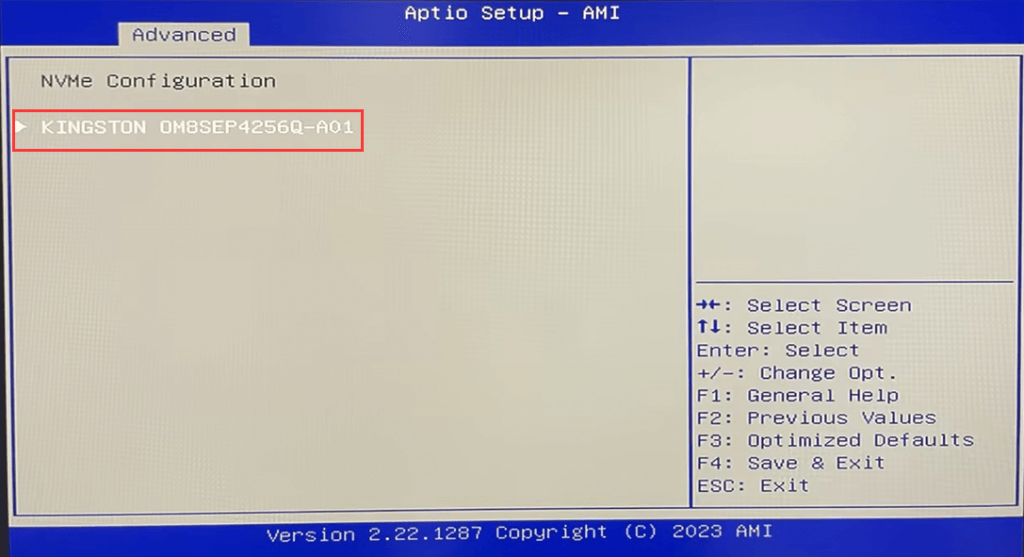
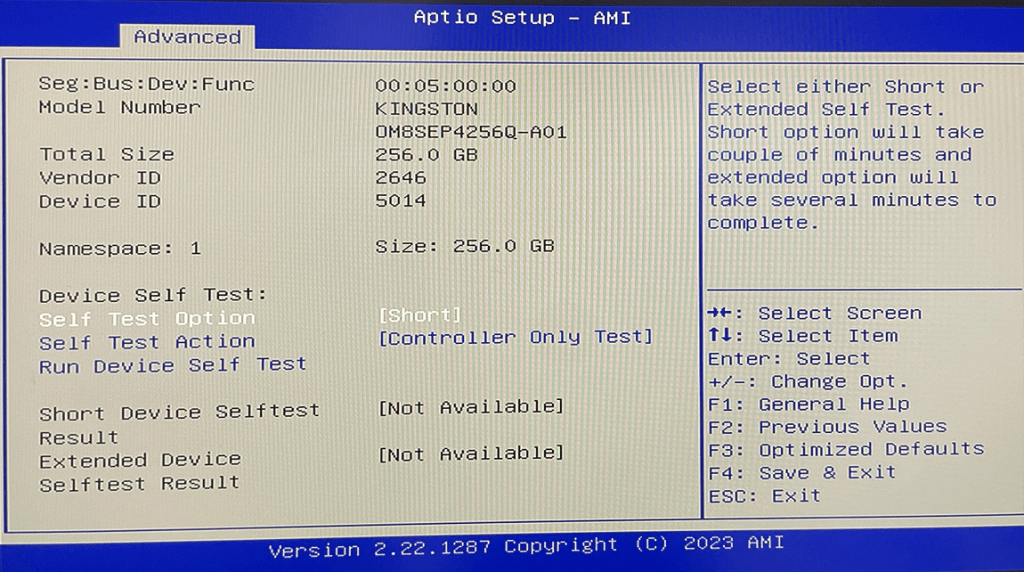
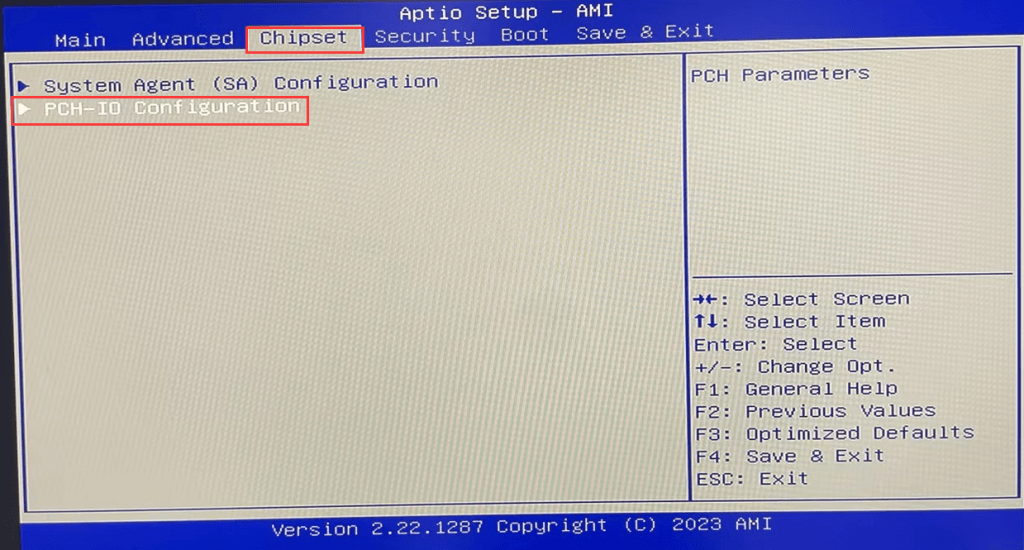
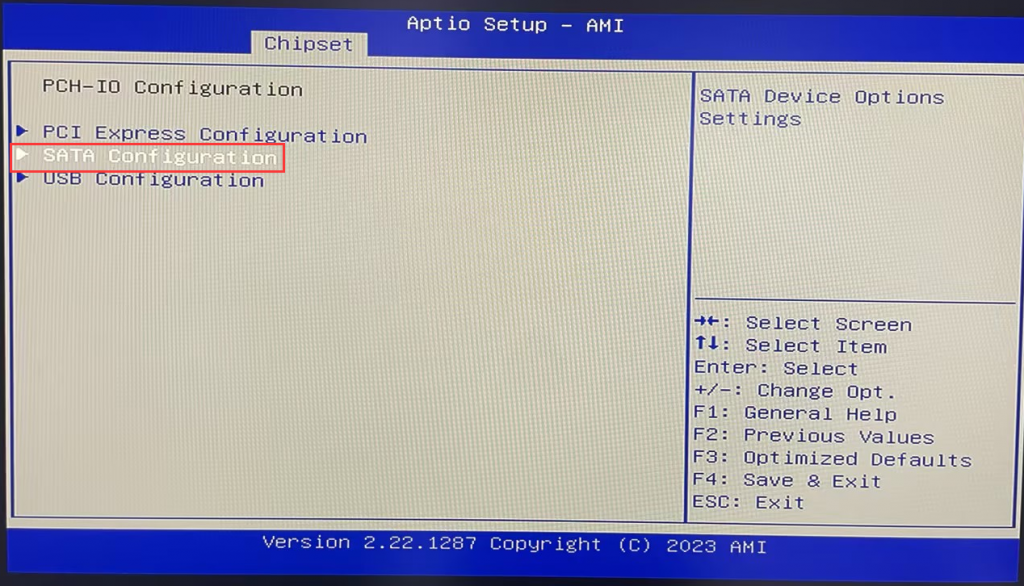





Step 2: [Check for NVME SSDs].
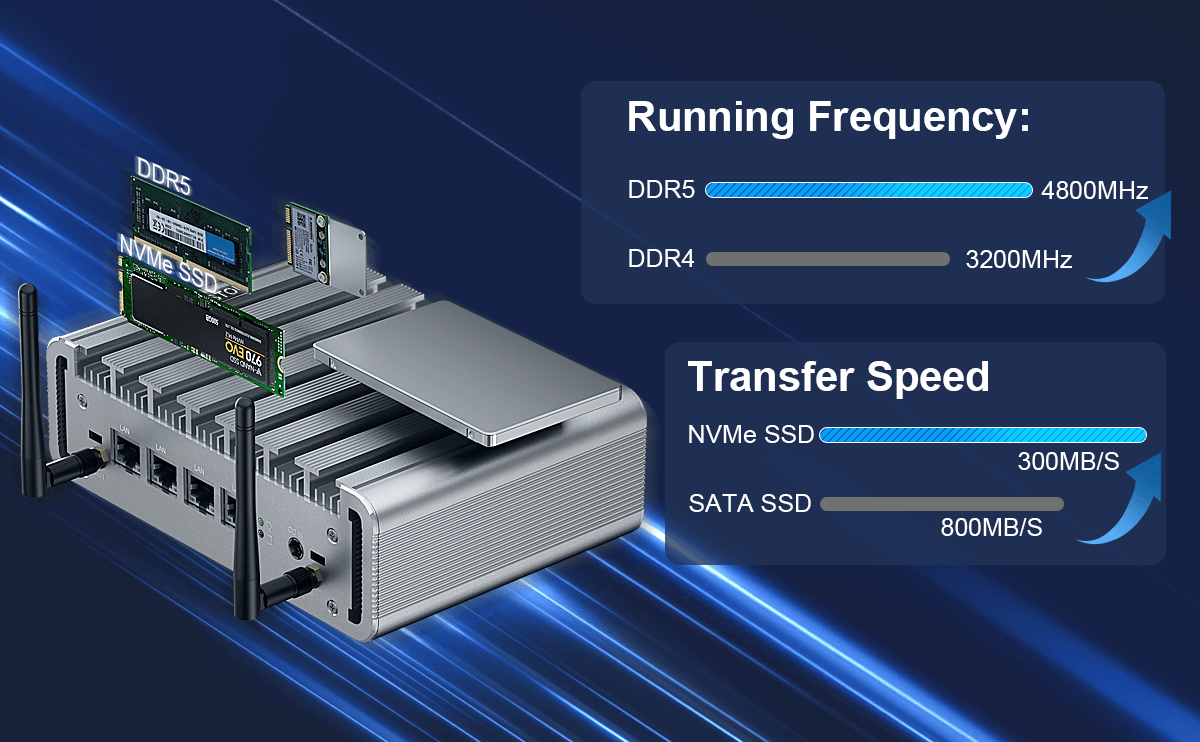
PS: This model’s M.2 2280 slot only supports NVME protocol SSDs, not M.2 SATA protocol SSDs.
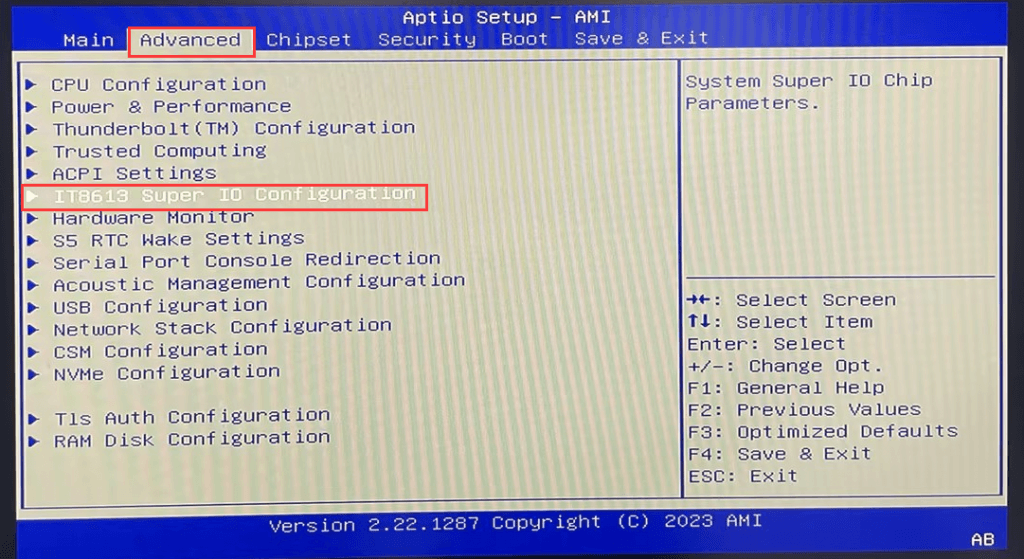
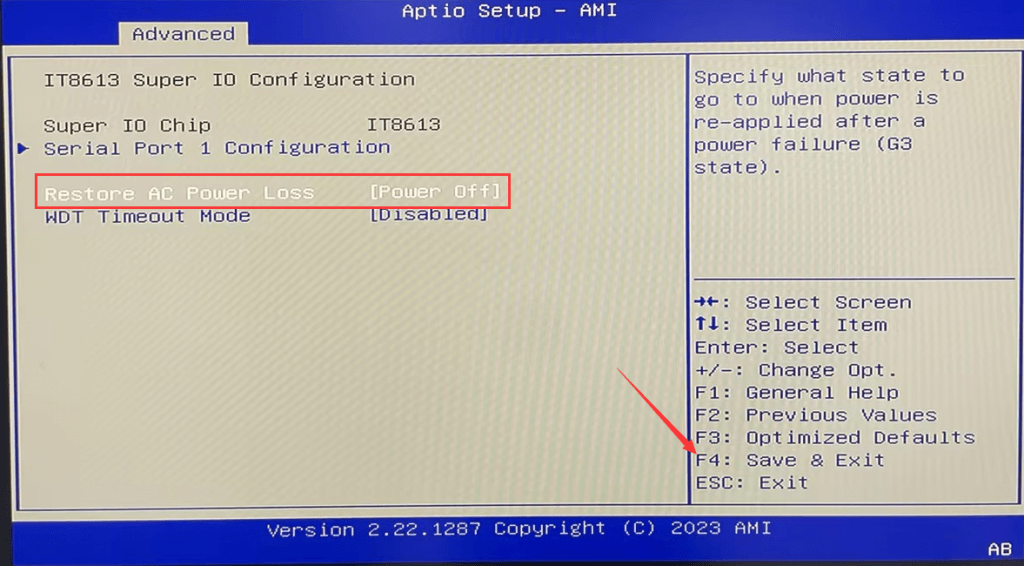
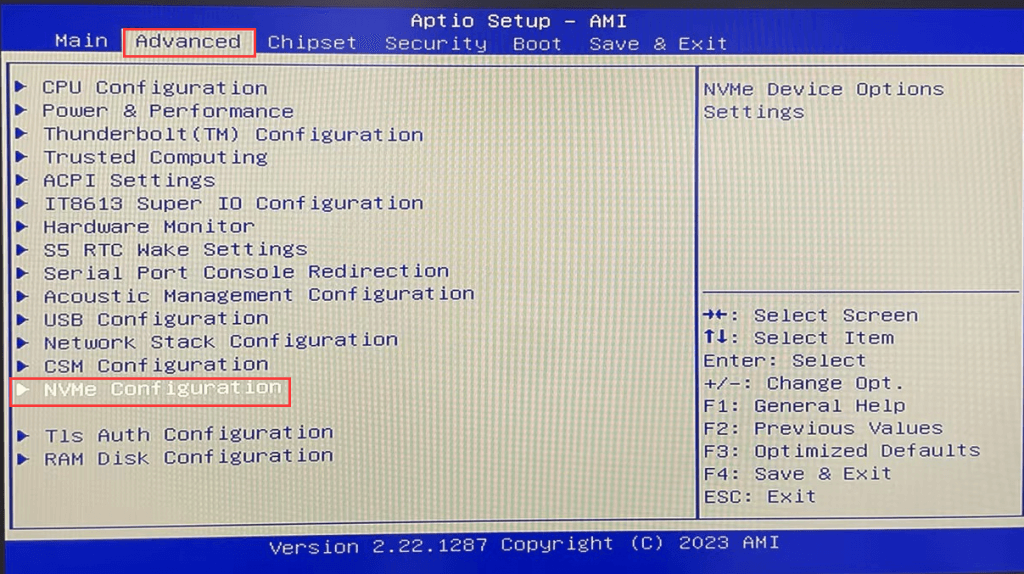
Follow the steps in Step 1 to enter BIOS Setup, and select Advanced>NVME Configuration> to query the NVME SSD;
Hit Enter again to query NVME details (e.g., Model Number, Total Size, etc.).
Step 3 [Checking 2.5-inch SSD/HDD]
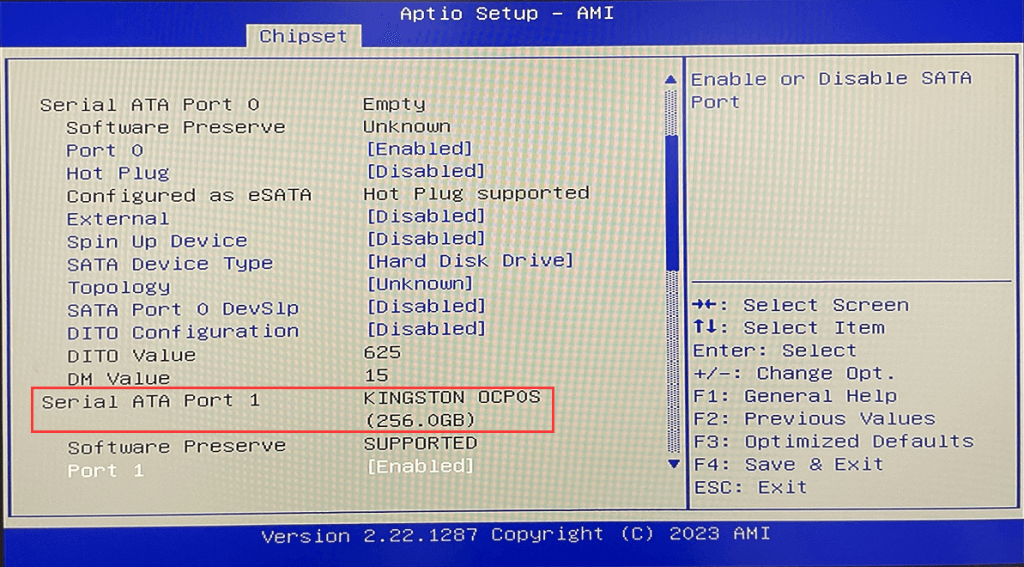
Follow the steps in Step 1 to enter BIOS Setup and select Chipset>PCH-IO Configuration>SATA Configuration in order.
Use the keyboard arrow keys to move to Serial ATA Port 1 to find the hard disk name and capacity.
HYSTOU
HYSTOU has established its R&D headquarters in Shenzhen, drawing on over a decade of experience. Our core team members, who previously served at renowned companies such as Inventec and Quanta Computer, form the backbone of our technical expertise. With robust R&D and innovation capabilities, we remain steadfast in our commitment to pursuing excellence in the field of technology products.
Recently, scammers have been impersonating our company staff to commit payment fraud. To protect your interests, please pay attention to the following matters:
Verify Sender: Check if the email domain is @hystou.com. Immediately delete any emails from non-Hystou domains.
Double-Check: For any account modification requests, cross-verify via the customer service hotline listed on our official website hystou.com or through existing partnership channels.
Refuse Private Transactions: Do not trust claims like “urgent notifications,” “confidentiality requirements,” or “tax policy updates.” All business changes must follow official procedures.