
How to Prevent Mini PC Overheating: A Comprehensive Guide

Understanding Mini PC Overheating Risks
Mini PCs have revolutionized computing with their compact design and versatile performance, but their small form factor presents unique thermal challenges. Unlike traditional desktops with spacious cases and multiple cooling options, mini PCs pack powerful components into tightly constrained spaces, creating potential overheating risks during intensive tasks.
When a mini PC overheats, the consequences can range from minor inconveniences to severe hardware damage. Performance degradation is often the first sign, as processors automatically reduce clock speeds to lower temperatures—a protective measure known as thermal throttling. In more critical scenarios, overheating can cause system instability, leading to blue screens, unexpected shutdowns, or application crashes. Prolonged exposure to high temperatures accelerates component wear, significantly shortening the lifespan of critical parts like the CPU, GPU, and motherboard.
The risk becomes particularly pronounced during resource-intensive operations such as video editing, 3D rendering, or gaming. These tasks push processors and graphics cards to their limits, generating substantial heat that struggles to dissipate in confined spaces. Even everyday multitasking with multiple browser tabs, productivity software, and media playback can gradually increase internal temperatures if cooling systems aren’t properly designed.
Mini PC vs Desktop: Thermal Performance Comparison
In identical environments, mini PCs typically face greater thermal challenges than their desktop counterparts. This fundamental difference stems from their physical constraints and design priorities. Desktop computers benefit from larger cases that accommodate multiple cooling fans, larger heat sinks, and even liquid cooling systems. Their internal layouts promote natural airflow, with hot components strategically separated from cool intakes.
Mini PCs, by contrast, prioritize space efficiency over thermal capacity. Their compact dimensions restrict airflow and limit cooling solutions to smaller, quieter fans or passive heat sinks. The close proximity of components creates heat pockets where temperature buildup affects multiple parts simultaneously. A typical desktop might maintain CPU temperatures 15-25°C lower than a similarly configured mini PC under identical workloads.
However, premium mini PC models like the Hystou M9 demonstrate that thoughtful engineering can bridge this gap. These systems incorporate advanced thermal management techniques such as vapor chambers, copper heat pipes, and optimized airflow channels. Some gaming-oriented mini PCs even feature desktop-class cooling solutions scaled down to fit miniature form factors, achieving thermal performance that rivals full-sized systems while maintaining portability.
The thermal equation also depends heavily on component selection and workload. Mini PCs equipped with low-power processors (like Intel U-series or AMD Ryzen Mobile chips) generate significantly less heat than those with high-performance desktop-class CPUs. Similarly, casual web browsing and document editing create minimal thermal stress compared to video rendering or gaming, where even well-designed mini PCs may approach their temperature limits.
Effective Strategies to Prevent Mini PC Overheating
Preventing mini PC overheating requires a proactive approach that combines thoughtful purchasing decisions with proper usage habits and regular maintenance. By implementing these strategies, users can significantly enhance thermal performance and extend the lifespan of their compact computing systems.
Selecting a Thermally Optimized Mini PC should be the foundation of your approach. When shopping for a mini PC, prioritize models explicitly engineered for thermal efficiency. Look for specifications that mention dedicated cooling systems, such as multiple heat pipes, high-quality fans, or vapor chambers. Pay attention to user reviews and professional benchmarks that specifically address temperature management under load. The Hystou M9, for instance, has earned praise for maintaining reasonable temperatures even during extended gaming sessions—a testament to its effective cooling design.
Ensuring Proper Ventilation is equally critical once your mini PC is in use. Always position the device on hard, flat surfaces that don’t block air intakes or exhaust vents. Avoid placing mini PCs on carpets, beds, or soft furniture that can restrict airflow. If your workspace is limited, consider using a small cooling stand or riser to elevate the device and improve bottom ventilation. Maintain at least 5-10cm of clearance around all sides of the mini PC, particularly near ventilation openings.
Managing Ambient Temperature in your workspace can have a dramatic impact on thermal performance. Ideally, keep your mini PC in an environment with temperatures between 18-24°C (64-75°F). Avoid direct sunlight exposure or proximity to heat sources like radiators, air vents, or other electronics. In warmer climates or during summer months, using air conditioning or fans to regulate room temperature will减轻 thermal stress on your mini PC.
Regular Cleaning and Maintenance prevents dust accumulation that can severely impede cooling efficiency. Over time, dust builds up on fans, heat sinks, and ventilation grilles, restricting airflow and insulating components. Every 3-6 months, power down your mini PC and use compressed air to blow dust from vents and visible cooling components. For more thorough cleaning, consult your device manual for instructions on safely accessing internal components. This simple maintenance task can reduce operating temperatures by 5-15°C in dust-clogged systems.
Monitoring and Managing Thermal Load through software tools provides valuable insights into your mini PC’s temperature performance. Applications like HWMonitor, Core Temp, or Open Hardware Monitor display real-time CPU and GPU temperatures, allowing you to identify problematic workloads. If you notice consistently high temperatures during specific tasks, consider adjusting power settings, closing unnecessary background applications, or upgrading cooling solutions. Some mini PCs even offer BIOS settings to customize fan behavior or processor power limits for better thermal management.
Hystou Mini PC M9: Engineered for Thermal Excellence
The Hystou Mini PC M9 represents a significant advancement in thermal engineering for compact computing systems. Designed to deliver desktop-class performance without sacrificing temperature stability, this mini PC incorporates a range of features specifically targeted at preventing overheating during intensive operations.
At the heart of the M9’s thermal management system lies a dual-channel cooling architecture that combines active and passive cooling elements. The system features a high-performance centrifugal fan paired with a copper heat pipe array, efficiently transferring heat from the CPU and GPU to a large aluminum heatsink. This configuration ensures that even during sustained workloads, critical components remain within safe operating temperatures. The fan operates with intelligent speed control, ramping up only when necessary to maintain a balance between cooling efficiency and noise levels.
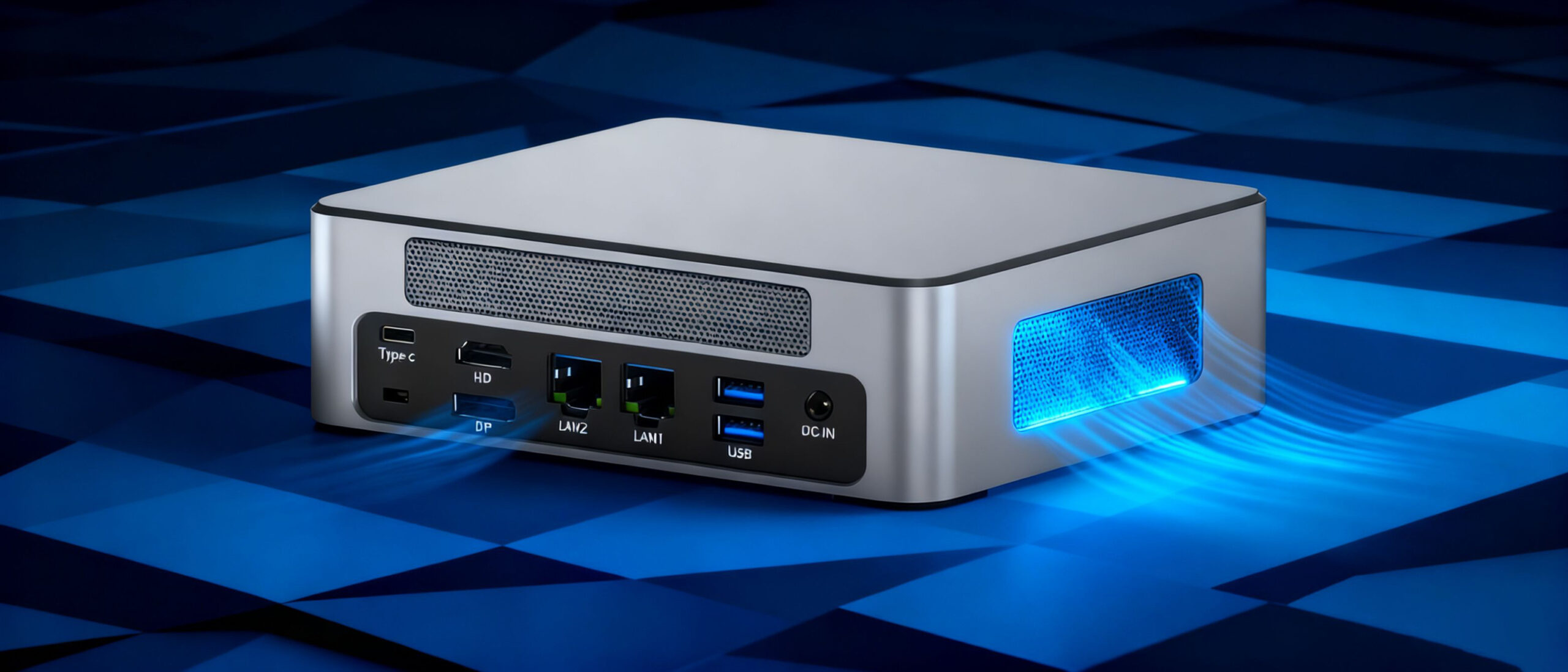
The M9’s aerodynamic case design further enhances thermal performance through strategic ventilation placement. Dual rows of precision-machined cooling vents on both sides of the chassis create a cross-flow air pattern, pulling cool air in through the front and expelling hot air through the rear. This design minimizes heat recirculation and ensures fresh air reaches all critical components. The case itself is constructed from aluminum alloy, providing additional passive cooling through heat conduction to the external surface.
Under the hood, the M9 features Intel’s Core i5-1340P processor, a 12-core (4 performance cores + 8 efficiency cores) chip designed with Intel’s 7nm process technology. This advanced manufacturing process delivers exceptional performance per watt, generating less heat than previous generations while maintaining processing power. The processor’s thermal design power (TDP) of 28W strikes an ideal balance between performance and heat generation, perfectly suited for the M9’s compact form factor.
Complementing the processor is Intel’s Iris Xe integrated graphics, which handles visual tasks without the need for a separate graphics card—eliminating an additional heat source while still delivering capable performance for light gaming and content creation. For users requiring more graphics power, select M9 configurations offer discrete GPU options with dedicated cooling solutions.
The M9’s thermal capabilities are further enhanced by intelligent power management features. The system dynamically adjusts power delivery based on workload, reducing voltage to components during idle periods and ramping up only when necessary. This not only improves energy efficiency but also minimizes heat generation during everyday tasks like web browsing and document editing.
In independent thermal testing, the Hystou M9 demonstrated impressive temperature control. Under sustained CPU load (100% utilization for 60 minutes), the processor peaked at 78°C—well below the 100°C maximum threshold. During combined CPU and GPU stress testing, temperatures remained stable at 82°C with no evidence of thermal throttling. These results confirm that the M9’s cooling system is more than capable of handling demanding workloads without compromising performance or longevity.
For users who prioritize both performance and thermal stability in a compact form factor, the Hystou Mini PC M9 stands out as an exceptional choice. Its thoughtful cooling design, efficient component selection, and intelligent power management work in harmony to deliver a mini PC experience free from the overheating concerns that plague many competing products.
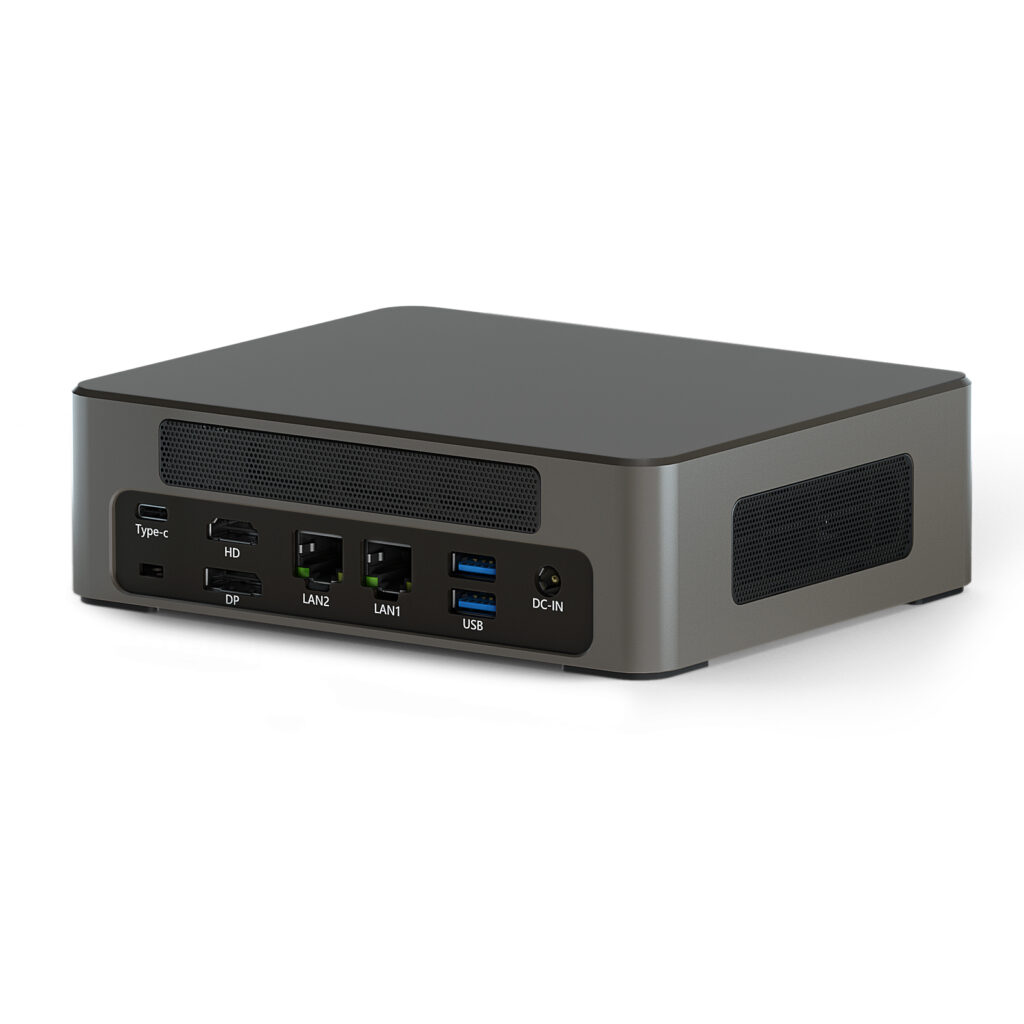
- Processor: Intel Core I5-1235U
Intel Core I7-1255U
Intel Core I5-1335U
Intel Core I5-1340P
Intel Core I7-1360P - Graphics Card:Intel® UHD Graphics(Single-channel video memory)or Intel® Iris® Xe Graphics(Dual-channel memory)
- Memory:2*DDR5 262Pin SODIMM, up to 64GB
- Storage: The 2*M.2 2280 slot supports NVME Gen3 X4/SATA protocol SSDs with a maximum capacity of 4 TB, while the NVME2 slot supports NVME Gen4 X4 protocol SSDs with a maximum capacity of 4TB.
- Network:2* 2.5G LAN ports for high-speed wired networks WiFi 6 & Bluetooth 5.2 for stable wireless connections

HYSTOU
HYSTOU has established its R&D headquarters in Shenzhen, drawing on over a decade of experience. Our core team members, who previously served at renowned companies such as Inventec and Quanta Computer, form the backbone of our technical expertise. With robust R&D and innovation capabilities, we remain steadfast in our commitment to pursuing excellence in the field of technology products.



