
How to Choose the Best Industrial Mini PC: The Ultimate 2025 Guide

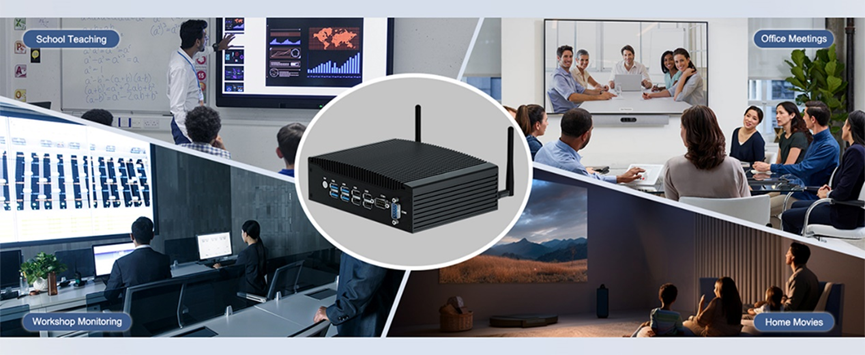
In the modern Industry 4.0 era, the Industrial Mini PC plays a pivotal role. Acting as the brain of automated production processes, these devices are responsible for data acquisition, machine vision, monitoring, and system control. Therefore, knowing how to choose an Industrial Mini PCcorrectly is critical for ensuring productivity and system stability.
Unlike consumer-grade computers, industrial computers are engineered specifically for harsh environments. This guide will walk you through the essential factors to consider, ensuring you select the perfect solution for your needs.
Assessing Your Deployment Environment
Before selecting an Industrial Mini PC, you must evaluate where it will be used. Industrial environments pose unique challenges:
Conditions: Extreme temperatures, high humidity, dust, and vibrations.
Space: Do you need a compact form factor for tight spaces?
Requirements: Do you need high processing power for AI or low power consumption for simple data logging?
8 Key Factors When Choosing an Industrial Computer
1. Durability and Reliability
In tough settings, your equipment must be resilient. A Rugged Mini PC should offer protection against dust, water, and shock. Fanless Industrial PCs are often preferred as they eliminate cooling fans—a common point of failure—and prevent dust ingress, ensuring long-term reliability.
2. Performance Capabilities
Beyond meeting basic application needs, your Industrial Mini PC should possess sufficient performance headroom to handle future tasks, such as edge analytics or complex algorithms. HYSTOU offers configurations ranging from energy-efficient processors to high-performance Intel Core i7/i9 CPUs.
3. Scalability and Compatibility
Technology evolves rapidly. Your industrial computer should offer good scalability, such as Mini-PCIe or M.2 slots, to support future upgrades like 4G/5G modules, Wi-Fi, or expanded storage. Compatibility with existing legacy systems (e.g., Windows 7/10/11, Linux) is also crucial to avoid integration issues.
4. Connectivity and I/O Ports
Stable data communication is vital.
Legacy Support: COM ports (RS232/422/485) for connecting PLCs and industrial sensors.
Protocols: Support for Modbus, Profibus, and EtherCAT.
Security: Multi-LAN ports for secure network segmentation and stable data transmission.
5. Customization Options
Standard models don’t fit every application. HYSTOU Industrial Mini PCs offer extensive customization, from chassis design and specific waterproof I/O ports to BIOS modification (e.g., Auto Power On, Watchdog), ensuring the device fits your specific workflow perfectly.
6. Wide Temperature Range
From cold storage facilities to scorching manufacturing plants, an industrial computer must operate reliably in extreme temperature ranges (often -20°C to 70°C).
7. Power Stability
Industrial power grids can be unstable. Reliable industrial PCs feature Wide Voltage Input support and power management systems to protect against over-voltage, surges, and short circuits.
Space Optimization and Workspace Efficiency
The HYSTOU Business Mini PC‘s small footprint allows multiple units to be installed in the space occupied by a single traditional desktop. This feature also facilitates custom dedicated server setups, helping organize office areas into clean, comfortable workplaces that enhance employee efficiency and company productivity.
8. Physical Security
Protecting your data involves physical security measures. Look for Kensington lock slots, tamper-proof chassis designs, and TPM 2.0 support to prevent unauthorized access and ensure data integrity.
Choosing the Right Chassis Form Factor
Selecting the correct form factor is essential for deployment:
1. DIN-Rail/Embedded: Ideal for control cabinets where space is at a premium.
2. Wall-Mount/Standalone: Flexible for workshops or outdoor locations; easy to move and maintain.
3. Rackmount: Best for centralized server rooms (standard 19-inch racks).
4. Panel PC: Integrates a touchscreen monitor with the PC, perfect for HMI (Human-Machine Interface) applications.
Why Choose a HYSTOU Industrial Mini PC?
Selecting a reputable supplier is key to success. Here is why **HYSTOU** is the trusted choice for industrial computing:
- Industry Experience: Years of expertise in delivering solutions for automation, digital signage, and IoT.
- Quality Assurance: rigorous testing (vibration, temperature, aging) ensures every HYSTOU Industrial Mini PC meets the highest standards of durability.
- Diverse Product Line: A vast selection of fanless PCs, rugged computers, and high-performance mini PCs to suit any industry.
- Technical Support: Comprehensive after-sales service and technical guidance to resolve issues quickly.
- Cost-Effectiveness: High-quality industrial solutions at competitive prices, optimizing your ROI.
Budget and Conclusion
When selecting an Industrial Mini PC, consider the Total Cost of Ownership (TCO), not just the initial price tag. While consumer PCs may seem cheaper, their high failure rate in industrial settings leads to downtime and replacement costs. Investing in a robust HYSTOU Industrial Mini PC ensures longevity, stability, and long-term savings.
Ready to enhance your industrial operations? Contact HYSTOU today to find the perfect industrial computing solution tailored to your needs.

HYSTOU
HYSTOU has established its R&D headquarters in Shenzhen, drawing on over a decade of experience. Our core team members, who previously served at renowned companies such as Inventec and Quanta Computer, form the backbone of our technical expertise. With robust R&D and innovation capabilities, we remain steadfast in our commitment to pursuing excellence in the field of technology products.



