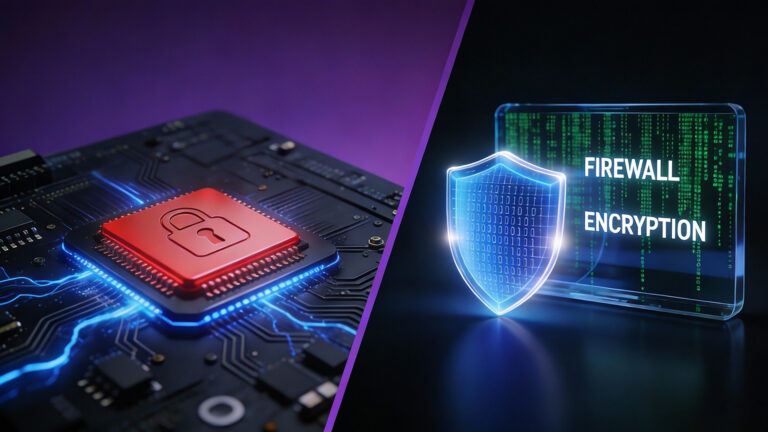
Hardware Security vs. Software Security: The Ultimate Guide for Mini PC Users

HYSTOU Business Mini PC Makes Small Business Operations Less Costly
What is Software Security?
Software security is likely the most familiar layer of protection for most users. It operates as a protective layer running on top of operating systems like Windows or Linux. Its primary function is to detect, block, and remove threats originating from the internet or compromised files.
Common Examples of Software Security
- Antivirus Software: Scans files to detect known malware signatures and patterns.
- Firewalls: Monitors network traffic to block unauthorized access attempts.
- Encryption Software: Scrambles data to make it unreadable without the decryption key.
What is Hardware Security?
Hardware security refers to protective mechanisms physically built into the device’s circuitry. Unlike software, which can be altered through code, hardware security is immutable or extremely difficult to modify without physical access to the device. For mini PC users, this creates an “invisible” layer of protection that ensures the machine hasn’t been tampered with.
Key Hardware Security Features in Modern Mini PCs
- TPM 2.0 (Trusted Platform Module): You may have heard about this with the release of Windows 11. TPM chips securely generate and store encryption keys. Acting as a secure cryptographic processor, even if hackers infect your hard drive with malware, they cannot extract encryption keys stored inside the TPM chip, as it is physically isolated from the main processor’s memory.
- Secure Boot (UEFI/BIOS) This feature ensures your mini PC only boots with software trusted by the original equipment manufacturer (OEM). It prevents “Rootkits” from loading before Windows starts.
- Physical Locks (Kensington Slots):
Kensington lock slots are particularly valuable for mini PCs. Given their compact size and high portability, these devices are at a higher risk of theft. The lock slot allows users to physically secure the mini PC to a desk or other stable surface using a dedicated security cable, significantly reducing the risk of unauthorized removal.
The Core Differences: A Quick Comparison
| Aspect | Software Security | Hardware Security |
|---|---|---|
| Vulnerability | Can be bypassed if the OS is compromised | Operates independently of OS |
| Maintenance | Requires daily updates and patches | Generally, “set it and forget it” with occasional firmware updates |
| Protection Scope | Defends against viruses and phishing | Prevents physical theft and firmware tampering |
Why Your Mini PC Needs Both Layers
- Hardware-only protection: You may be safe from boot-sector viruses, but you can still fall victim to phishing scams and lose sensitive financial information.
- Software-only protection: You can block viruses, but if hackers gain physical access to your mini PC, they can bypass Windows passwords without hardware encryption like BitLocker with TPM.
Conclusion
The debate between hardware security vs. software security isn’t about choosing one over the other; it’s about integration. Software acts as your daily guard, while hardware serves as the unshakeable vault. By selecting a Mini PC equipped with modern hardware security standards, you are building a fortress that fits in the palm of your hand.

HYSTOU
HYSTOU has established its R&D headquarters in Shenzhen, drawing on over a decade of experience. Our core team members, who previously served at renowned companies such as Inventec and Quanta Computer, form the backbone of our technical expertise. With robust R&D and innovation capabilities, we remain steadfast in our commitment to pursuing excellence in the field of technology products.