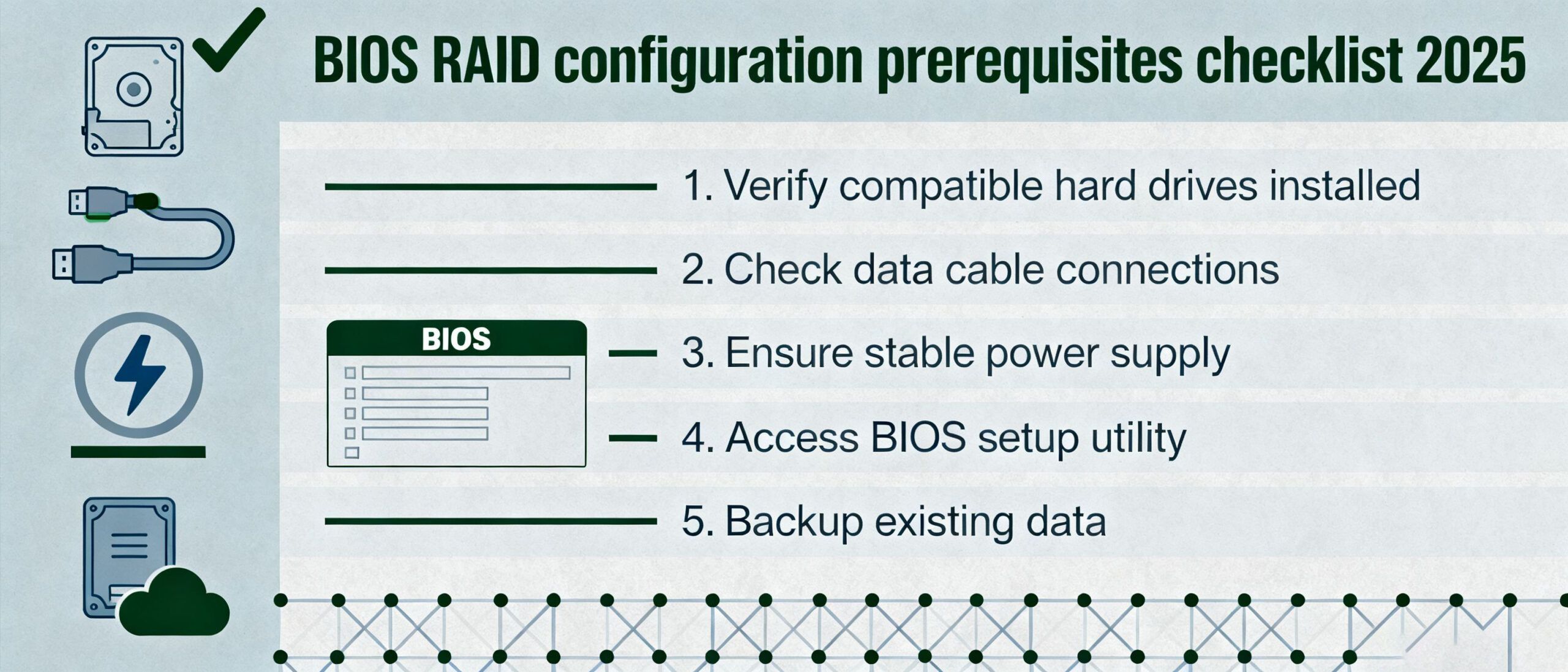

- Press the Del key rapidly after pressing the computer’s power button to enter BIOS Setup.
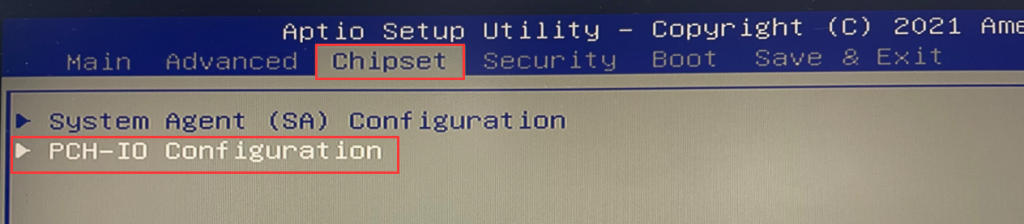
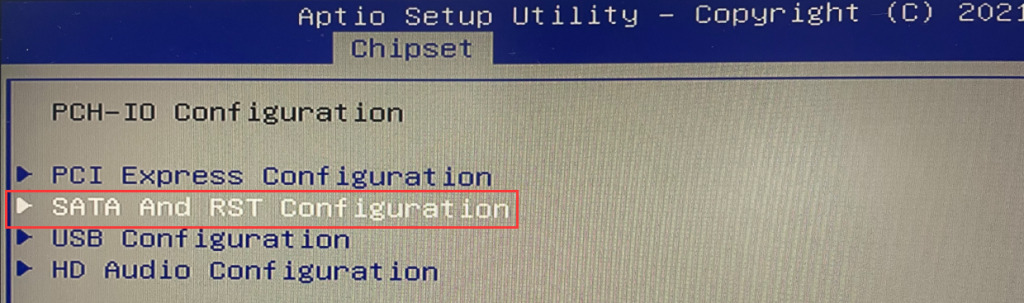
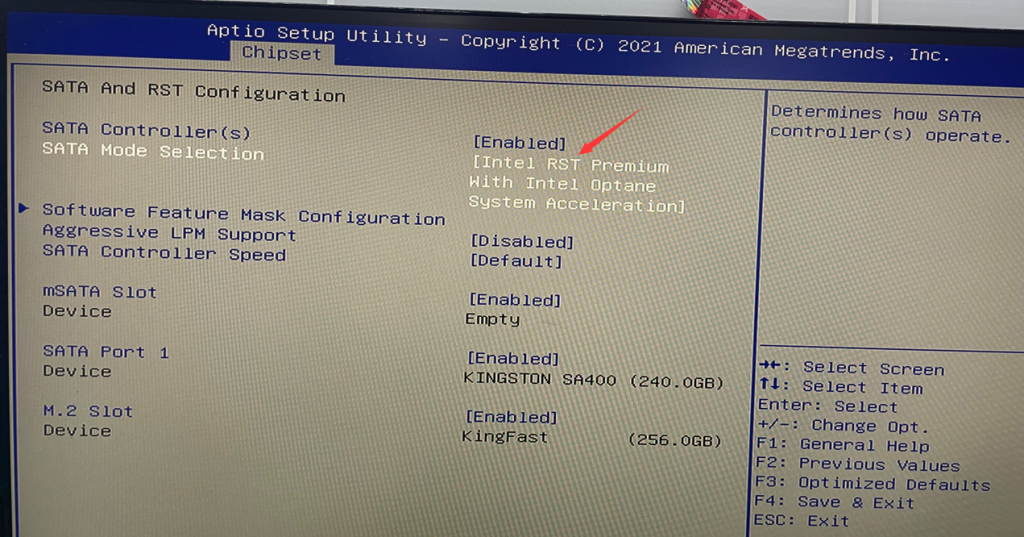
- In the BIOS, select Chipset > PCH-IO Configuration > SATA and RTS Configuration > Set the “SATA Mode Selection” to “Intel RST Premium with Intel Optane System Acceleration.” > Press the Esc key on the keyboard to exit the current page. Finally, select “Save & Exit.”
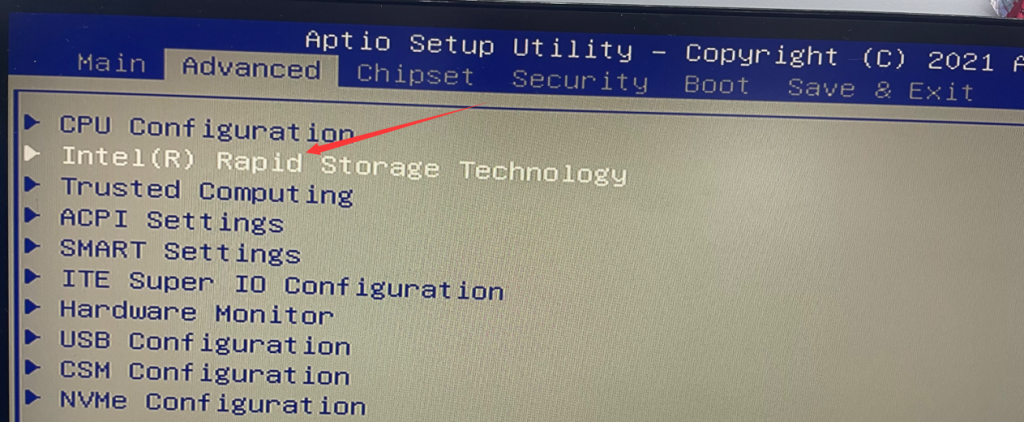
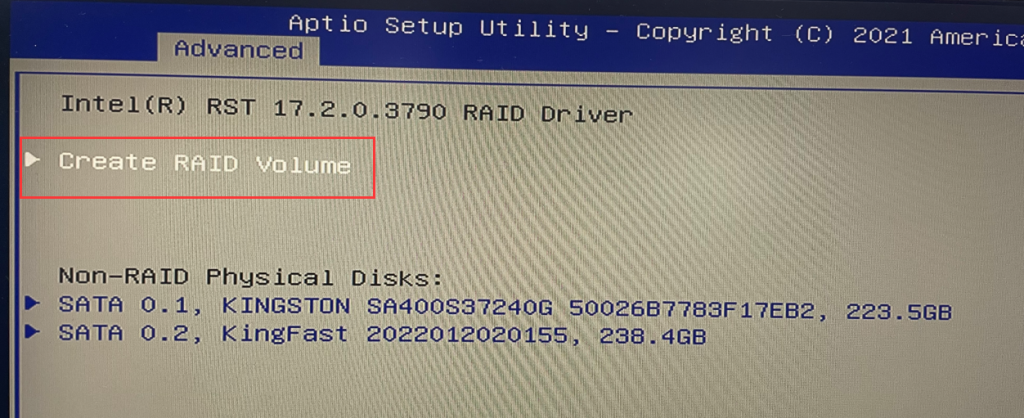
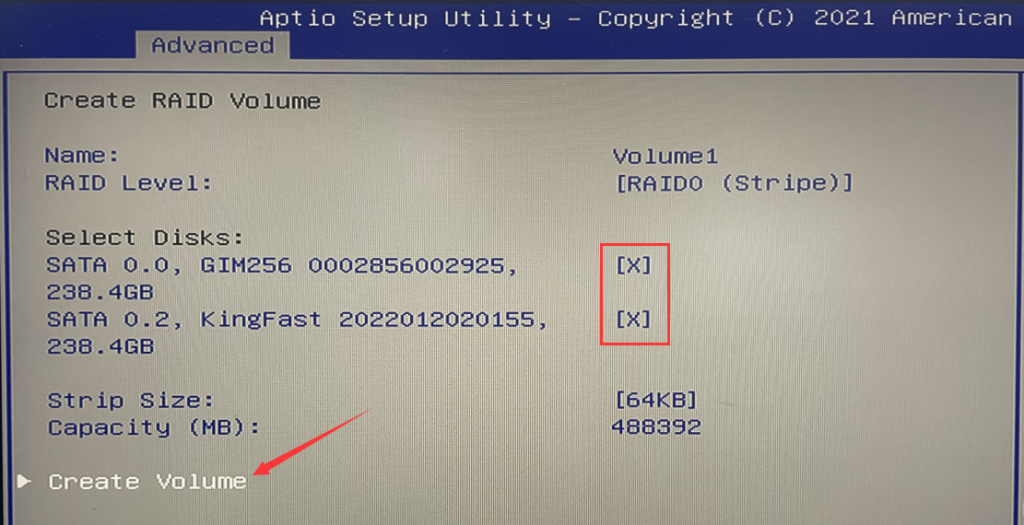
3. After restarting, quickly press the Del key to enter the BIOS. Select “Intel(R) Rapid Storage Technology” > “Create RAID Volume” > RAID level, such as RAID 0, RAID 1, or RAID 5 (Note: RAID requires at least three SATA hard drives for setup). In this tutorial, we will use RAID 0 as an example, but you can choose according to your needs. Select the disks by using the spacebar and then click “Create Volume.”
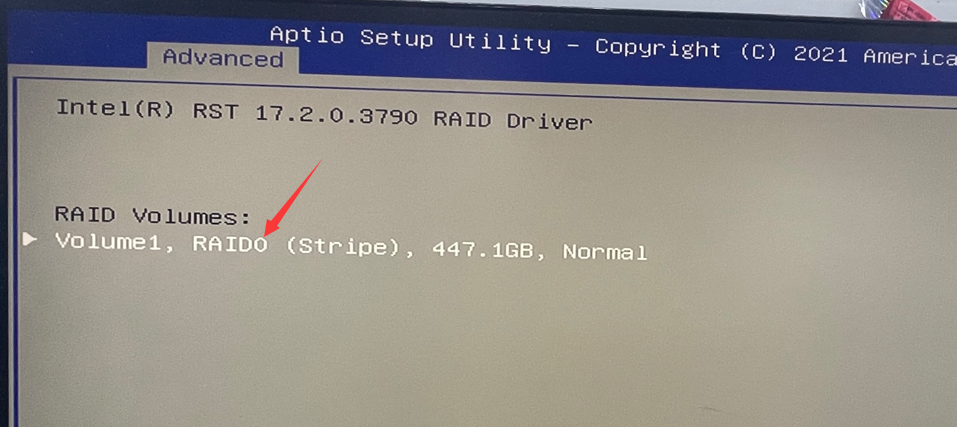
4.Introduction to RAID0, RAID1, and RAID5:
RAID0 is a simple, non-redundant data striping technology. In reality, it is not a true RAID because it does not provide any form of redundancy. RAID 0 combines multiple disks into a larger storage space by striping the data across them. Data is distributed and accessed independently across all disks, allowing for parallel I/O operations and efficient utilization of the bus bandwidth. As RAID 0 does not require data parity calculations, it offers the highest performance among all RAID levels. In theory, a RAID 0 consisting of n disks can achieve a read/write performance that is n times that of a single disk. However, actual performance gains are lower than the theoretical values due to limitations such as bus bandwidth.
RAID 0 offers advantages such as low cost, high read/write performance, and 100% utilization of storage space. However, it does not provide data redundancy, meaning that if data becomes corrupted, it cannot be recovered. Therefore, RAID 0 is generally suitable for applications with strict performance requirements but lower demands for data security and reliability, such as video and audio storage, temporary data caching spaces, and similar scenarios.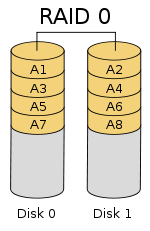
RAID 1, also known as mirroring, writes data identically to both the working disk and the mirror disk. It has a disk space utilization rate of 50%. RAID 1 may have a slight impact on response time during data writes, but it does not affect data read operations. RAID 1 provides optimal data protection, as in the event of a failure in the working disk, the system automatically retrieves data from the mirror disk without affecting user operations. The working principle is shown in the following figure.
RAID 1 is the opposite of RAID 0. It aims to enhance data security by creating a complete mirror image of the data on two disks, resulting in improved security, simplified technology, and easier management. RAID 1 has complete fault tolerance capabilities but comes with higher implementation costs. RAID 1 is applied in scenarios that require high sequential read/write performance and prioritize data protection, such as protecting data in email systems.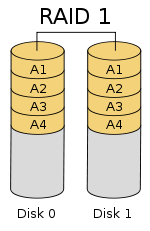
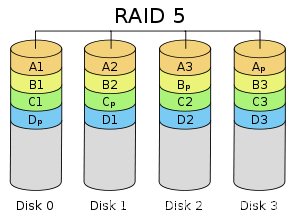
RAID 5 simultaneously stores data and parity information on the disks. Data blocks and their corresponding parity information are stored on different disks. When one disk fails, the system can reconstruct the lost data using the remaining data blocks and corresponding parity information from the same stripe. Like other RAID levels, the performance of RAID 5 is significantly impacted during data reconstruction.
RAID 5 balances storage performance, data security, and storage costs. It can be seen as a compromise between RAID 0 and RAID 1, providing the best overall performance for data protection. RAID 5 can meet the storage requirements of most applications and is commonly used as a data protection solution in data centers.