
Access Your Computer Anywhere: The Perfect Combination of RDP Technology and Mini PC

What Is RDP? The Remote Control for Your Computer
Imagine this: You’re in a coffee shop working on your tablet, but you need to access a large file stored on your home desktop. Or you’re traveling and want to use specialized software that only runs on your office computer. This is where Remote Desktop Protocol (RDP) comes in—a powerful tool that acts like a remote control for your computer.
Think of RDP as a TV remote for your digital life. Your laptop, tablet, or smartphone becomes the remote control, while the computer running the RDP service is like the TV. You see the “TV” screen on your “remote” and can control it from anywhere with an internet connection.
RDP Definition:
Remote Desktop Protocol is a Microsoft-developed technology that enables graphical display and control of a computer desktop from another device over a network. Unlike file-sharing services that only transfer data, RDP lets you fully operate the remote computer as if you were sitting right in front of it.
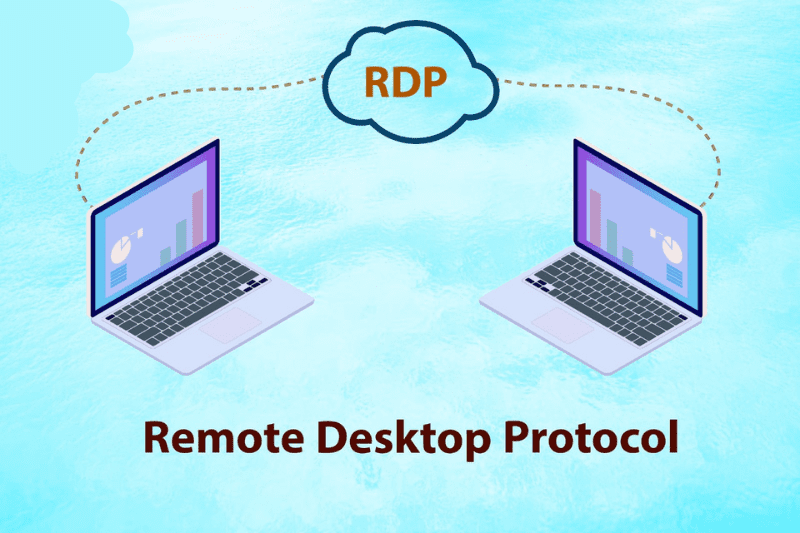
How RDP Works:
The host computer runs RDP server software, sharing its desktop environment. Your local device (client) runs RDP client software, receiving screen images and sending mouse/keyboard commands. Crucially, all processing happens on the host computer—the client only handles display and input, making even low-powered devices capable of running demanding applications remotely.
Why RDP Matters? Five Game-Changing Benefits
Access Your Computer Anywhere
Whether you’re across town or across the globe, RDP gives you full access to your computer’s files, software, and settings through any internet-connected device. Business travelers can work from hotel rooms using their phones, while students can access campus computers from home.

Centralized Device Management
Say goodbye to syncing files between multiple devices. With RDP, everything stays on your main computer. Edit a document remotely, and the changes save automatically to your host machine. No more “which version is this?” frustrations or cloud storage limitations.
Maximize Hardware Investment
RDP lets you pair lightweight devices with powerful computing. Use a tablet to control a high-performance desktop back home, running resource-intensive applications like video editors or data analysis tools without draining your portable device’s battery or storage.
Enhanced Security and Privacy
Keep your main computer in a secure location while using less valuable devices on the go. If your tablet or laptop gets lost, your sensitive data remains protected on the host machine. RDP connections are encrypted, and many implementations support two-factor authentication for added security.

Simplified IT Support and Collaboration
Help family members troubleshoot computer issues from afar, or collaborate with colleagues on projects by accessing the same system. IT departments use RDP daily to maintain systems without physical access, and teams can share specialized software licenses efficiently.
Why Mini PCs Make the Best RDP Hosts
Energy Efficiency for 24/7 Operation
Modern Mini PCs consume just 15-30 watts of power—compared to 150+ watts for traditional desktops. Running 24/7 as an RDP server costs as little as $5-10 monthly in electricity, with minimal heat output that eliminates noisy cooling fans.
Compact Design, Zero Clutter
At roughly the size of a paperback book (typically 4x4x2 inches), Mini PCs disappear into home or office environments. Mount one behind your monitor, tuck it on a shelf, or place it in a closet—your workspace stays clean while your digital hub remains accessible.
Performance That Surpasses Expectations
Don’t let their size fool you. Mini PCs equipped with Intel Core i5/i7 or AMD Ryzen processors deliver enough power for office work, software development, and even light graphic design. Models like the Intel NUC 12 Pro or ASUS PN53 offer 16GB RAM and 1TB SSD options at price points 30-40% lower than equivalent tower PCs.
Versatile Connectivity for Every Need
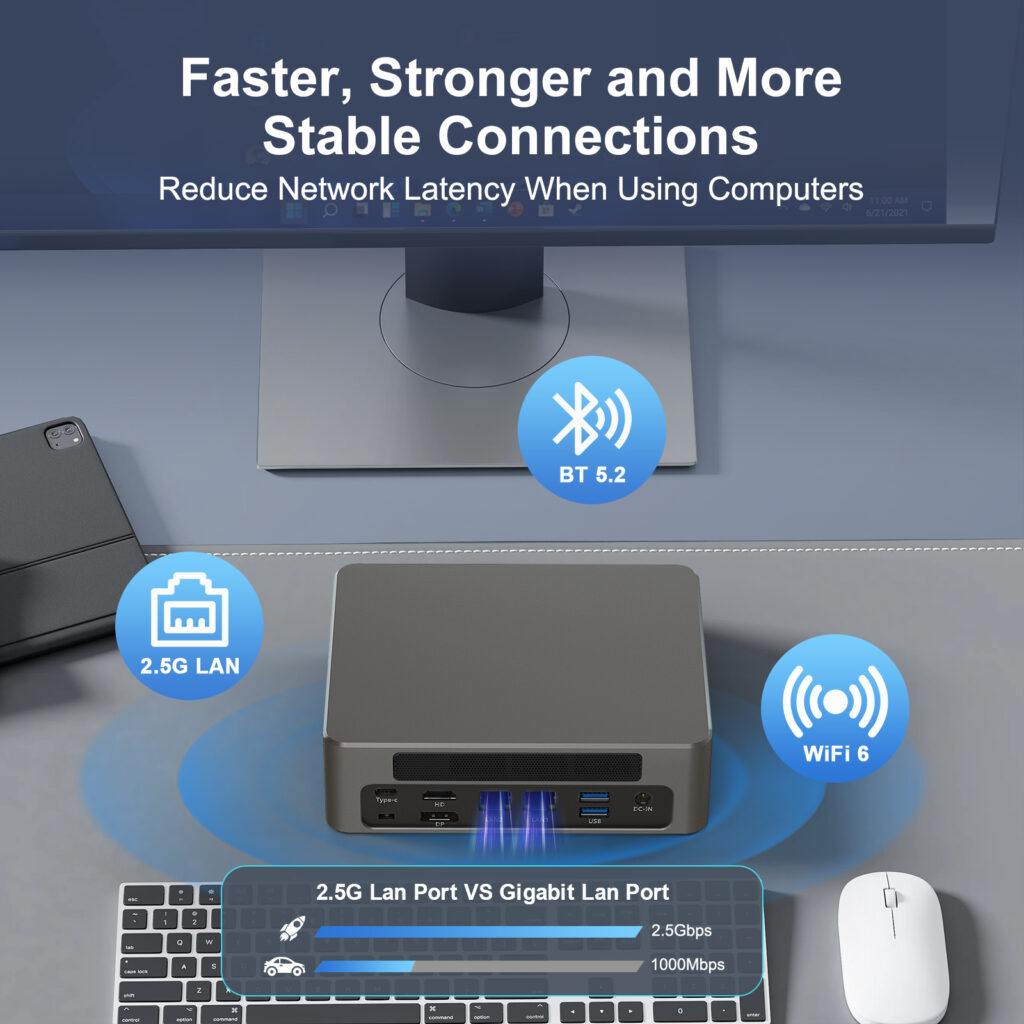
Despite their compact size, premium Mini PCs feature multiple USB-A/USB-C ports, HDMI/DisplayPort outputs for multi-monitor setups, and Gigabit Ethernet for stable remote connections. Some models include Wi-Fi 6 and Bluetooth 5.2 for wireless peripherals, making them surprisingly flexible RDP servers.
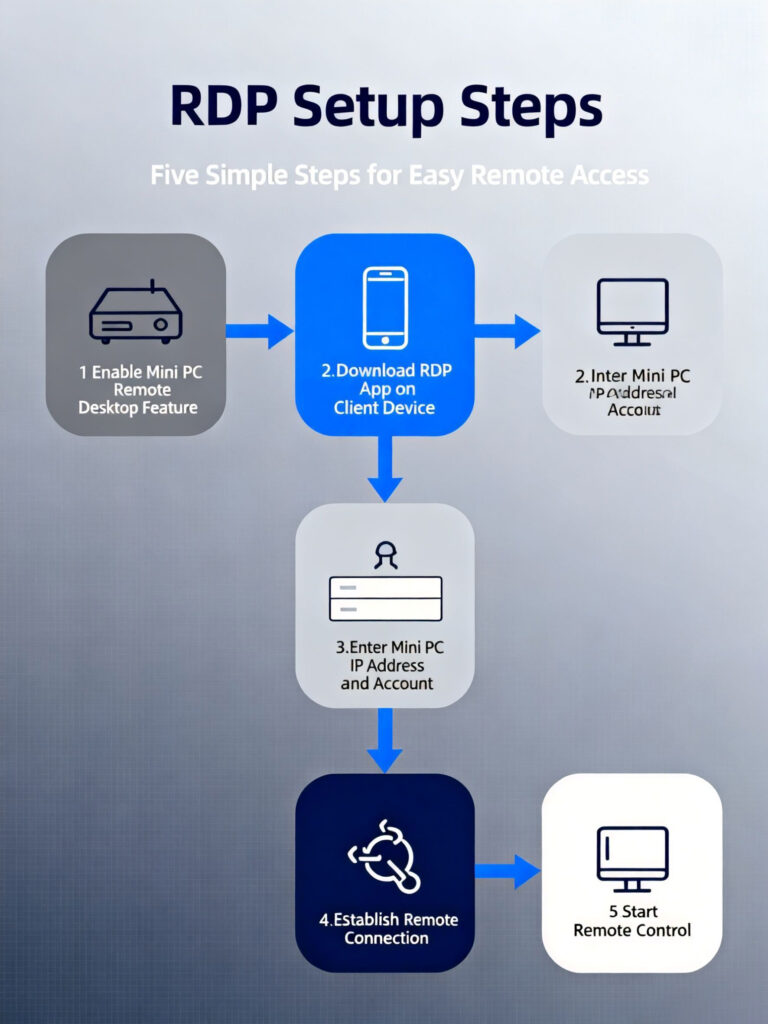
Three Simple Steps to Build Your RDP System
Step 1: Choose Your Mini PC Host
Select a Mini PC with specifications matching your needs. For basic office work, an Intel Celeron or AMD Athlon with 8GB RAM suffices. For development or creative tasks, opt for an Intel Core i5/Ryzen 5 with 16GB RAM and SSD storage. Look for models with at least two video outputs if you want remote access to multiple monitors.
Step 2: Configure Your RDP Server
On Windows 10/11 Pro:
Go to Settings > System > Remote Desktop
Toggle “Enable Remote Desktop” to On
Note your PC name for connection
Configure firewall settings to allow RDP traffic (port 3389)
Set up strong password authentication and consider network security options like VPN for external access
Step 3: Connect From Any Device
Microsoft offers free RDP clients for all major platforms:
Windows: Use the built-in “Remote Desktop Connection” app
macOS: Download Microsoft Remote Desktop from the App Store
iOS/Android: Install Microsoft Remote Desktop from respective app stores
Linux: Use Remmina or Vinagre RDP clients
Enter your Mini PC’s IP address or hostname, provide credentials, and you’re ready to work from anywhere.
Transform Your Digital Workflow Today
RDP technology breaks the chains of traditional computing, letting you access your digital workspace from anywhere. When paired with a Mini PC—energy-efficient, powerful, and space-saving—this combination creates the ultimate flexible computing solution.
Imagine a small device hidden in your home, quietly running 24/7, giving you secure access to all your files and applications from any device, anywhere in the world. No more carrying laptops, worrying about data syncing, or compromising on performance when working remotely.
Ready to build your remote access system? Explore our Mini PC collection to find the perfect RDP server for your needs. Have questions about setup or compatibility? Our technical support team is here to help you every step of the way.
HYSTOU M9 Mini PC – Intel i5-1340P WiFi 6 Desktop Computer (8K Triple Display)
- Processor: Intel Core i5-1340P/i5-1235U/i5-1335U/i7-1255U/i7-1360P(TDP 28W)
- Graphics Card: Intel Iris Xe Graphics (supports 8K triple display)
- Memory: 2×DDR5-4800 SODIMM slots (260pin, max 64GB)
- Storage: 2×M.2 PCIe 4.0 SSD slots (NVMe 2 supports PCIe 4.0×4)/1×SATA 3.0 interface (for 2.5″ HDD/SSD, ≤7mm thickness)
- Network: Standard: 2×2.5G LAN, Intel AC3165 WiFi (Bluetooth 4.2)/Optional: WiFi 6 AX200 (Bluetooth 5.2)

HYSTOU
HYSTOU has established its R&D headquarters in Shenzhen, drawing on over a decade of experience. Our core team members, who previously served at renowned companies such as Inventec and Quanta Computer, form the backbone of our technical expertise. With robust R&D and innovation capabilities, we remain steadfast in our commitment to pursuing excellence in the field of technology products.



